TM2248_Explanation Document of DualLane MachineYS24(DL)YS24X(DL).pdf - 第17页
MDOC - SOFT50073 17 • [MIS] - [Progr am log] tab [“Lane Select” combo b o x] Th is i s for filtering the board log data. There is “ M CH” to dis play “Machine Entire” lin e. Example) In the case of YS24(DL), the followin…
MDOC
-
SOFT50073
16
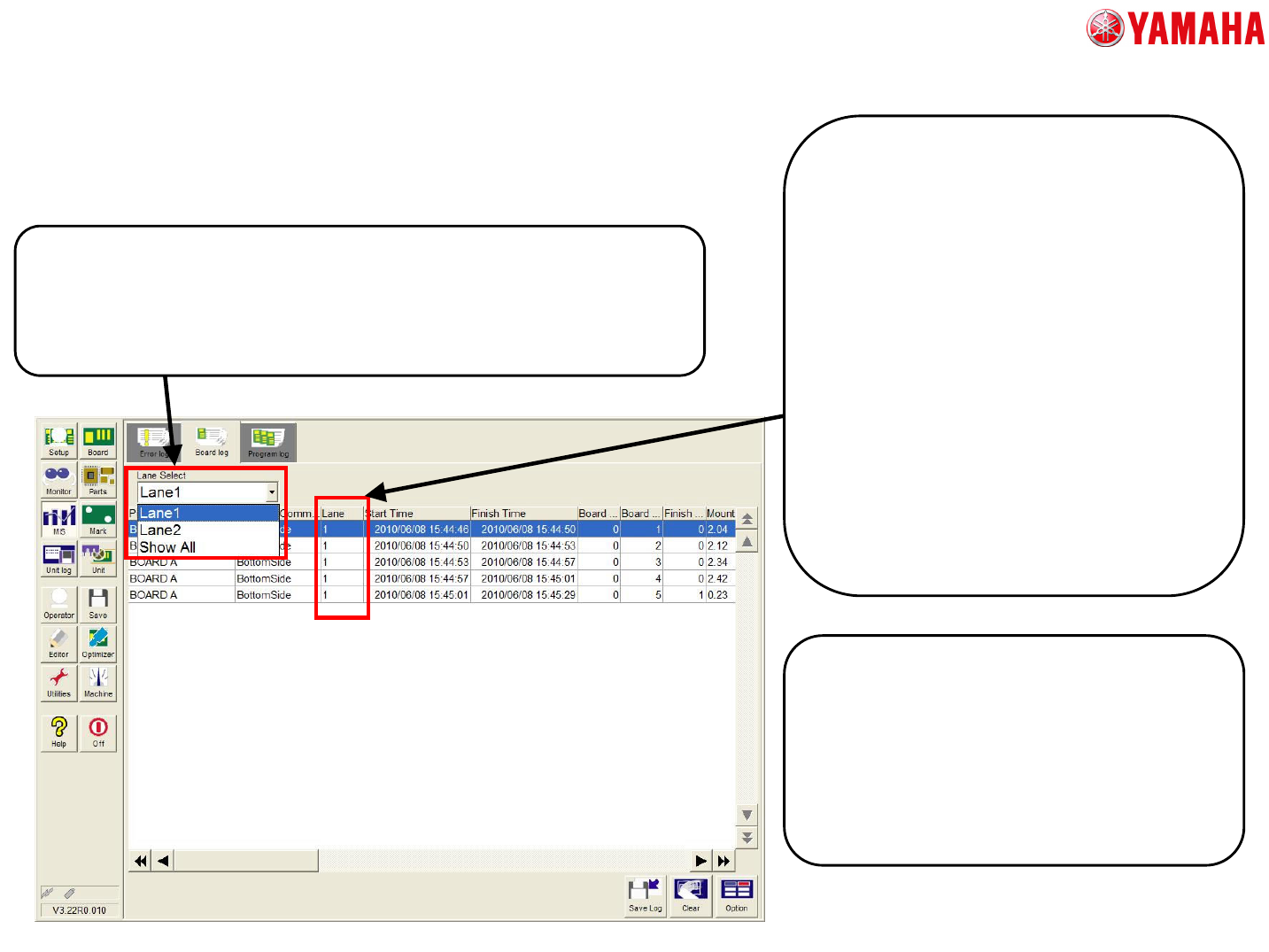
• [MIS] - [Board log] tab
[“Lane Select” combo box]
This button is for filtering of the board log data.
In the case of the machine which has multi lane and multi stage, the
stage select combo box is displayed next to lane select combo box.
[Additional Items]
“Lane”
The number of the conveyor lane where the board
is produced is displayed.
“Other Lane Wait Time”
The following time is displayed.
A) In the auto-running with an “Each Lanes” mode,
it is the time from the end of fixing the board until
the beginning of mounting while the mounting is
executed in the other lane.
B) In the auto-running with a “Synchronous
Transfer” mode, it is the time from the end of
fixing the board in one conveyor until the end of
fixing the one in the other lane.
“Operation Stop Time”
The time from pressing the [STOP] button until
restarting the auto-running is displayed. This time
is not displayed in before version.
[Board log file (PcbLog.csv)]
With the change of the Board log, the file version of
Board log is changed as follows.
“V3.00” -> “V3.10”
“V3.01” -> “V3.10”
The board log file of every lane is output at the same
time to acquire board log every lane.
“PcbLogL1.csv” / “PcbLogL2.csv”
3. The detail of each screen
MDOC
-
SOFT50073
17
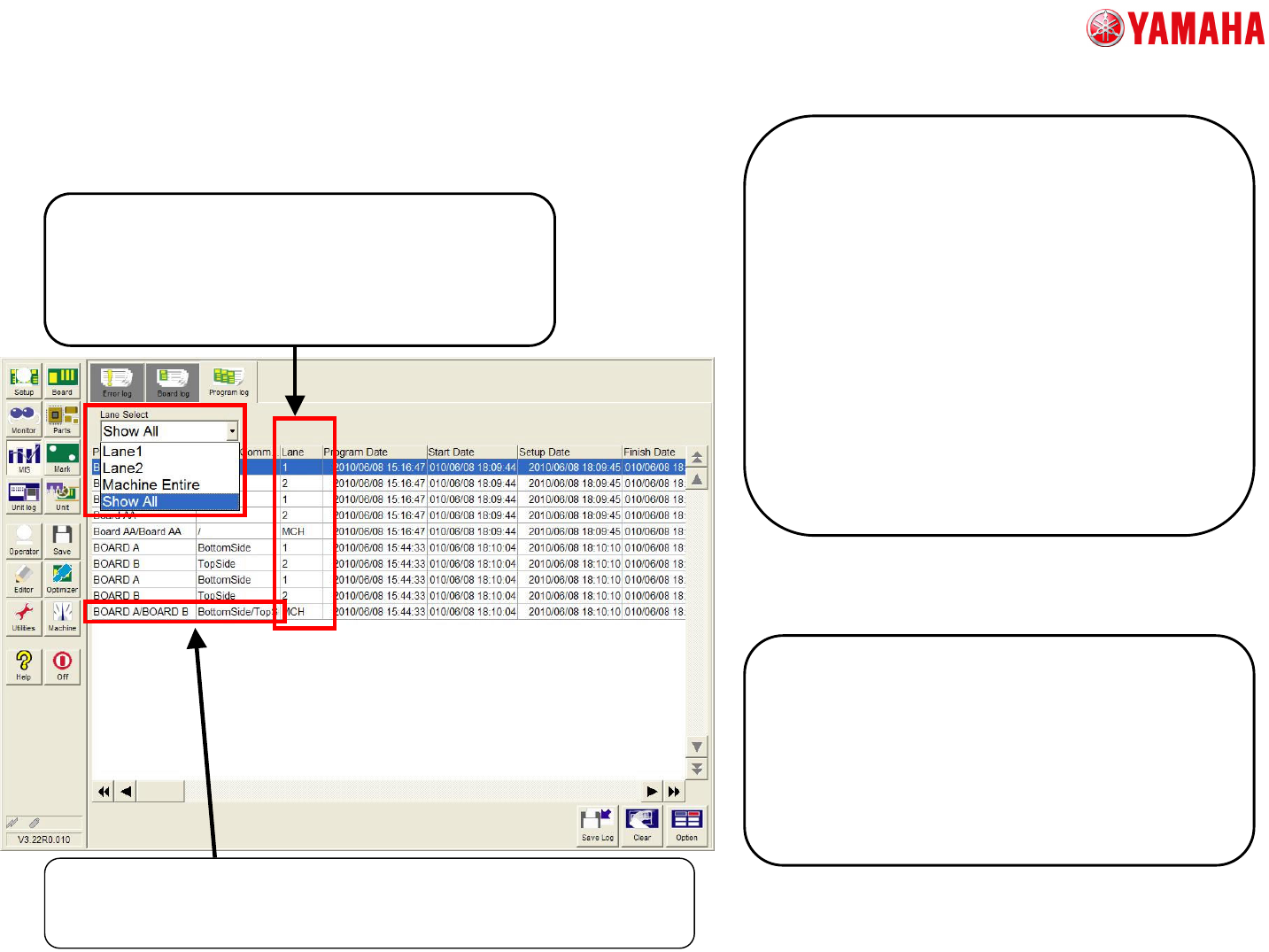
• [MIS] - [Program log] tab
[“Lane Select” combo box]
This is for filtering the board log data.
There is “MCH” to display “Machine Entire” line.
Example)
In the case of YS24(DL), the following program
logs are displayed per one lot.
1. The log of Lane1, Stage1
3. The log of Lane1, whole stage
4. The log of Lane2, Stage1
6. The log of Lane2, whole stage
7. The log of whole machine
[Additional Items]
Following three items are added like board log.
“Lane”
“Other Lane Wait Time”
“Operation Stop Time”
[Program log file (LotLog.csv)]
With the change of the Program log, the file version of
Program log is changed as follows.
“V3.00” -> “V3.10”
“V3.01” -> “V3.10”
The program log file of every lane is output at the same
time to acquire program log every lane.
“LotLogL1.csv” / “LotLogL2.csv”
[Program name]
When the board data which produces both sides of board is selected, the
“Program Name” and “Program Comment” are displayed with slash delimited.
3. The detail of each screen
MDOC
-
SOFT50073
18
• Other setting about MIS
[“Unit Log” -> “Conveyor” tab]
The “Lane Select” combo box for filtering the conveyor
log is displayed.
3. The detail of each screen
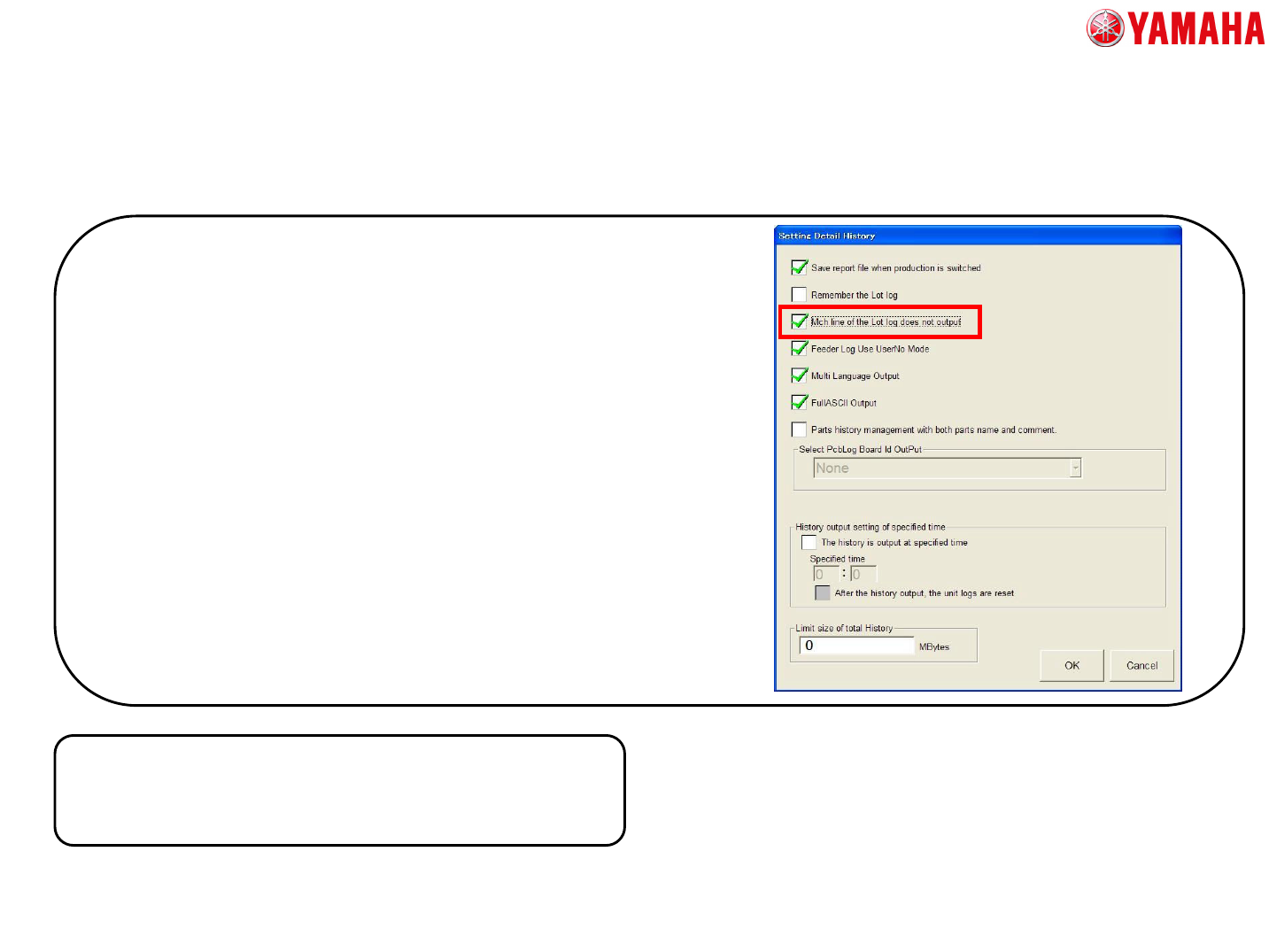
In order to display the log without the “MCH” row, please set [Software
Setting] - [History] - [Detail History setting] - [Mch line of the Lot log
does not output] to “checked state”.
By this setting, following two rows is displayed at Program log per one
lot.
A. The log of Lane1 ( contents of 1 + 2 )
B. The log of Lane2 ( contents of 3 + 4 )
[About the setting “Mch Line of the Lot log does not output”]
The “MCH” row in Program log
In the machine with two lane and one stage, the following Program
logs are usually output.
1. The log of Lane1, Stage1
2. The log of Lane1 whole
3. The log of Lane2, Stage1
4. The log of Lane2 whole
5. The log of whole machine