TM2248_Explanation Document of DualLane MachineYS24(DL)YS24X(DL).pdf - 第8页
MDOC - SOFT50073 8 • “Setup screen” a nd “Statu s Area” [Status Area] W h en the board data whi ch produces both sides of board is selected, it is displa y ed in two lines. “T o tal” and “Produced” number can be set for …
MDOC
-
SOFT50073
7
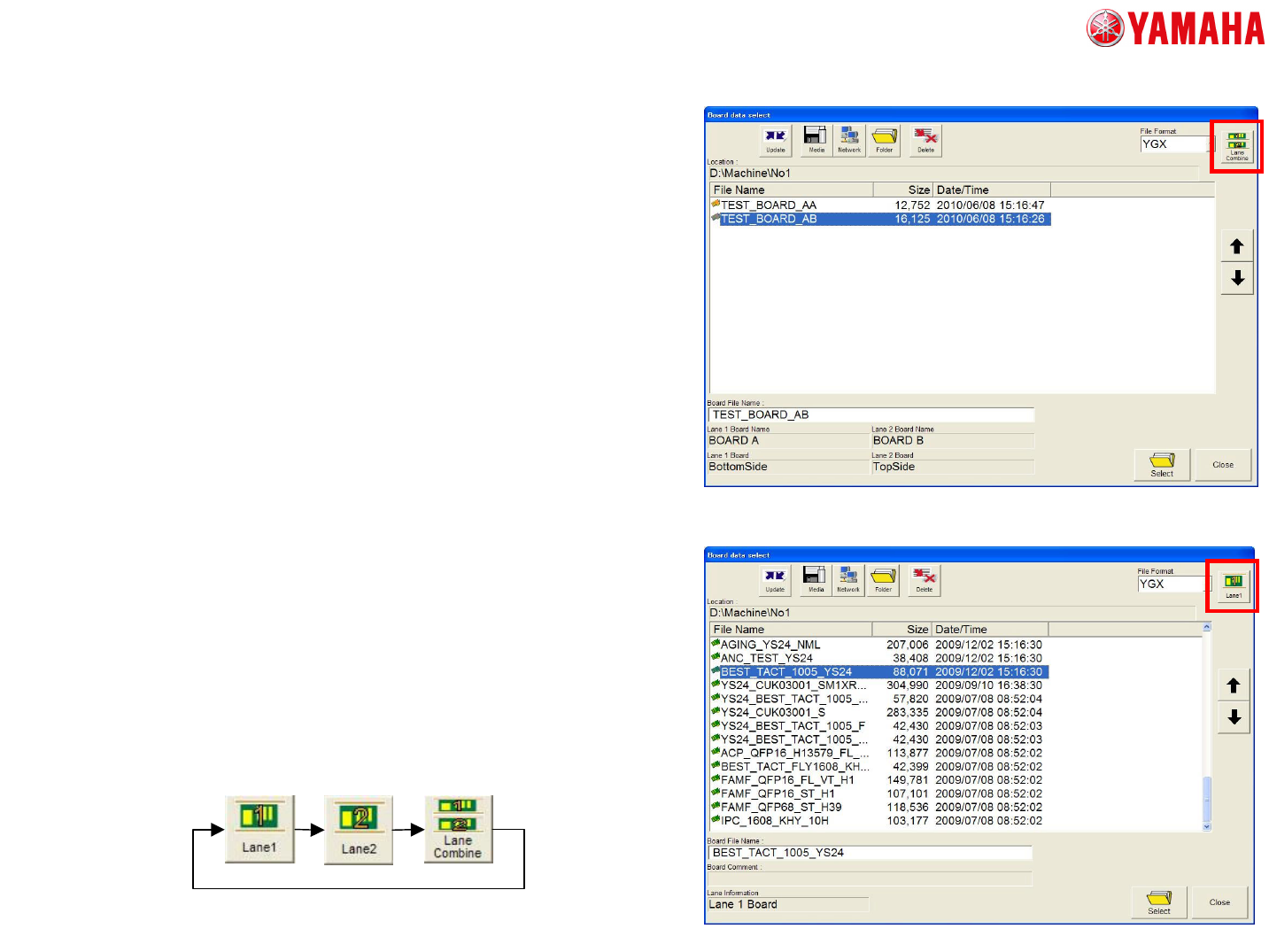
• The screen of “Board Data Select”
– Combined board data (YGX combined)
• Please tap the [Lane Select] button on
the top right of the screen, and choose
[Lane Combine].
– Single board data (such as YGX)
• Please tap the [Lane Select] button on
the top right of the screen, and choose
[Lane1] or [Lane2]
• The conventional format of the board
data can be available.
3. The detail of each screen
MDOC
-
SOFT50073
8
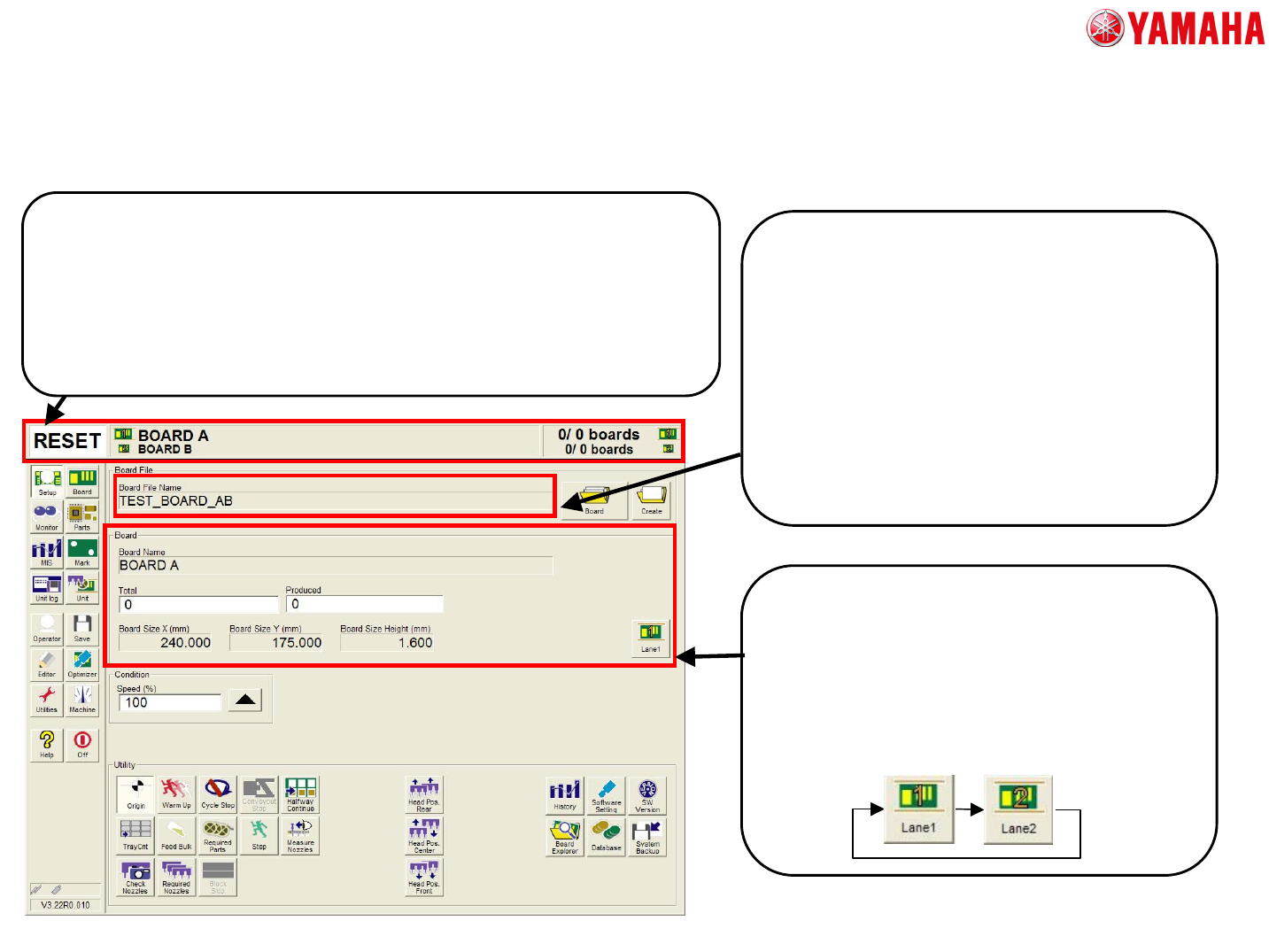
• “Setup screen” and “Status Area”
[Status Area]
When the board data which produces both sides of board is selected, it is displayed
in two lines.
“Total” and “Produced” number can be set for each board.
When the same board (same side) is produced in both lanes, it is displayed one in
line.
On all screen, the board name and board count which is selected on button is
displayed in big letters.
[Lane Select Button]
This button is newly added, the information
of a chosen lane is displayed.
When the same board (same side) is
produced in both lanes, this button is not
displayed.
[Board File Name] and [Board]
In the conventional machine, the “board file
name” is the same as “board name”. But in
dual lane machine, they are displayed
separately because two board data are
combined.
The combined data keeps two file names
which are used as board data file name
before combined, and they are displayed as
"Board Name".
3. The detail of each screen
MDOC
-
SOFT50073
9
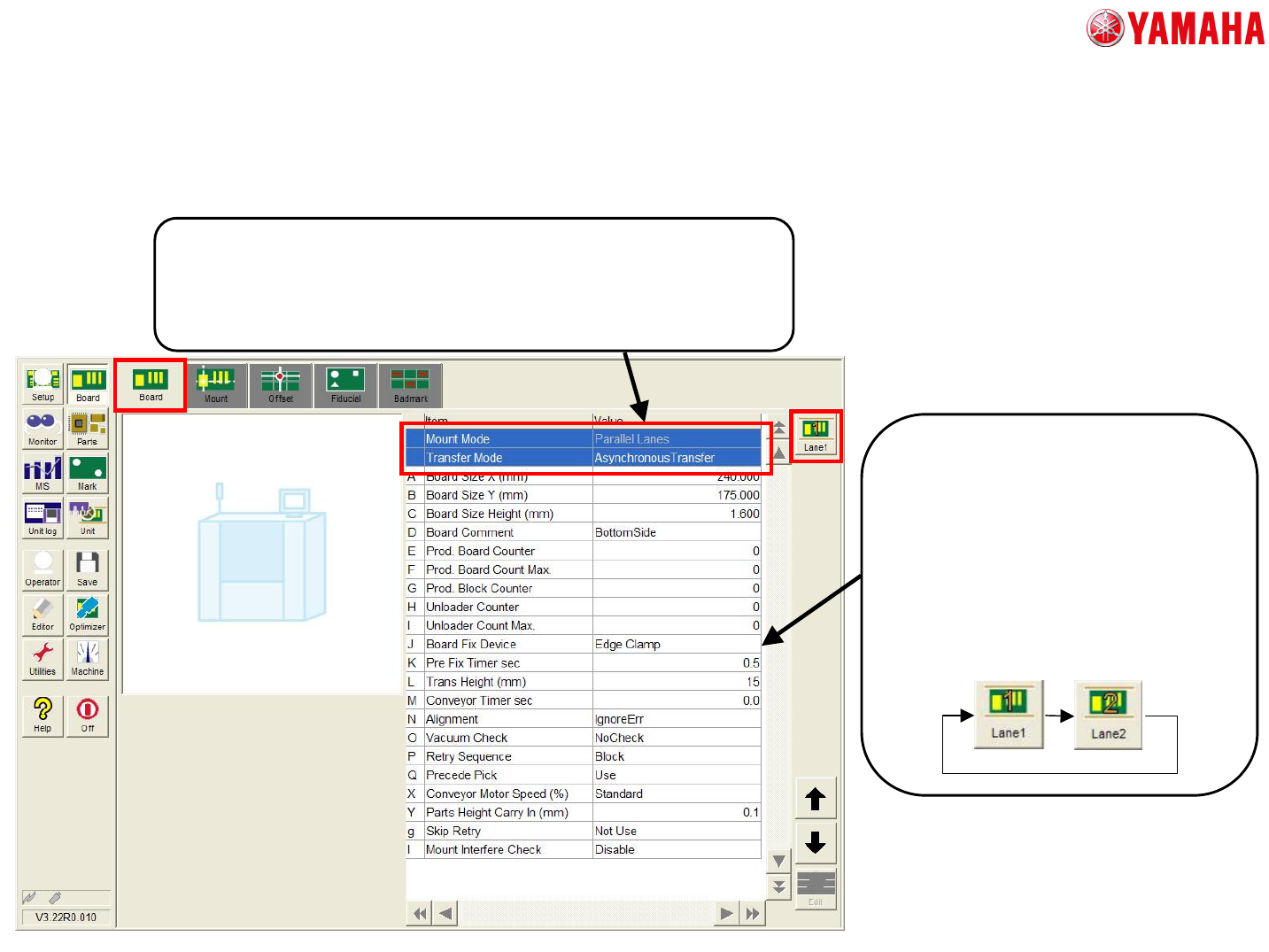
• [Board] – [Board] tab
[Mount Mode] and [Transfer Mode]
“Mount Mode” and “Transfer Mode” above-mentioned are displayed.
“Mount Mode” cannot be edited, because the mount CT is greatly affected by
changing this setting. This mode can be set only in Optimizer.
“Transfer Mode” can be edited.
[Other Setting]
“Board Size”, “Board Comment”
and “Board Count” can be edited in
each lanes.
The other items cannot be edited in
each lanes. So it is reflected in the
other lanes when they are edited in
one lane.
3. The detail of each screen