TM2248_Explanation Document of DualLane MachineYS24(DL)YS24X(DL).pdf - 第24页
MDOC - SOFT50073 24 • In dual lane machine, a u tomatic program change-over f unction is av a il a ble. • In this chapter, the diffe rences from the con v entional single lane ma c hin e a nd limitations are explained. 5…
MDOC
-
SOFT50073
23
• About the “Pass Transfer” mode
– To execute pass transfer in the one side lane, combined board data
without the mounting information of target lane is necessary.
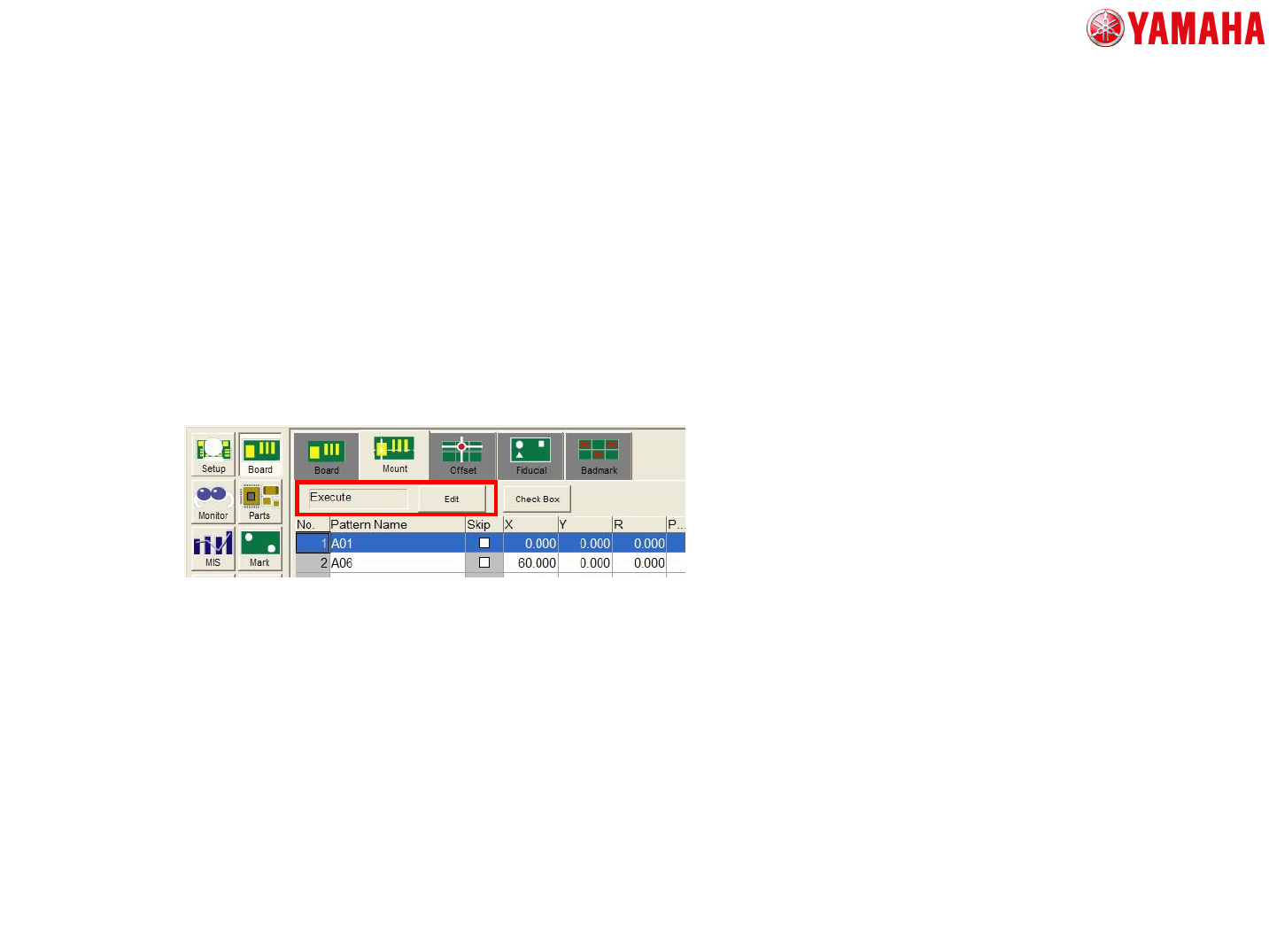
– If the setting of “Execute/Skip” at [Mount] tab is set “Skip”, Pass
transfer is executed in all lanes.
– In the case of using the conventional board data such as YGX
format
• When this board format is used, the one side lane becomes unused.
• When the one side lane becomes unused, the transfer signal or the
board transfer does not work.
4. The detail of machine workings

MDOC
-
SOFT50073
24
• In dual lane machine, automatic program change-over function
is available.
• In this chapter, the differences from the conventional single lane
machine and limitations are explained.
5. About Automatic Program Change-Over (Option)
MDOC
-
SOFT50073
25
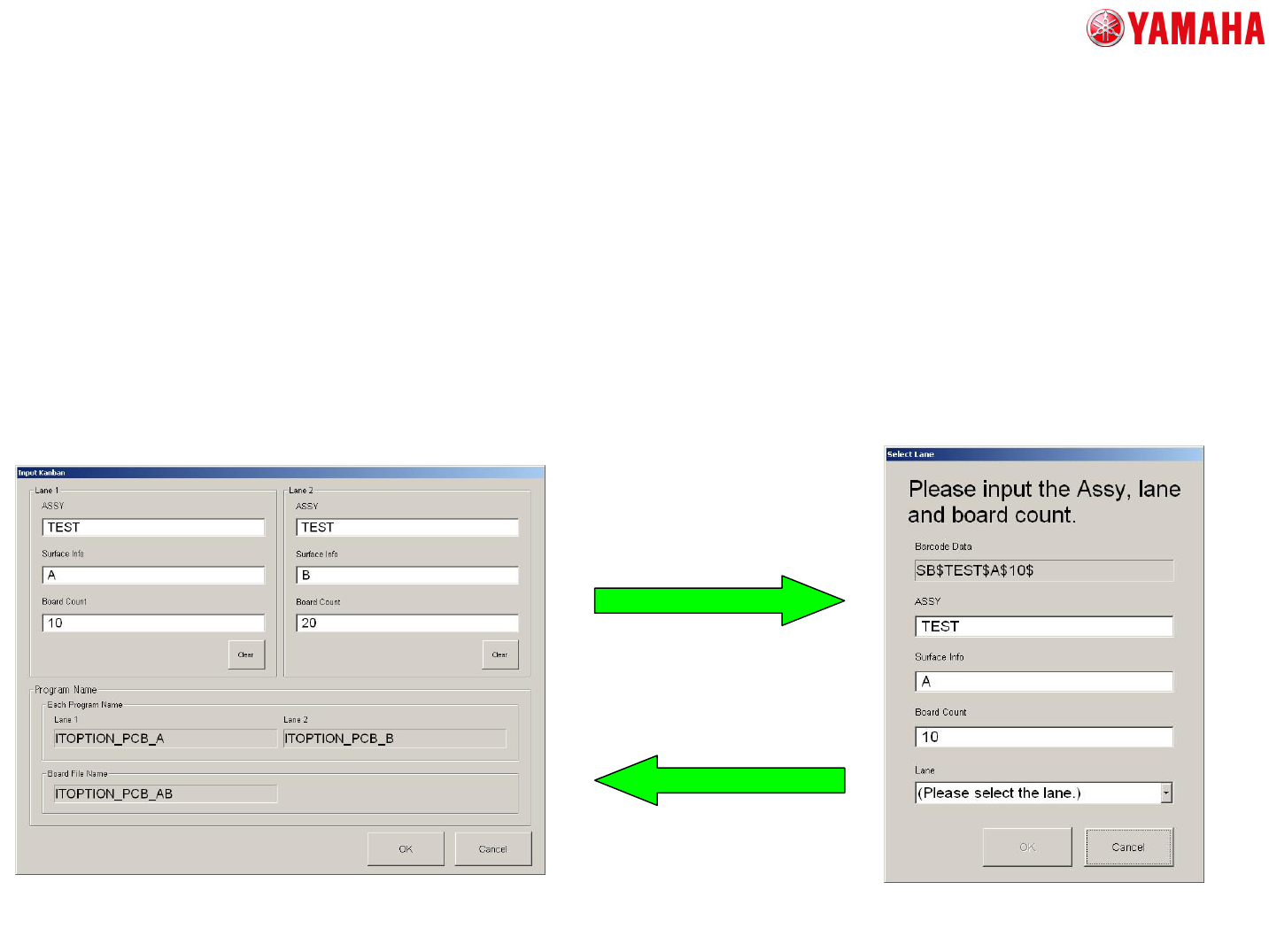
• KANBAN
<Operation Procedure>
Scan “ASSY” barcode for each lane, and set the “ASSY”, “Surface Info”,
“Board Count”, and “Lane”.
1. Open “Input KANBAN” screen
2. Scan “ASSY” barcode. Then
“Select Lane” screen is displayed.
3. Set “Lane” (Scanning the barcode is
also available).
Input other information as appropriate.
4. Tap the [OK] button.
The information which is set on
“Select Lane” screen is reflected
to “Input KANBAN” screen.
5. Repeat 2-4 procedures
for the other lanes.
5. About Automatic Program Change-Over (Option)