Printer 600 Board Support Tooling Module.pdf - 第21页
%2$5'68 33257722/,1* 02'8/( )250)/(; 722/,1* Chapter Issue 2 May 03 Technical Reference Manual 19.21 3. Place t wo 6mm dowel pins across the two p airs of magnet s on the base of the tooli ng module (front …
19.20 Technical Reference Manual Chapter Issue 2 May 03
%2$5'6833257722/,1*02'8/(
)250)/(;722/,1*
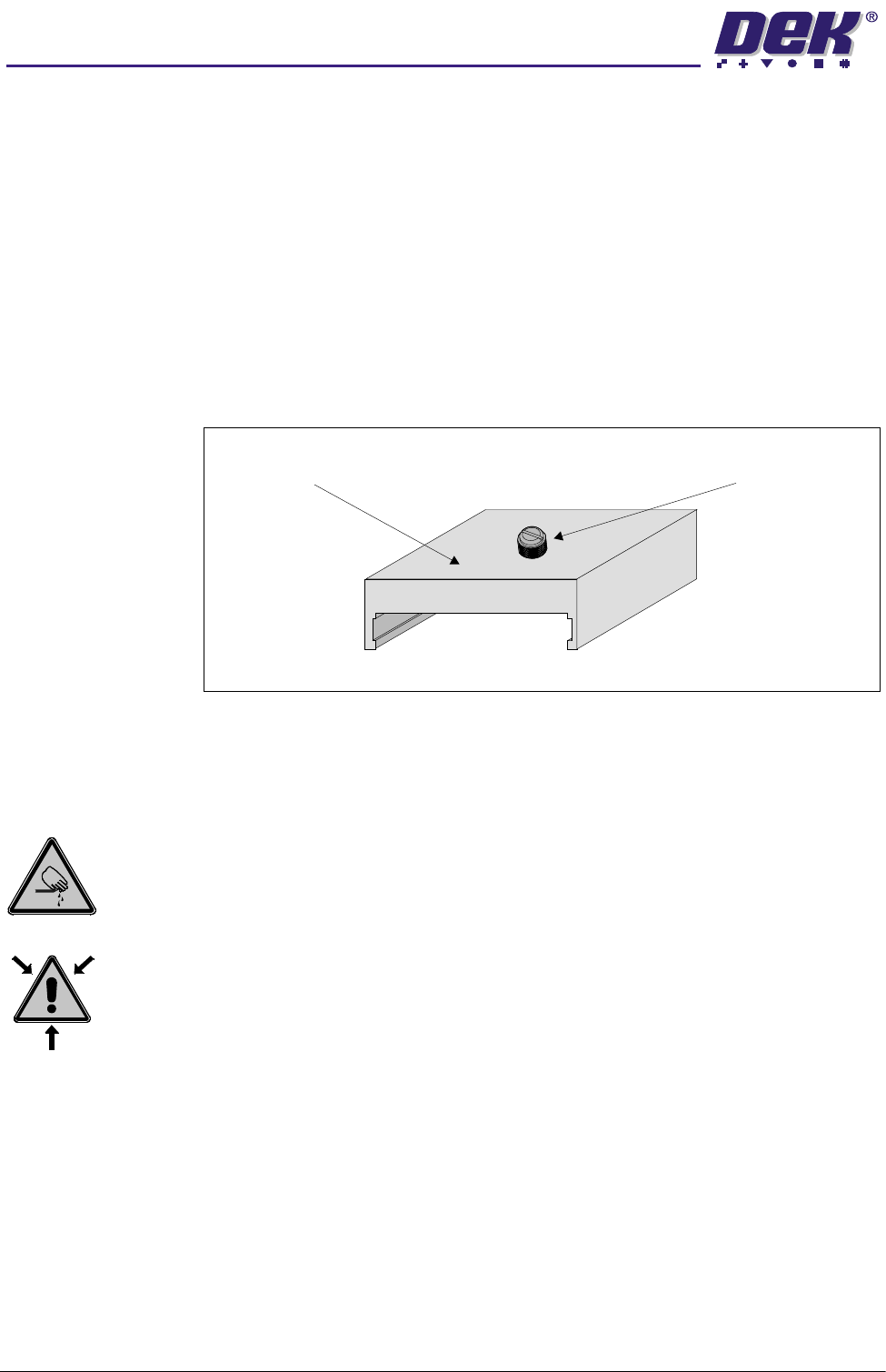
Blanking Plate Kit To improve gasketing when printing thin flexible boards, a set of blanking plates
are clamped to the top of the tooling modules to prevent FormFlex pins not
supporting the board and squeegee/ProFlow transfer head from rising.
The blanking plates are available in the following lengths:
• 100mm - Disables ten FormFlex pins
• 50mm - Disables five FormFlex pins
• 12mm - Disables one/two FormFlex pins
During product setup, the appropriate sized blanking plates are slid onto the
tooling module outside the area of the squeegees/ProFlow and clamped in
place using the M4 x 6mm slotted thumb screw.
Figure 19-17 Blanking Plate
Adjustments and Settings
FormFlex Pin Pressure
WARNING
BOARD CLAMPS. EXTREME CARE MUST BE EXERCISED WHEN WORKING IN
THE TOOLING AREA OF THE MACHINE TO AVOID INJURY. THE FOILS ON THE
FRONT AND REAR BOARD CLAMPS ARE VERY SHARP.
WARNING
COMPRESSED AIR. COMPRESSED AIR SHOULD NEVER IMPINGE UPON THE
BODY. PORTS, PIPES, ETC MUST NEVER BE BLOCKED BY HAND. BEFORE
CONNECTING ANY PNEUMATIC EQUIPMENT TO A COMPRESSED AIR SUPPLY,
ALL MOUNTINGS, FITTINGS, PIPEWORK AND ELECTRICAL CONNECTIONS
SHOULD BE REMOVED FOR SAFETY. NO PIPEWORK ALTERATIONS OR
REMOVAL OF FITTINGS SHOULD BE ATTEMPTED WITH AIR SUPPLIES
CONNECTED.
1. Gain access to manual tooling plate.
2. Connect the module under test to either manifold outlet 1 or 2.
Blanking Plate M4 x 6mm Slotted Thumbscrew
%2$5'6833257722/,1*02'8/(
)250)/(;722/,1*
Chapter Issue 2 May 03 Technical Reference Manual 19.21
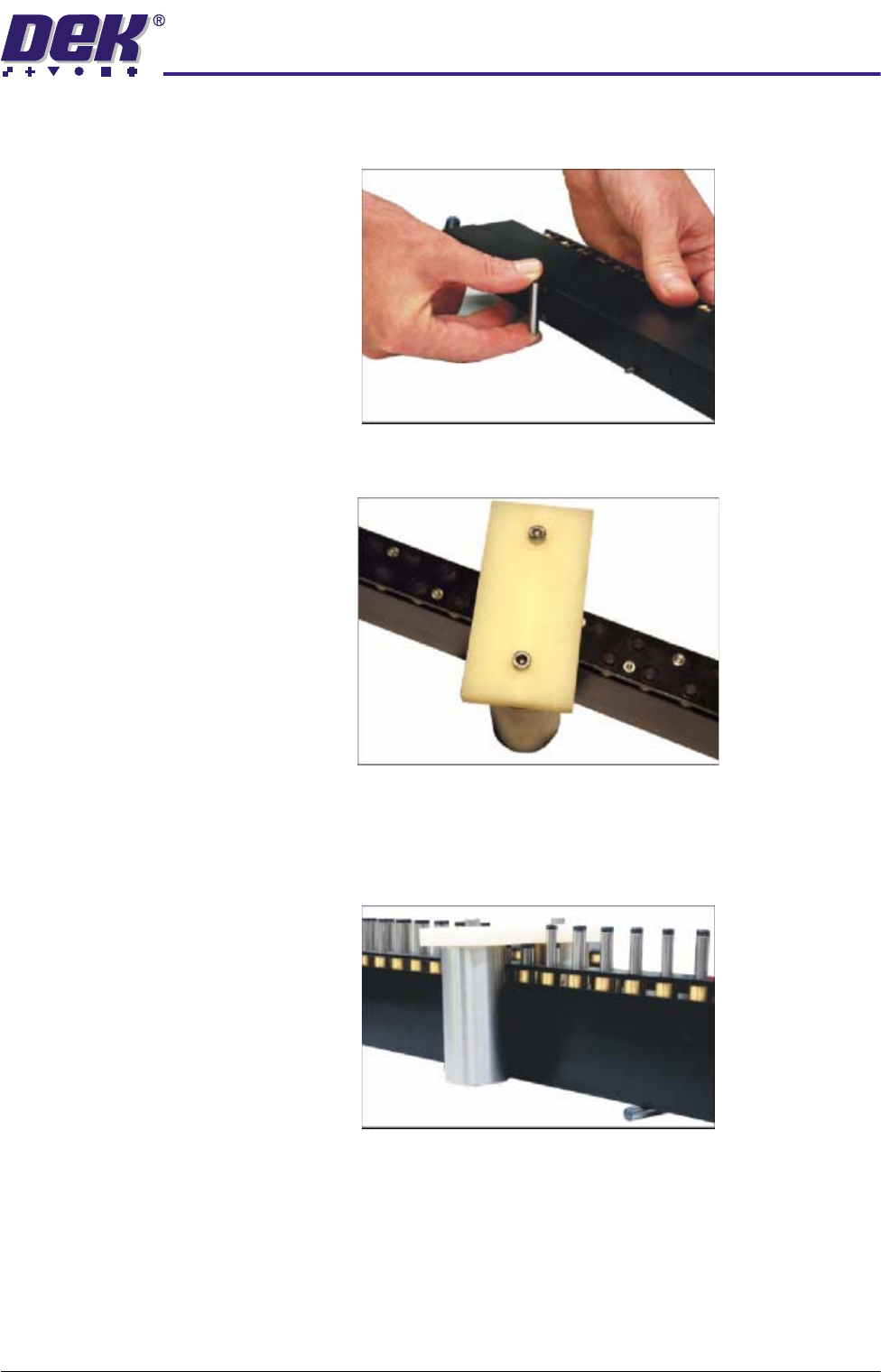
3. Place two 6mm dowel pins across the two pairs of magnets on the base of
the tooling module (front tooling module only).
4. Place the setting weight assembly over the tooling module, ensuring 6 pins
are covered.
5. Press the green operator switch on the machine front cover to raise the
FormFlex pins.
6. Verify if the setting weight assembly has been lifted from the manual tooling
plate.
7. If the assembly has not been lifted, reset the system using the internal reset
switch.
19.22 Technical Reference Manual Chapter Issue 2 May 03
%2$5'6833257722/,1*02'8/(
)250)/(;722/,1*
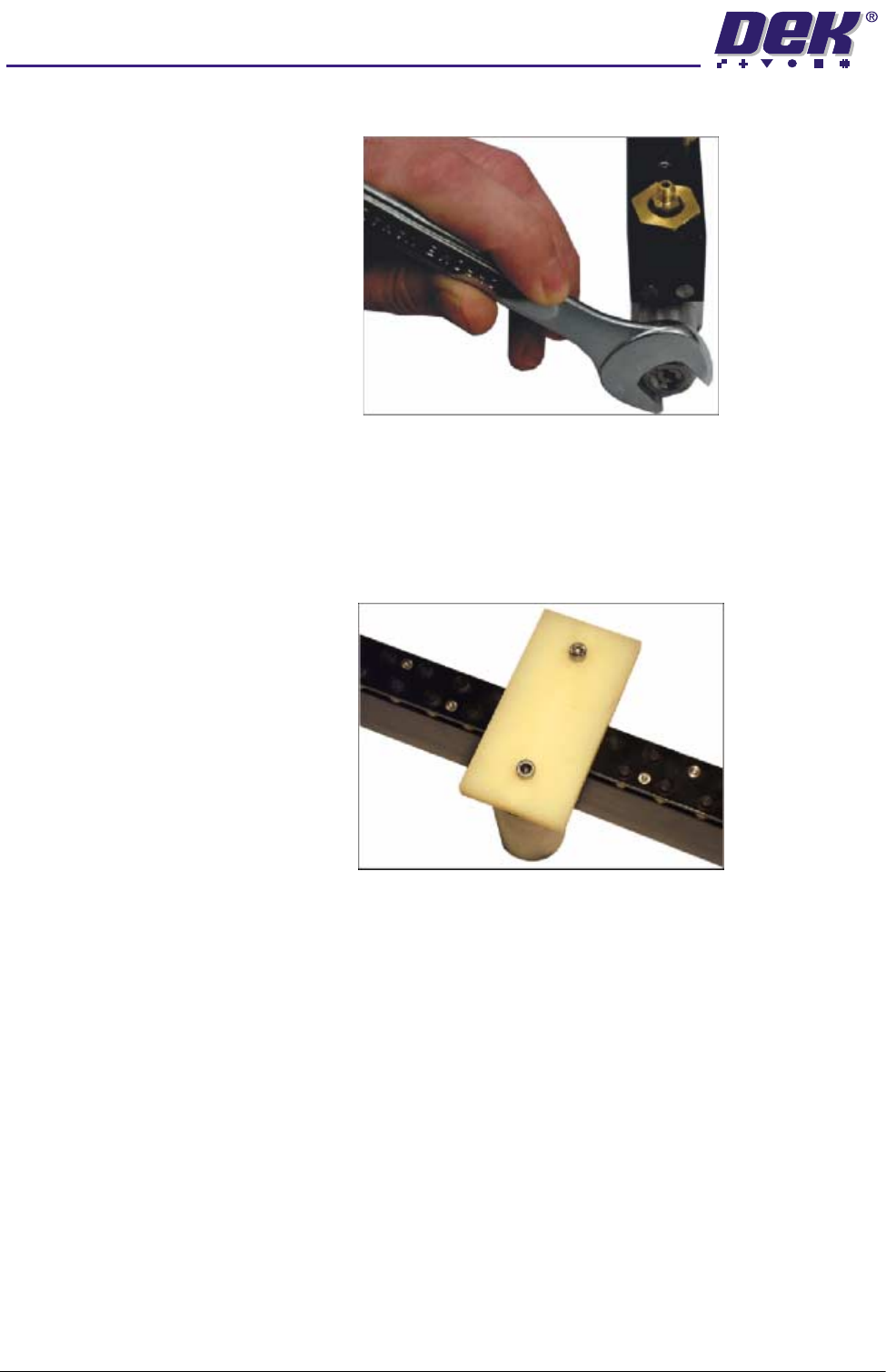
8. Using a 17mm spanner remove the spring tension screw locknut.
9. Using a flat bladed screwdriver, adjust the spring tension screw a half turn
clockwise. Repeat Steps 4 - 6 until the weight assembly is raised.
10.Once the setting weight assembly has been raised, reset the system using
the reset switch.
11. Adjust the position of the setting weight assembly to cover five FormFlex
pins.
12.Press the green operator switch on the machine front cover to raise the
FormFlex pins.
13.If the setting weight assembly has not been lifted off of the tooling plate when
all the FormFlex pins have been raised, the pin pressure in the tooling
module under test is now correct. Go to Step 16.
14.If the setting weight assembly has been raised by the five FormFlex pins,
reset the system using the reset switch. Using a flat bladed screwdriver
adjust the spring tension screw a quarter turn anti-clockwise.
15.Press the green operator switch on the machine front cover to raise the
FormFlex pins.
16.Repeat Steps 13 and 14 until the setting weight assembly just fails to lift
when all the FormFlex pins have raised.
17.On completion of adjustment, lock the spring tension screw with the locknut.
18.Repeat the procedure for the remaining modules.