Printer 600 Board Support Tooling Module.pdf - 第23页
%2$5'68 33257722/,1* 02'8/( )250)/(; 722/,1* Chapter Issue 2 May 03 Technical Reference Manual 19.23 Replacement Procedures Fitting F ormFlex T ooling W ARNING COMPRESSED AIR. COMP RESSED AIR SHOULD NEVER I…
19.22 Technical Reference Manual Chapter Issue 2 May 03
%2$5'6833257722/,1*02'8/(
)250)/(;722/,1*
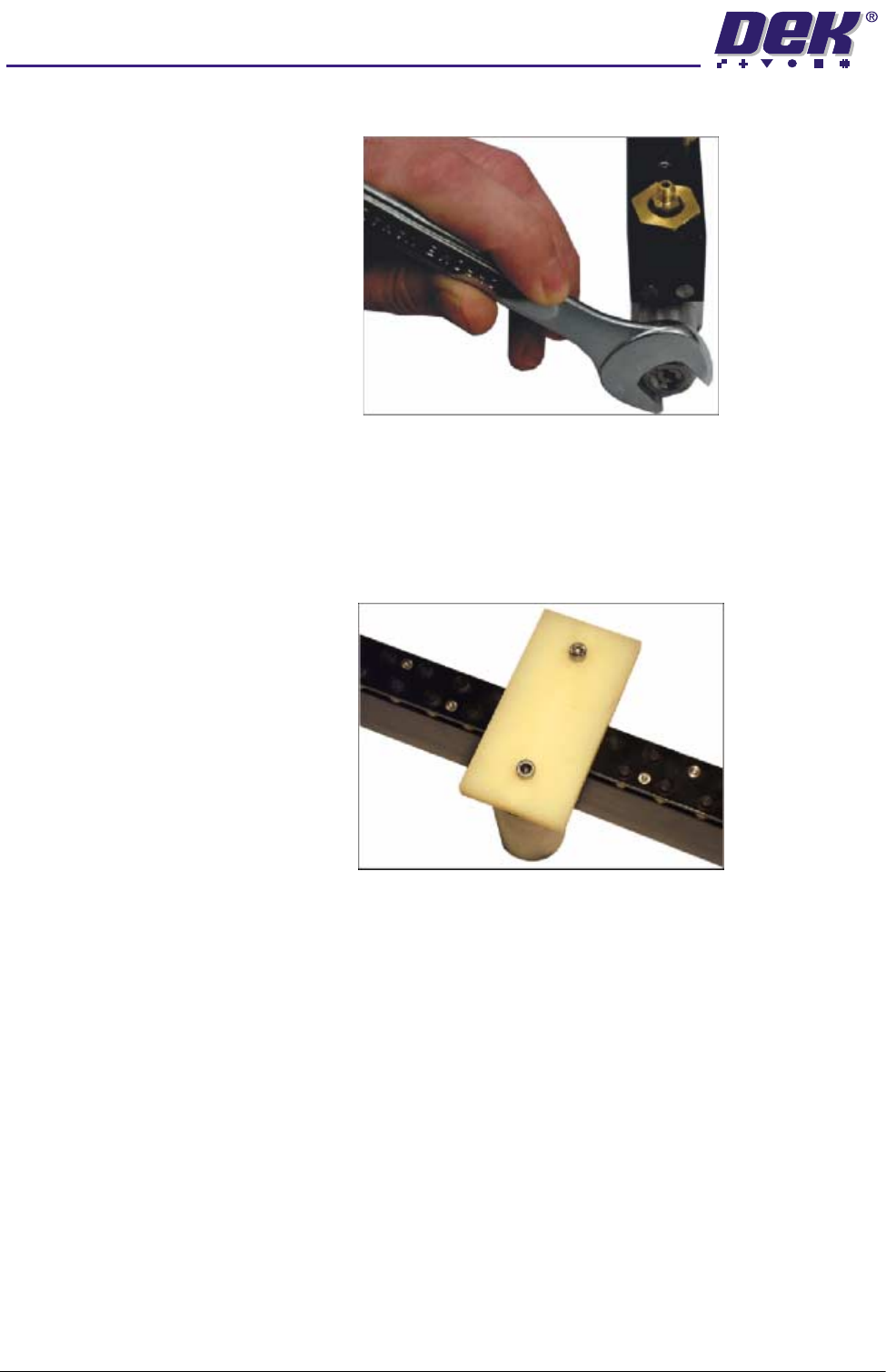
8. Using a 17mm spanner remove the spring tension screw locknut.
9. Using a flat bladed screwdriver, adjust the spring tension screw a half turn
clockwise. Repeat Steps 4 - 6 until the weight assembly is raised.
10.Once the setting weight assembly has been raised, reset the system using
the reset switch.
11. Adjust the position of the setting weight assembly to cover five FormFlex
pins.
12.Press the green operator switch on the machine front cover to raise the
FormFlex pins.
13.If the setting weight assembly has not been lifted off of the tooling plate when
all the FormFlex pins have been raised, the pin pressure in the tooling
module under test is now correct. Go to Step 16.
14.If the setting weight assembly has been raised by the five FormFlex pins,
reset the system using the reset switch. Using a flat bladed screwdriver
adjust the spring tension screw a quarter turn anti-clockwise.
15.Press the green operator switch on the machine front cover to raise the
FormFlex pins.
16.Repeat Steps 13 and 14 until the setting weight assembly just fails to lift
when all the FormFlex pins have raised.
17.On completion of adjustment, lock the spring tension screw with the locknut.
18.Repeat the procedure for the remaining modules.
%2$5'6833257722/,1*02'8/(
)250)/(;722/,1*
Chapter Issue 2 May 03 Technical Reference Manual 19.23
Replacement Procedures
Fitting FormFlex Tooling
WARNING
COMPRESSED AIR. COMPRESSED AIR SHOULD NEVER IMPINGE UPON THE
BODY. PORTS, PIPES, ETC MUST NEVER BE BLOCKED BY HAND. BEFORE
CONNECTING ANY PNEUMATIC EQUIPMENT TO A COMPRESSED AIR SUPPLY,
ALL MOUNTINGS, FITTINGS, PIPEWORK AND ELECTRICAL CONNECTIONS
SHOULD BE REMOVED FOR SAFETY. NO PIPEWORK ALTERATIONS OR
REMOVAL OF FITTINGS SHOULD BE ATTEMPTED WITH AIR SUPPLIES
CONNECTED.
WARNING
BOARD CLAMPS. EXTREME CARE MUST BE EXERCISED WHEN WORKING IN
THE TOOLING AREA OF THE MACHINE TO AVOID INJURY. THE FOILS ON THE
FRONT AND REAR BOARD CLAMPS ARE VERY SHARP.
1. From the Run menu select Setup.
2. Select Change Tooling.
3. Select Full Width.
4. Power down the machine.
5. Ensure the front FormFlex tooling module has two registration dowels fitted
to the base of the unit. Locate the dowels in the holes in the front edge of
the manual tooling plate.
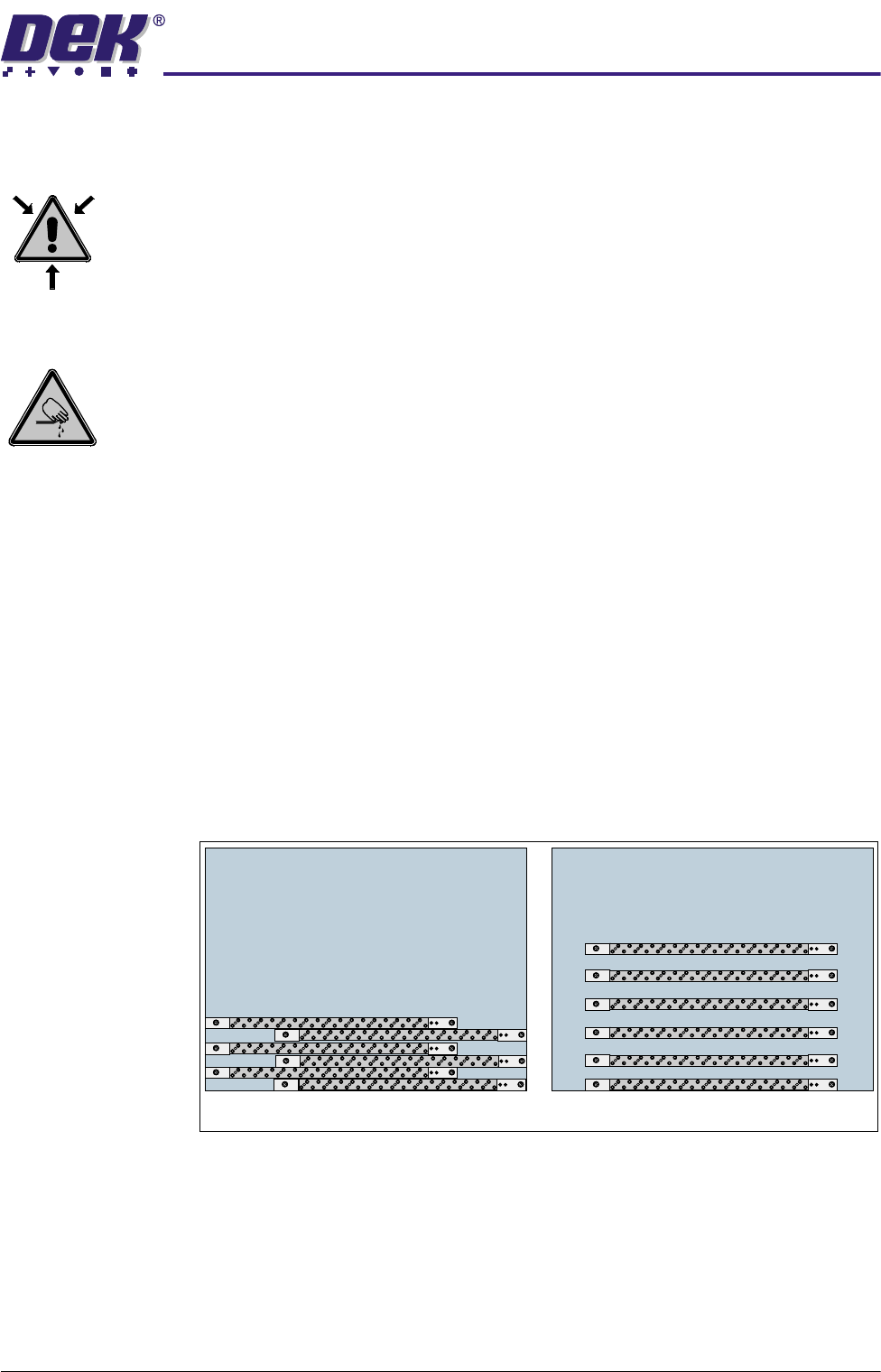
6. The remaining tooling modules can be configured to suit the product to be
printed. The first five modules are to be orientated with the pneumatic
connection to the right and the sixth and any additional modules are to be
orientated with the pneumatic connection to the left. The tooling modules
can be staggered in the X axis and/or spread evenly in the Y axis to fully
support the product to be printed (see figure below for examples).
7. Place the manifold assembly to the rear of the tooling plate.
8. Gain access to the rear of the machine.
9. Identify the five 4mm diameter output pipes from the sequencer and periph-
erals assembly.
10.Route the pipes through the left hand hole of the rising table casting to the
manifold assembly. Ensure a loop of tubing for each pipe is fed up into the
web of the rising table casting above the rising table home vane.
Plan View on Manual Tooling Plate
6
6
5
5
4
4
3
3
2
2
11
19.24 Technical Reference Manual Chapter Issue 2 May 03
%2$5'6833257722/,1*02'8/(
)250)/(;722/,1*
11. Secure the pipes with a cable tie attached to the mount above the rising table
home vane.
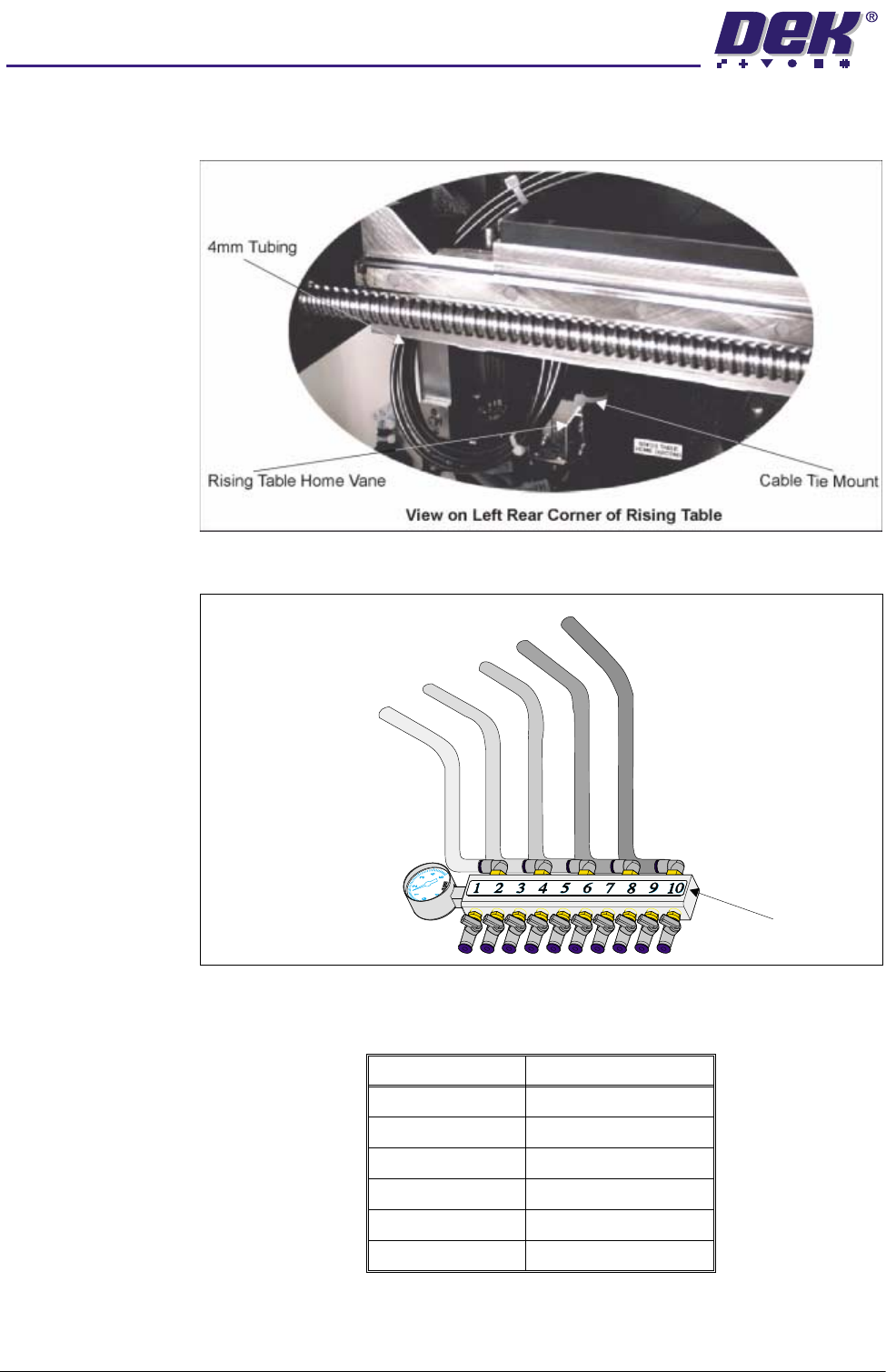
12.Connect the pipes to the manifold assembly (see diagram below).
13.Connect 4mm diameter tubing from the manifold assembly to the tooling
modules (see table and diagram below).
Module Number Manifold Connection
19/10
25/6
31
42
57/8
63/4
Pipe 1 From Sequencer
Pipe 2 From Sequencer
Pipe 3 From Sequencer
Pipe 4 From Sequencer
Pipe 5 From Sequencer
Manifold Assembly