forte_en.pdf - 第32页
Page 32 2.7.3 Declaration of Conformity and RoHS Declaration of Conformit y and RoHS directive doc uments are availab le at www.asix.tech in the Documen ts section.
Page 31
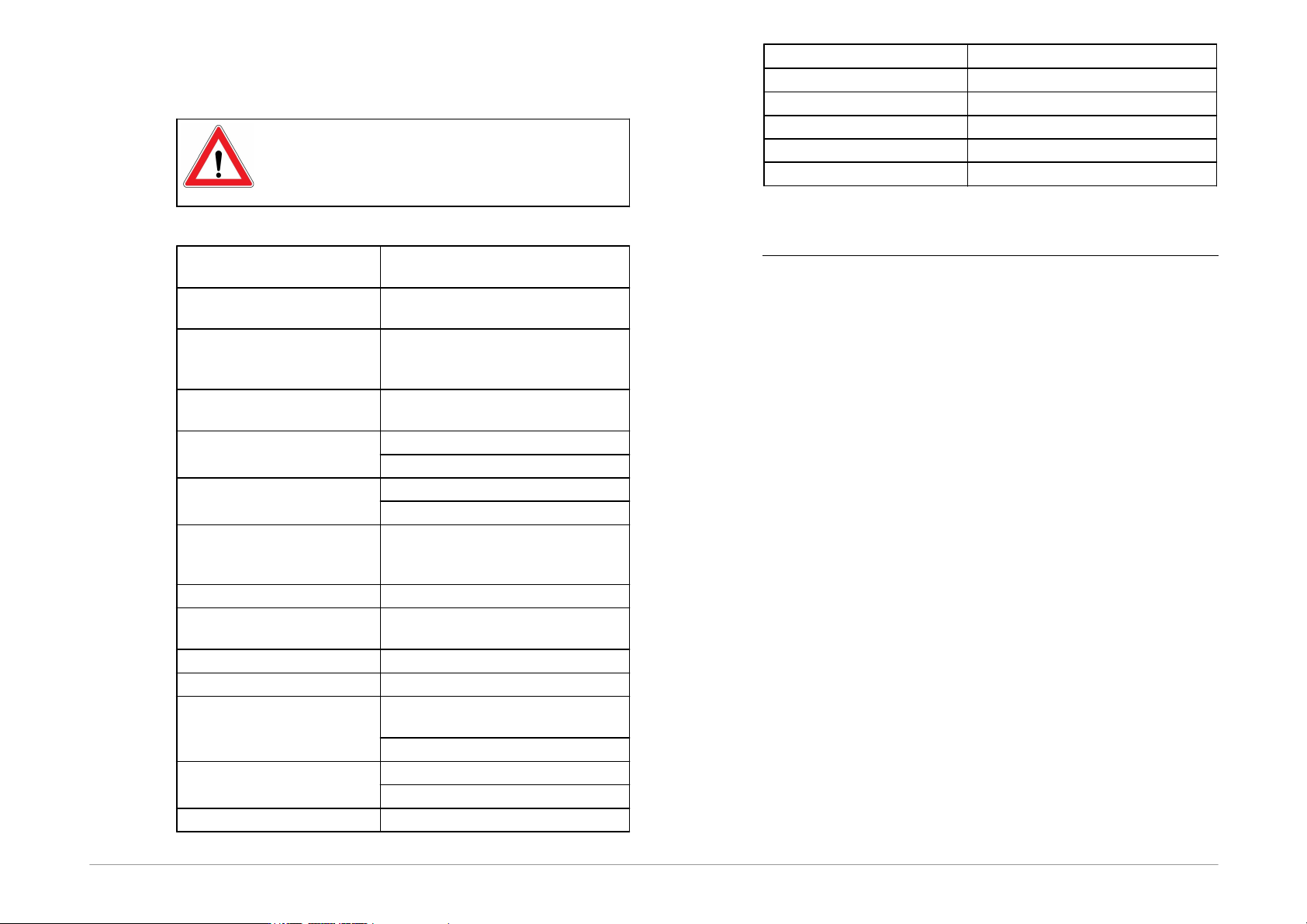
2.7.2 Operating
Specifications
Important Warning
Failure to respect these parameters may
damage the programmer or the connected
computer.
VDD feeding voltage
supplied by programmer
1.8V to 5.5V
VDD feeding voltage
supplied by application
1.8V to 5.5V
VDD external feeding voltage
for communication at limited
speed
1
1.2V to 5.5V
Maximum current drawn
from VDD
100mA
Maximum current drawn
from VPP
100mA at 7V
10mA at 17V
Maximum current drawn
from I/O pin
4mA @ VDD = 1.8V
16mA @ VDD = 4.5V
Maximum current drawn
from all I/O pins
simultaneously
100mA
Allowed input voltage on pins
0 to 5.5V
P pin output voltage
Adjustable from 6.5V to 17V or
logic levels
VIL input voltage
max. VDD x 0.3V
VIH input voltage
min. VDD x 0.7V
VOL output voltage
max. 0.55V @ VDD=4.5V
@I=4mA
typ. 0.1V
VOH output voltage
min. 3.8V @ VDD=4.5V @I=4mA
typ. VDD - 0.1V
Resistance to short circuiting
permanent
Operating system
Windows
2
32/ 64-bit
USB compatibility
USB 2.0 High-Speed (480Mbps)
USB connector
type B
Dimensions
112 x 64 x 22mm
Weight
60g
Gross weight
230g
Table13: Operating specifications
1
The programmer can typically communicate at a lower
application’s voltage at a reduced speed.
2
WindowsXP, WindowsVista, Windows7, Windows8,
Windows8.1, Windows10, Windows11

Page 33
3
DRIVERS
This chapter deals with driver installation and updates.
3.1
Driver Installation
3.1.1 Windows Operating
Systems
The user must have administrator rights to install
and run the UP program for the first time. Standard
user rights are sufficient for further use.
FORTE drivers are installed automatically as part of the
UP program installation.
Windows 7 and later
Start with installing the UP program. Its installer installs
the USB driver for FORTE, too. You can download the
installer from
www.asix.tech/prg_up_en.html.
Once the installation is complete, connect the FORTE
programmer to your computer. The green ON-LINE LED
should turn on after a few moments and the Windows
Device Manager should present the programmer as
correctly installed.
Older supported Windows
versions
The driver contained in the UP installer is intended for
Windows 7 and later. For older Windows operating system
versions the driver has to be downloaded from
www.asix.net, from download section of the programmer
and unpacked somewhere. After the programmer has
been connected, the operating system asks for the driver.
In "Found New Hardware" dialog the path to the
unpacked driver has to be set.
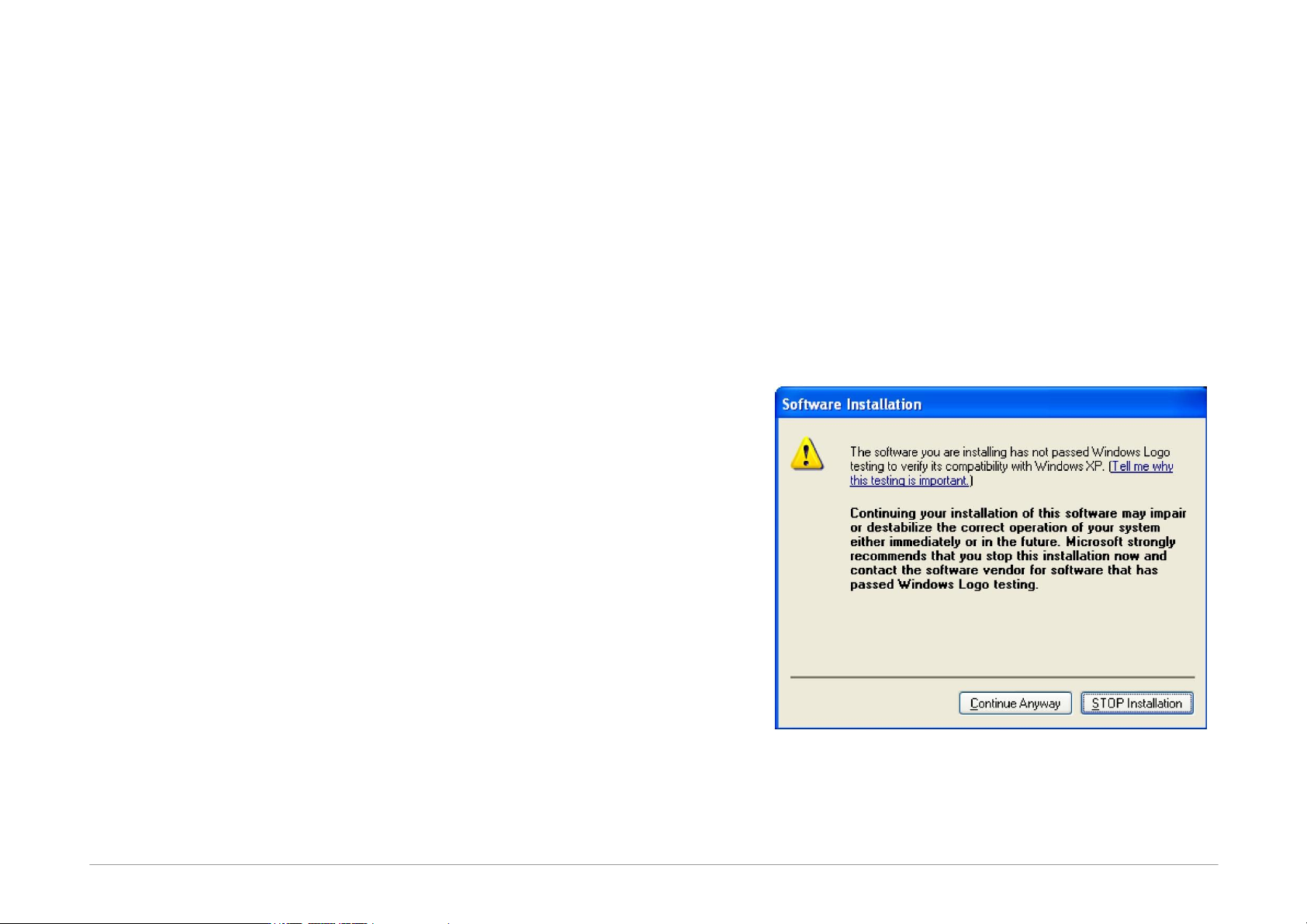
During the installation, the operating system will ask
whether it should install the software, which has not
passed the Microsoft compatibility test for Windows. Click
Continue Anyway.
Fig.39: Compatibility test dialog window
The green ON-LINE LED should turn on after a few
moments and the Windows Device Manager should
present the programmer as correctly installed.