00196825_Install_SQLExpress2008R2_manual.pdf - 第12页
Installation of SQL 2008 R2 Express 02/2011 Edition 12 The following dialog appea rs: Fig. 3-4: Support Media Software Launcher Note: If the dialog does not appear start your Windows Explore r, browse to the file autorun…

Installation of SQL 2008 R2 Express 02/2011 Edition
11
3.2 Installation of SQL 2008 R2 Express Edition
Please follow the instructions below for the manual installation of SQL 2008 R2 Express Edition.
→ Ensure you have installed the SQL 2008 R2 Express Prerequisites Microsoft Windows
Installer 4.5 or later and .Net Framework 3.5 SP 1 or later.
Note:
Close all other applications before you start with the installation of SQL 2008 R2 Express.
→ Insert the SIPLACE Net Support Media into your drive.
Installation of SQL 2008 R2 Express 02/2011 Edition
12
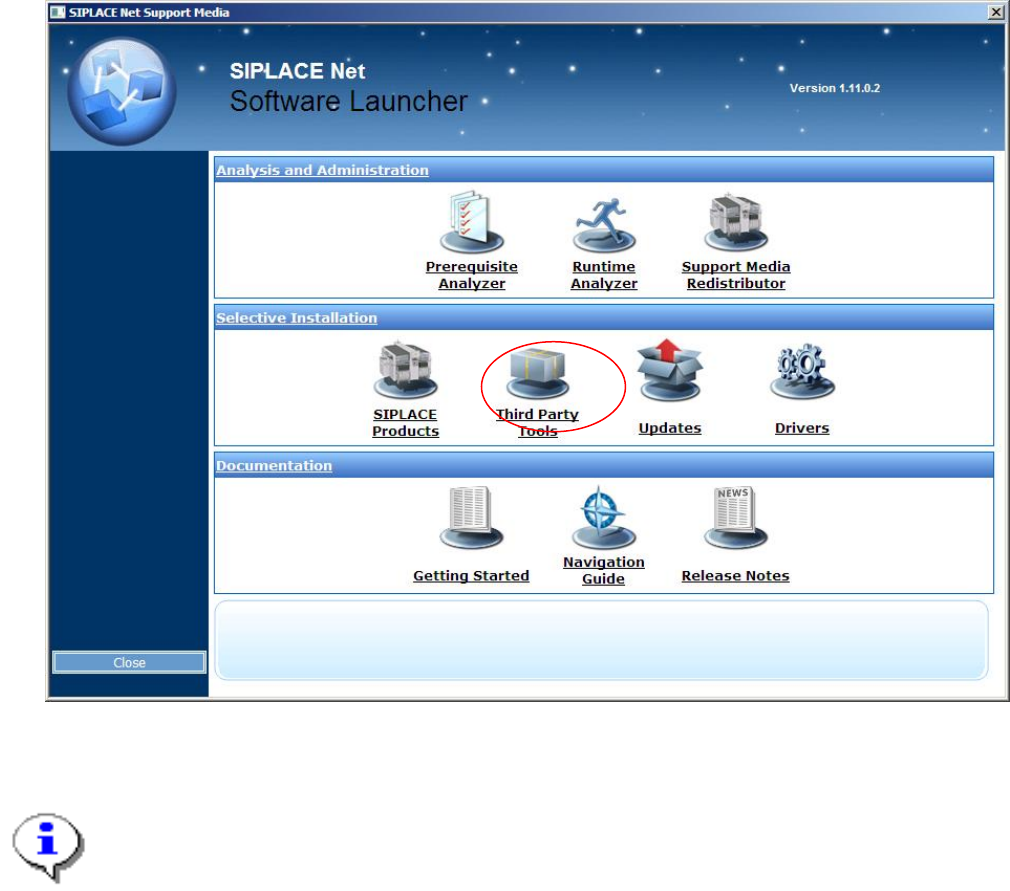
The following dialog appears:
Fig. 3-4: Support Media Software Launcher
Note:
If the dialog does not appear start your Windows Explorer, browse to the file autorun.cmd on
the DVD and double-click it.
→ Select “Third Party Tools”.
Installation of SQL 2008 R2 Express 02/2011 Edition
13
An Explorer Window appears.
→ Navigate to the following folder:
<DRIVE>:\TOOLS\SQL 2008R2\SQL2008R2EXPREDWITHTOOLS
→ Double-click the application SQLEXPRWT_X86_ENU.EXE / SQLEXPRWT_X64_ENU.EXE
(depending on the Operating System, you use) in the folder.
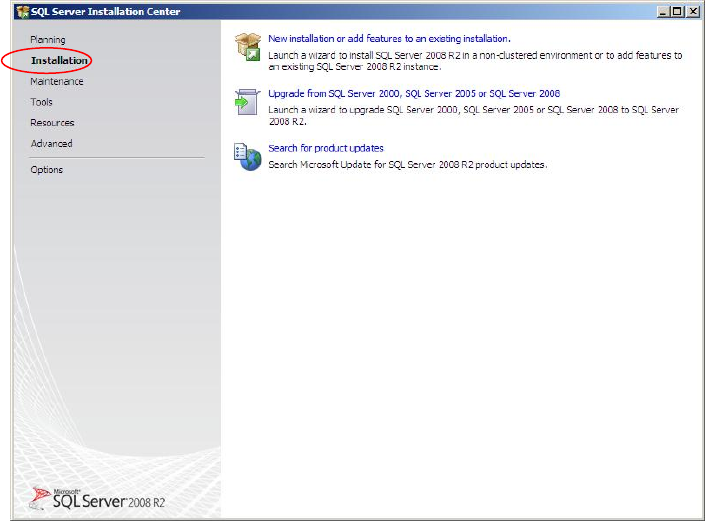
After some seconds, the following dialog is displayed:
Fig. 3-5: SQL Server Installation Center - Planning
→ Click on Installation on the left side