00196825_Install_SQLExpress2008R2_manual.pdf - 第30页
Installation of SQL 2008 R2 Express 02/2011 Edition 30 The following dialog is disp layed: Fig. 3-30: Server connec tion properties - General → Select the Security option- page on the left side.
Installation of SQL 2008 R2 Express 02/2011 Edition
29
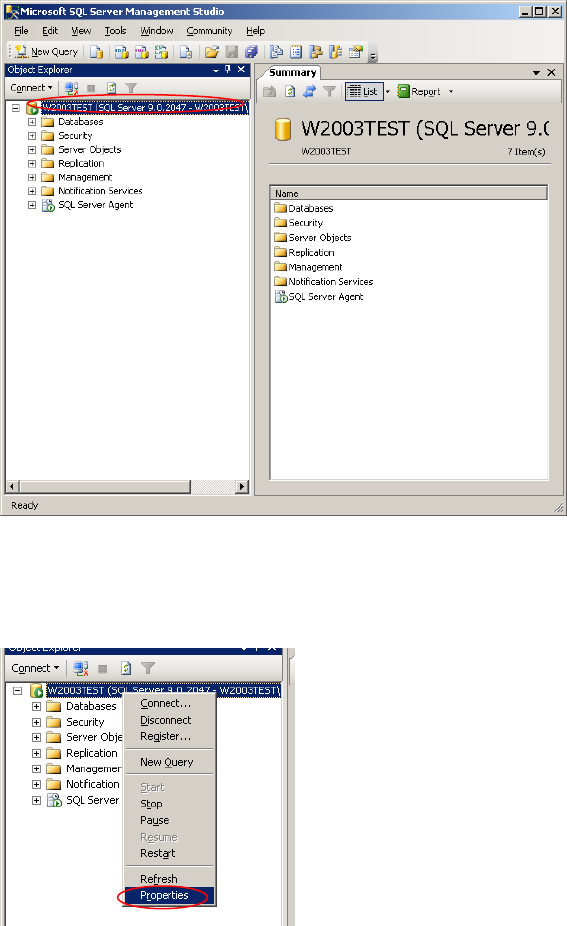
After connecting successfully, the following dialog is displayed:
Fig. 3-28: SQL Server Management Console
→ Right- click on your server connection on the left side and select Properties
Fig. 3-29: Server connection properties
Installation of SQL 2008 R2 Express 02/2011 Edition
30
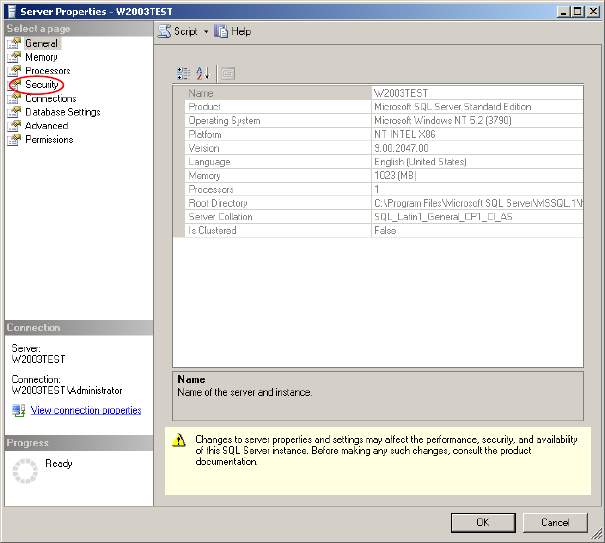
The following dialog is displayed:
Fig. 3-30: Server connection properties - General
→ Select the Security option- page on the left side.
Installation of SQL 2008 R2 Express 02/2011 Edition
31
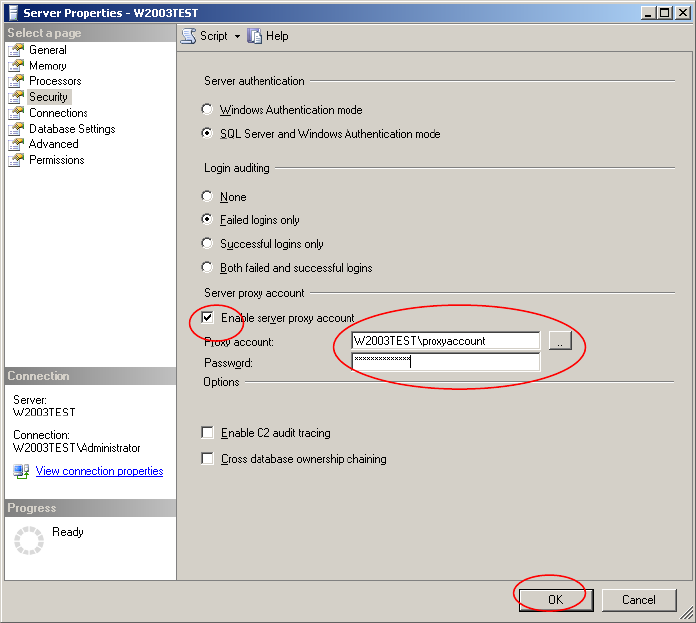
The following dialog is displayed:
Fig. 3-31: Server connection properties - General
→ Select the “Enable server proxy account” option.
→ Enter your proxy account information.
→ Click the OK button.