00196825_Install_SQLExpress2008R2_manual.pdf - 第8页
Installation of SQL 2008 R2 Express 02/2011 Edition 8 Some files will be extracted to your hard di sk. After that, the following window will appe ar: Fig. 3-1: .Net Framework 3.5 SP 1 initial setup window → Click the I h…

Installation of SQL 2008 R2 Express 02/2011 Edition
8
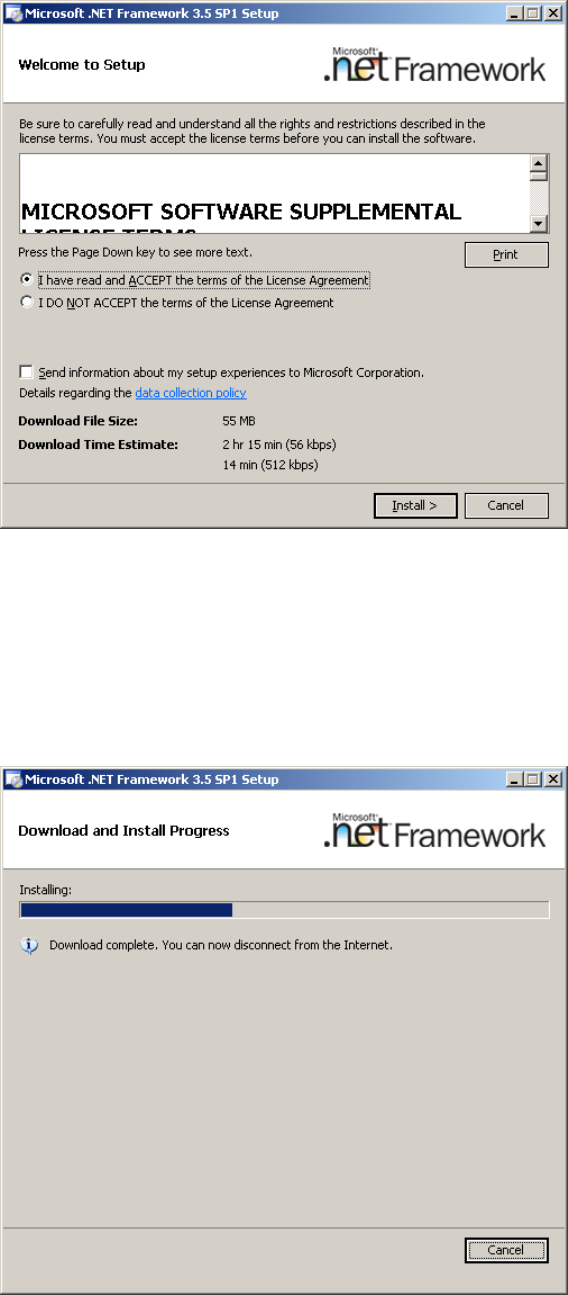
Some files will be extracted to your hard disk. After that, the following window will appear:
Fig. 3-1: .Net Framework 3.5 SP 1 initial setup window
→ Click the I have read and ACCEPT the terms of the License Agreement radio button.
→ Click the Install > button to begin the installation.
During the installation, the window might look like this:
Fig. 3-2: .Net Framework 3.5 SP 1 during setup
Installation of SQL 2008 R2 Express 02/2011 Edition
9
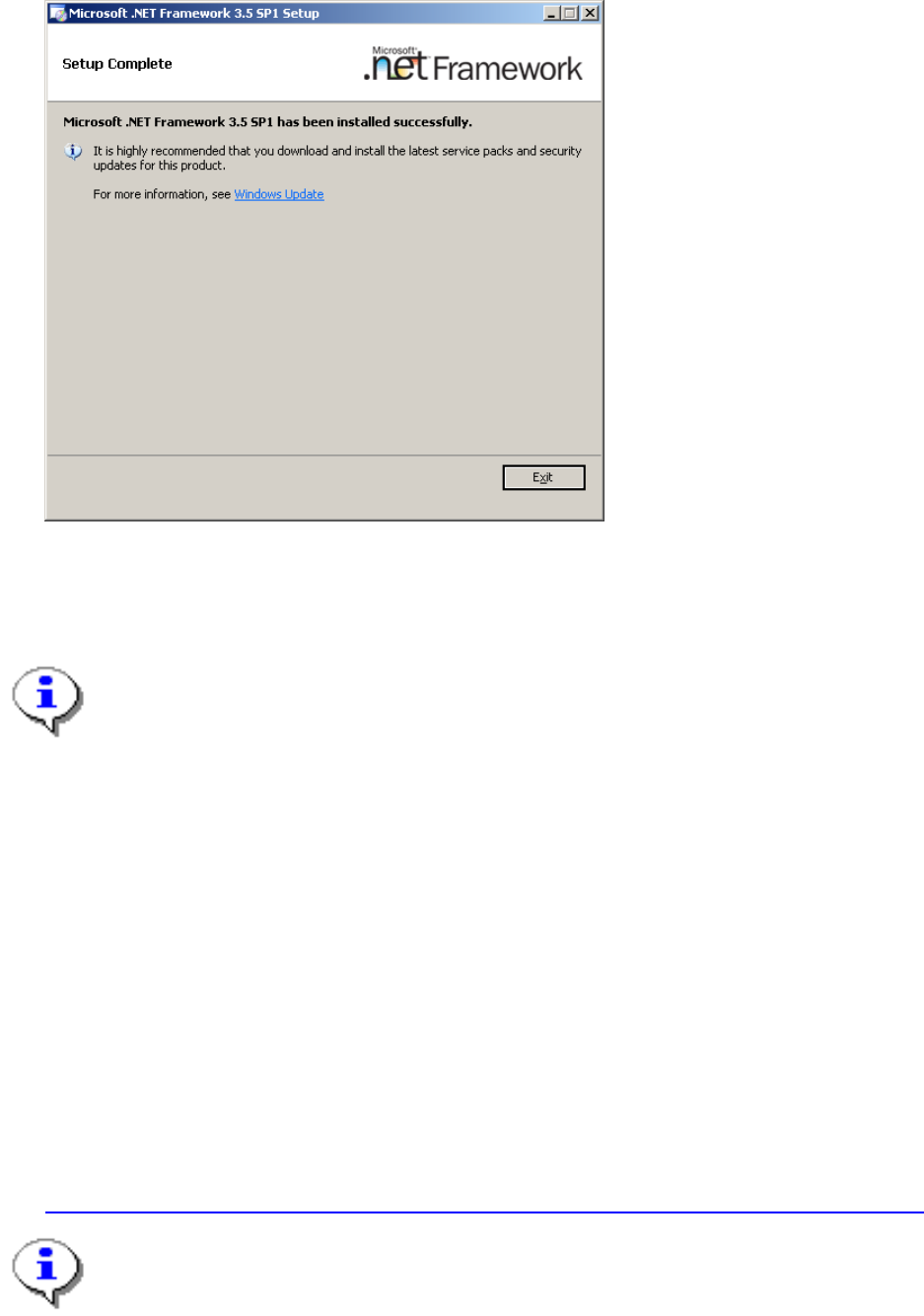
After successful installation, the window should look like this:
Fig. 3-3: .Net Framework 3.5 SP 1 after setup
→ Click Exit to finish the setup.
→ Restart your computer before proceeding!
Note:
On some Operating Systems, a .Net Framework version is already integrated.
It might be required to activate the appropriate Windows Feature before installing .Net
Framework 3.5 SP 1.
To simplify installation, we recommend using the Profile “SIPLACE Net\.Net Framework 3.5 SP
1 stand- alone” provided on some newer versions of Prerequisite Analyzer on SIPLACE Net
Support Media DVD.
3.1.3 PowerShell 1.0
SQL Server Express 2008 R2 requires Microsoft PowerShell 1.0.
You have to install this package manually if it is missing before you start with the SQL Server installation.
It is provided on the SIPLACE Net Support Media in the directory
<DVD-Drive>\Tools\PowerShell\1.0.
You may also download the appropriate installation package from the following URL:
http://www.microsoft.com/windowsserver2003/technologies/management/powershell/download.mspx
Note:
On some Operating Systems, PowerShell is already integrated and only needs to be activated
in the appropriate Windows Features dialog in Control Panel.