00196825_Install_SQLExpress2008R2_manual.pdf - 第16页
Installation of SQL 2008 R2 Express 02/2011 Edition 16 The feature selection window appears: Fig. 3-10: SQL Server Setup Feature Selection → Ensure the following features being sele cted: - Database Engine Services - Man…
Installation of SQL 2008 R2 Express 02/2011 Edition
15
→ Click the Next > button to continue.
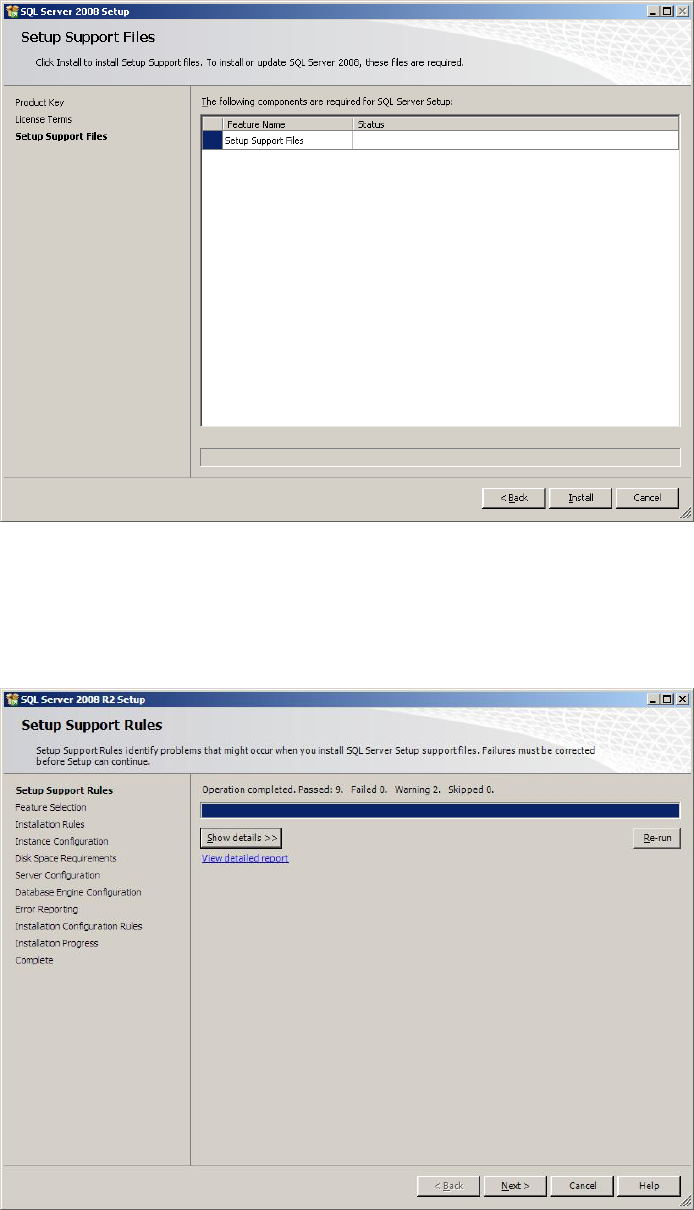
The following window might be displayed:
Fig. 3-8: SQL Server Setup Support Files
→ Click the Install button to continue installing support files. This may take some seconds.
The “Setup Support Rules” window reappears.
Fig. 3-9: SQL Server Setup Support Rules
→ Click the Next > button to continue.
Installation of SQL 2008 R2 Express 02/2011 Edition
16
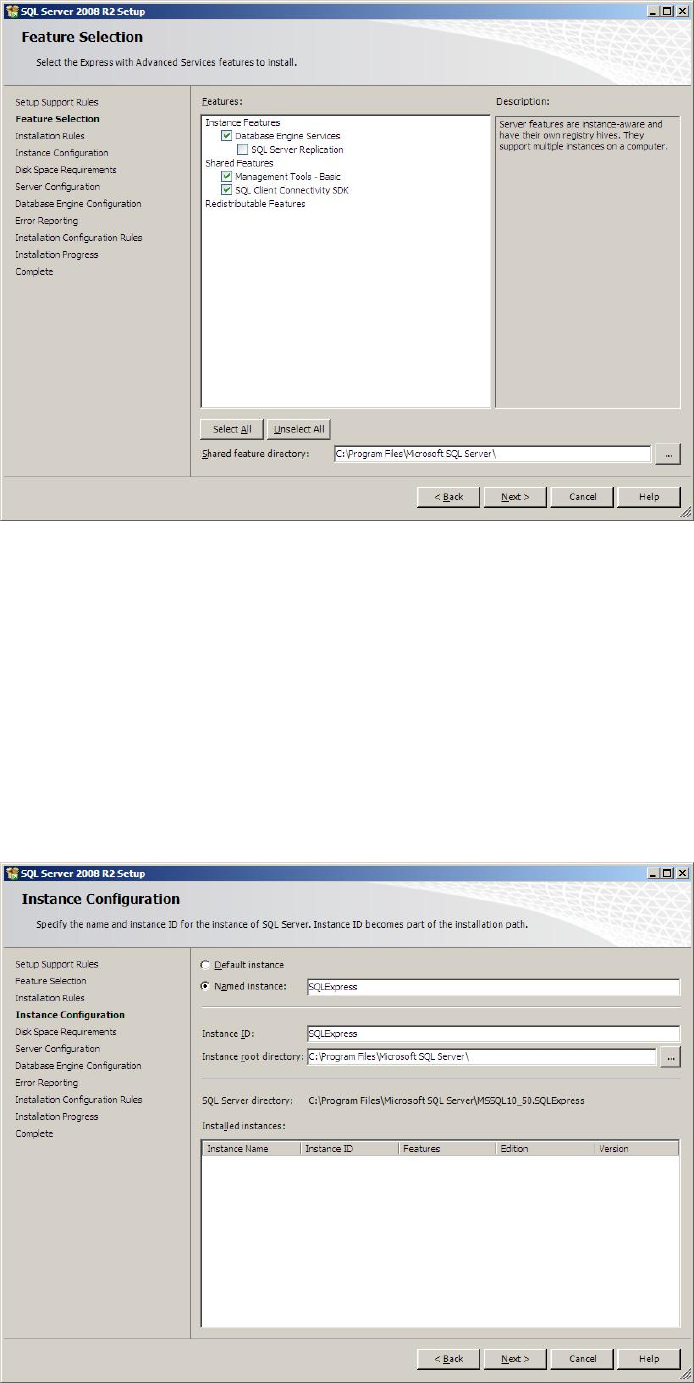
The feature selection window appears:
Fig. 3-10: SQL Server Setup Feature Selection
→ Ensure the following features being selected:
- Database Engine Services
- Management Tools – Basic
- SQL Client Connectivity SDK
→ Click the Next > button to continue.
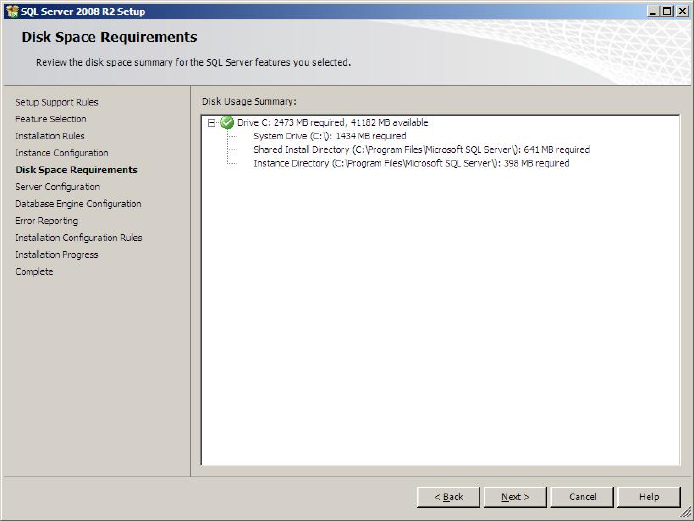
The following window will be shown:
Installation of SQL 2008 R2 Express 02/2011 Edition
17
Fig. 3-11: SQL Server Setup Instance Configuration
→ Leave the Named Instance button checked to install the SQL Server using the
“SQLEXPRESS” – default instance.
→ Click the Next > button to continue.
The following window will be displayed:
Fig. 3-12: SQL Server Setup Disk Space Requirements
→ Click the Next > button to continue.
A window similar to the following will be displayed: