00196825_Install_SQLExpress2008R2_manual.pdf - 第20页
Installation of SQL 2008 R2 Express 02/2011 Edition 20 → Enter the password for the SQL user “sa”. → Click the button Add… . The following message bo x will appear: Fig. 3-17: SQL Server Setup - specific SQL Server admin…
Installation of SQL 2008 R2 Express 02/2011 Edition
19
The window now should look like this:
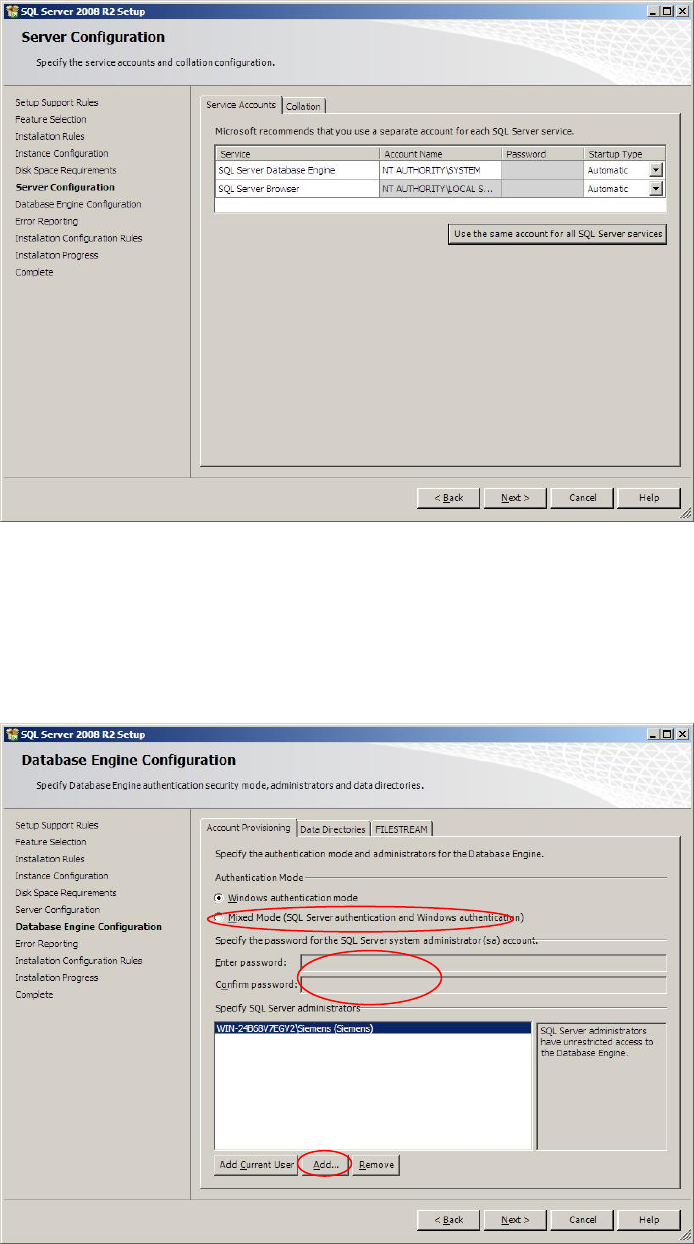
Fig. 3-15: SQL Server Setup Server Configuration – configured to local system account
→ Click the Next > button to continue.
The following window will appear:
Fig. 3-16: SQL Server Setup Database Engine Configuration
→ Click the radio button Mixed Mode (SQL Server authentication and Windows
authentication).
Installation of SQL 2008 R2 Express 02/2011 Edition
20
→ Enter the password for the SQL user “sa”.
→ Click the button Add….
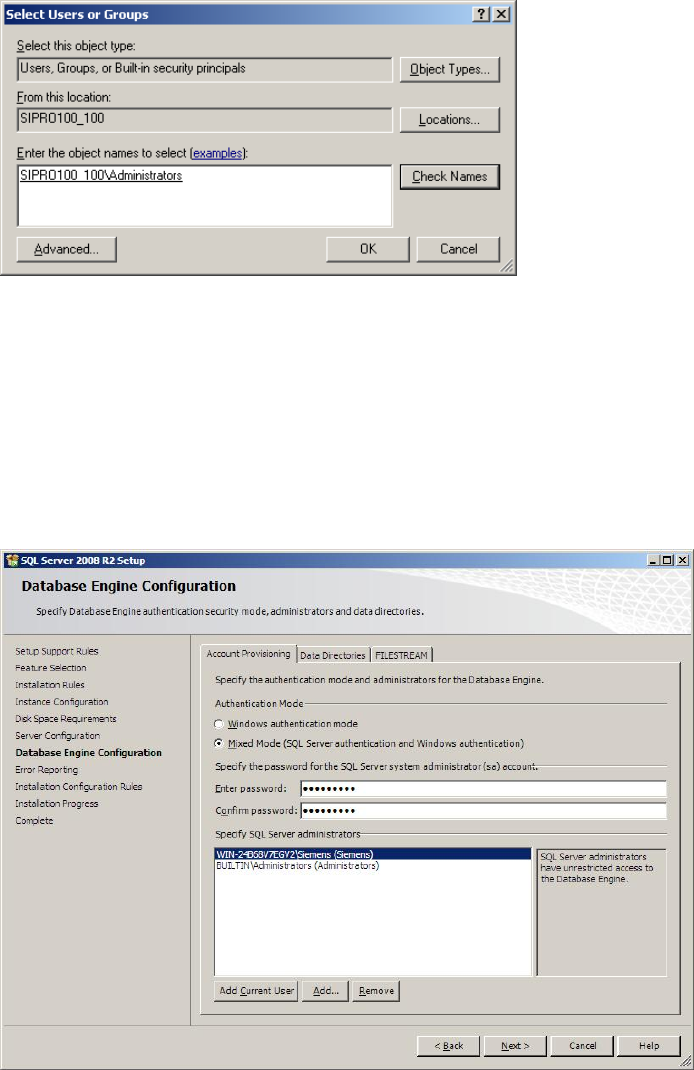
The following message box will appear:
Fig. 3-17: SQL Server Setup - specific SQL Server administrators – Select Users or Groups message box
→ Enter the local administrators group in the format <computername>\<groupname>.
→ Click the button Check Names to ensure you typed the correct name.
→ Click the OK button to close the message box and save the settings.
The window now should look like this:
Fig. 3-18: SQL Server Setup Database Engine Configuration – SIPLACE conform settings
→ Click the Next > button to continue.
Installation of SQL 2008 R2 Express 02/2011 Edition
21
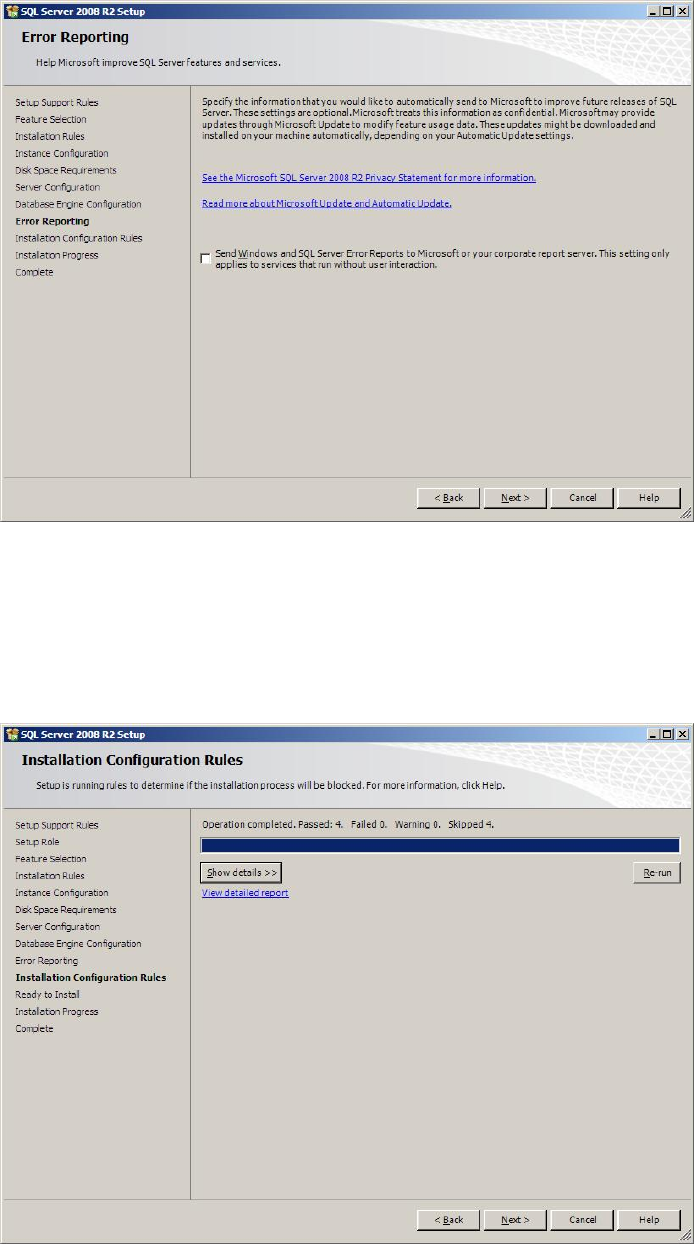
The following window will appear:
Fig. 3-19: SQL Server Setup Error and Usage Reporting
→ Click the Next > button to continue.
The following window might appear:
Fig. 3-20: SQL Server Setup Installation Rules
→ Click the button Show details >> to examine the rules and follow the rule instructions if
necessary.