03_SM481_Service Manual Installation.pdf - 第13页
T ransfer & Installation Pr ocedur e 3-9 3.1.3.3 . In-line in stallation procedure The proced ur e for adjusti ng the level of the m achi ne is given b e low. 1. First, align t he en try station and e xit sta tio n b…
Advanced High Speed Flexible Mounter
3-8
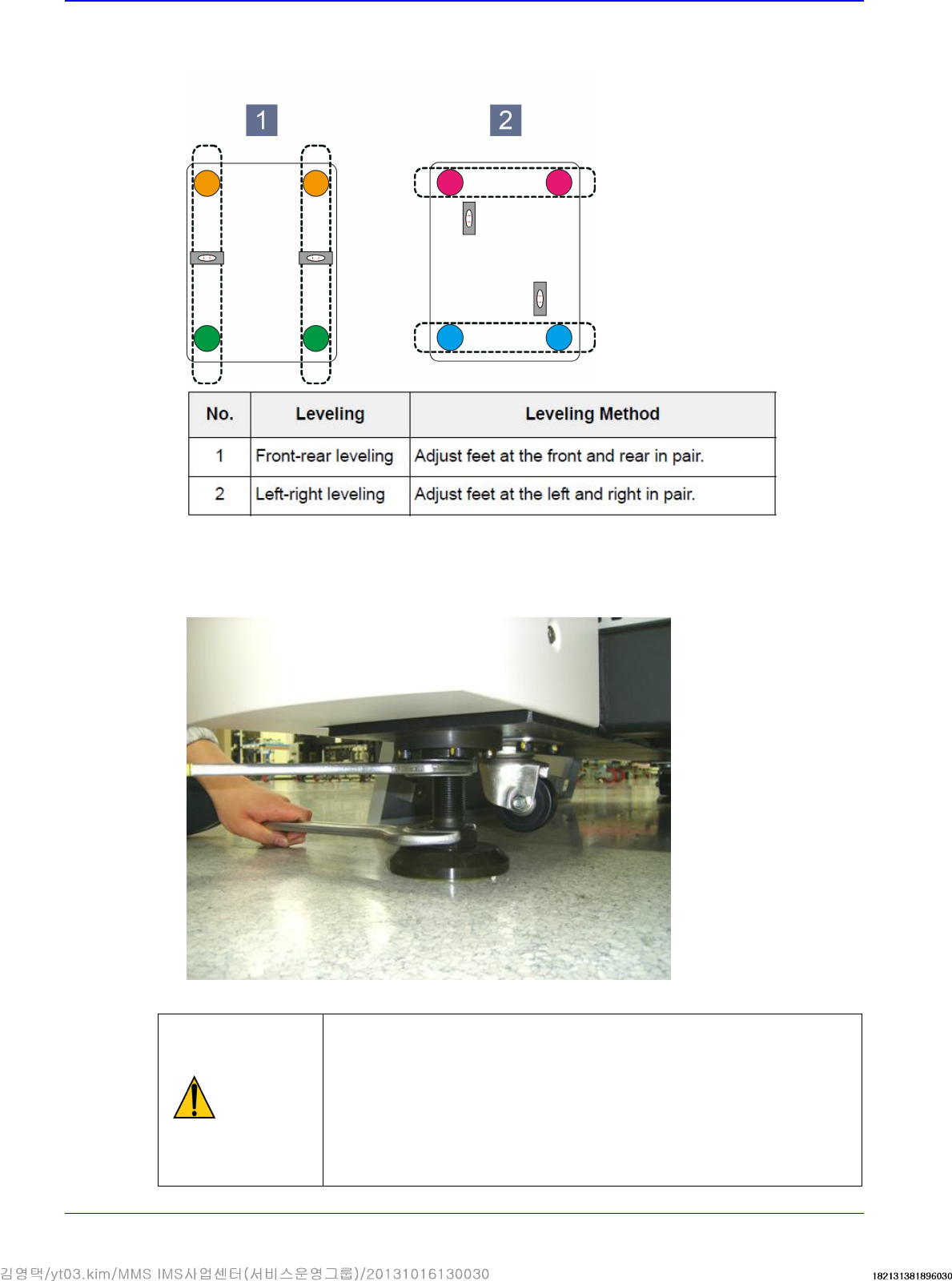
4. When adjusting the foot, it is recommended to group 2 feet as one set and adjust the level in
each direction
5. The feet of the machine must be supported at uniform force, which is adjusted by tightening the
lock nut of the foot so that uniform force is applied to the feet. Check if there is any loose foot.
Tighten the lock nuts for 4 legs after leveling is finished.
Caution
If the level of the machine is not adjusted, it has influence
on the accuracy of the machine. Be sure to level the
machine and check if the feet of the machine are tightened
properly.
There must be no grease on the lock nut and foot nut. If
there is grease on them, clean it completely. Otherwise, the
nut is loosened during machine operation, which may
damage the machine.
Transfer & Installation Procedure
3-9
3.1.3.3. In-line installation procedure
The procedure for adjusting the level of the machine is given below.
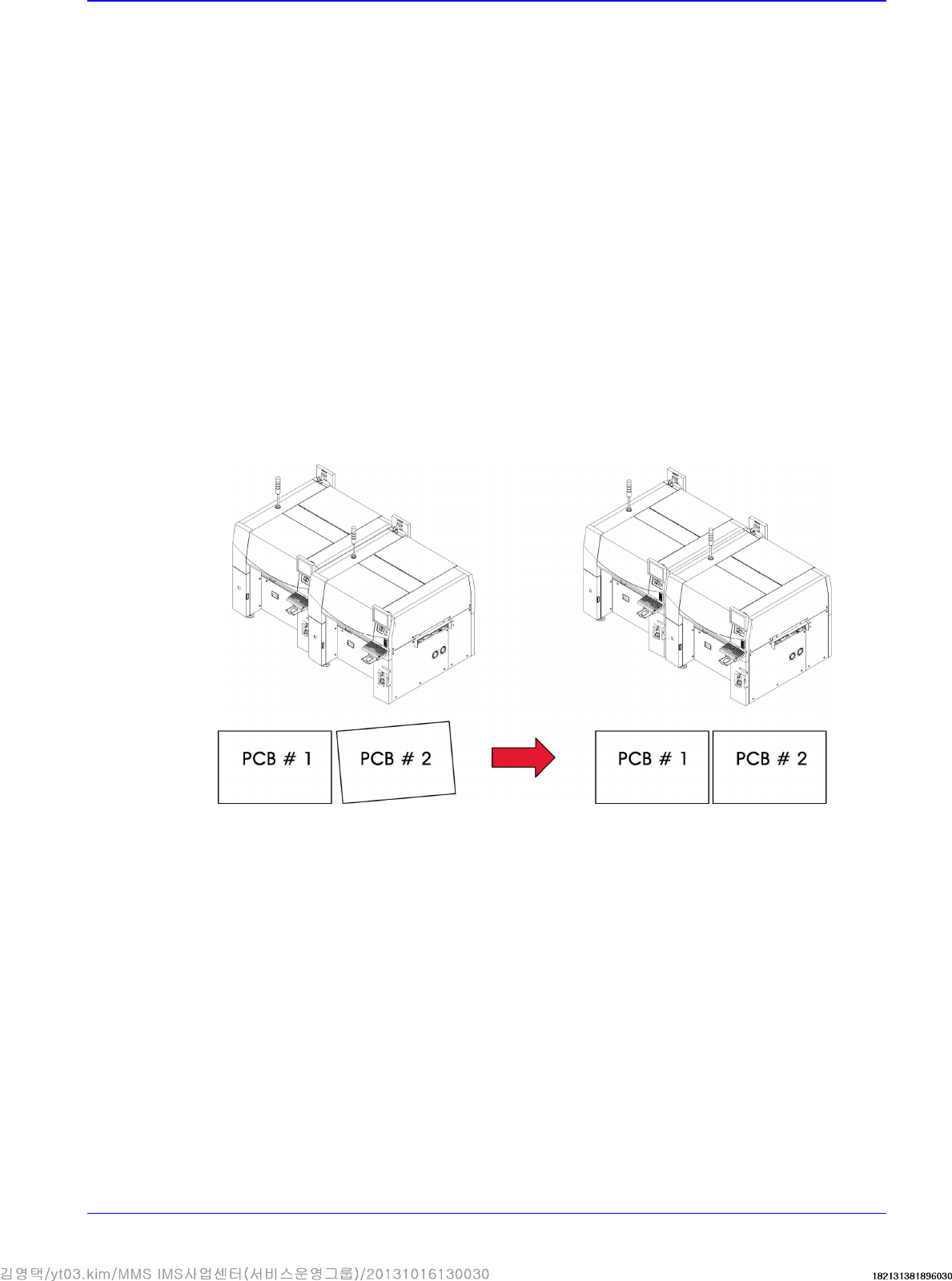
1. First, align the entry station and exit station based on the fixed frame of the front work station.
Feed the sample PCB in and adjust the conveyor width to the PCB width manually and then
align the conveyor while pushing the PCB as shown in the following figure.
2. After moving the new machine near to the existing one, lower the foot of the machine so that it
is aligned level with the existing machine. Then adjust the level keeping the level difference
below 0.05mm/m. (Any slight difference in level can be felt using a finger tip.)
3. Using a lever, move the machine to the position where the gap between the existing machine
and the edge of the conveyor can be kept between 3~5mm.
4. Perform the procedure of leveling the machine again. (Refer to “2.1.3.2 Installation procedure
for stand alone“.)
5. Put the PCBs on each conveyor of the two machines, and set the machines so that the level
difference is 0.05~0.50mm, enough to allow the PCBs to move downward. Essentially, the
slope of the conveyor shall be set to allow for the “Downflow” of the PCB in the direction in
which the PCB is moving.
6. To ensure the straight movement of the PCB between machines, the machines must be installed
correctly so that there will be no unparallel gap at either front or rear side of the PCB, when the
PCB is tightly contacted to the reference line.
7. Adjust the machine level until there is no blocking sound at the gap between machines while
pushing the PCB slowly.
8. In the case of level adjustment between two machines, if the leveling of the postprocess
machine was finished but the level does not match with the conveyor of the pre-process
machine, perform as follows. The level of the reference surface must be identical in the left and
right side direction of the PCB (PCB flow direction), and the level difference must be less than
0.1mm/m in the front and rear side direction of the PCB. The PCB must pass smoothly without
being blocked when it is pushed through the machines by hand at low speed.
9. For the next procedure, refer to “ Installation procedure for stand alone“.
Advanced High Speed Flexible Mounter
3-10
3.1.4. Installation of Parts
3.1.4.1. Required Tools
T-wrench (other tools supplied) or hex wrench
Gear wrench or torque wrench
Gear wrench or torque wrench
3.1.4.2. Part list
Tower lamp
Mouse and mouse pad
Keyboard
Monitor and monitor stand
3.1.4.3. Part Installation Procedure
1. Install the monitor base after leveling and install the monitor by connecting the connector on
the upper part of the machine. (Tighten all bolts when assembling the monitor unit.)
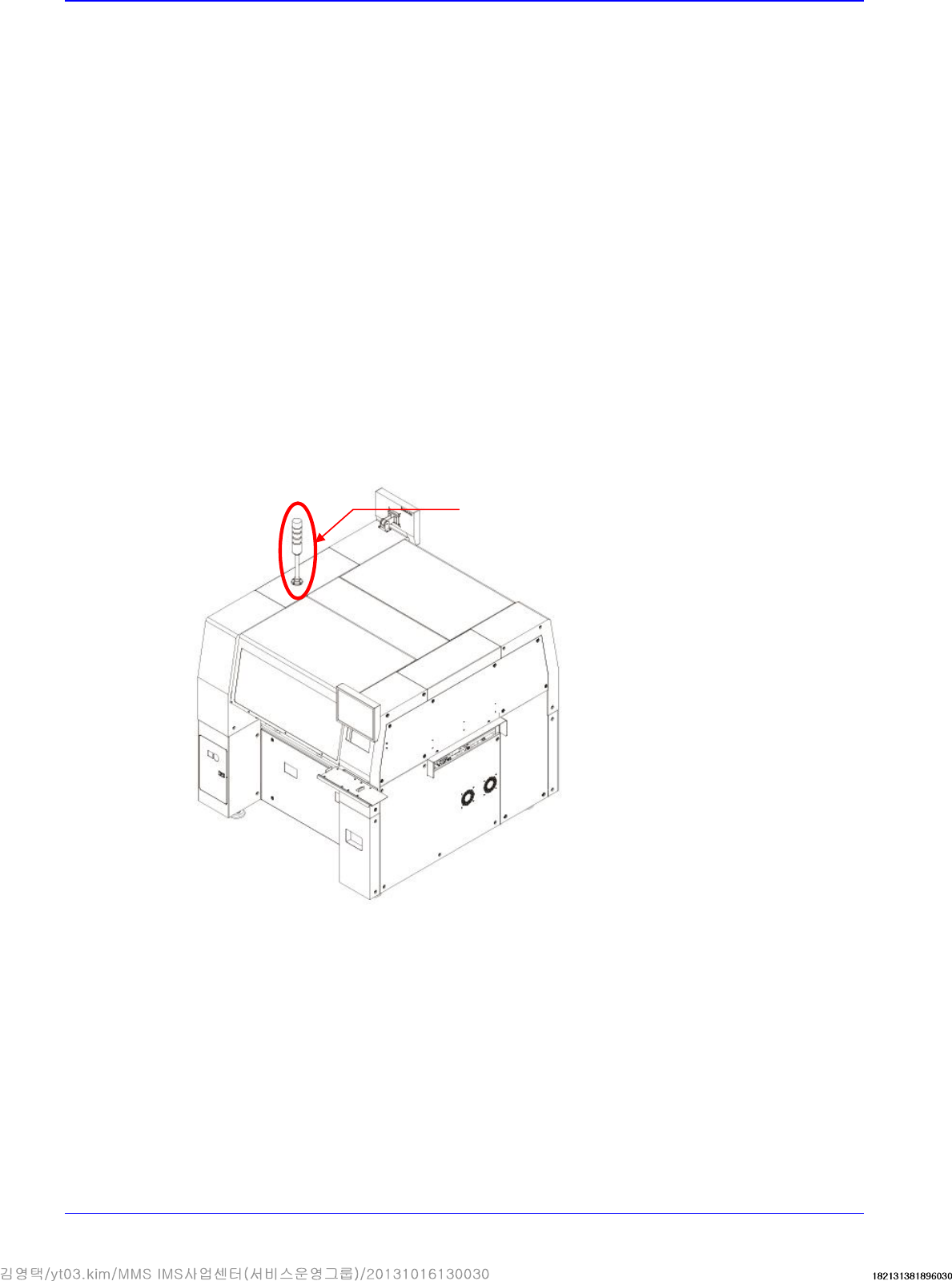
2. Connect the connector at the left inside the machine and signal light connector and secure the
signal light at the left on the upper part with fixing bolts (4 sets).
Signal Light