03_SM481_Service Manual Installation.pdf - 第23页
T ransfer & Installation Pr ocedur e 3-19 3.1.9. Warm i ng Up A fter the machine install ation, warm up the machine for 30 m i nute s. Referen ce Che ck if there is the abnorm a l noise from m achi ne and m achine …
Advanced High Speed Flexible Mounter
3-18
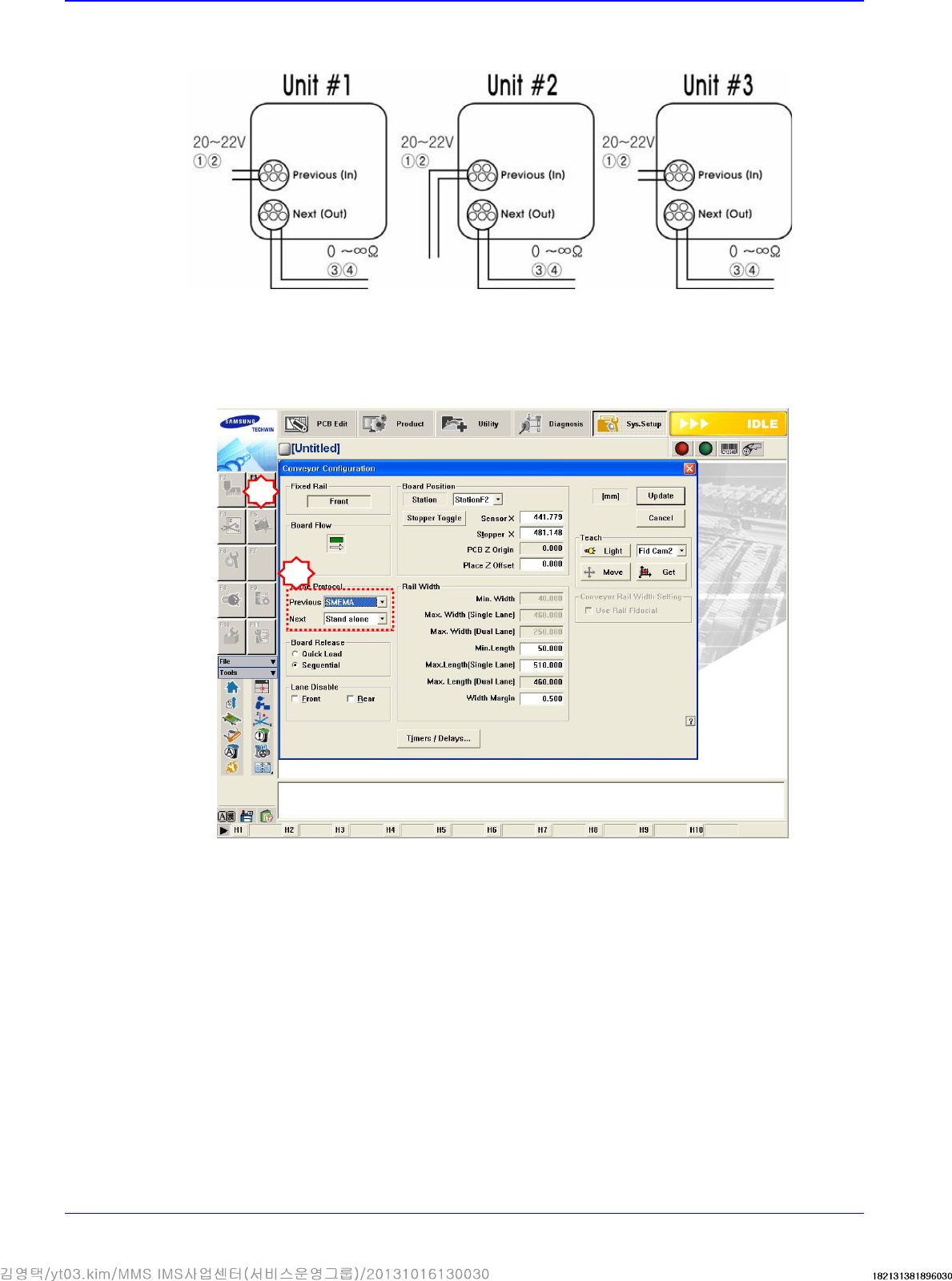
If the I/F connectors of neighboring machines are different, cut the cable and connect it
referring to the following figure.
Machines manufactured not in accordance with the SMEMA code such as SIMENS, SANYO
and TDK (RX-11), and machines without dual contact interface shall be examined specially.
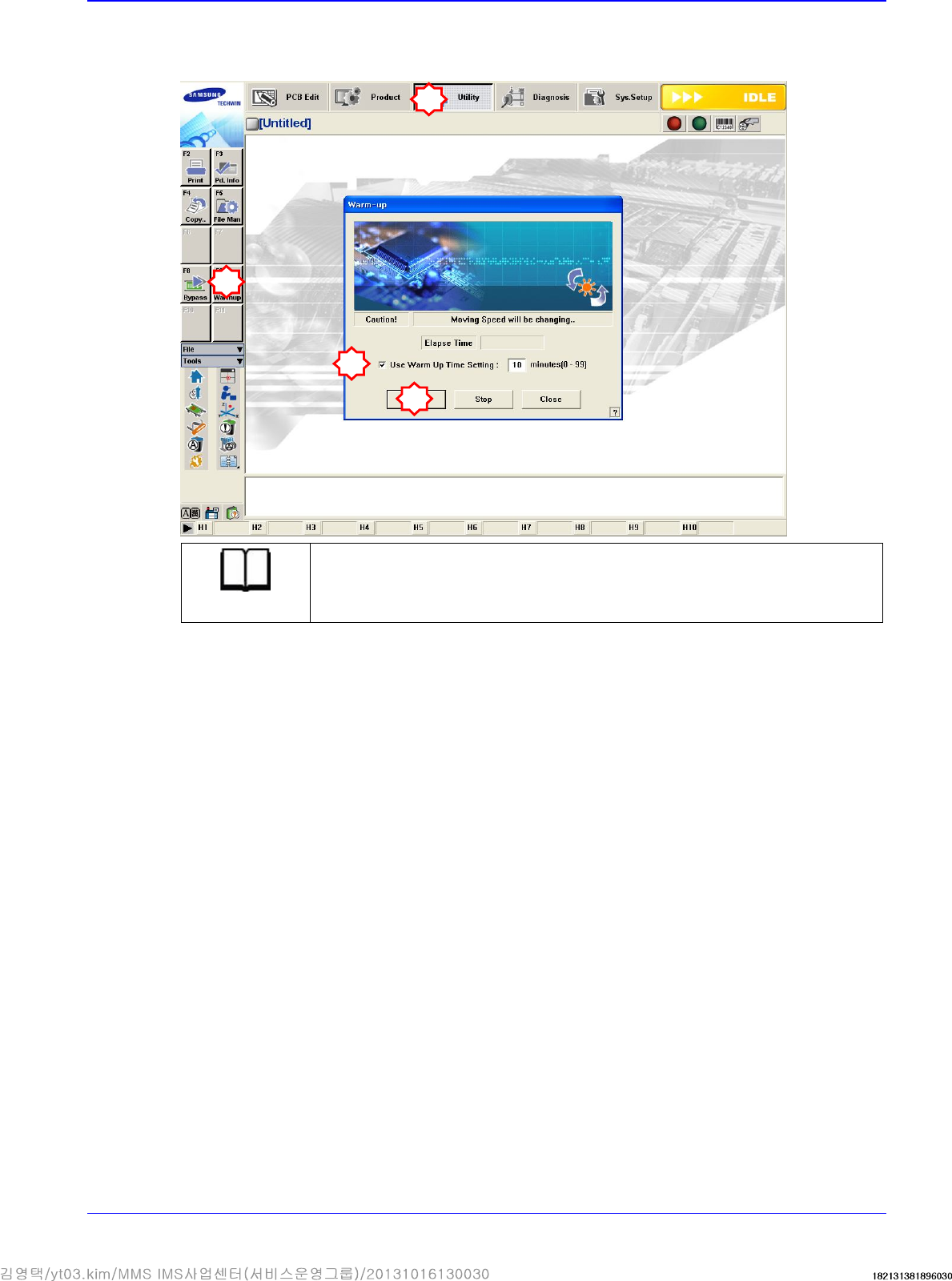
Machine interface must be decided. (Select 2-contact method or SMEMA method suitable for
the user’s environment.).
Select SYS.SETUP menu and lower menu of the conveyor.
Select ‘Stand Alone’, or SSA Type (2 contacts), or SMEMA in the ‘In (Before) and Out (After)’
combo box of the inline protocol area.
- Stand Alone: The connection is not established between machines. Setup is made during
manual operation.
- SSA Type: The PCB flows only if the contact is connected in the next machine.
- SMEMA: The ready signal is given by the previous machine (24V), and the contact is
connected in the next machine.
Check if the interface between connected machines operates normally by using the MMI
bypass function. At this time, perform test using at least 3 pieces of PCB.
2
3
Transfer & Installation Procedure
3-19
3.1.9. Warming Up
After the machine installation, warm up the machine for 30 minutes.
Reference
Check if there is the abnormal noise from machine and machine operation is
normal or not for the warm-up
1
2
3
4
Advanced High Speed Flexible Mounter
3-20
3.2. Machine Installation
1. Perform the Calibration of machine. For more details, please refer to “Calibration”.
2. In order to check if the conveyer sensor operates normally, feed the test board through the
conveyer inlet and operate the conveyor.
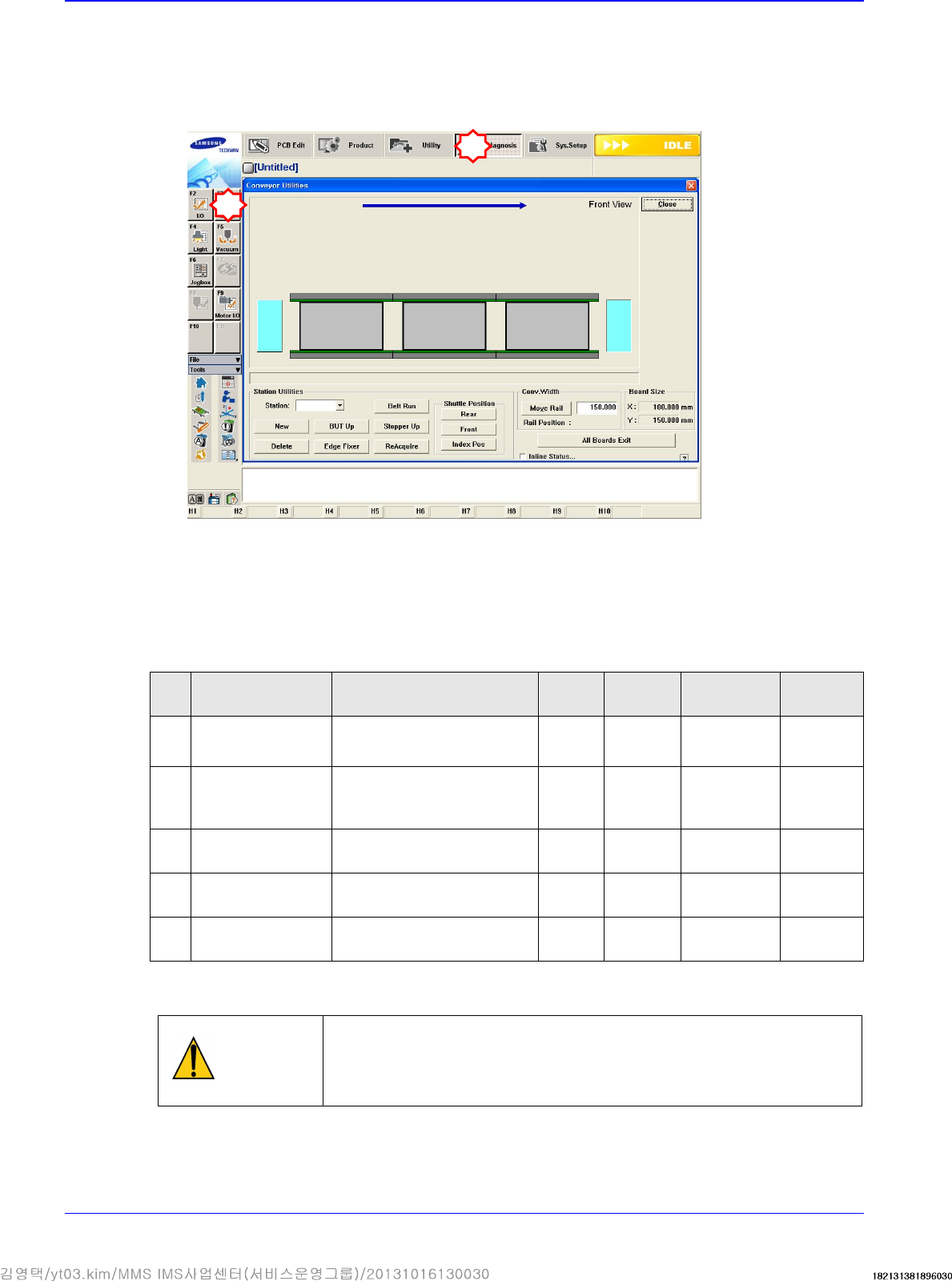
3. Feed the PCB in the ‘Conveyor Utilities’ dialog box and check if the board detection sensor in
each station and other input operates properly.
4. Do the brief training of the safety and operation for client by referring to the manual and
educational documents.
5. Get the final confirmation from the client(receiver) for the following items.
No
Checking Item
The detail item for
checking
Result
Installer
Installation
date
Receiver
1
PCB Remove
PCB Flow
(Input Output)
OK
NG
2
Power S/W
Operation status of power
switch
(Tower Lamp, etc)
OK
NG
3
Door Sensor
Sensing function of Door
Sensor
OK
NG
4
Strange Noise No strange noise
OK
NG
5
Cover Surface
No scratch on the cover
surface
OK
NG
6. If it operates normally, operate the machine according to the production procedure.
Caution
For moving the position of the machine, you should first
finish PC on the
machine and turn off the main switch. And then pack it following the
reverse order of installation procedure. When the machine is moved
completely, Repeat the installation procedure.
1
2