00198014-01_IM_SQL_Server_2014_EN.pdf - 第15页
SQL Server 2014 / I nstallation Manual 11/2015 Edition 15 T he Install Rules window is displayed. Figure 4-9: SQL setup chec king Install Rules ► Examine the result after the check is done . ► Click View detailed rep ort…
SQL Server 2014 / Installation Manual 11/2015 Edition
14
NOTICE
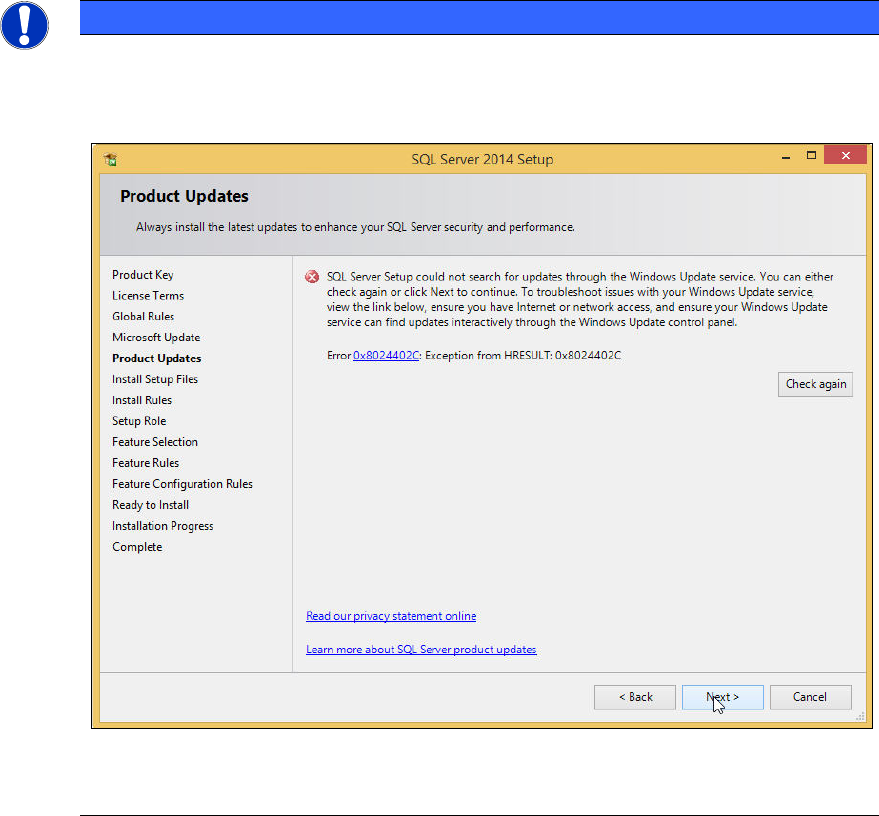
Possible error message
If you did not immediately deselect the previously mentioned check box, the following
error message may be displayed if you do not have connection to the Internet.
Figure 4-8: Error message without Internet connection
► In this case, ignore this message.
The SQL setup now installs its setup files.
SQL Server 2014 / Installation Manual 11/2015 Edition
15
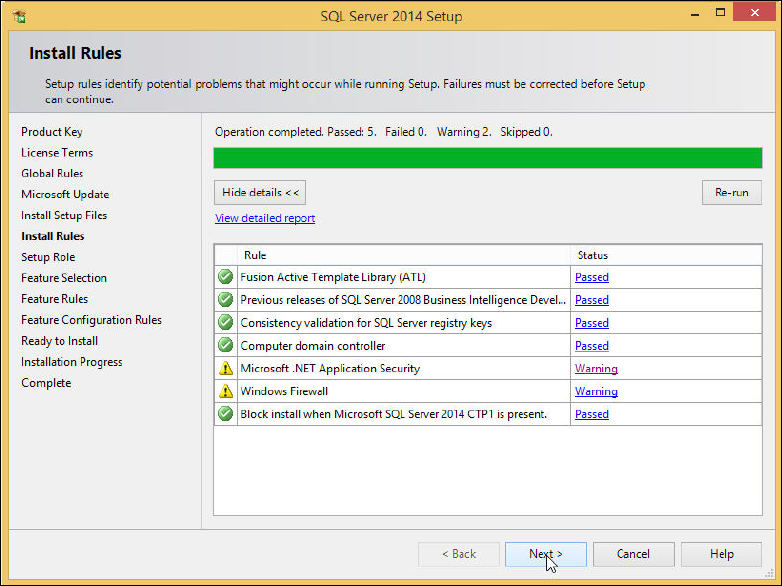
The Install Rules window is displayed.
Figure 4-9: SQL setup checking Install Rules
► Examine the result after the check is done.
► Click View detailed report to display details of the installation rules.
► Click the result in the Status column.
► If failures occurred, correct them and click the Re-run button.
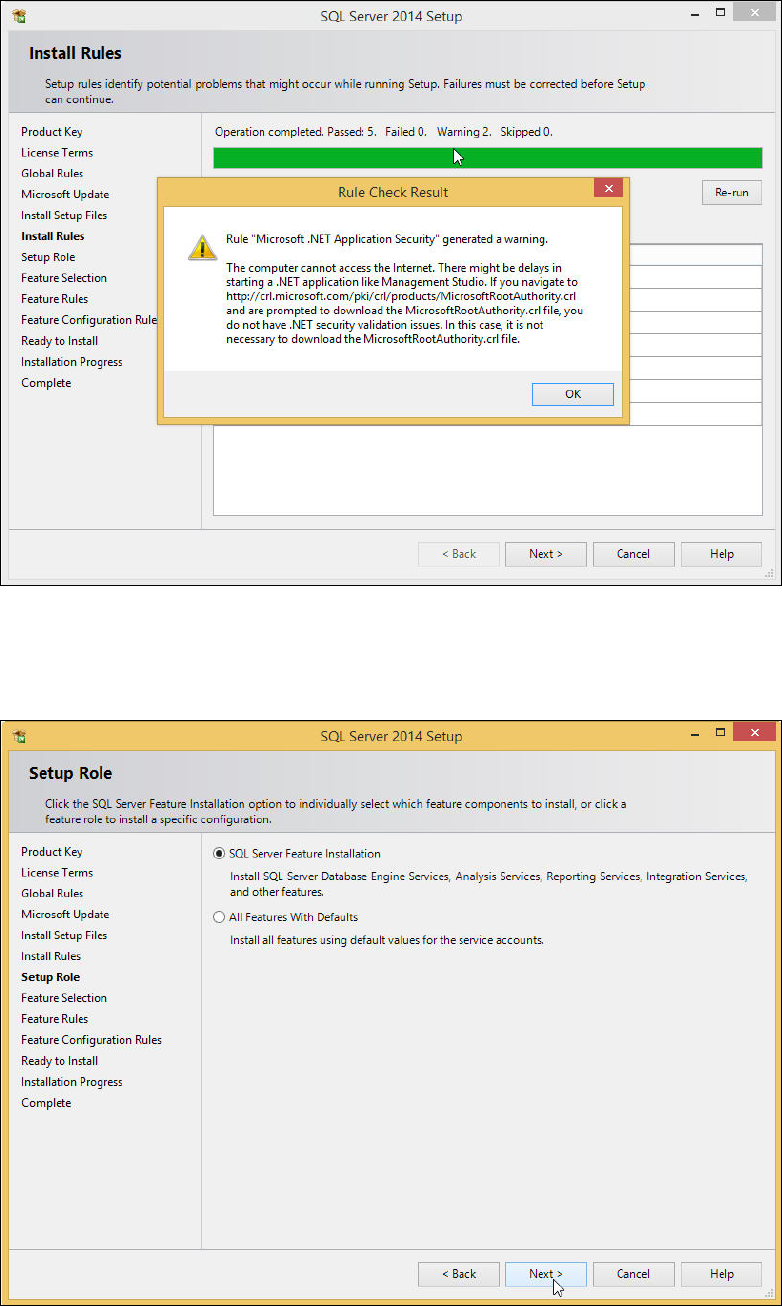
► Take note of warnings.
SQL Server 2014 / Installation Manual 11/2015 Edition
16
Figure 4-10: Rule Check Result
► Click the Next > button if the Install Rules window is not skipped automatically.
The Setup Role window is displayed.
Figure 4-11: Setup Role window
► Leave the SQL Server Feature Installation button selected.
► Click the Next > button to continue.