00198014-01_IM_SQL_Server_2014_EN.pdf - 第17页
SQL Server 2014 / I nstallation Manual 11/2015 Edition 17 The Feature Selection window is displayed. Figure 4-12: Feature Selecti on window ► Ensure that the followi ng features are selected: – Database Engine Servi ces …
SQL Server 2014 / Installation Manual 11/2015 Edition
16
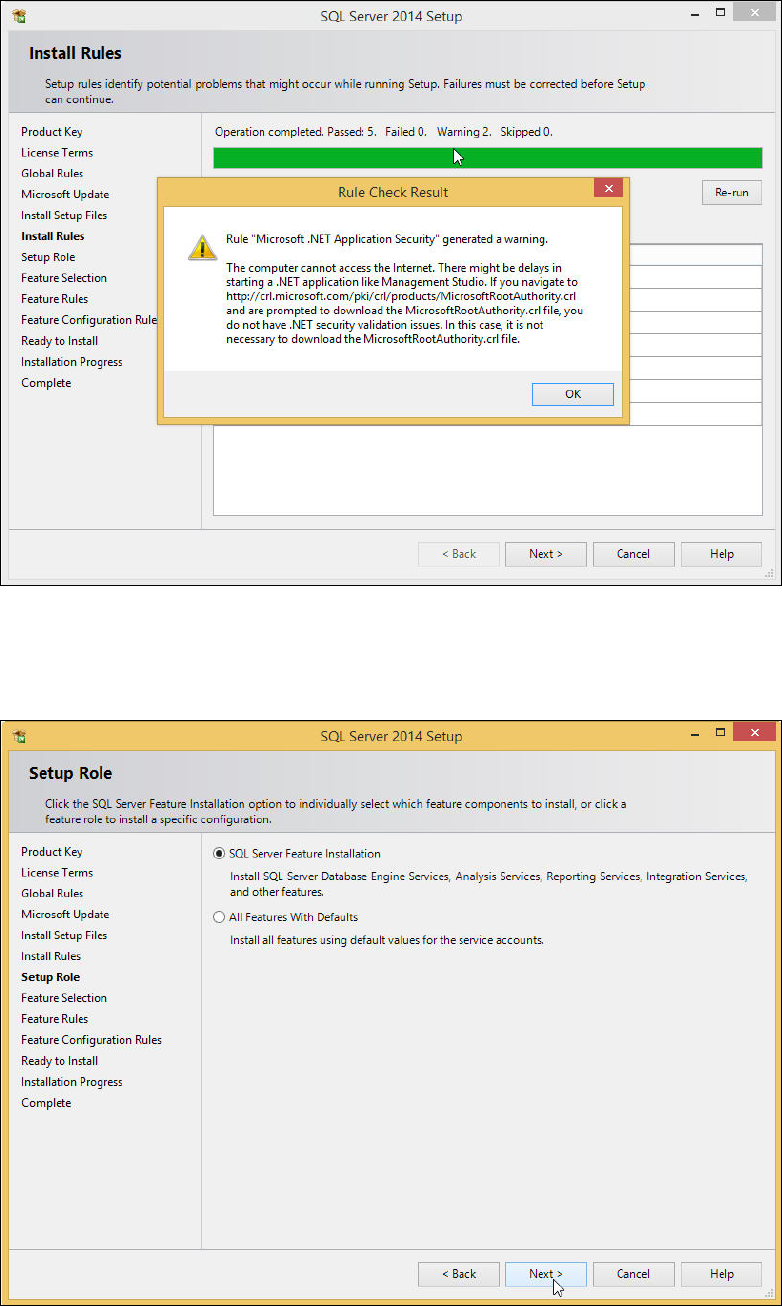
Figure 4-10: Rule Check Result
► Click the Next > button if the Install Rules window is not skipped automatically.
The Setup Role window is displayed.
Figure 4-11: Setup Role window
► Leave the SQL Server Feature Installation button selected.
► Click the Next > button to continue.
SQL Server 2014 / Installation Manual 11/2015 Edition
17
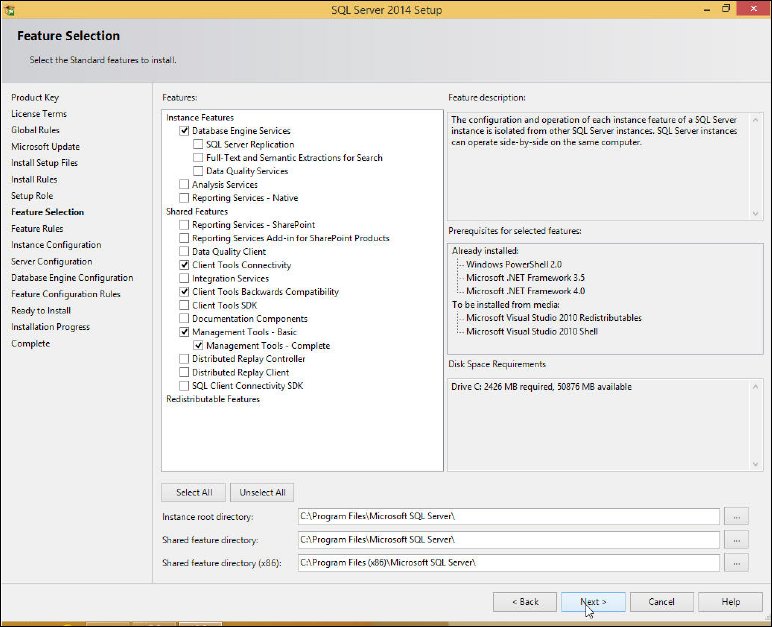
The Feature Selection window is displayed.
Figure 4-12: Feature Selection window
► Ensure that the following features are selected:
– Database Engine Services
– Client Tools Connectivity
– Client Tools Backwards Compatibility
– Management Tools – Basic
– Management Tools - Complete
► Click the Next > button to continue.
SQL Server 2014 / Installation Manual 11/2015 Edition
18
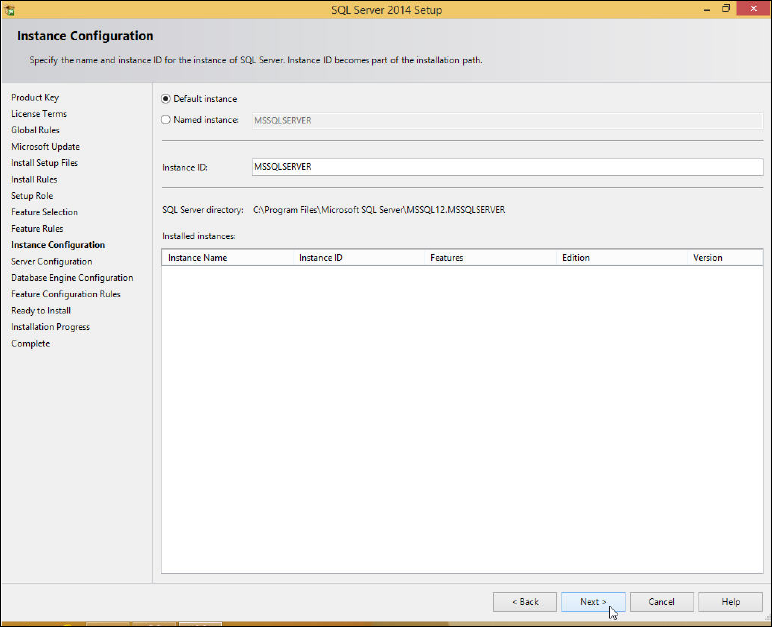
The Instance Configuration window is displayed.
Figure 4-13: Instance Configuration window
► Leave the Default instance button selected to install the SQL Server using the MSSQLSERVER
default instance.
► Click the Next > button to continue.