00198014-01_IM_SQL_Server_2014_EN.pdf - 第16页
SQL Server 2014 / I nstallation Manual 11/2015 Edition 16 Figure 4-10: Rule Chec k Result ► C lick the Next > button if the Install R ules window i s not skipped aut omatically. The Setup Role window is displayed . Fi…
SQL Server 2014 / Installation Manual 11/2015 Edition
15
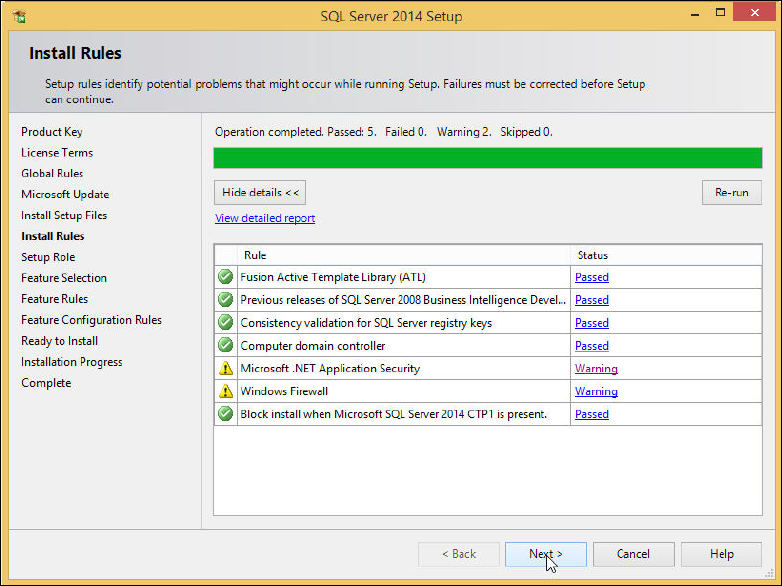
The Install Rules window is displayed.
Figure 4-9: SQL setup checking Install Rules
► Examine the result after the check is done.
► Click View detailed report to display details of the installation rules.
► Click the result in the Status column.
► If failures occurred, correct them and click the Re-run button.
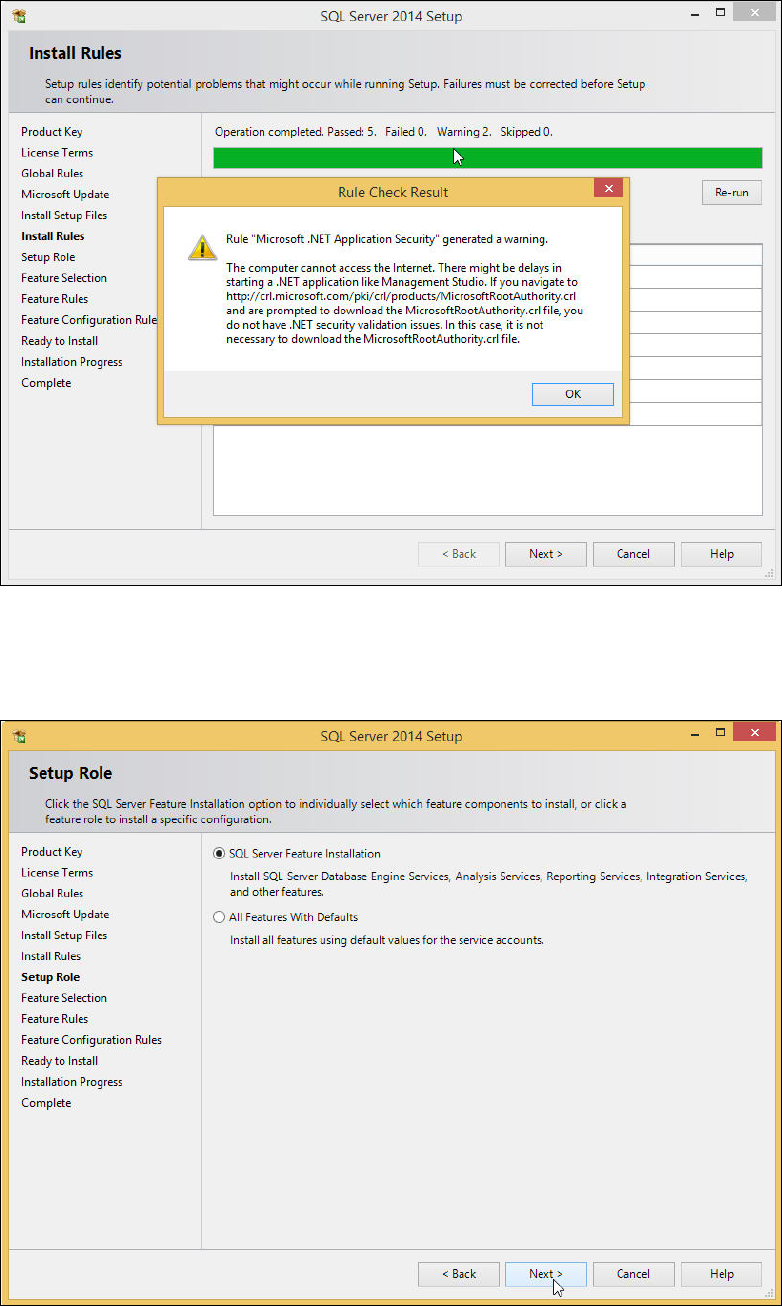
► Take note of warnings.
SQL Server 2014 / Installation Manual 11/2015 Edition
16
Figure 4-10: Rule Check Result
► Click the Next > button if the Install Rules window is not skipped automatically.
The Setup Role window is displayed.
Figure 4-11: Setup Role window
► Leave the SQL Server Feature Installation button selected.
► Click the Next > button to continue.
SQL Server 2014 / Installation Manual 11/2015 Edition
17
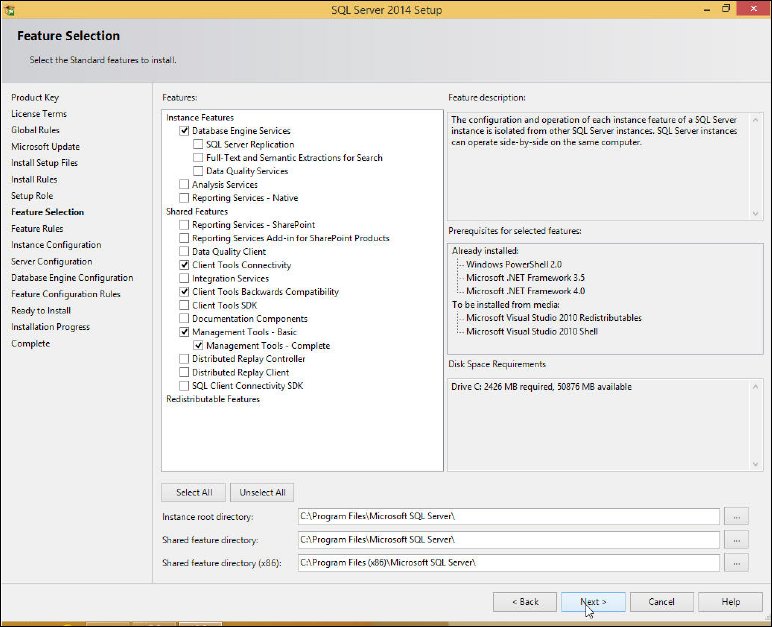
The Feature Selection window is displayed.
Figure 4-12: Feature Selection window
► Ensure that the following features are selected:
– Database Engine Services
– Client Tools Connectivity
– Client Tools Backwards Compatibility
– Management Tools – Basic
– Management Tools - Complete
► Click the Next > button to continue.