00198014-01_IM_SQL_Server_2014_EN.pdf - 第26页
SQL Server 2014 / I nstallation Manual 11/2015 Edition 26 ► Close the window by clicking the X in th e right upper cor ner. ► Restart the comput er to ensure proper functi on of your SQL installat ion. ► Continue with t …
SQL Server 2014 / Installation Manual 11/2015 Edition
25
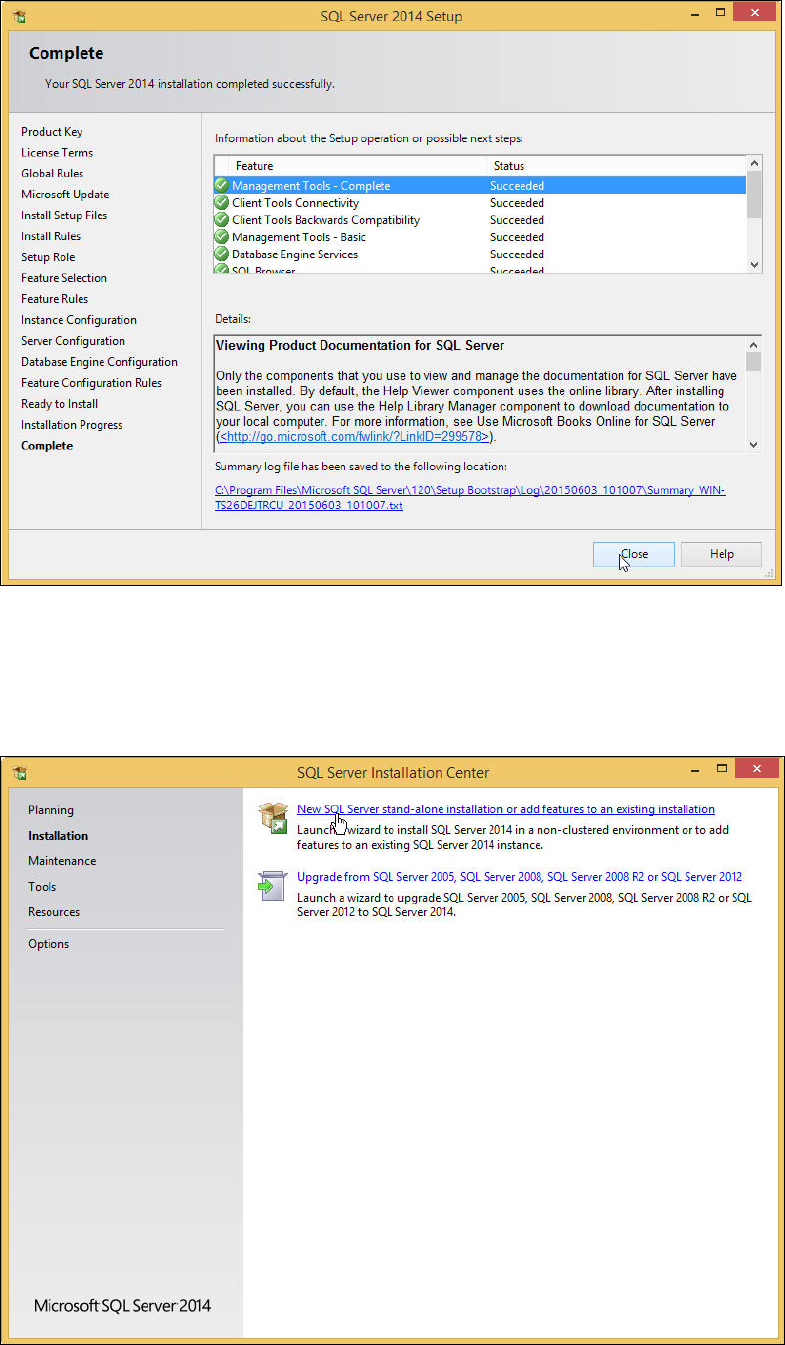
After installation has finished, the Complete window is displayed.
Figure 4-24: Setup completed
► Examine the status of all features – they should be Succeeded.
► Click the Close button to close the setup.
You return to the initial window.
Figure 4-25: Closing the initial window
SQL Server 2014 / Installation Manual 11/2015 Edition
26
► Close the window by clicking the X in the right upper corner.
► Restart the computer to ensure proper function of your SQL installation.
► Continue with the following chapter which describes additionally settings.
SQL Server 2014 / Installation Manual 11/2015 Edition
27
5 After Installation
This chapter describes how to perform some additionally required and optional settings after the
SQL installation and how to define settings you missed to set during the installation.
5.1 Additionally Required Settings
5.1.1 TCP/IP Network Protocol Enabled
After installation, you have to verify that the TCP/IP network protocol is enabled for communication.
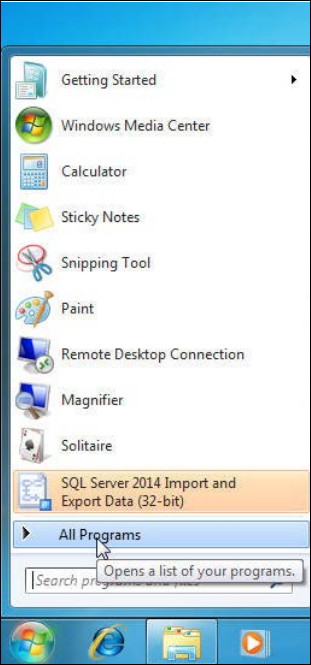
► Click the Start/Windows button.
► Expand the All Programs or Programs group respectively – depending on your operating
system.
Figure 5-1: Expanding "All Programs" group in Windows 7