00198014-01_IM_SQL_Server_2014_EN.pdf - 第25页
SQL Server 2014 / I nstallation Manual 11/2015 Edition 25 After installati on has finished, the Complete wi ndow is displayed . Figure 4-24: Setup completed ► Examine the status of all features – they should be Suc ceede…
SQL Server 2014 / Installation Manual 11/2015 Edition
24
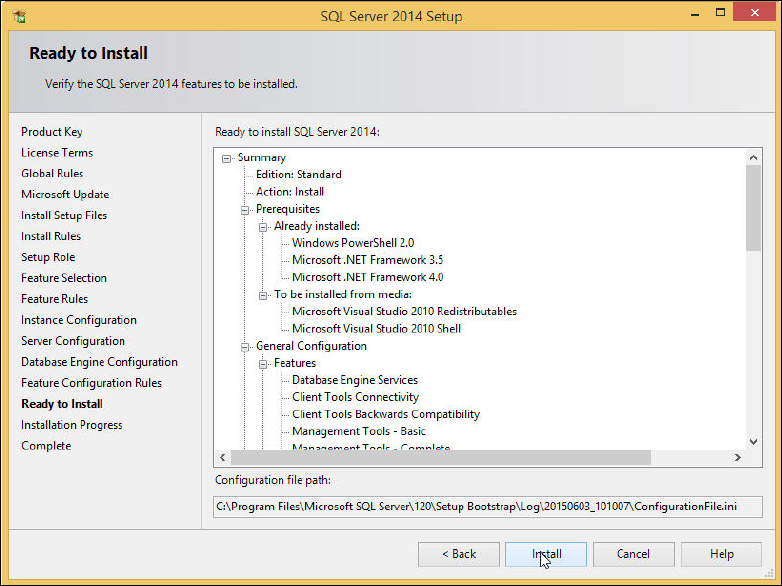
The Ready to Install window is displayed.
Figure 4-23: Ready to Install window
► Klick the Install button.
The installation starts.
► Wait for the installation to complete. This may take 30 minutes or more.
SQL Server 2014 / Installation Manual 11/2015 Edition
25
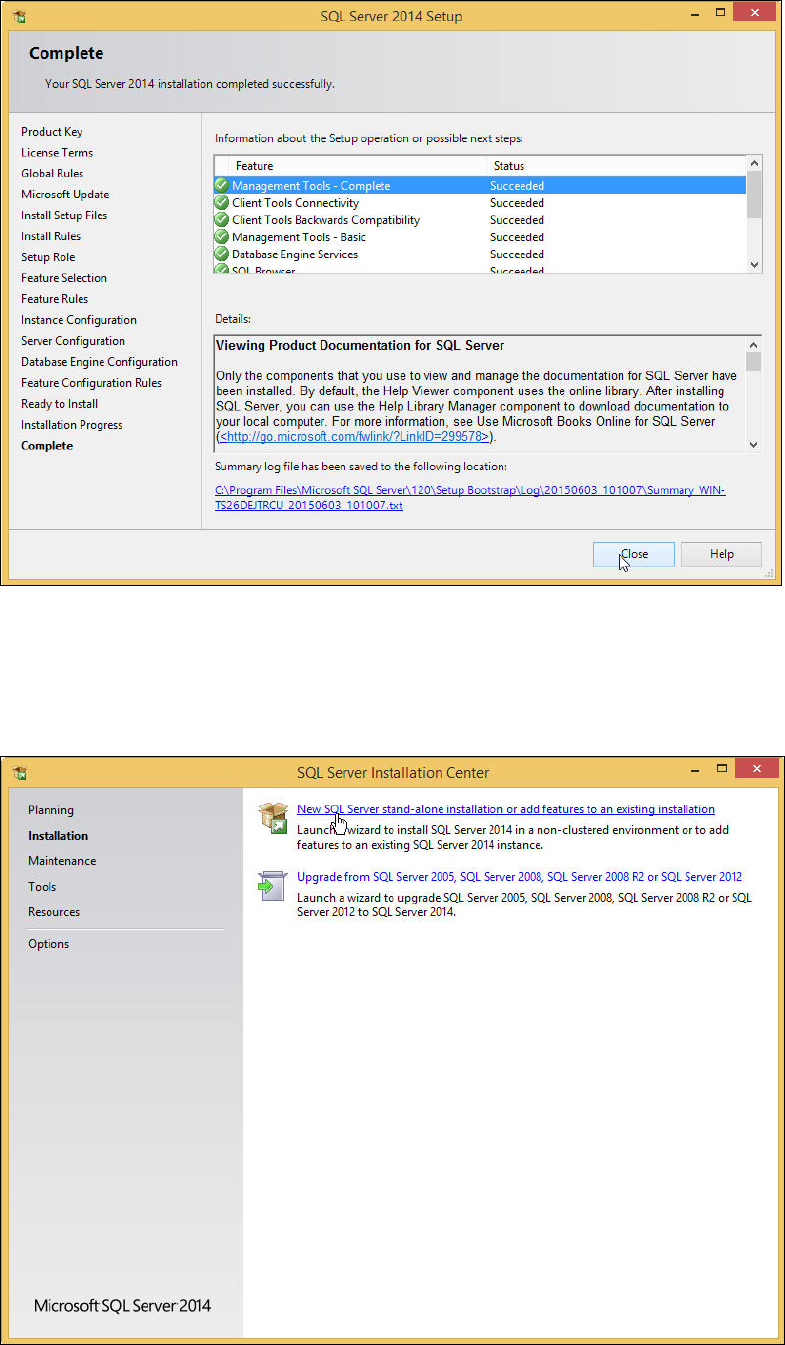
After installation has finished, the Complete window is displayed.
Figure 4-24: Setup completed
► Examine the status of all features – they should be Succeeded.
► Click the Close button to close the setup.
You return to the initial window.
Figure 4-25: Closing the initial window
SQL Server 2014 / Installation Manual 11/2015 Edition
26
► Close the window by clicking the X in the right upper corner.
► Restart the computer to ensure proper function of your SQL installation.
► Continue with the following chapter which describes additionally settings.