00194579-0202.pdf - 第53页
Retrofit instructions Wide board 242 / 508 mm SIPLACE HS-60 / D4 08/2006 Edition 55 The operator is informed that the machine must be rest arted to complete the process. If he con- firms, then the machine is shut dow n a…
Retrofit instructions Wide board 242 / 508 mm SIPLACE HS-60 / D4
08/2006 Edition
54
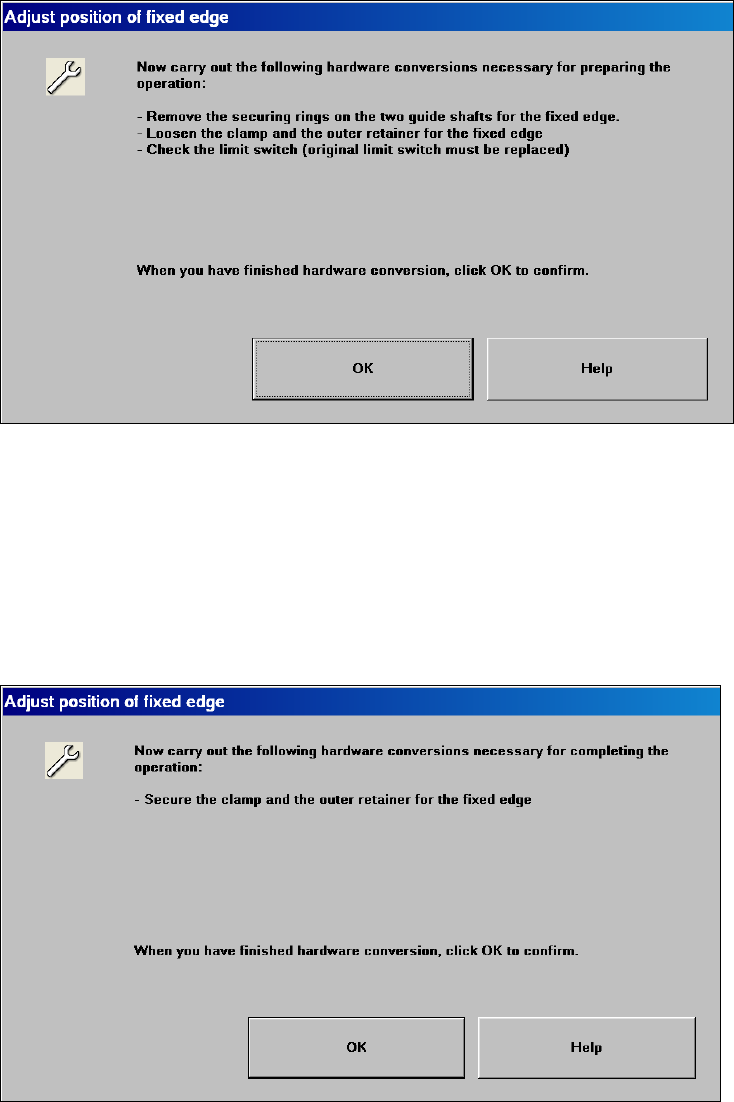
For the HS-60 / D4 only:
A dialog appears to prompt that hardware changes are required: 2
2
2
: Once all the hardware changes have been carried out, confirm the dialog and thus start chan-
ging the position of the stationary side wall to "Wide“.
For the HS-60 machine type only:
If the side wall was moved, a dialog appears to inform the service engineer that the conveyor side
wall must be fixed again. Carry out the following steps to fix the conveyor side wall: 2
2
2
Retrofit instructions Wide board 242 / 508 mm SIPLACE HS-60 / D4
08/2006 Edition
55
The operator is informed that the machine must be restarted to complete the process. If he con-
firms, then the machine is shut down automatically. 2
If "STOP, emergency stop" is actuated while the conveyor side walls are being moved, then the
conveyor status is "undefined". The procedure will then have to be repeated. 2
If the conveyor embedded software signals an error during the movement, then the conveyor sta-
tus is "undefined". The procedure will then have to be repeated. 2
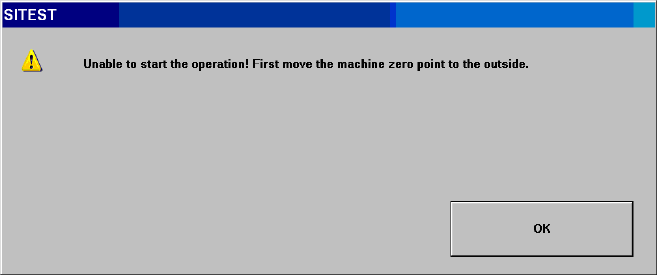
If the machine zero point was not moved, then the following prompt appears with the "Position of
stationary side wall“ button is pressed: 2
2
2
: Switch the placement machine on again and switch to SITEST immediately after starting up.
2
2
2
2
2
2
2
2
2
2
2
2
Retrofit instructions Wide board 242 / 508 mm SIPLACE HS-60 / D4
08/2006 Edition
56
2.6.7 Calibrating the machine after changing the extended conveyor configuration
"Position of stationary side wall“
Once the extended conveyor configuration "Position of stationary side wall“ has been moved,
there are certain calibration tasks that must be carried out to ensure that the machine operates
smoothly. 2
: Switch to the SITEST program.
: Switch to the "Gantries" view. ==> "Gantry functions".
Carry out a reference run.
: Switch to the "Gantries" view. ==> "Calibrate position".
Teach the PCB reference corners.
: SITEST main view:
Select "Settings" ==> "Save machine data".
: Carry out a full reference run.
: Switch to the view "Calibrate machine“ ==> "Calibrate conveyor side walls and conveyor width"
(needed when you set up the "Wide HS-60“ for the first time).
To be able to determine the precise position of the height reference run, you must first teach the
PCB reference corners. 2
: Calibrate the conveyor side walls and conveyor width for determining the maximum conveyor
width.
2.6.8 PCB mapping and head mapping for machine type HS-60 / D4
: Carry out the PCB mapping for machine type HS-60 / D4 in order to improve the placement
accuracy.
: If the machine zero point is on the inside, mapping widths 216 mm and 380 mm are suggested
for the dual conveyor and 460 mm for the single conveyor. If the machine zero point is on the
outside, mapping widths 380 mm are suggested for the dual conveyor and 508 mm for the sin-
gle conveyor.
Select the required mapping width and carry out the PCB mapping / head mapping.
2
2
2
2
2
2