Portal_Manual_1.2.1_Rev_H-1.pdf - 第24页
Portal PVA Revisio n H ( 2018 ) 24 of 93 6.3 Board Lo cator s Fig ure 11 : Board Locato rs, Manua l Mode Board Lo cators are contr olled under the “ Locate ” tab. This is an optional feature for workcells with pneumat ic…
Portal
PVA
Revision H (2018)
23 of 93
6.2 Conveyor Control
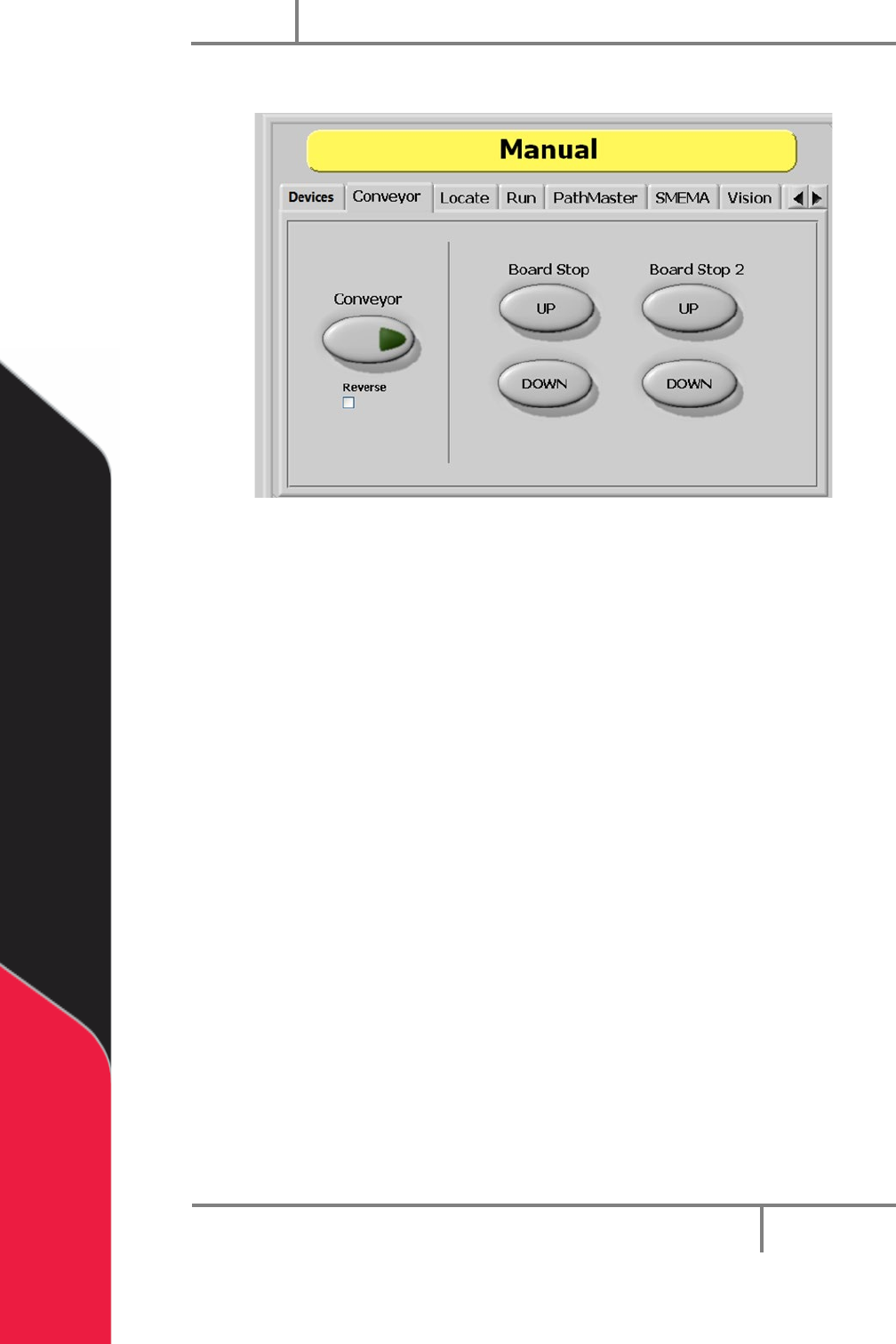
Figure 10: Conveyor Control, Manual Mode
The conveyor and the board stops are controlled under the “Conveyor” tab so the
operator can adjust the position of boards in the workcell. Only workcells with
conveyors will have this option.
1. Select the “Conveyor” tab.
2. Select the “Conveyor” button to toggle the conveyor on or off.
3. Select the “Reverse” (Bi-directional systems ONLY) checkbox to reverse
conveyor direction.
4. Select Board Stop “UP” to turn the board stops off.
5. Select Board Stop “DOWN” to turn the board stops on.
6. Board Stop 2 operates the upstream board stops for bi-directional systems. Do
steps 4 and 5 for Board Stop 2 to operate the upstream board stop. Could also
be for any additional stops like a buffer, queue zone, or conveyor.
Portal
PVA
Revision H (2018)
24 of 93
6.3 Board Locators
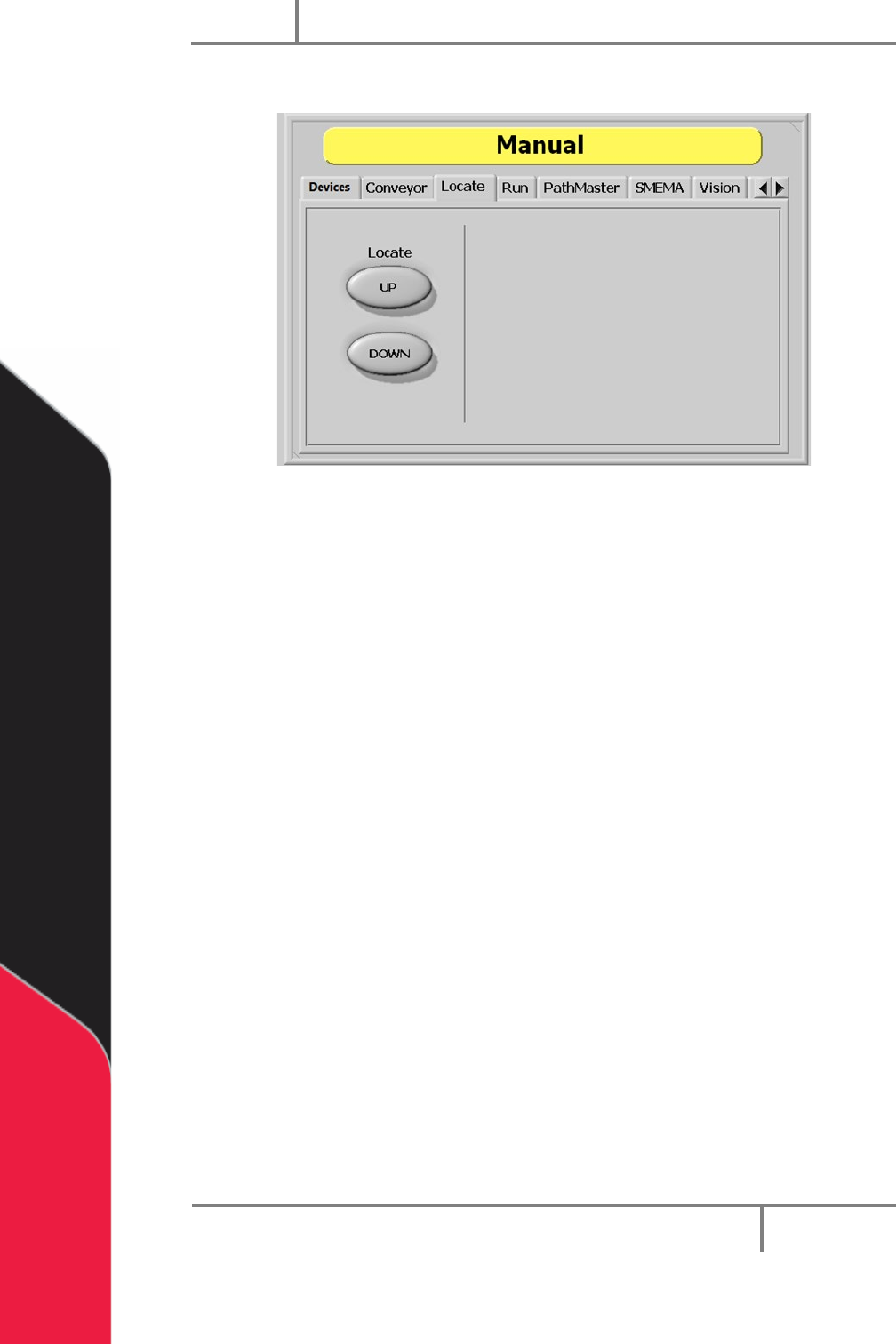
Figure 11: Board Locators, Manual Mode
Board Locators are controlled under the “Locate” tab. This is an optional feature for
workcells with pneumatic-powered board locators. Only workcells with board locators
will have this option. If this feature is present, the operator can move the board locators
to the up and down positions.
1. Select the “Locate” tab.
2. Select Locate “UP” to move the locators to the up position.
3. Select Locate “DOWN” to move the locators to the down position.
Portal
PVA
Revision H (2018)
25 of 93
6.4 Run Mode
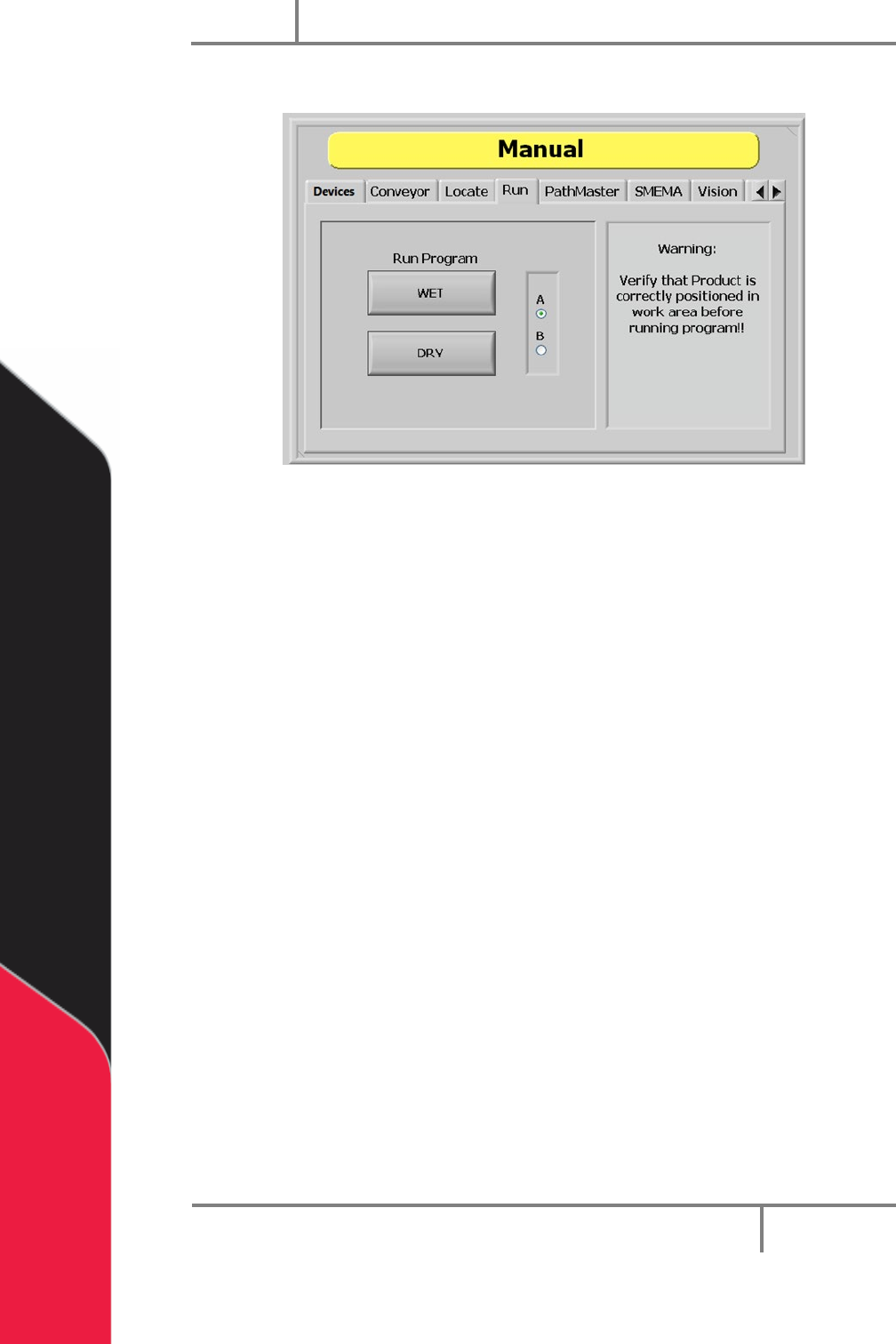
Figure 12: Run Mode, Manual Mode
In Run mode you can test a downloaded path program for a single cycle. You can run the
path as “WET” or “DRY”. Make sure that the part is in the correct position inside the
workcell before the path is run or the results will not be accurate and could damage the
workcell.
1. Select the “Run” tab.
2. Select “A” or “B” (if necessary) to select which side will run. Select “A” for the
left side program select drop down or B for right side program select drop
down.
3. Select “WET” to run the selected program with the valves on.
4. Select “DRY” to run the selected program with the valves off (valves will move
but will not dispense).
NOTE: Make sure the correct program is selected from the Program Selection
drop down menu. Make sure the part is correctly installed and all board stops
and locators are in the correct position to prevent a crash.