Portal_Manual_1.2.1_Rev_H-1.pdf - 第67页
Portal PVA Revisio n H ( 2018 ) 67 of 93 14 Part Mana ger Part Manager is an embedded library used to manage Portal Part Selection and Pa rt R ecip es . P art reci pes ca n be conf igure d in the Recipe Manager wind ow. …
Portal
PVA
Revision H (2018)
66 of 93
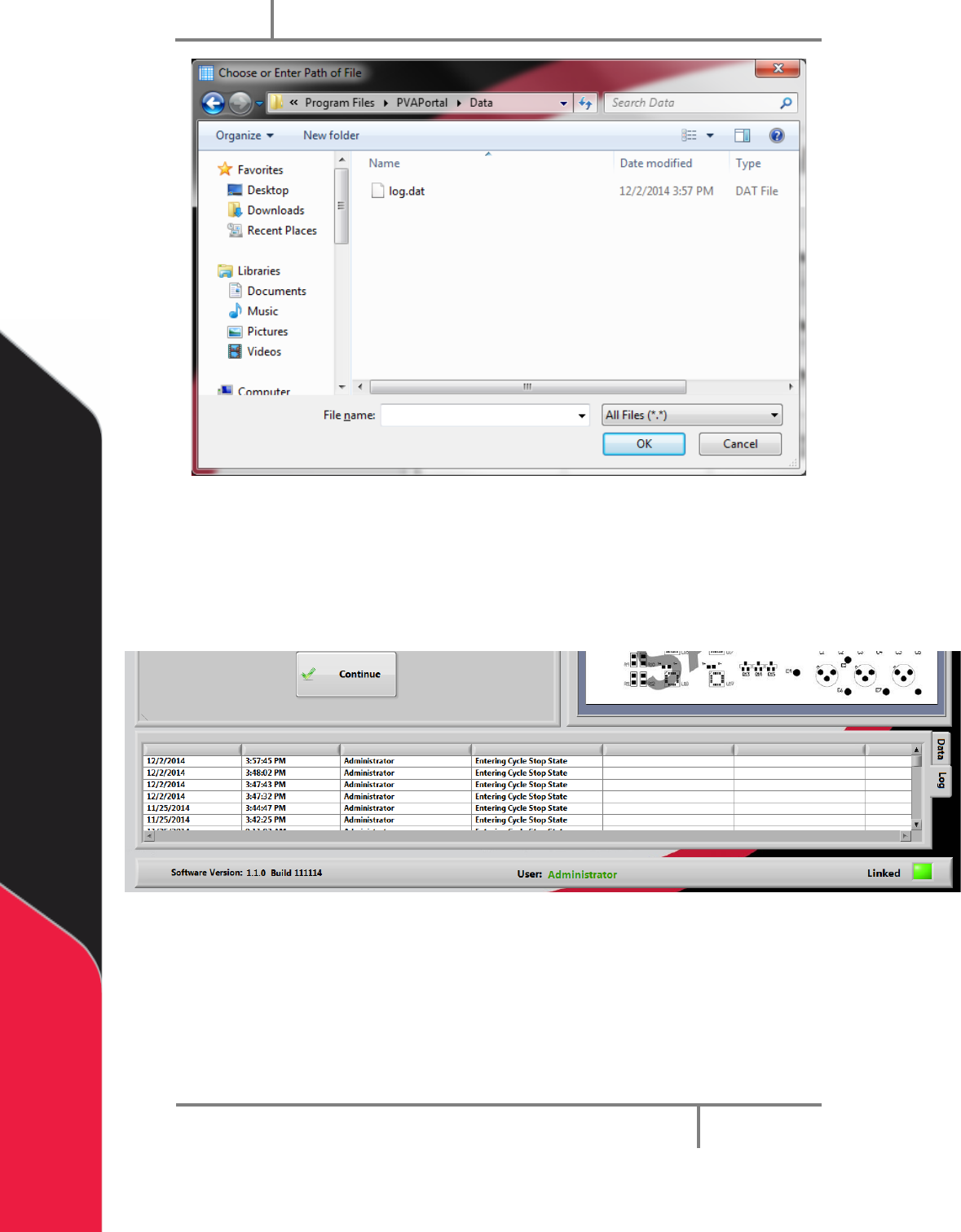
Figure 64: Log File Selection
3. For the embedded version, press and hold the ‘CTRL’ key while ‘double clicking’
the data grid to select a log file to view. The Standalone version can be
launched from within Portal by pressing and holding the ‘ALT’ key while ‘double
clicking’ the data grid.
Figure 65: Embedded DataView
Portal
PVA
Revision H (2018)
67 of 93
14 Part Manager
Part Manager is an embedded library used to manage Portal Part Selection and
Part Recipes. Part recipes can be configured in the Recipe Manager window. The
Recipe Manager window is accessible from the Portal Part Selection field when
in the workcell is in Setup mode. The structure of a recipe can be defined from
the ‘PartDataType.cfg’ file.
In Setup Mode you will have the Recipe Manager drop down menu. In every other
mode, the drop down menu will say Program Selection.
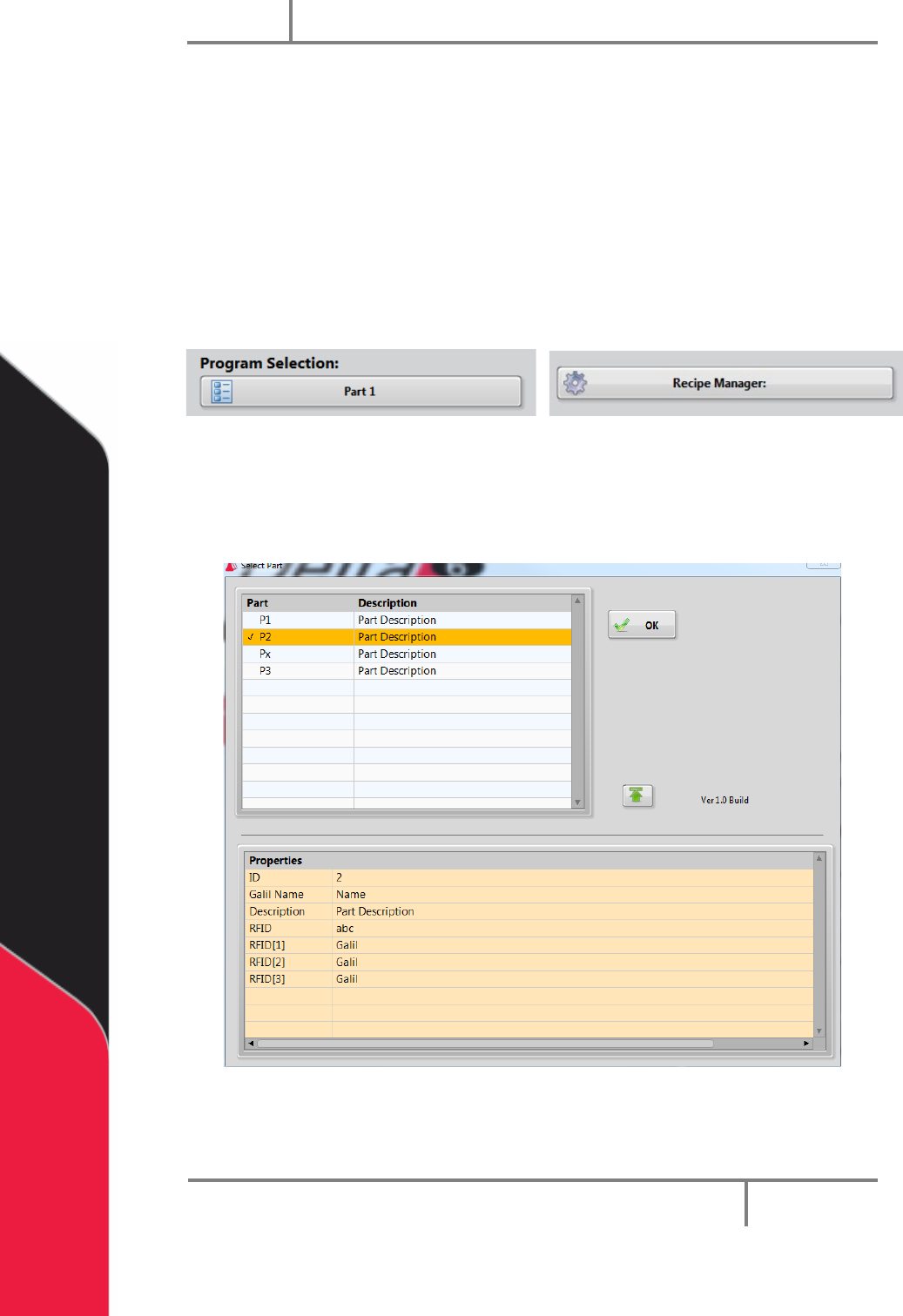
Figure 66: Recipe Manager and Program Selection
14.1 Part Selection Console
1. To see the part selection console, select the drop down menu and select a part.
Figure 67: Part Selection Console
2. Select the column header to sort the part view.
Portal
PVA
Revision H (2018)
68 of 93
Figure 68: Column Header
3. Select “OK” to accept the selected highlighted part.
Figure 69: Select "OK"
4. Use the arrows to expand or collapse the window to view or hide Current Part
Properties.
Figure 70: Expand or Collapse Window
14.2 Recipe Manager
1. In Setup Mode, select “Recipe Manager” to go to the recipe manager.
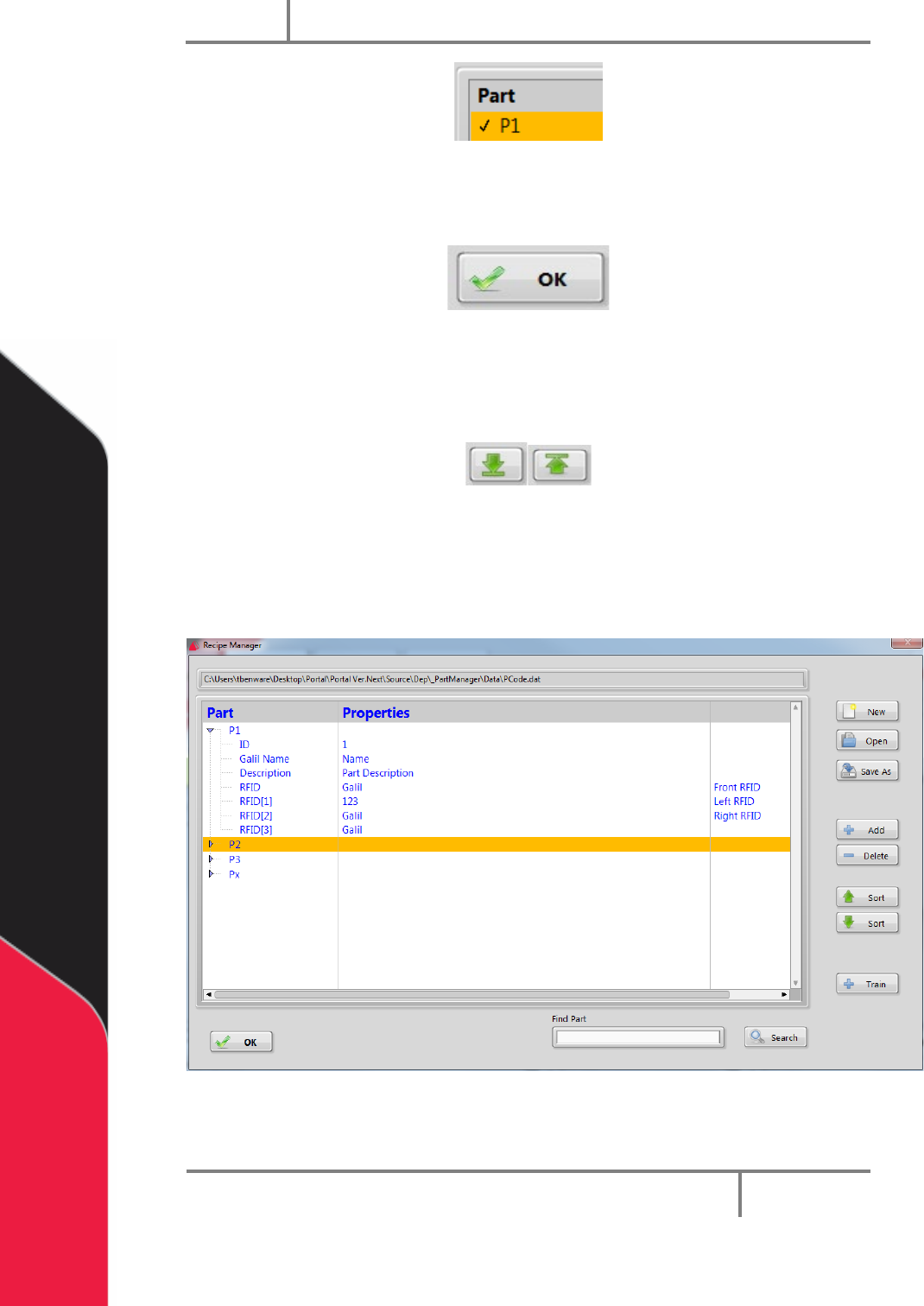
Figure 71: Recipe Manager
2. Select the “New” button to create a new Dataset file.