CP43维护手册.pdf.pdf - 第111页
10 – 11 V ersion 7.0 Chapter 10 Cam Box 10.6 Cam Lever Stopper Adjustment The cam lever stopper rotates when the r otary solenoid turns on or of f. Each lever has two positions which must be set. Note that the station 1 …
Chapter 10 Cam Box
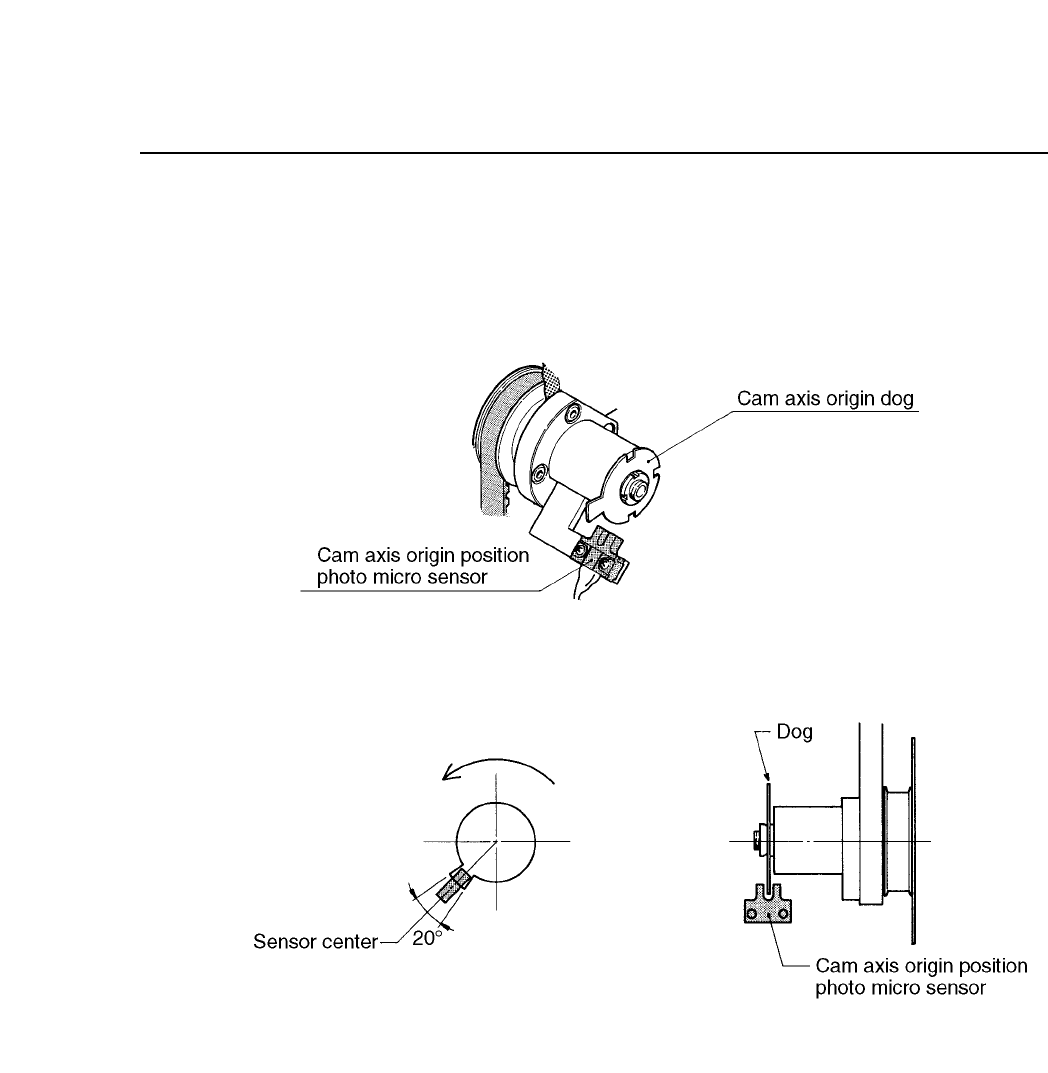
10.5Adjusting the Dogs in the Cam Box
There is a cam axis origin dog in the cam box. With the cam angle at 0°,
match the center of the dog with the center of the sensor.
Fig. 10-12 Cam Axis Origin Point
10 – 10
Version 7.0
CP IV-3 Maintenance

10 – 11
Version 7.0
Chapter 10 Cam Box
10.6Cam Lever Stopper Adjustment
The cam lever stopper rotates when the rotary solenoid turns on or off.
Each lever has two positions which must be set. Note that the station 1
tape advance/retract and the station 1 nozzle vertical solenoids work
together.
The rotary solenoid levers are used on the following five functions.
Station 1 Tape feeder advance/retract
Station 1 Nozzle vertical movement
Station 3 Pre-theta vertical movement
Station 7 Nozzle vertical movement
Station 11 Nozzle change
CP IV-3 Maintenance
Chapter 10 Cam Box
10.6.1Station 1 Cam Lever Stopper Adjustment
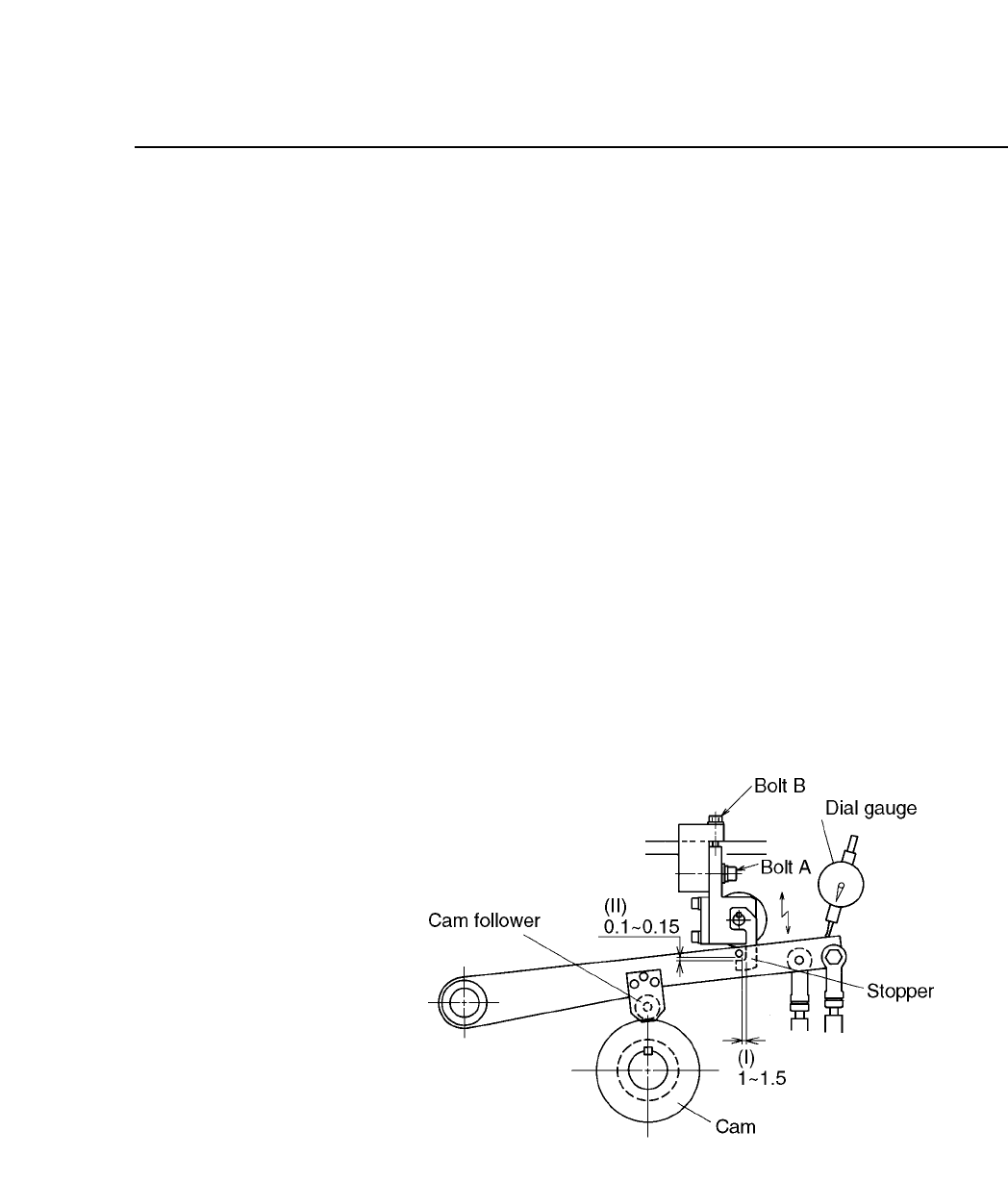
Follow these directions to adjust this stopper.
(1) Set the cam to 0°, and I/O output Y020 to on.
(2) Check that the left/right movement between the notch and the
stopper for both stoppers (I) is between 1 mm and 1.5 mm.
(3) Move the clearance between each stopper and the notch (II) to
zero. Set a dial gauge on the heads of the two levers, loosen
bolt (A) and turn bolt (B). The stopper will move vertically.
When the dial gauge stops moving this is the correct position.
(4) Set the dial gauge to zero.
(5) Rotate the cam handle to where the cam follower is held
floating by the stopper at 250°.
(6) Watching the dial, lower the stopper 0.1 ~ 0.15 mm (II). The
better adjustment is closer to 0.1 mm.
(7) After adjustment with the cam angle between 336°~165°, check
that the stopper turns on and off at the I/O map.
Fig. 10-13 Station 1 Cam Lever Stopper
10 – 12
Version 7.0
CP IV-3 Maintenance