CP43维护手册.pdf.pdf - 第66页
Chapter 5 The T welve Stations Gear Backlash Adjustment (1) Set the cam angle to 0°. (2) Place the dial gauge on the gear teeth as shown below . (3) Loosen the housing bolt on the machine main body . (4) T urn the gear s…
5 – 23
Version 6.0
Chapter 5 The Twelve Stations
The rotational angle of the clutch is determined by the curve of the cam;
thus, it need not be adjusted. However, the vertical setting of the clutch
and the backlash of the gear must be adjusted. These adjustments should
be performed with the power off.
Clutch Vertical Adjustment
(1) Press [SET], [MANUAL], [I/O] and [OUT] to access the IO map. Turn
"YO22 PQ ROT SOL ON" to ON and "YO23 PQ ROT SOL OFF" to OFF
and remove the stopper so the lever can move freely.
(2) With the cam at 0° touch the dial gauge to the fluorescent disk and set
the gauge to zero.
(3) Using the cam handle, turn the cam handle backwards to 260°.
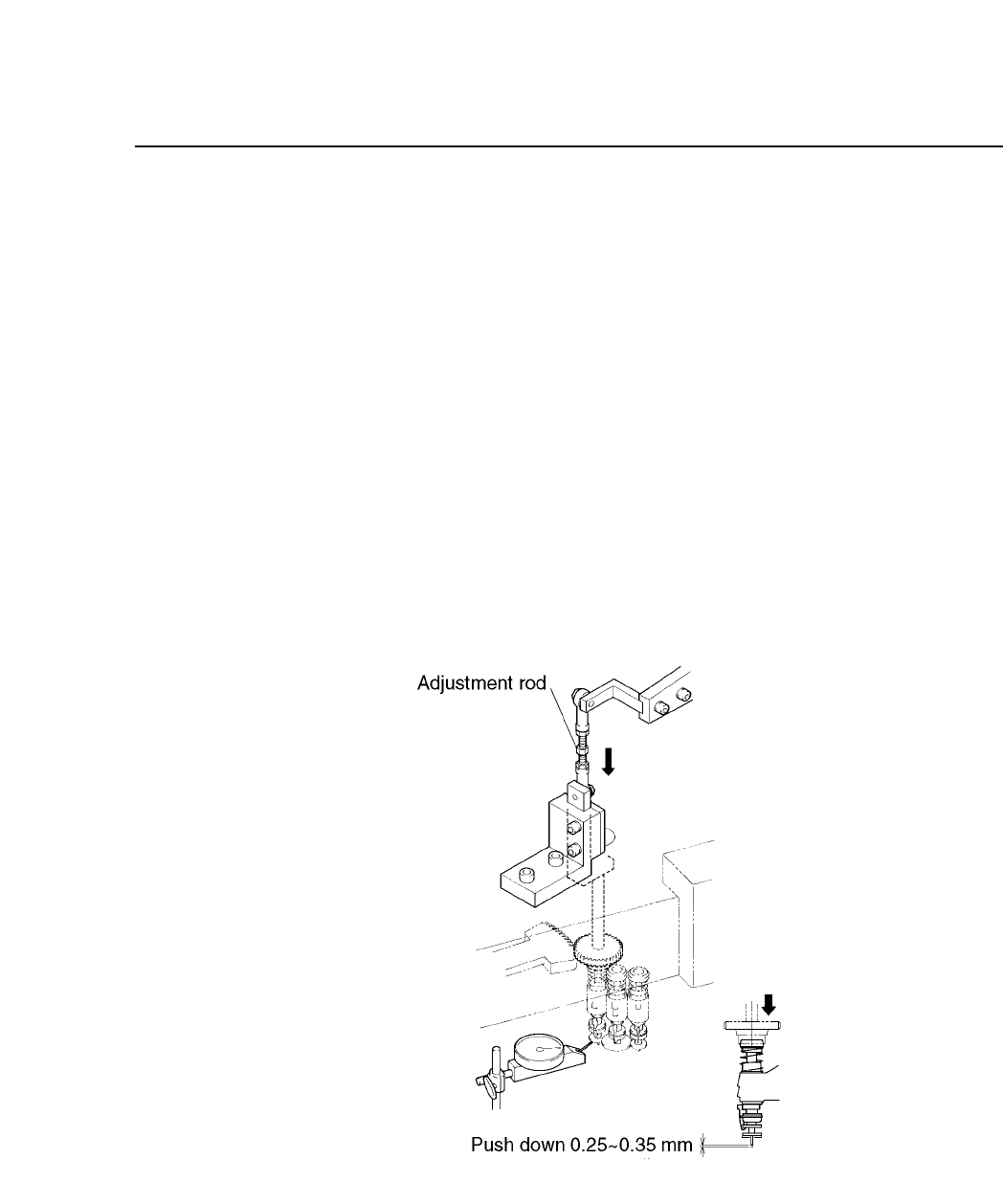
(4) With the cam angle at 260°, adjust the adjustment rod so the nozzle
pushes the dial gauge down to 0.25 to 0.35 mm.
Fig. 5-24 Pre-theta (Station 3) with Cam at 260°
CP IV-3 Maintenance
Chapter 5 The Twelve Stations
Gear Backlash Adjustment
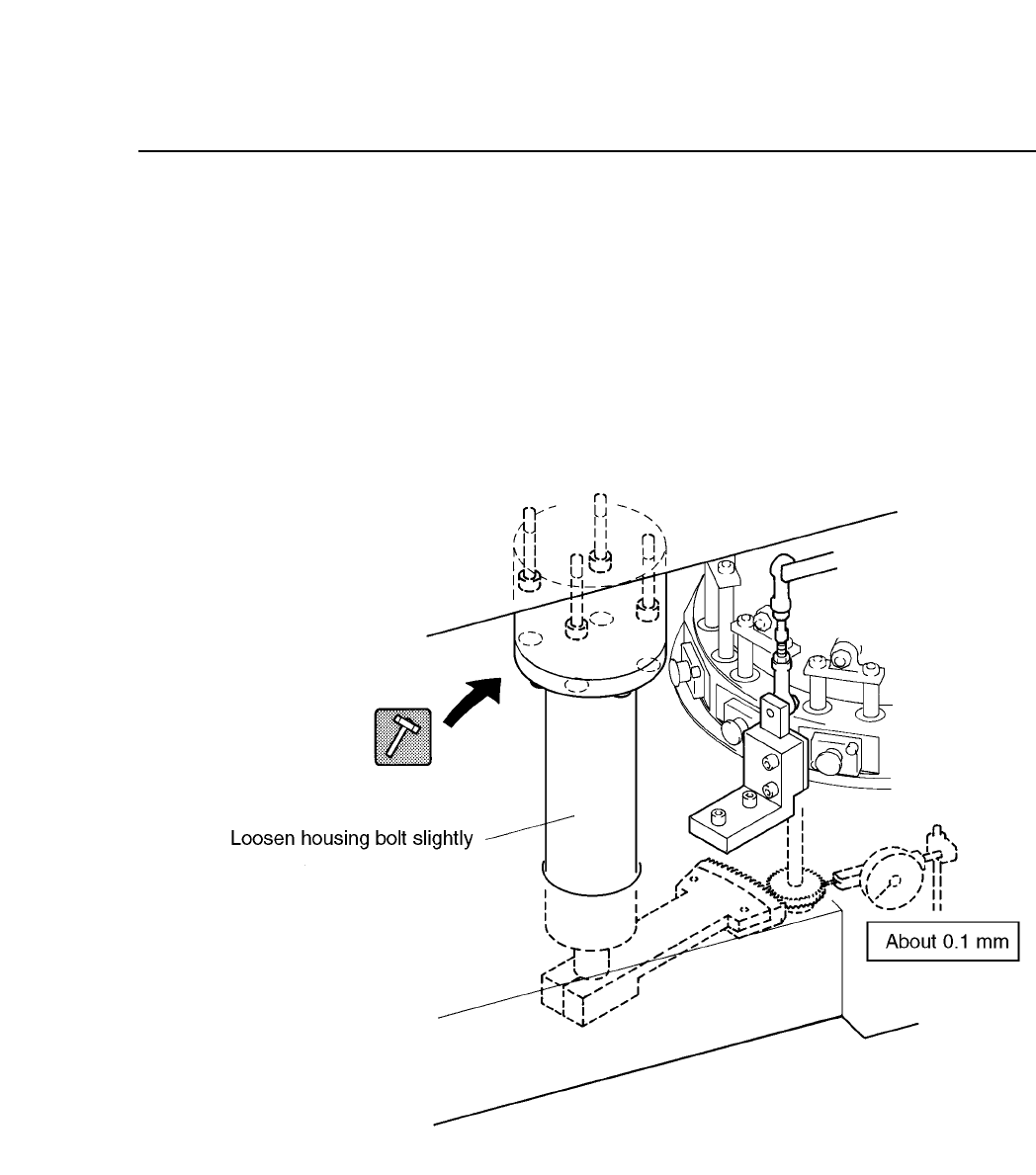
(1) Set the cam angle to 0°.
(2) Place the dial gauge on the gear teeth as shown below.
(3) Loosen the housing bolt on the machine main body.
(4) Turn the gear shown below by hand. Tap the housing with a rubber
hammer until the amount of gear backlash is 0.1 mm.
Fig. 5-25 P
θ
Gear Backlash Adjustment at Station 3
5 – 24
Version 6.0
CP IV-3 Maintenance
5 – 25
Version 6.0
Chapter 5 The Twelve Stations
5.4 Station 4
At station 4, the part is vision processed. Station 4 is made up of a CCD
camera, a UV lamp, and a prism box. Also, a front light may be installed
(optional).
Standard Specifications (Backlighting)
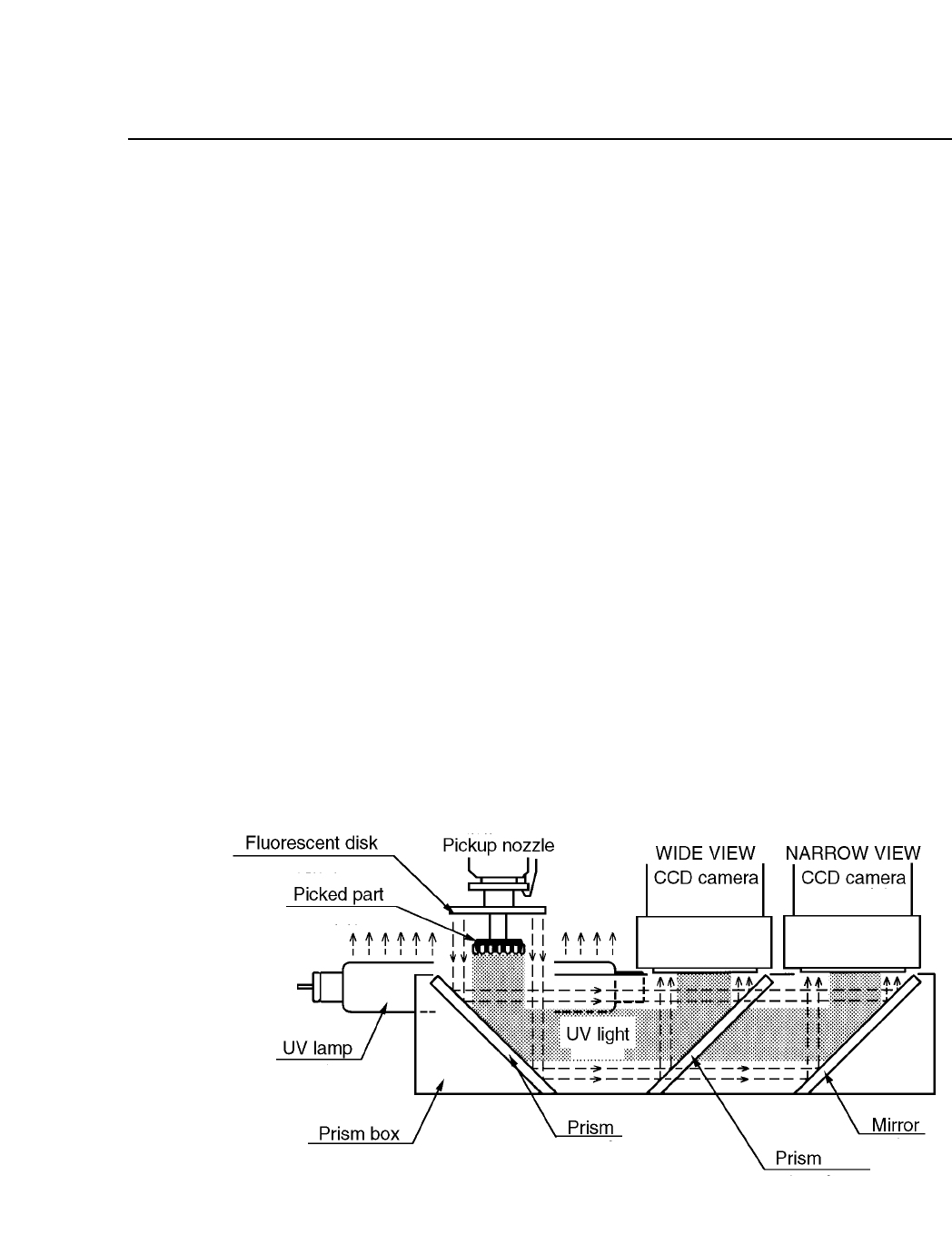
(1) Light from the UV lamp reflects off the fluorescent disk.
(2) The reflected light hits the part and reflects the image of the part onto
the prism.
(3) The part image reflected off the prism is reflected at and permeated
through another prism.
(4) The reflected image goes to the wide view CCD camera, and the
permeated, to the narrow view CCD camera. The CCD camera which
is used is specified in the MCS/2 Part data.
(5) Either the wide or narrow view camera sends information and
compares it with what is in Part data, and the machine decides
whether or not to place the part. If the part is to be placed,
information on X, Y and theta coordinates is sent out to correct errors
produced by sliding. The XY table adjusts itself and fine theta is
carried out at station 6.
Fig. 5-26 Light Reflection During Vision Processing at Station 4
CP IV-3 Maintenance