00195425-01.pdf - 第109页
In st alla tio n an d Co nf igur at ion G ui de S IP LACE E xpl ore r Annex Edi tion 05 /200 7 EN Bu nd led We b S erv er In sta ll at ion 109 → If none of t he above ment ioned software compon ents are installed on your…
Annex Installation and Configuration Guide SIPLACE Explorer
Bundled Web Server Installation Edition 05/2007 EN
108
Bundled Web Server Installation
NOTE
You must have Windows administrator privileges to perform installation. 5
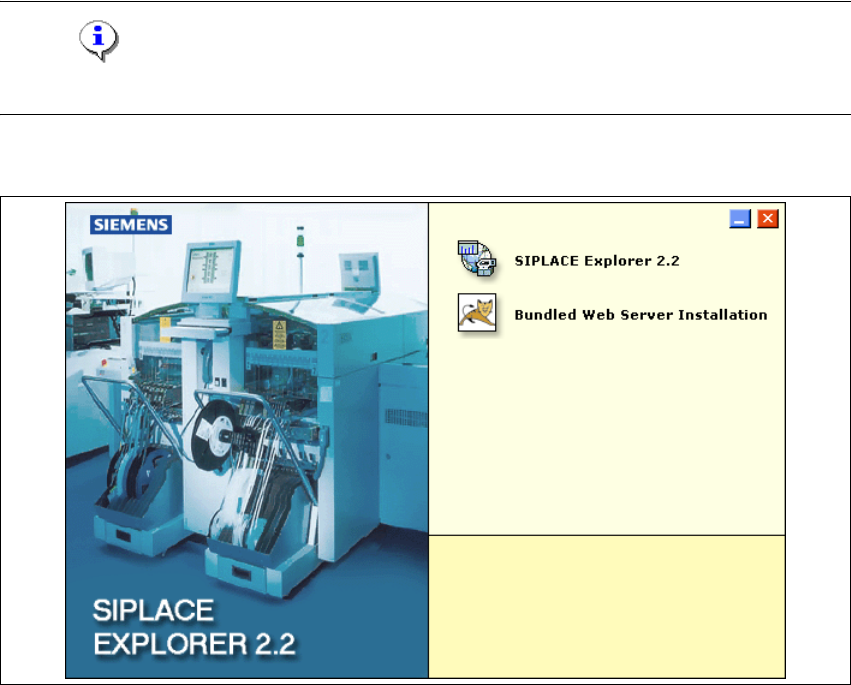
→ Place the SIPLACE Explorer CD in your CD-ROM drive. The Start screen will appear.
5
Fig. 5 - 13 SIPLACE Explorer setup - Start screen
→ Select Bundled Web Server Installation. The system will be checked for the following
software components and their versions.
– Tomcat 5.5.9
– Java runtime environment (J2SE RTE 5.0.07)
– MS XML Core services 6.0
– MS Excel 2000 or 2003
Installation and Configuration Guide SIPLACE Explorer Annex
Edition 05/2007 EN Bundled Web Server Installation
109
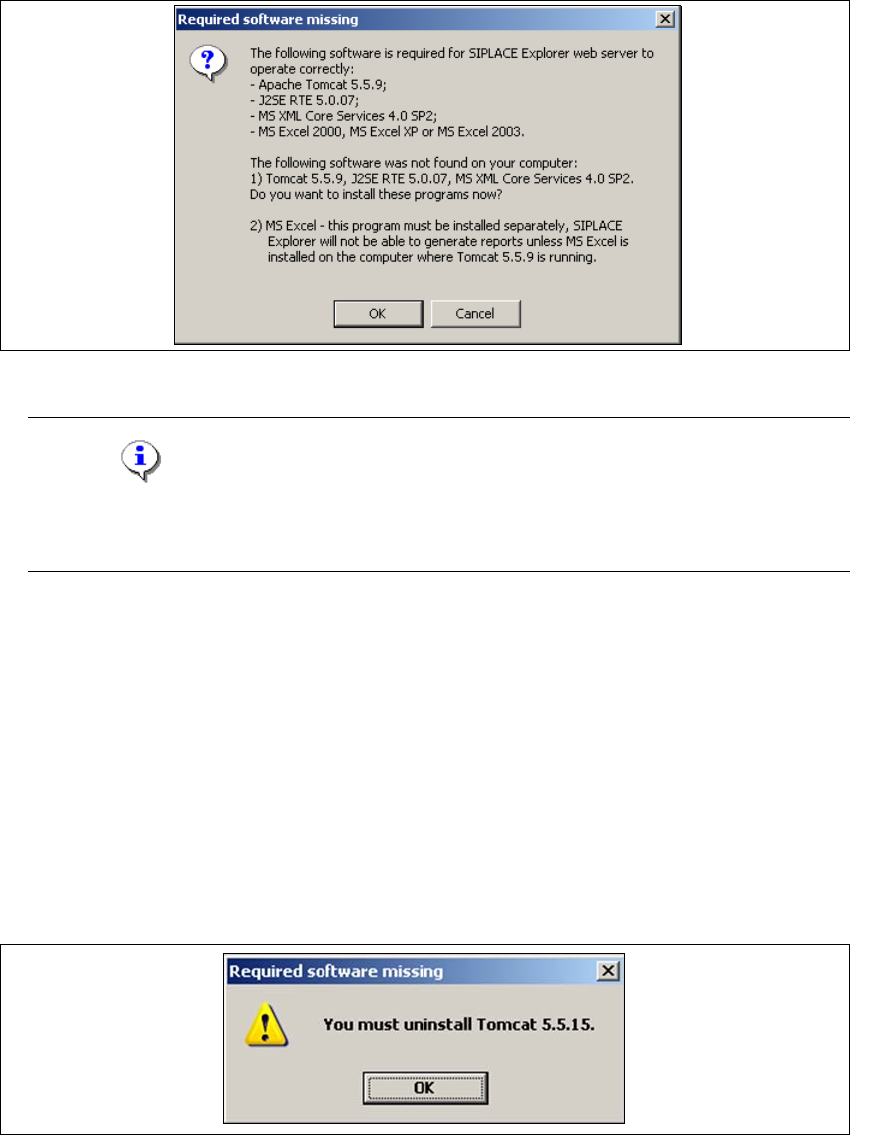
→ If none of the above mentioned software components are installed on your system, you will
receive the following message:
5
Fig. 5 - 14 Bundled Web Server - required software missing
NOTE
The message issued and the subsequent Bundled Web Server installation may vary,
depending on the software components available on your system. 5
→ The software components Tomcat 5.5.9, Java runtime environment (J2SE RTE 5.0.07) and MS
XML Core services 6.0 can be installed from the SIPLACE Explorer installation CD. Confirm
the message window with OK, to start installation of the specified software components. The
Bundled Web Server installation will automatically install these in the correct order.
→ MS Excel must be bought and installed separately. This program is required for the generation
of reports.
→ Before installing Tomcat 5.5.9, make sure that all versions of Tomcat < 5.5.9 have been
uninstalled. Use the Apache Tomcat uninstallation program. This can be started via the
Start → Programs → Apache Tomcat 5.5 → Uninstall Tomcat menu in Windows.
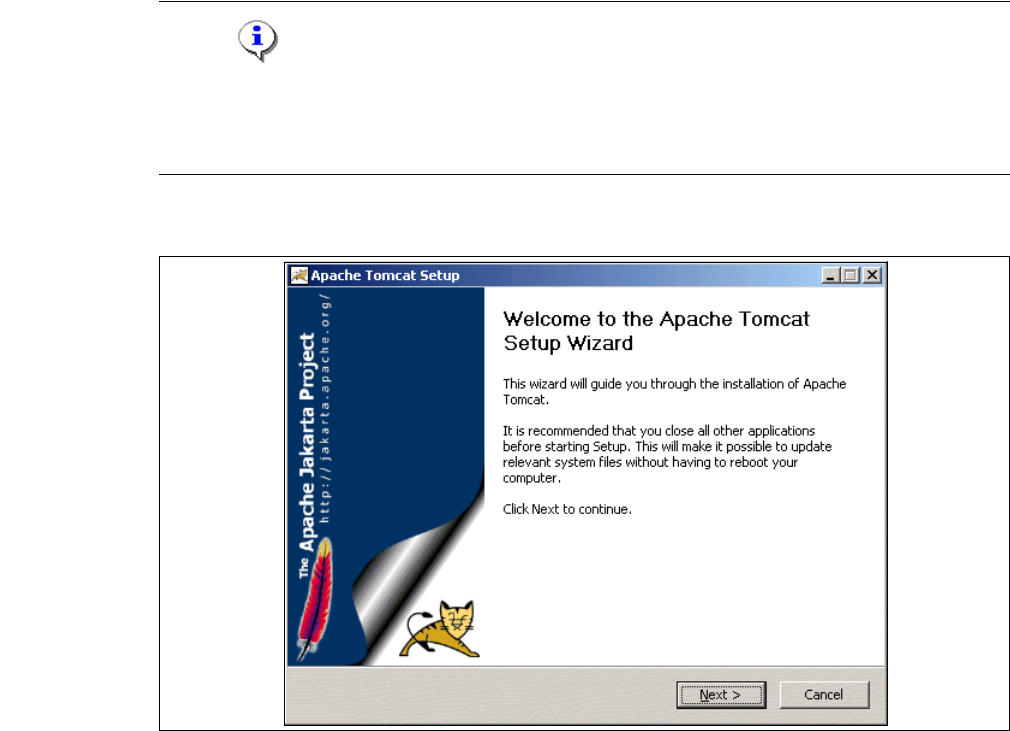
→ If a < 5.5.9 version of Tomcat exists on your system, the following message will appear:
5
Fig. 5 - 15 Bundled Web Server - required software missing
Annex Installation and Configuration Guide SIPLACE Explorer
Bundled Web Server Installation Edition 05/2007 EN
110
Bundled Web Server Installation - Tomcat 5.5.9
NOTE
Before installing Tomcat 5.5.9, make sure that all versions of Tomcat < 5.5.9 have been
uninstalled. Use the Apache Tomcat uninstallation program. This can be started via the
Start → Programs → Apache Tomcat 5.5 → Uninstall Tomcat menu in Windows. 5
→ You will be guided through the Tomcat installation procedure.
5
Fig. 5 - 16 Apache Tomcat setup - welcome screen
→ Exit all other programs and then click on Next. The License Agreement dialog box will open.