00195425-01.pdf - 第46页
3 In stalli ng SIP LAC E Expl orer Ins tall ati on and Confi gur ation Guid e SIPL ACE E xplo rer 3. 4 T omc at Confi gu rat ion Ed iti on 05 /200 7 EN 46 → The Add a Program dialo g box will open: 3 F ig. 3 - 25 A dd a …
Installation and Configuration Guide SIPLACE Explorer 3 Installing SIPLACE Explorer
Edition 05/2007 EN 3.4 Tomcat Configuration
45
3
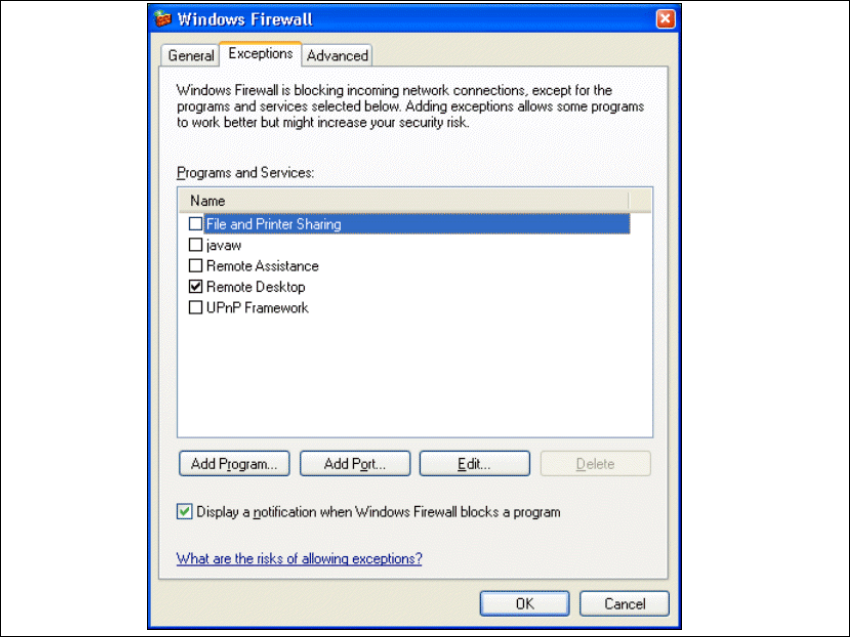
Fig. 3 - 24 Windows firewall - exceptions
→ Click on the Add Program button.
3 Installing SIPLACE Explorer Installation and Configuration Guide SIPLACE Explorer
3.4 Tomcat Configuration Edition 05/2007 EN
46
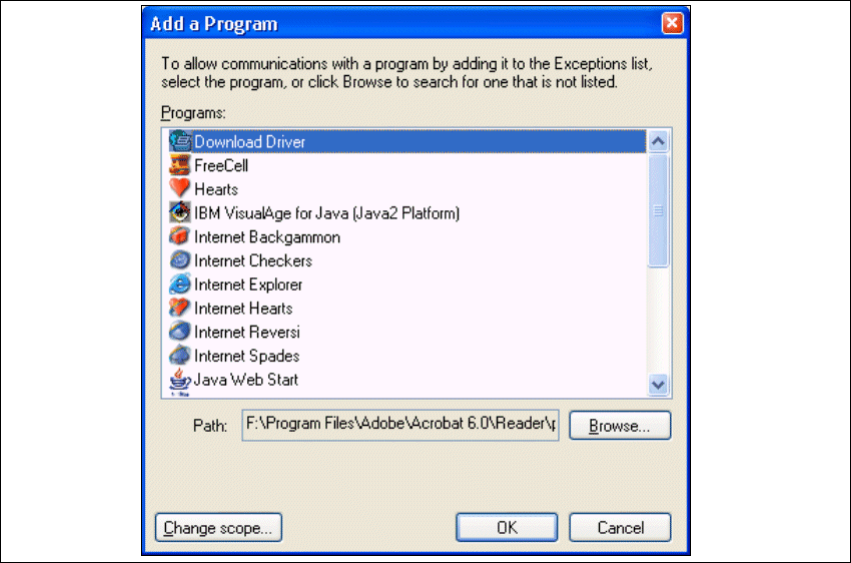
→ The Add a Program dialog box will open:
3
Fig. 3 - 25 Add a program
→ Specify the path in which the Tomcat.exe file is stored, by using the Browse button.
Installation and Configuration Guide SIPLACE Explorer 3 Installing SIPLACE Explorer
Edition 05/2007 EN 3.4 Tomcat Configuration
47
3
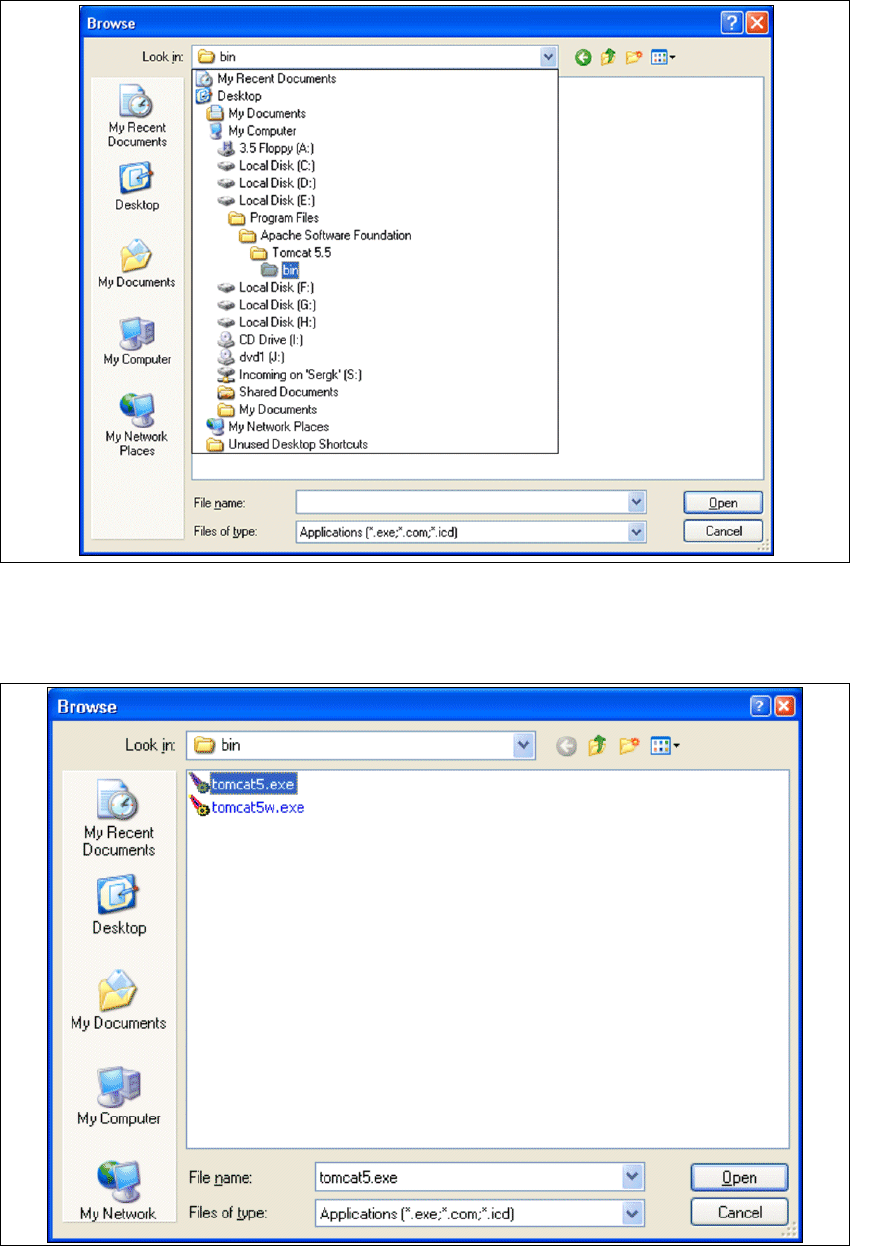
Fig. 3 - 26 Windows firewall - exceptions
→ In the Tomcat installation path, click on the ..\Tomcat 5.5\bin path and then on the Open
button.
3
Fig. 3 - 27 Windows firewall - exceptions