TR7600 SIII_Series_Maintenance_en_v_2_0_3.pdf - 第13页
Test Research, Inc . TR7600 SII I Series User Guide – Maintenance 3 1.2 Enlarged View of the Control Panel Figure 2: Enlarged View of the Con trol Panel 1) BY PASS: Enable or disable B Y Pass function. 2) ST ART: Press […
Test Research, Inc.
2 TR7600 SIII Series User Guide – Maintenance
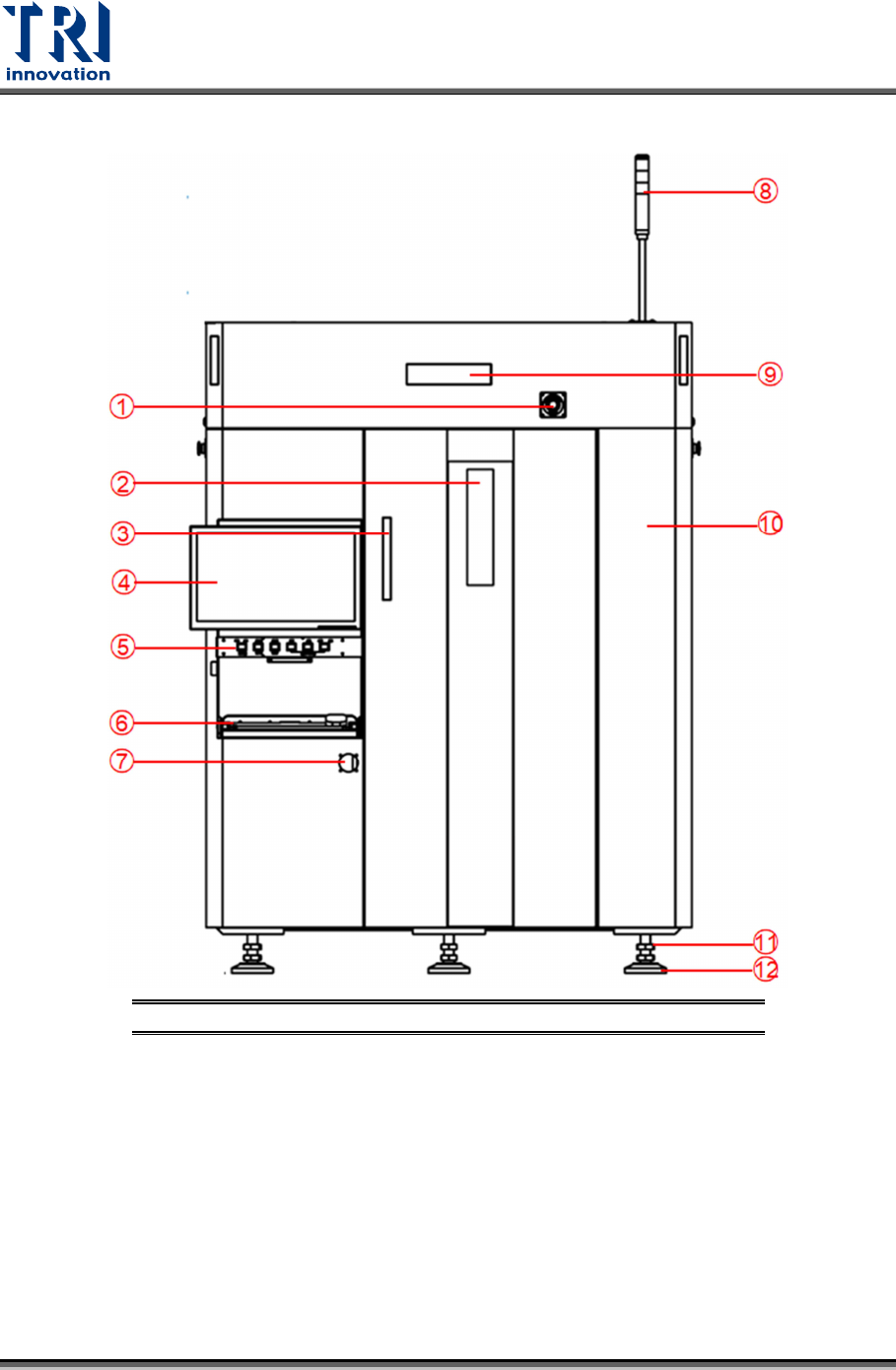
1.1 Front View of the System
Figure 1: Front View
1) Emergency Stop 5) Control Panel 9) X-Ray Warning LED Light
2) Lead Glass Window 6) Keyboard 10) Front Right Cover
3) Front Door Handle 7) Power Switch 11) Adjustable Screw Of Floor Stand
4) Monitor 8) Signal Tower 12) Floor Stand
Test Research, Inc.
TR7600 SIII Series User Guide – Maintenance 3
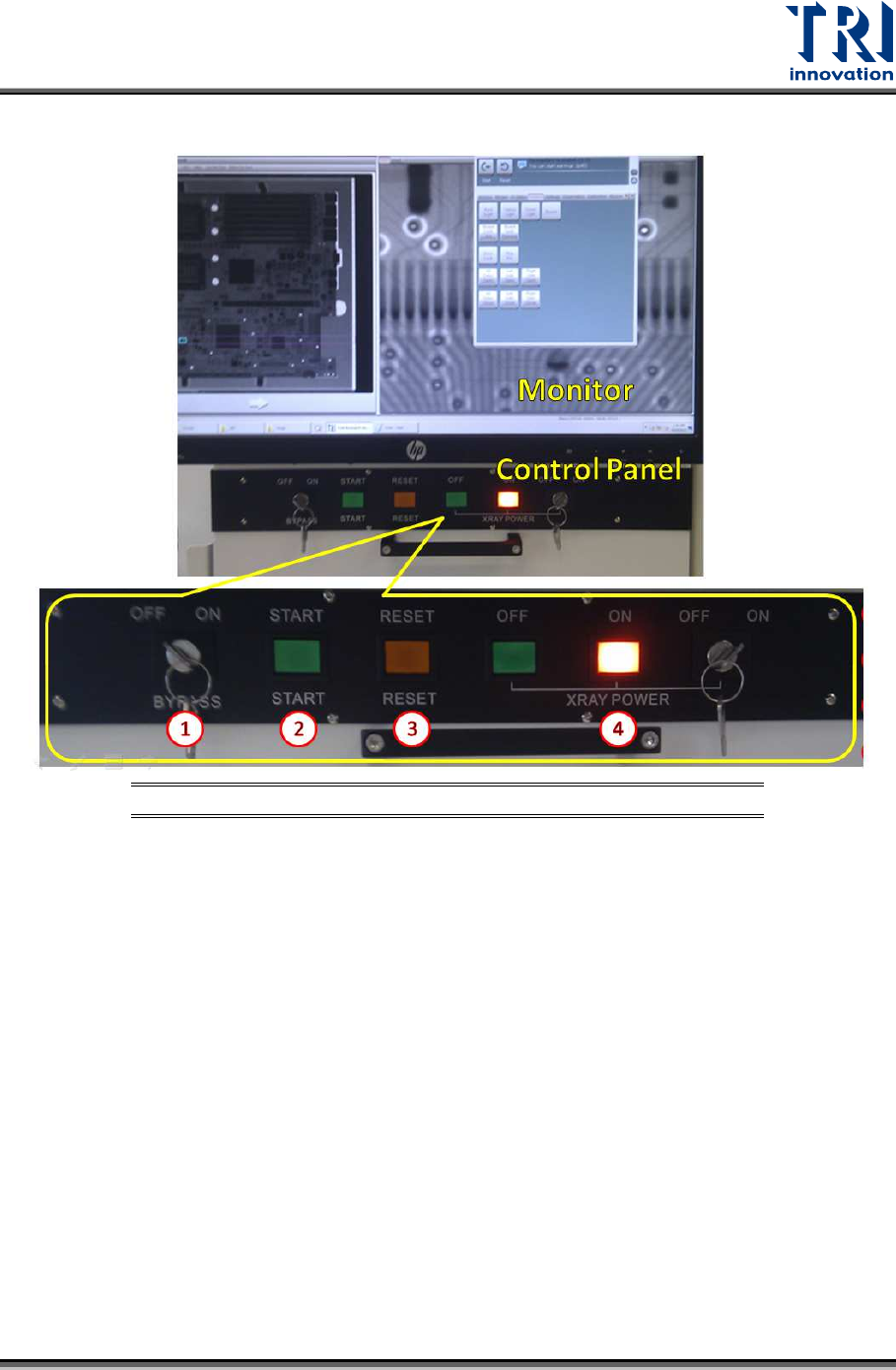
1.2 Enlarged View of the Control Panel
Figure 2: Enlarged View of the Control Panel
1) BYPASS: Enable or disable BY Pass function.
2) START: Press [STSRT] button to send the board into the machine to test.
3) RESET: Press [RESET] button to reset the board.
4) X RAY POWER: Use the key to turn on or turn off X-Ray.
Test Research, Inc.
4 TR7600 SIII Series User Guide – Maintenance
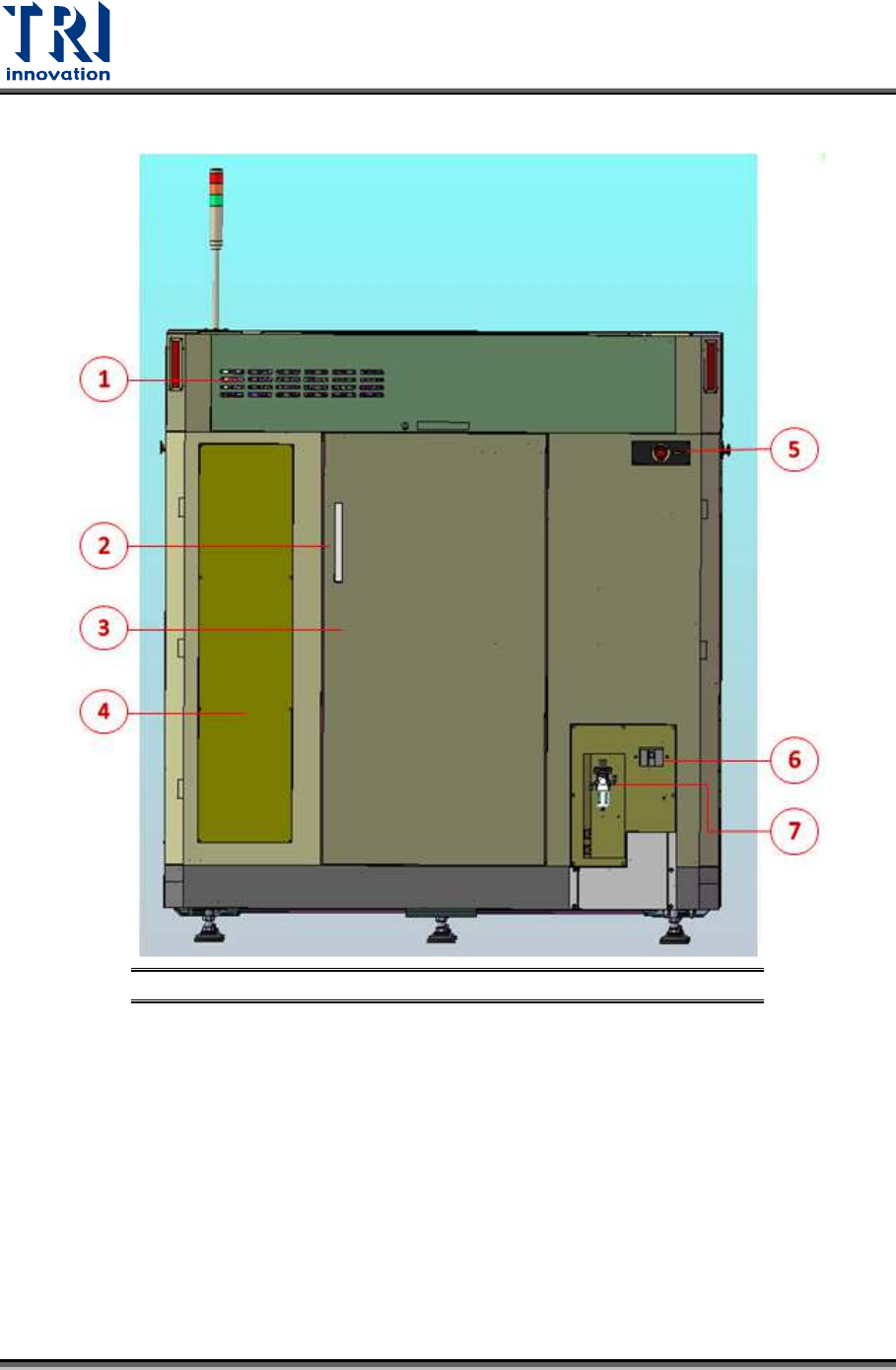
1.3 Rear View of the System
Figure 3: Rear View
1) Upper Module Box Door
2) Back Door Handle
3) Back Door
4) Back Left Cover
5) Emergency Stop
6) Power Socket
7) Air Pressure Control Box