TR7600 SIII_Series_Maintenance_en_v_2_0_3.pdf - 第50页
Test Research, Inc. 40 TR7600 SI II Series User G uide – Maintenance Clean And Lubrica tion Process for Each A xis 7.1.5 Step 1 Push the X-Ray source to the end of the X-axis (Right) and Y -axis (Rear). Step 2 Use a clea…
Test Research, Inc.
TR7600 SIII Series User Guide – Maintenance 39
Step 2
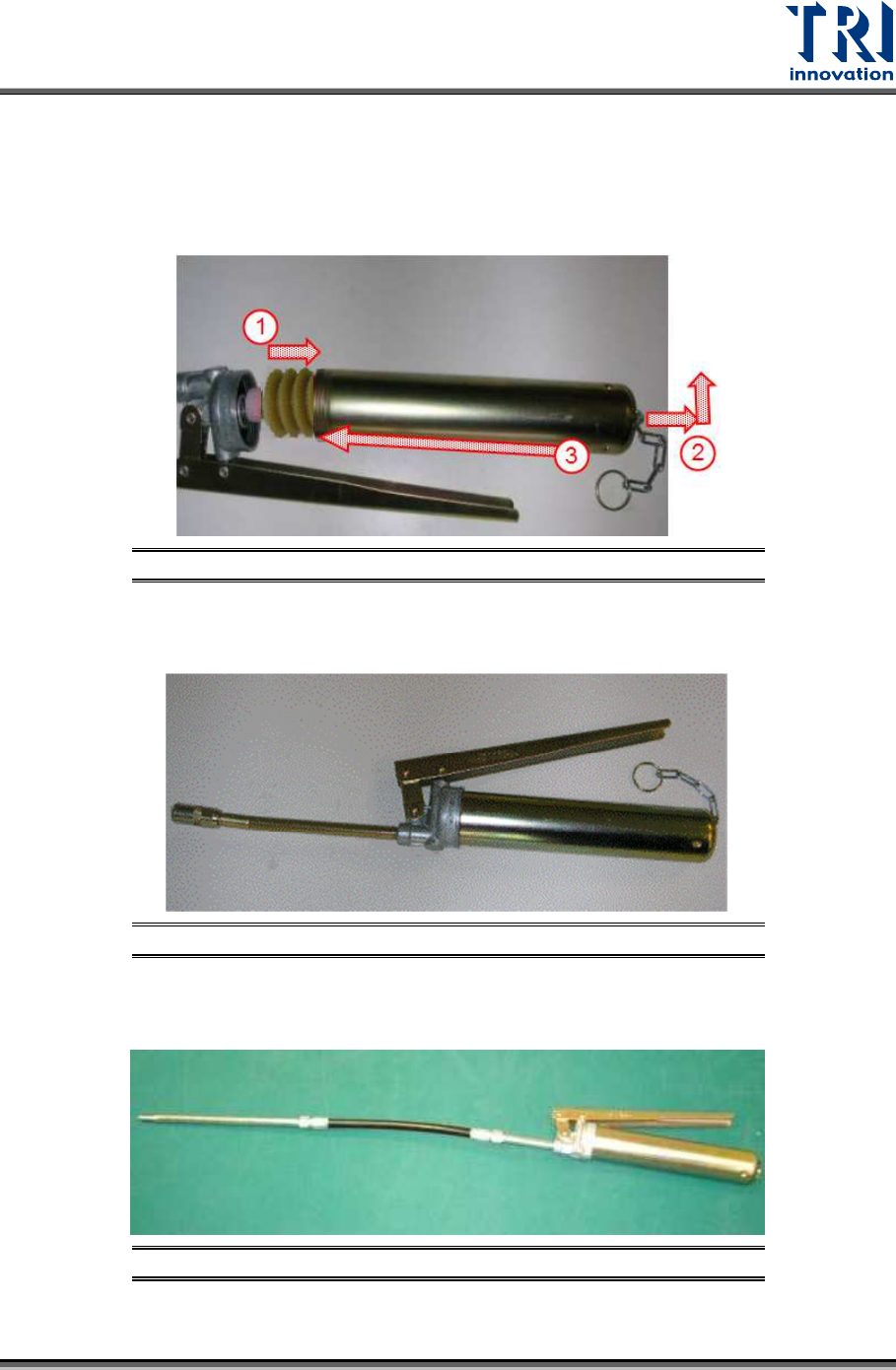
1) Put the grease into the container.
2) Pull the metal chain.
3) Connect the container and the pump.
Figure 65: Tools Assembly/Step2
Step 3
Finish the assembly.
Figure 66: Tools Assembly/Step3
Step 4
Connect the soft grease pipe.
Figure 67: Tools Assembly/Step4
Test Research, Inc.
40 TR7600 SIII Series User Guide – Maintenance
Clean And Lubrication Process for Each Axis 7.1.5
Step 1
Push the X-Ray source to the end of the X-axis (Right) and Y-axis (Rear).
Step 2
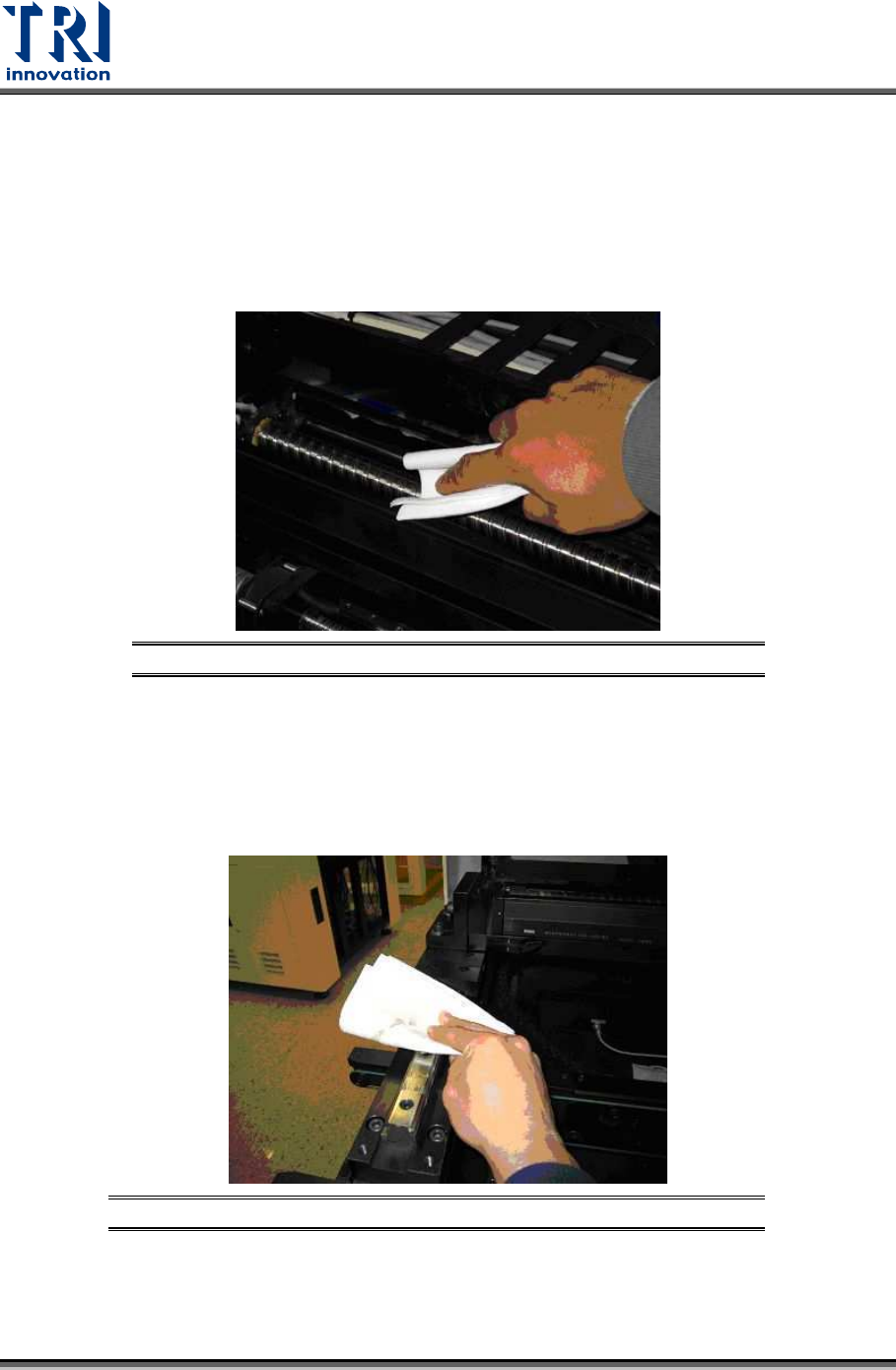
Use a clean cloth to remove existing grease on every ball screw and every axis.
Figure 68: Clean & Lubrication Process/Remove Existing Grease
Clean And Lubrication Process for Each Supportive Axes 7.1.6
Step 1
Use a clean fabric to remove existing grease on every track.
Figure 69: Clean & Lubrication Process/Remove Existing Grease
Step 2
Use grease pump to feed grease to grease nipple (position is marked in Section 7.1.2.).
Test Research, Inc.
TR7600 SIII Series User Guide – Maintenance 41
7.2 Check Conveyor Belt Elasticity
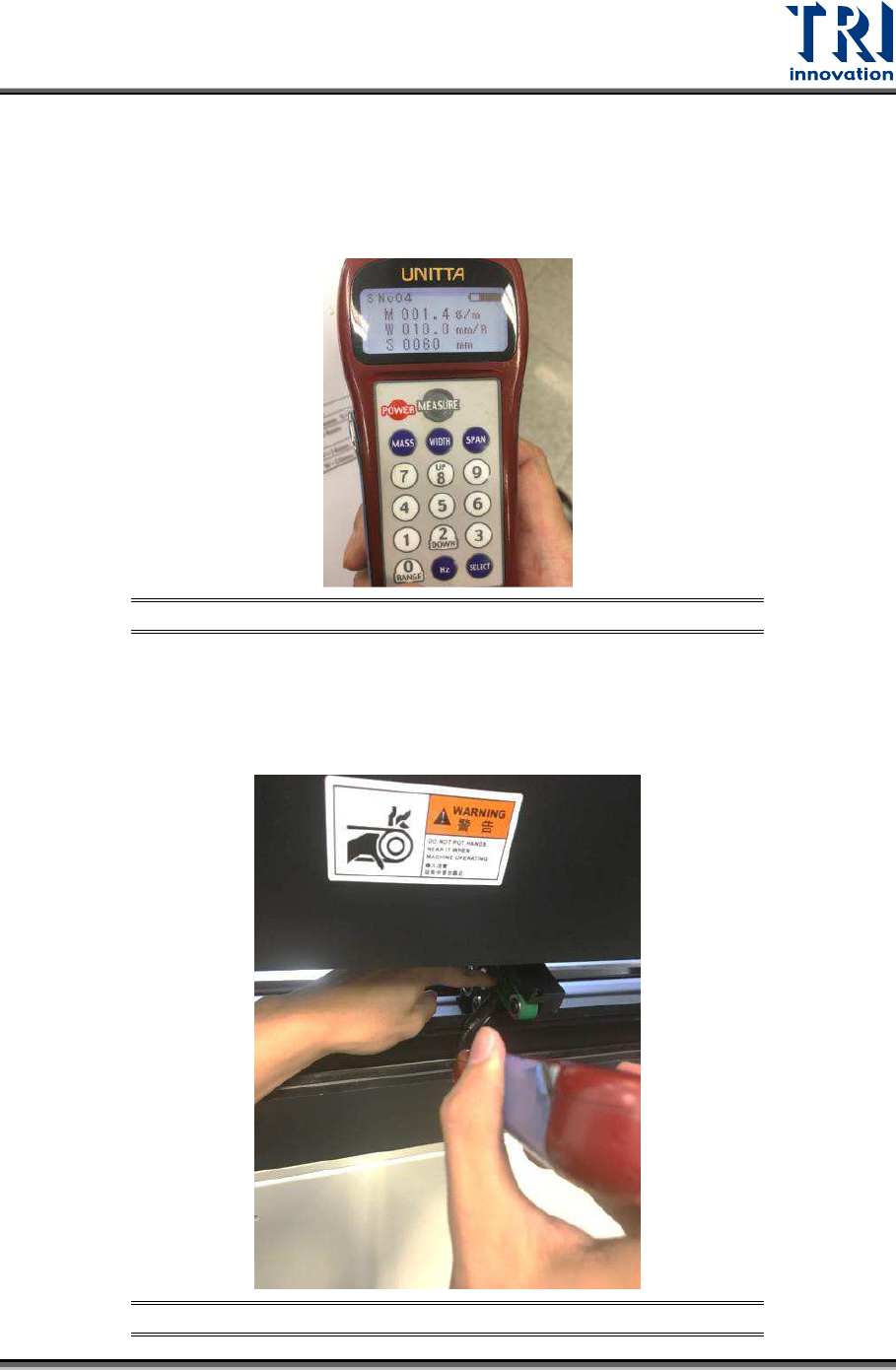
Check the conveyor belt elasticity by using Sonic Tension Meter. If the elasticity is too loose,
it will affect the motion of the conveyor. The elasticity is measured based on the tension of
conveyor belt. Conveyor belt for different TRI AXI Models will have different elasticity value.
Elasticity specification for TR7600 SIII AXI model is 65 +/- 5N.
Figure 70: Sonic Tension Meter
Steps to perform the conveyor belt elasticity measurement:
1) Move the microphone of Sonic Tension Meter close to conveyor belt.
2) Use finger to tap the conveyor belt.
Figure 71: Measure Conveyor Belt Elasticity