TR7600 SIII_Series_Maintenance_en_v_2_0_3.pdf - 第54页
Test Research, Inc. 44 TR7600 SI II Series User G uide – Maintenance 2) Re m ove t he convey or belt from its wheels and lining. Figure 75 : Remove Convey or Belt 3) Repla ce a new conveyor belt. Ensur e that the b elt r…
Test Research, Inc.
TR7600 SIII Series User Guide – Maintenance 43
8 H
ALF
-Y
EARLY
M
AINTENANCE
Warning: Except for the parts specifically mentioned, the power
MUST be turned off during maintenance. Failure to do so may cause
mechanical or electrical damage.
Besides the daily, weekly, monthly and quarterly maintenance activities, users also need to
perform maintenance activities discussed below during half-yearly maintenance.
8.1 Clean Fans inside Main PC
Clean the dust on the Main PC fans with a compressed air gun.
8.2 Lubricate Clipping Pneumatic Cylinder
Apply grease on the rear and front clipping pneumatic cylinder to lubricate it.
8.3 Change Conveyor Belt
Conveyor belt need to be change during half-yearly maintenance. Steps to change the
conveyor belt are listed below.
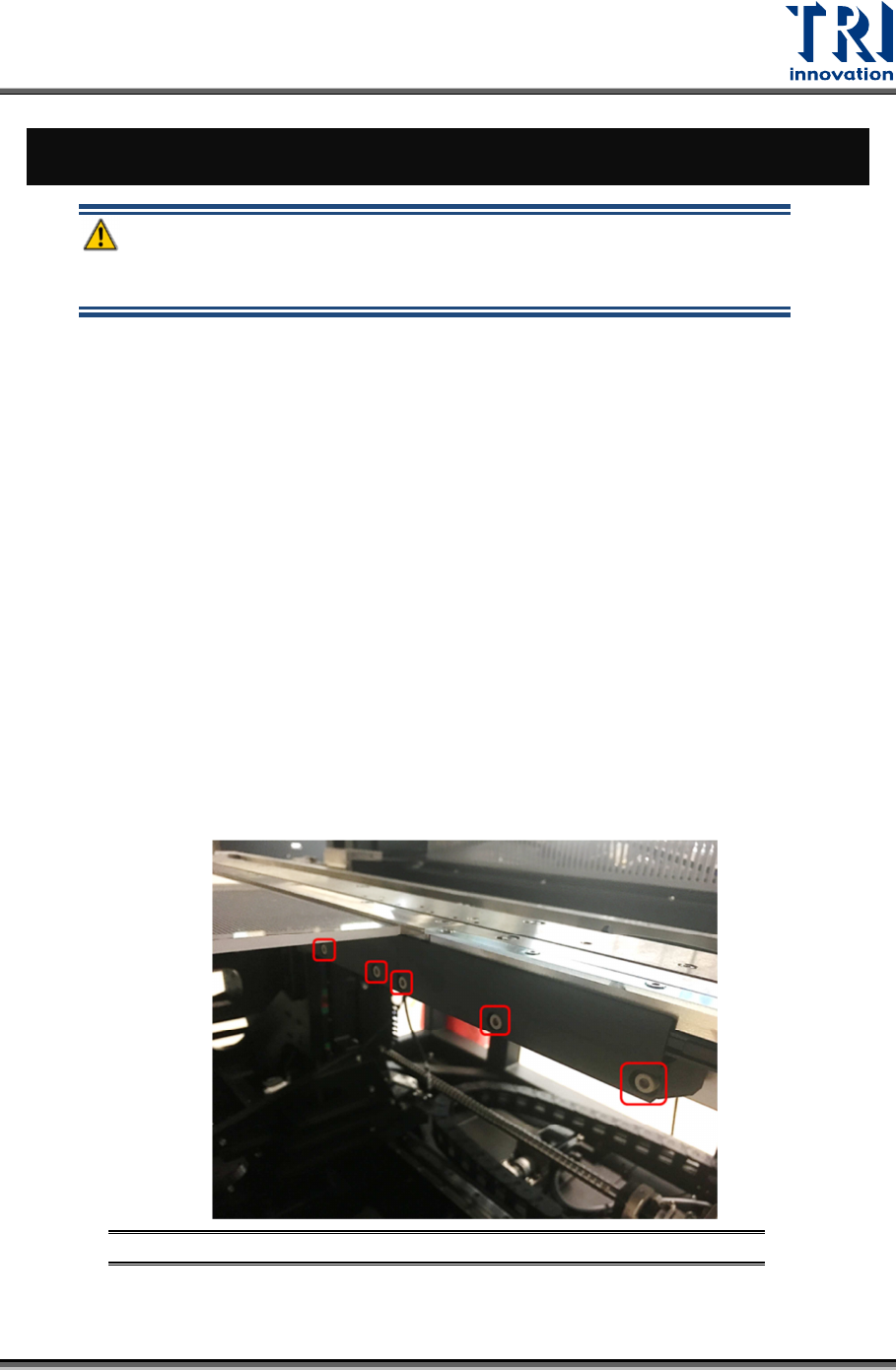
1) Remove the board clamp by loosen the screws on the clamp.
Figure 74: Loosen the Screws on Board Clamp
Test Research, Inc.
44 TR7600 SIII Series User Guide – Maintenance
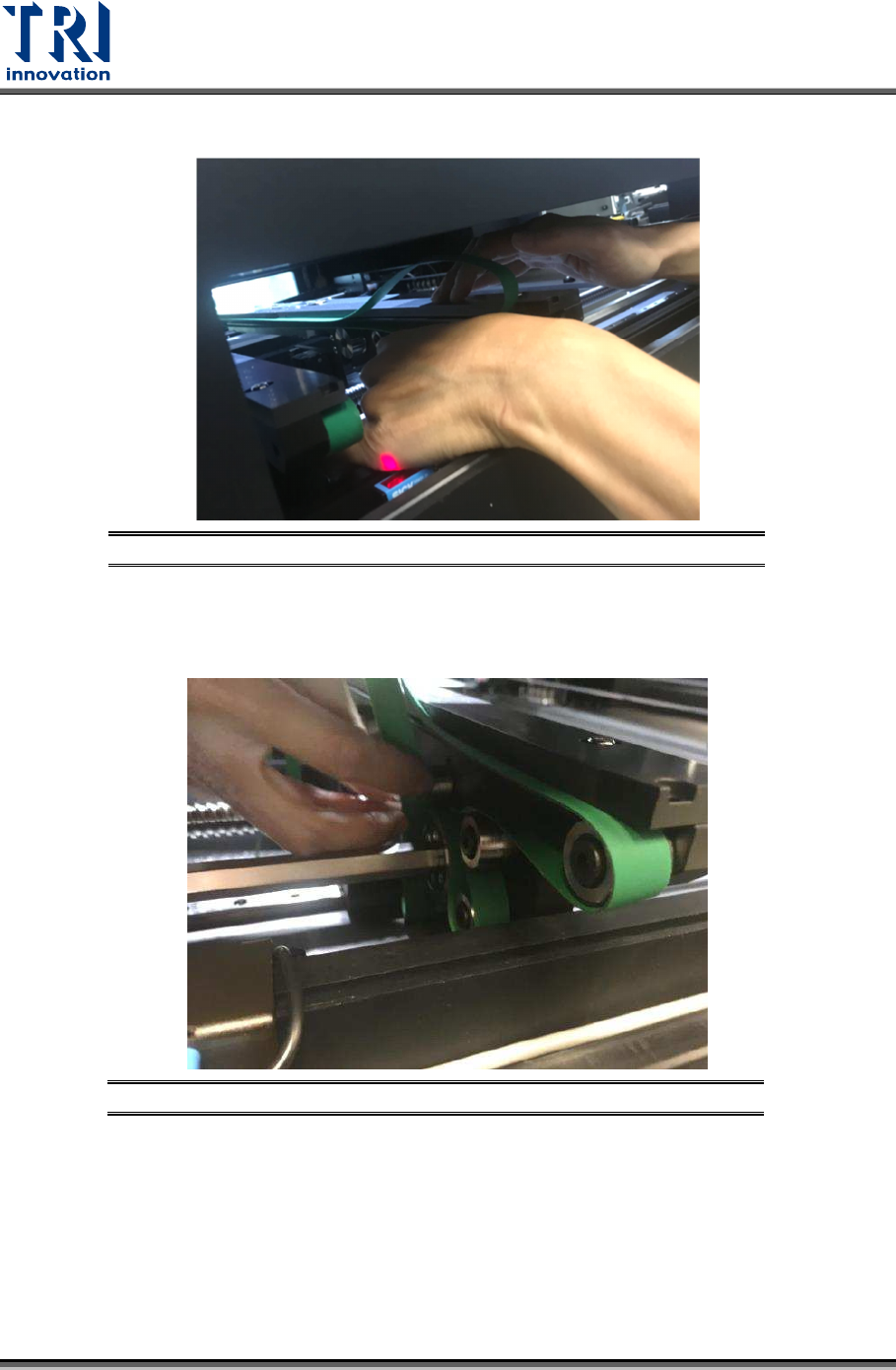
2) Remove the conveyor belt from its wheels and lining.
Figure 75: Remove Conveyor Belt
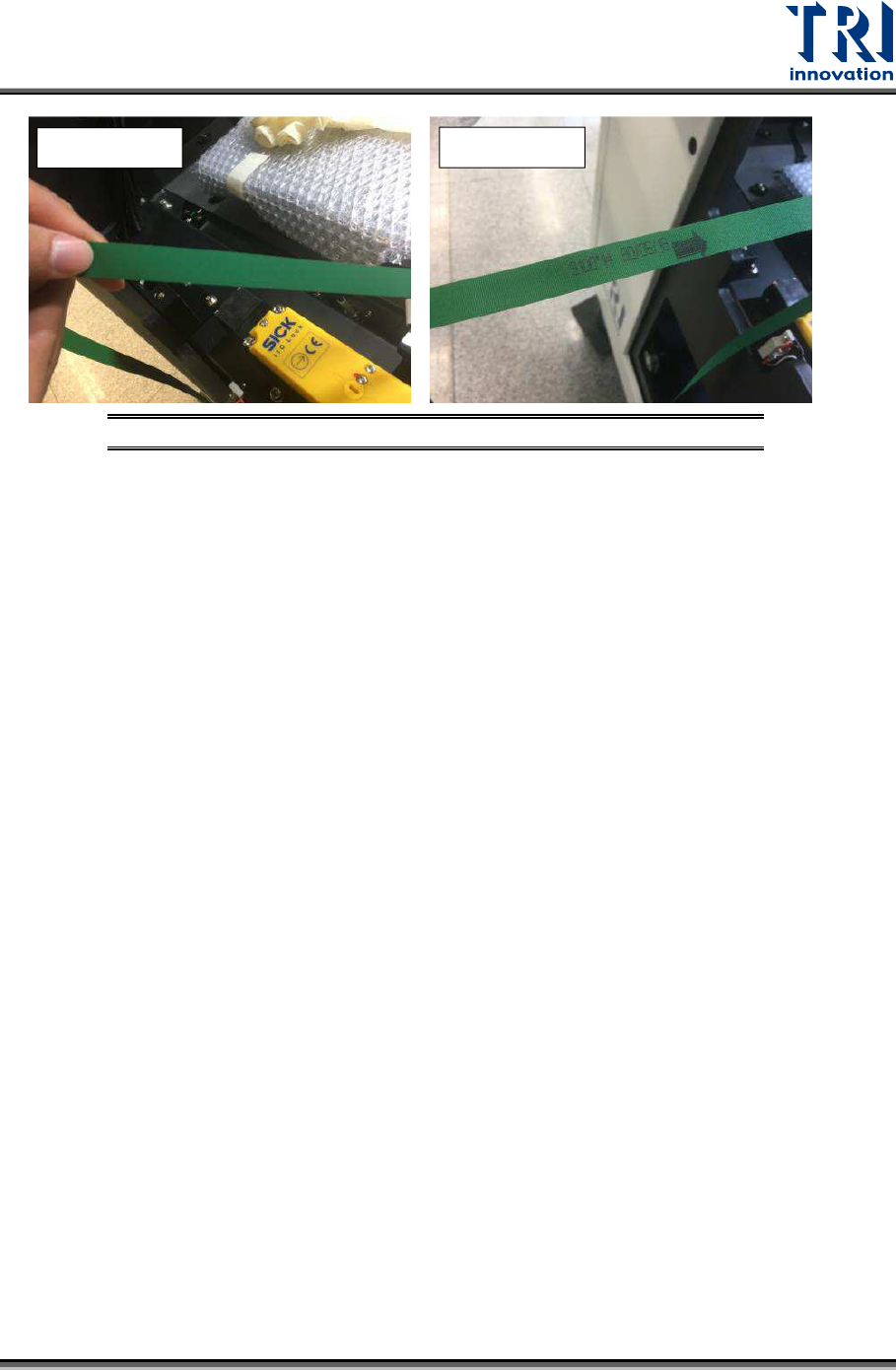
3) Replace a new conveyor belt. Ensure that the belt routing is correct. Besides, the
belt’s rough side need to be facing the wheels and the smooth side is the side that
PCBA sit on.
Figure 76: Replace Conveyor Belt – Route around the Wheels
Test Research, Inc.
TR7600 SIII Series User Guide – Maintenance 45
Figure 77: Conveyor Belt – Smooth and Rough Sides
After replaced the conveyor belt, the elasticity of conveyor belt needs to be measured as per
Section 7.1.
Smooth Side
Rough Side