TR7600 SIII_Series_Maintenance_en_v_2_0_3.pdf - 第23页
Test Research, Inc . TR7600 SII I Series User Guide – Maintenance 13 3 W A R M U P X -ray Source Auto W arm-Up W he never the m ain program is turne d off, the pro gram will save a f ile that recor ds the time of last …
Test Research, Inc.
12 TR7600 SIII Series User Guide – Maintenance
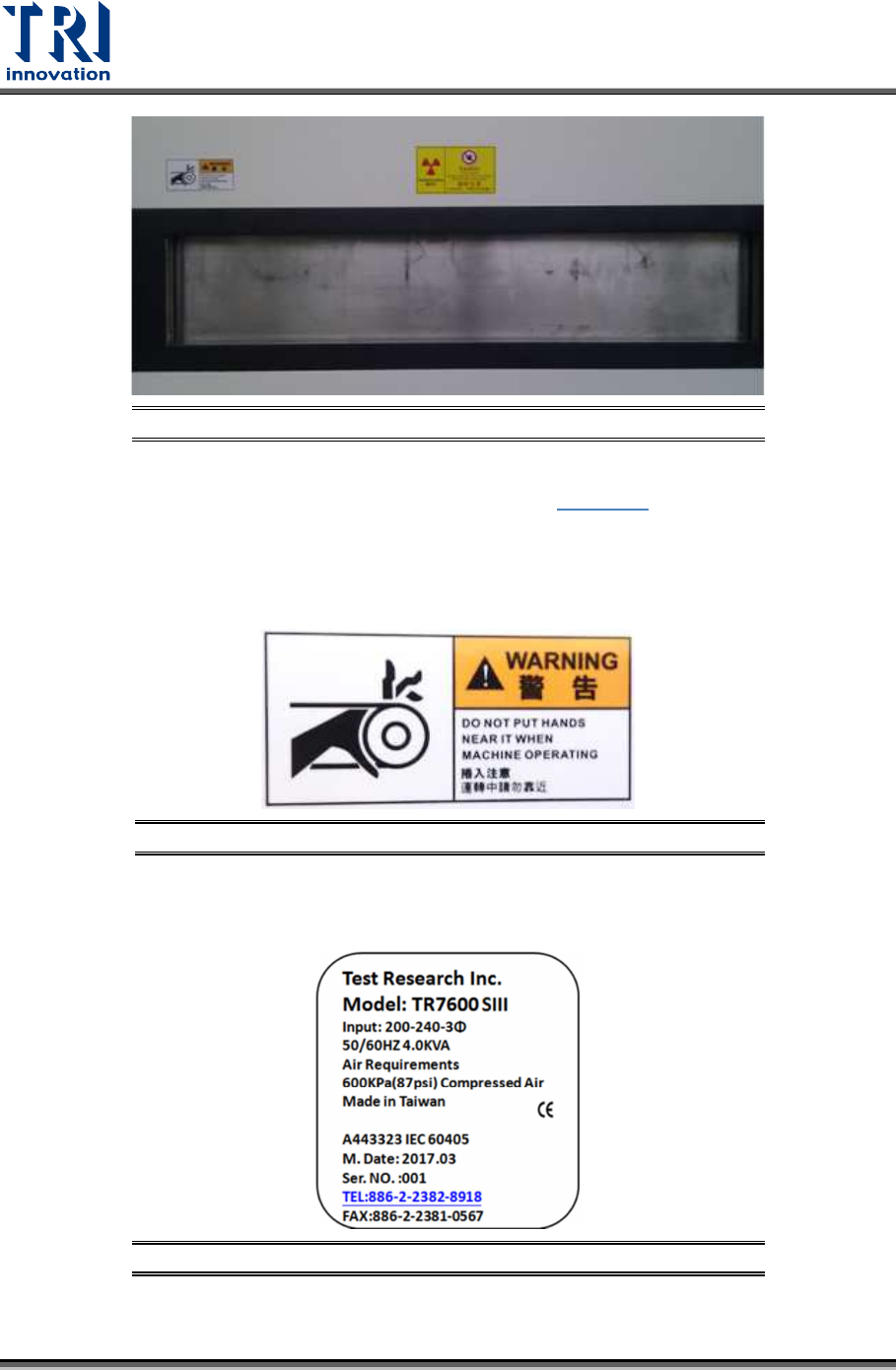
Figure 17: X-Ray Warning Label/Right Gate
Radiation Area: Marked on the front door, as shown in
Figure 15
.
Electrical Danger: Marked on the electrical extension cable and power socket.
Mechanical Warning: Marked on the left and right gates to warn the danger of a jammed
gate.
Figure 18: Mechanical Warning/Left and Right Gates
Input Marking: Marked on the lower cover of the machine. This label shows the power,
air requirements and serial number.
Figure 19: Input Marking
Test Research, Inc.
TR7600 SIII Series User Guide – Maintenance 13
3 WARM UP
X-ray Source Auto Warm-Up
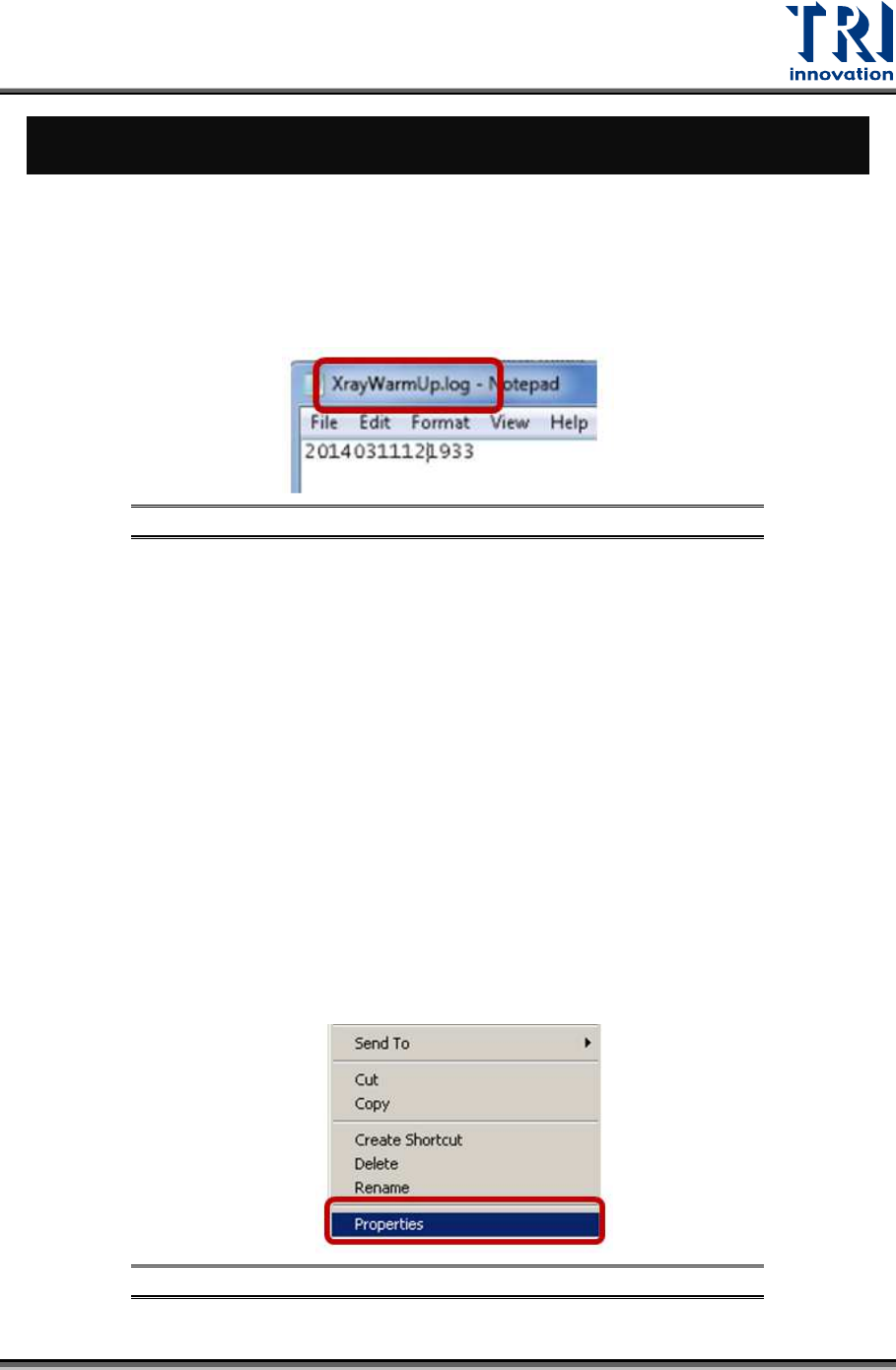
Whenever the main program is turned off, the program will save a file that records the time
of last warm-up automatically. You can find this file in C:\TR7600\XrayWarmUp.log. Next
time, when the main program is activated, it will check the last warm-up time. If the last
warm-up time interval is more than 8 hours, the main program will execute auto warm-up.
Figure 20:XrayWarmUp.log
X-ray Source Overload
1) If the X-ray tube has not warmed up for several days, the state of the tube will decay
which will results in X-ray tube overload.
2) If the X-ray tube has not been used for more than 8 hours, X-ray tube will execute auto
warm-up when the main program is activated.
3) However, machines are pretty busy in assembly lines and could not shut down for more
than 8 hours, so machines often have no chance to execute auto warm-up. That results
in X-ray tube overload in high voltage.
4) In order to solve overload problem, TRI may give customers a new WarmUp.ini file
based on the overload voltage that is reported by customers. Please follow the steps
below to put the new WarmUp.ini file in the correct folder:
I. Right-click the mouse on the main program icon on the desktop and then click
[Properties].
Figure 21: Properties
Test Research, Inc.
14 TR7600 SIII Series User Guide – Maintenance
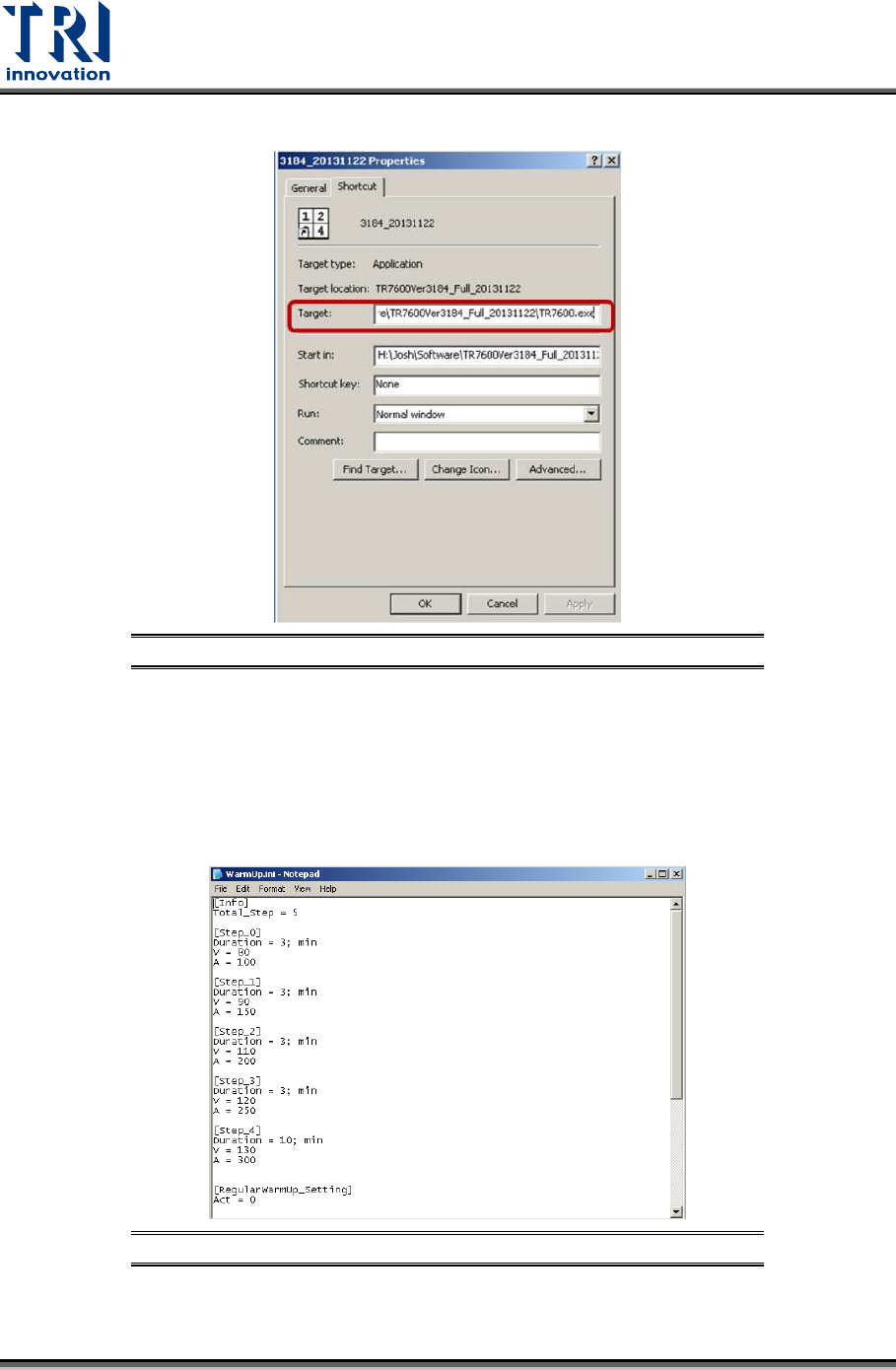
II. In the Target field, confirm the path of the folder where the main program is located.
Figure 22: Target
III. Copy and paste the new WarmUp.ini file to this folder and overwrite the old
WarmUp.ini file.
IV. If you double-click on the new WarmUp.ini file, you can see the new setup of voltage
and current for manual warm-up. (Note: Although you can see the voltage and
current setups of manual warm-up, you unable to see the auto warm-up since they
are controlled by the tube software.
Figure 23: WarmUp.ini
5) In order to prevent overload and extend the life of X-ray tube, it is necessary to do
regular manual warm-up mandatorily.