TR7600 SIII_Series_Maintenance_en_v_2_0_3.pdf - 第38页
Test Research, Inc. 28 TR7600 SI II Series User G uide – Maintenance 5.5 Check the Key Swi tch Process Check if the key switch is working prope rly. Once you open the front door, you will be able to see the key switch. T…
Test Research, Inc.
TR7600 SIII Series User Guide – Maintenance 27
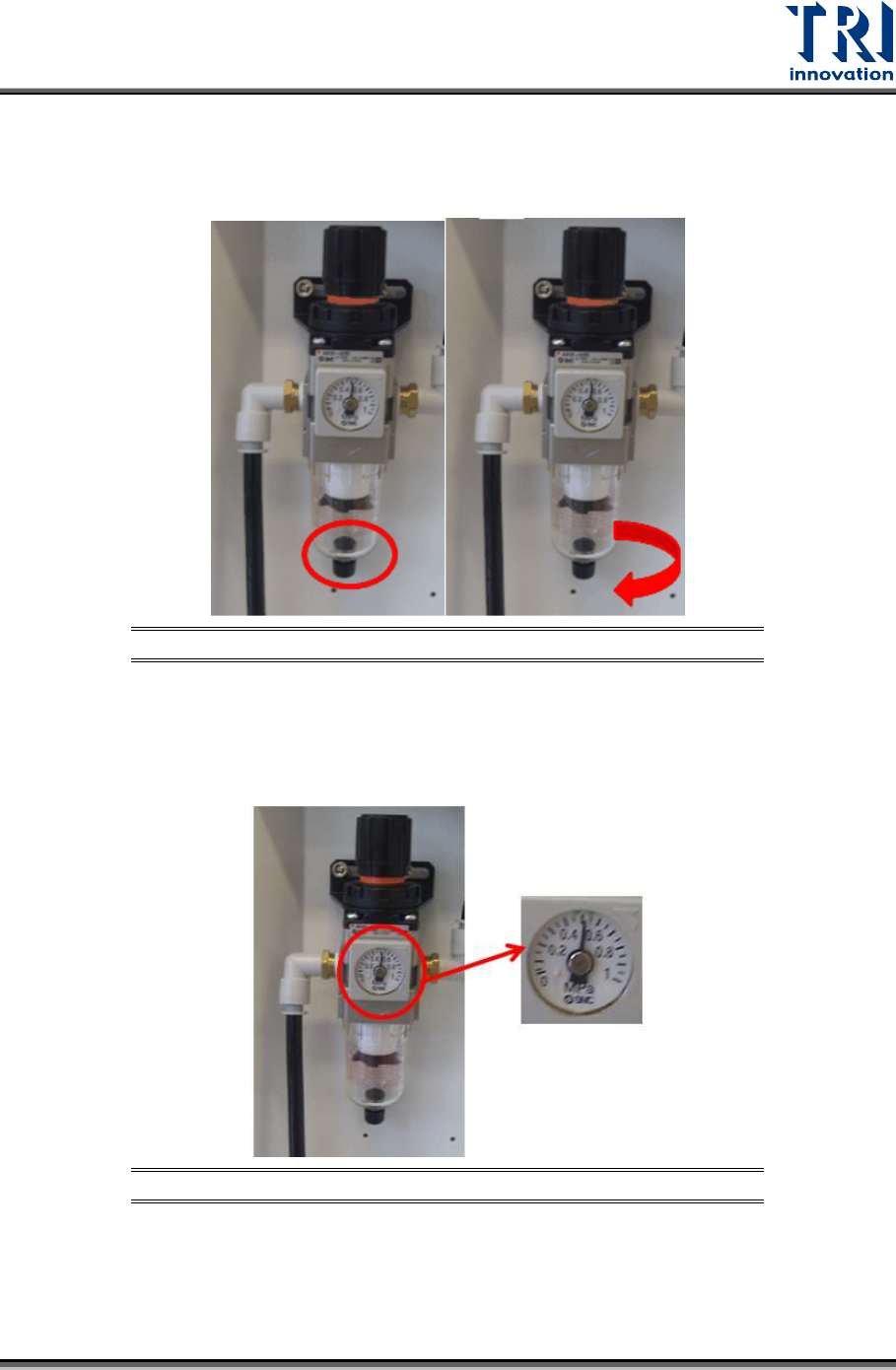
5.3 Clean Water Container of Air Control Valve
Press the black nut in and turn clockwise to leak the water from the water container. It is
better for operators to put a tower under the water container before releasing the water.
Figure 44: Clean Water Container of Air Control Valves
5.4 Check Pressure of the Main Air Control Valve
Check if the pressure of the main Air Control Valve is above 0.5Mpa.
Figure 45: Check Pressure of the Main Air Control Valve
Test Research, Inc.
28 TR7600 SIII Series User Guide – Maintenance
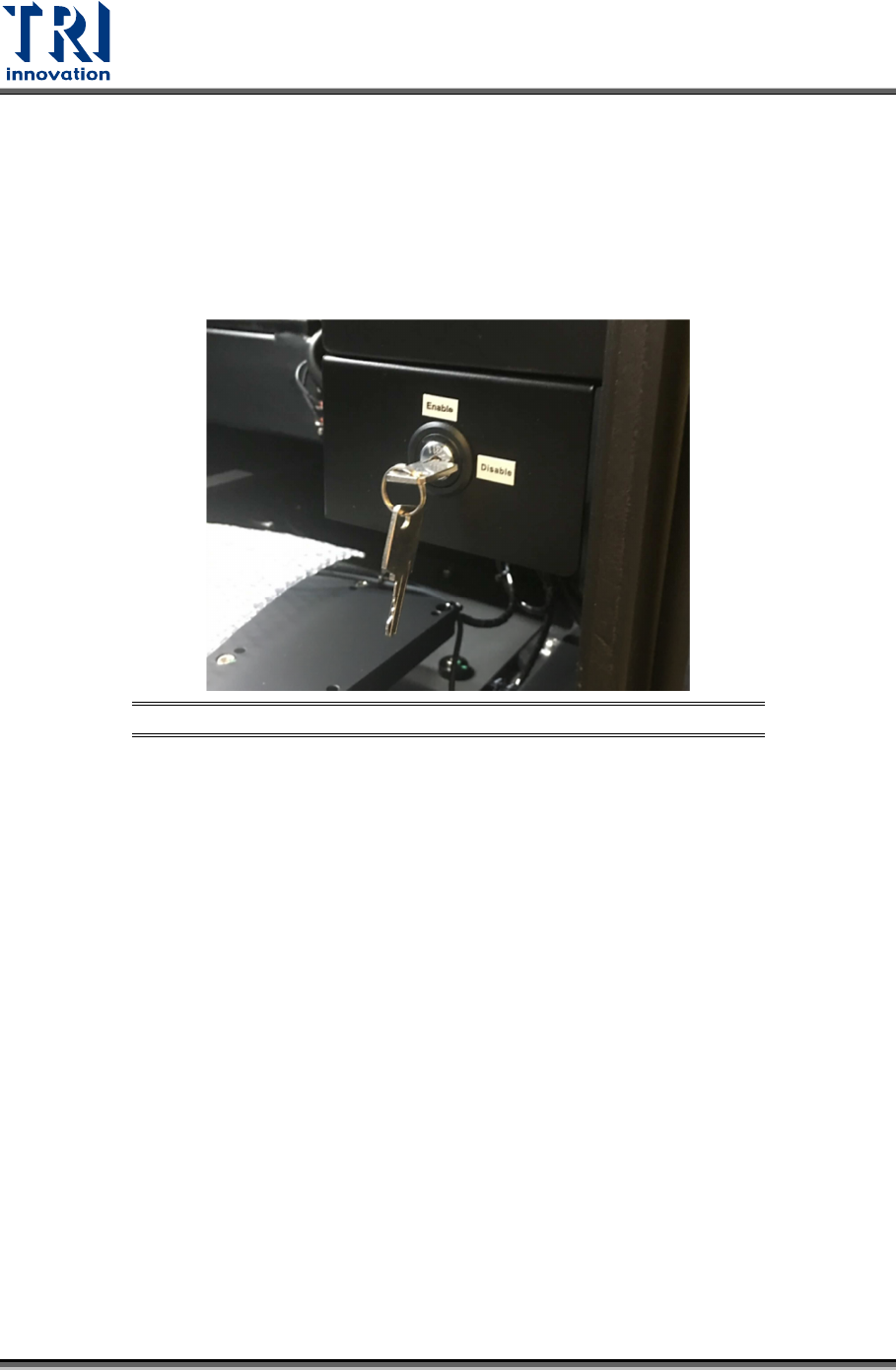
5.5 Check the Key Switch Process
Check if the key switch is working properly. Once you open the front door, you will be able to
see the key switch. Turn the key switch to “Enable”, then test if the system properly performs
an emergency stop (the HCI screen will display [Emergency Stop] in red, the red light on the
signal tower will come on and an alarm will sound.) when the front door, rear door or side
gates are open. After the function is tested, turn the emergency stop button clockwise and
press [Reset] to reset it. No need to re-start the power of the machine after the test.
Figure 46: Check Key Switch Process
5.6 Clean Flux on Conveyor
Use a clean cloth to wipe off any flux that sticks on the conveyor.
5.7 Clean Accumulate Lubricant
Check front/back end of linear guideway lubricant. Please wipe it if the lubricant accumulates
on the guideway.
Test Research, Inc.
TR7600 SIII Series User Guide – Maintenance 29
6 M
ONTHLY
M
AINTENANCE
Warning: Except for the parts specifically mentioned, the power
MUST be turned off during maintenance. Failure to do so may cause
mechanical or electrical damage.
Besides the daily and weekly maintenance activities, users also need to perform
maintenance activities discussed below during monthly maintenance.
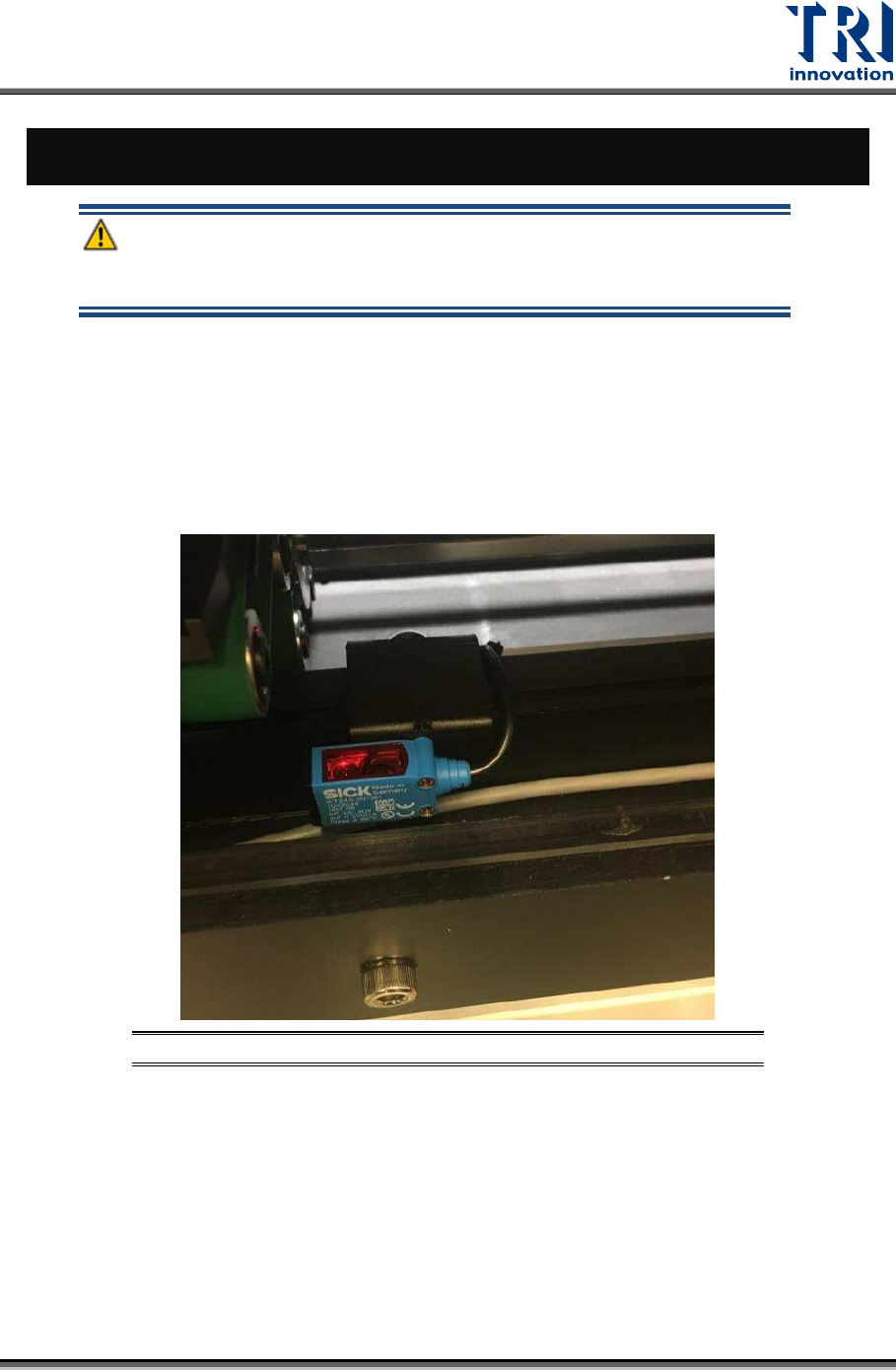
6.1 Clean and Test All Sensors
Clean all sensors and test if the sensitivity is properly adjusted. Also check the interlock
sensors signal to ensure the sensors are working properly.
Figure 47: Check Sensor Sensitivity
6.2 Lubricate Conveyor, Ball Screws and Linear Guides
Clean the linear guides, conveyor track and ball screws. After cleaned, apply grease on the
track, ball screws and linear guides to lubricate them.