7OM-1603-006_w.pdf - 第113页
7OM-1603 3-8 Chapter 3 : 1. Maintenance Menu 1 102-003 1.2.3 "Traverse Axis Draw" Window [1] [2] [3] [4] [5] "Traverse Axis Draw" window F7C8 [1] Select Blk In this section, the installed multi-layer …
7OM-1603
Chapter 3 : 1. Maintenance Menu
3-7
•
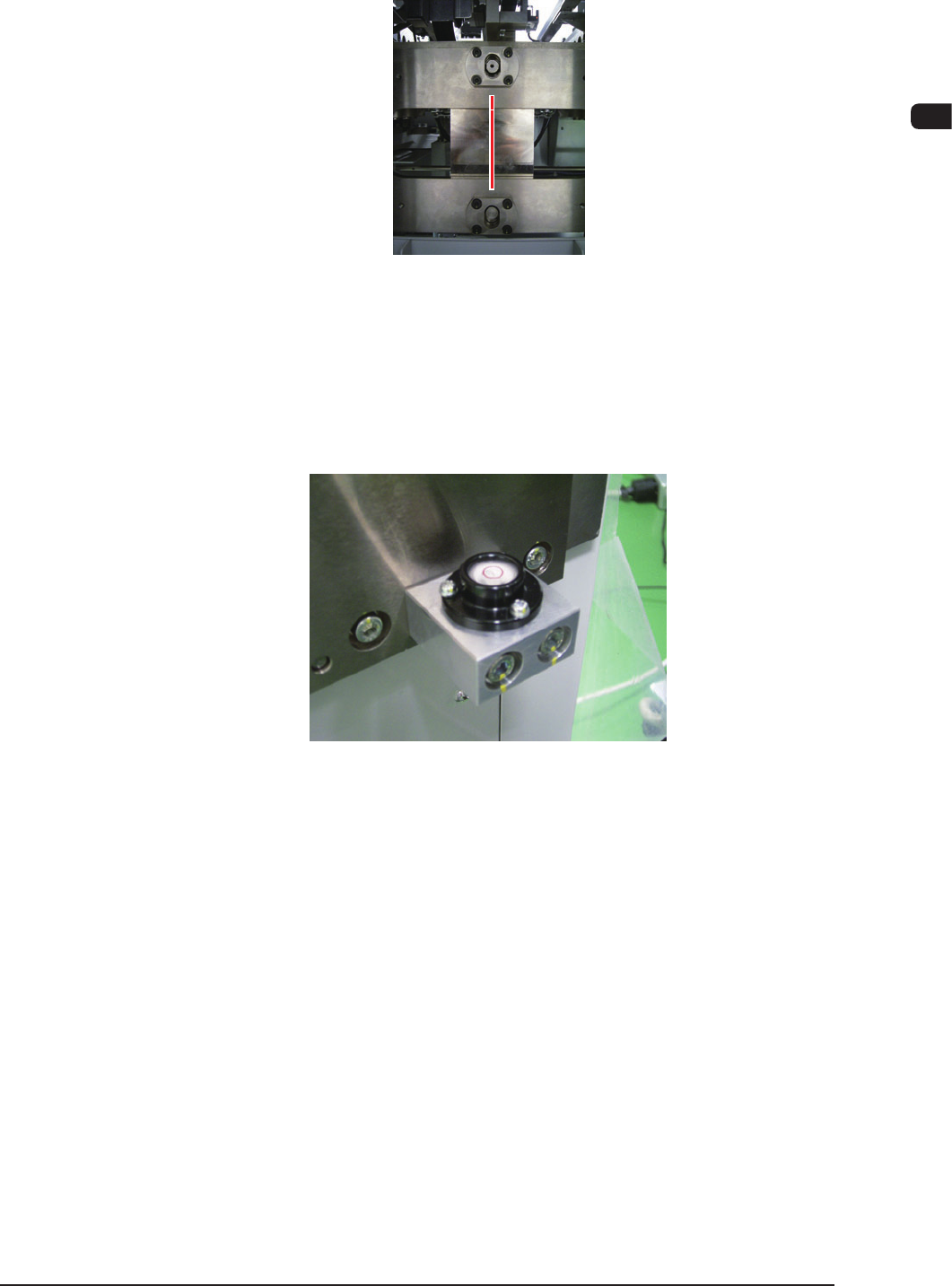
The marking-off on the unit on the traverse cart side should agree with
that on the elevator unit side.
Combined view of the units
on the elevator side
and traverse cart side
F7C6
•
The air bubble in each of the two levels on the rear side of the elevator
unit should be static within the center red circle.
Level (2 locations)
F7C7
(4) Fix the bolt in the caster section using the lock nut.
1007-002
7OM-1603
3-8
Chapter 3 : 1. Maintenance Menu
1102-003
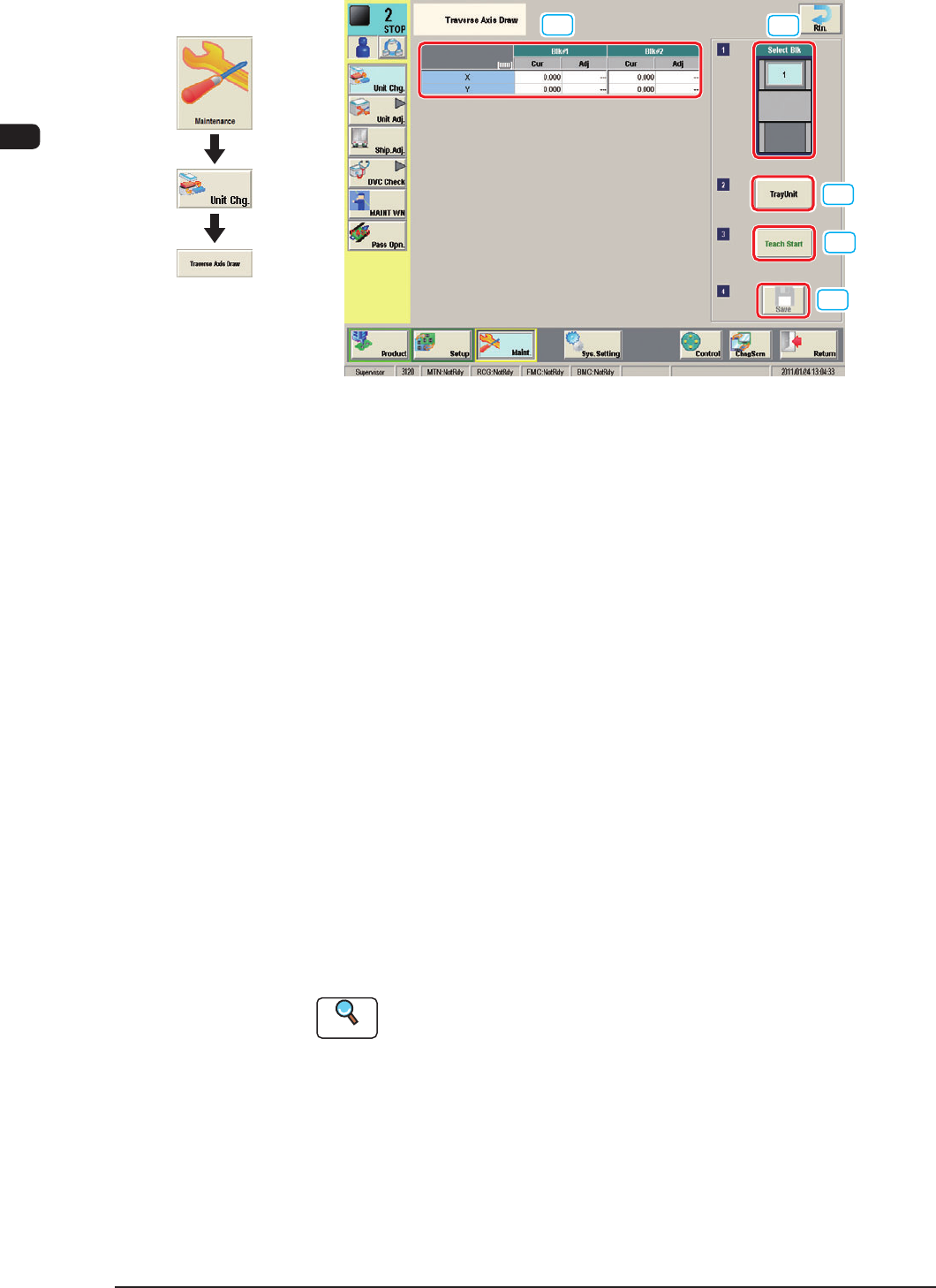
1.2.3 "Traverse Axis Draw" Window
[1]
[2]
[3]
[4]
[5]
"Traverse Axis Draw" window F7C8
[1] Select Blk
In this section, the installed multi-layer tray feeder block can be selected.
[2] Traverse Drawing Position Correction
Displayed are the current values that indicate the traverse drawing position.
After a teaching operation is performed, the results appear in the text boxes
entitled "Adj".
Cur
: Shows the value before the teaching.
Adj
: Shows the resultant value after the teaching.
[3] [Teach Start] Button
When pressed, this button performs a teaching operation on the pickup
position.
When the [START] button on the operation panel is pressed in 10 seconds
after this button, the "Manual Alignment Operation Guide" window appears.
[4] [Tray Unit] Button
When this button is pressed, the "Tray Unit" window appears.
The multi-layer tray feeder manual operation is performed.
Reference
Refer to "1.3 "Unit Adj." Submenu" for the details.
[5] [Save] Button
When this button is pressed, the teaching results are saved.
Graphic
Development
7OM-1603
Chapter 3 : 1. Maintenance Menu
3-9
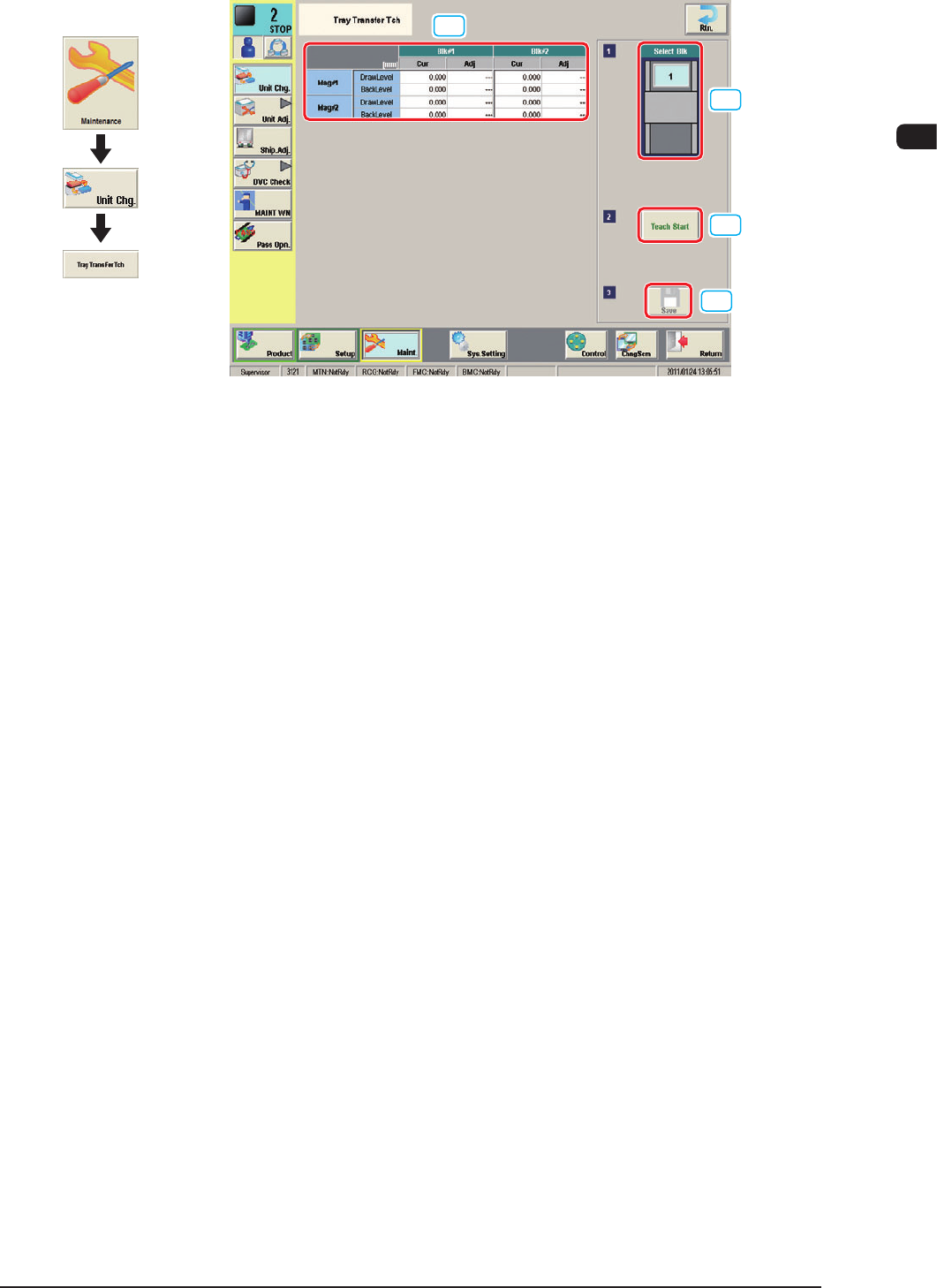
1.2.4 "Tray Transfer Tch" Window
[1]
[2]
[3]
[4]
"Tray Transfer Tch" window F7C9
In the following cases, the tray transfer teaching should be performed.
•
The multi-layer tray is mounted on the main machine.
•
The main machine is stopped for a long time with the multi-layer tray mounted
on it.
[1] Teaching Results
The tray transfer teaching results for the block selected in [2] are displayed
in this table.
[2] [Select Blk] Button
Using this button, the block for which the teaching is to be performed, can be
selected.
[3] [Teach Start] Button
When this button is pressed, the tray transfer teaching for the block selected
in [2], is performed.
[4] [Save] Button
When this button is pressed, the teaching results are saved.
1102-003
Graphic
Development