7OM-1603-006_w.pdf - 第94页
7OM-1603 Chapter 2 : 2. Menus for Automatic Operation 2-25 2.4.6 "T emp Chng Comp Lib" Window This window enables the operator to check and change the component carriage data for the production model. [1] [2] […
7OM-1603
2-24
Chapter 2 : 2. Menus for Automatic Operation
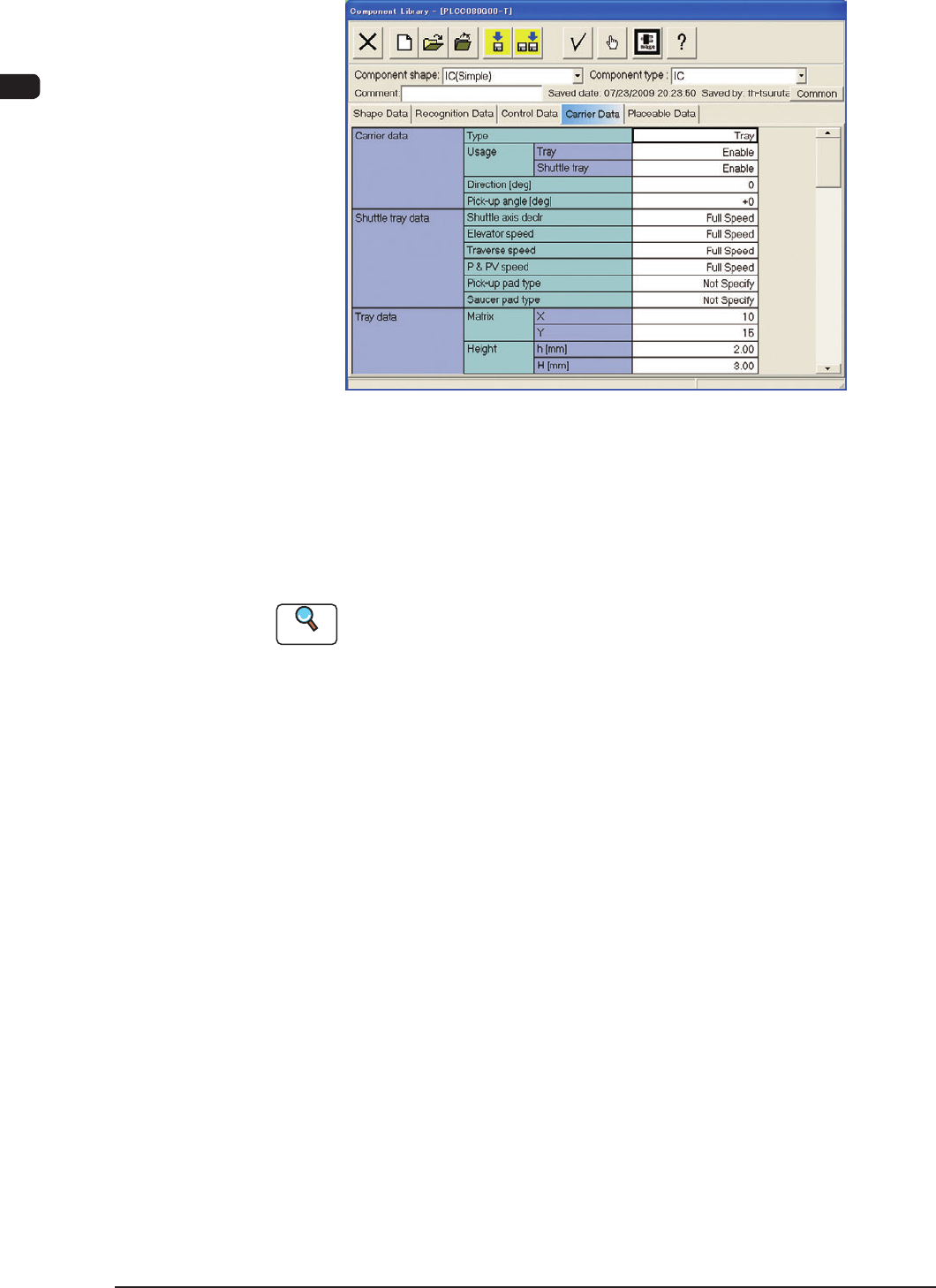
2.4.5 "Component Library" Window
"Carrier Data" Tab sheet F7B19
Carrier Data
This is a tab sheet which corresponds to all component shapes - "Cylindrical",
"Square", "Deform", "IC (Simple)", "IC (Complex)", "Connector (Simple)",
"Connector (Complex)", "Other Leaded (Simple)", "Other Leaded (Complex)",
and "BGA/CSP".
Reference
Refer to "1.5 Carrier Data" in "Chapter 2" of the instruction manual "Volume 6 :
Component Library" for details of each data.
Set "Tray" in the "Type" text box of the label "Carrier data" and enter parameters
in the other text boxes of the label "Carrier data" and in the text boxes of the label
"Tray data".
1109-004
7OM-1603
Chapter 2 : 2. Menus for Automatic Operation
2-25
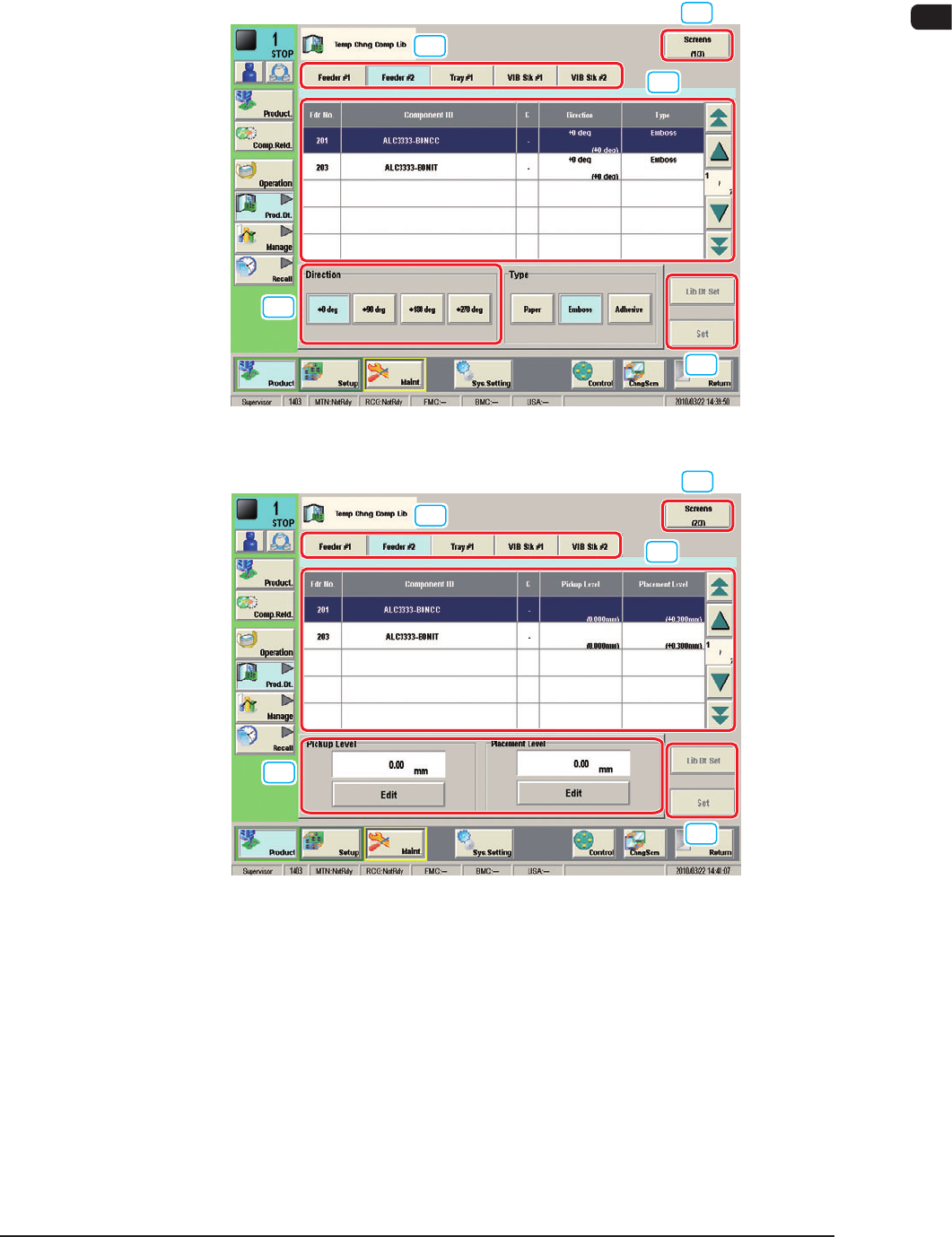
2.4.6 "Temp Chng Comp Lib" Window
This window enables the operator to check and change the component carriage
data for the production model.
[1]
[2]
[3]
[4]
[4]
"Comp Crg Dt Edit" window (1/3) F7B20
[1]
[2]
[4]
[3]
[4]
"Comp Crg Dt Edit" window (2/3) F7B21
1109-003
7OM-1603
2-26
Chapter 2 : 2. Menus for Automatic Operation
[1]
[2]
[3]
[4]
[4]
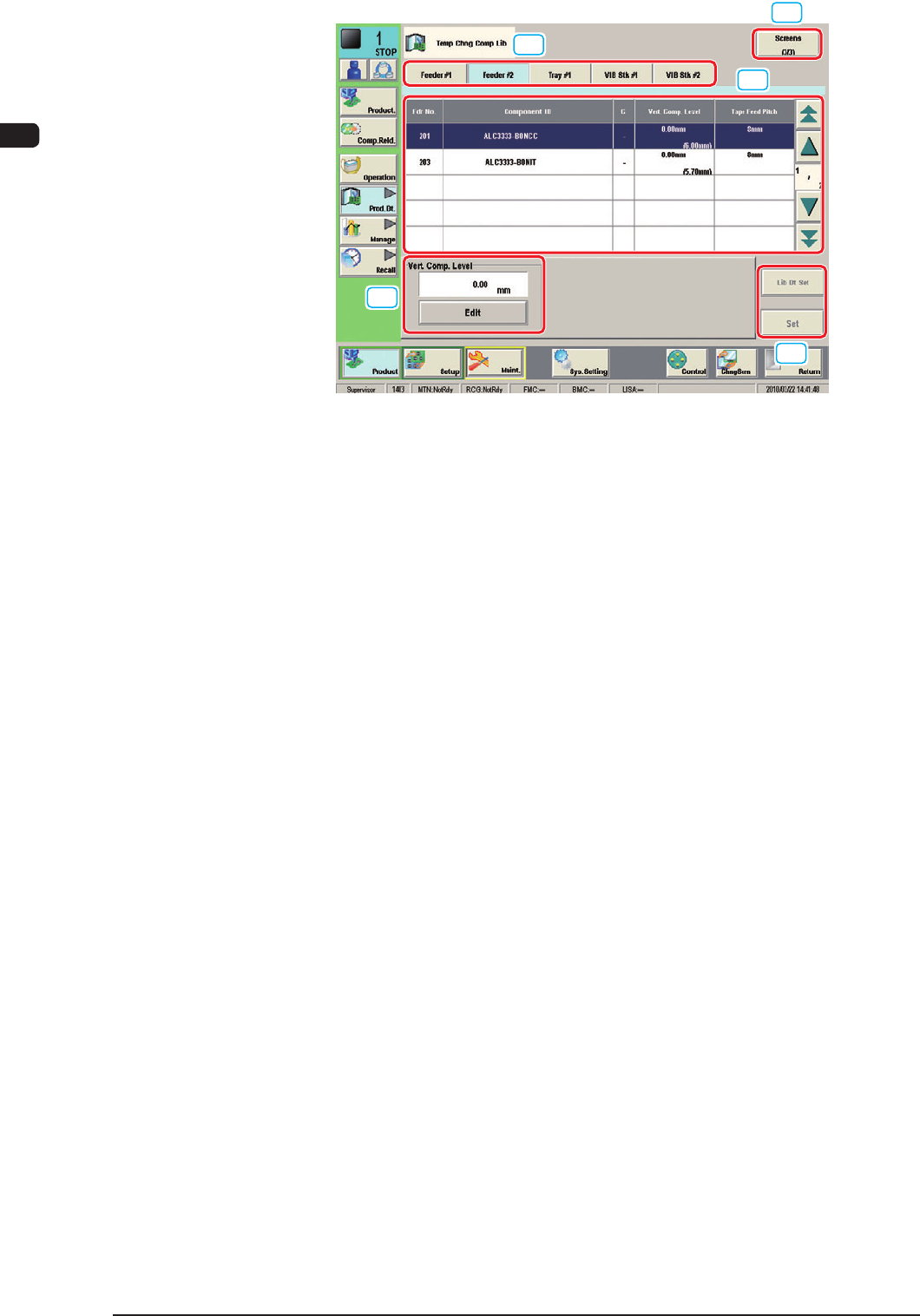
"Comp Crg Dt Edit" window (3/3) F7B22
[1] Unit Selection Buttons
These buttons can be used to specify the feeder base whose carrier data
should be conrmed or changed.
[2] Information Display
Displayed is the component carriage data of the feeder base (the multilayer
tray feeder) selected in [1].
[3] Mode Buttons
These buttons are used to change the direction of component feed, the auto
feeder axis adjustment X and Y, the pickup level, and the placement level.
[4] [Screens], [Lib Dt Set], and [Set] Buttons
[Screens] Button
: This button can be used to open another page.
[Lid Dt Set] Button
: When pressed, this button resets the selected
component data to the defaults registered in the
component library.
[Set] Button
: When pressed, this button sets the changed
contents.
1007-003