7OM-1603-006_w.pdf - 第87页
7OM-1603 2-18 Chapter 2 : 2. Menus for Automatic Operation (F02) T ray Feeder Data "Tray" Edit window F7B14 Graphic Development 1 109-003
7OM-1603
Chapter 2 : 2. Menus for Automatic Operation
2-17
2.4.4 "Pattern Program" Window
•
Placement Feeder Location Data
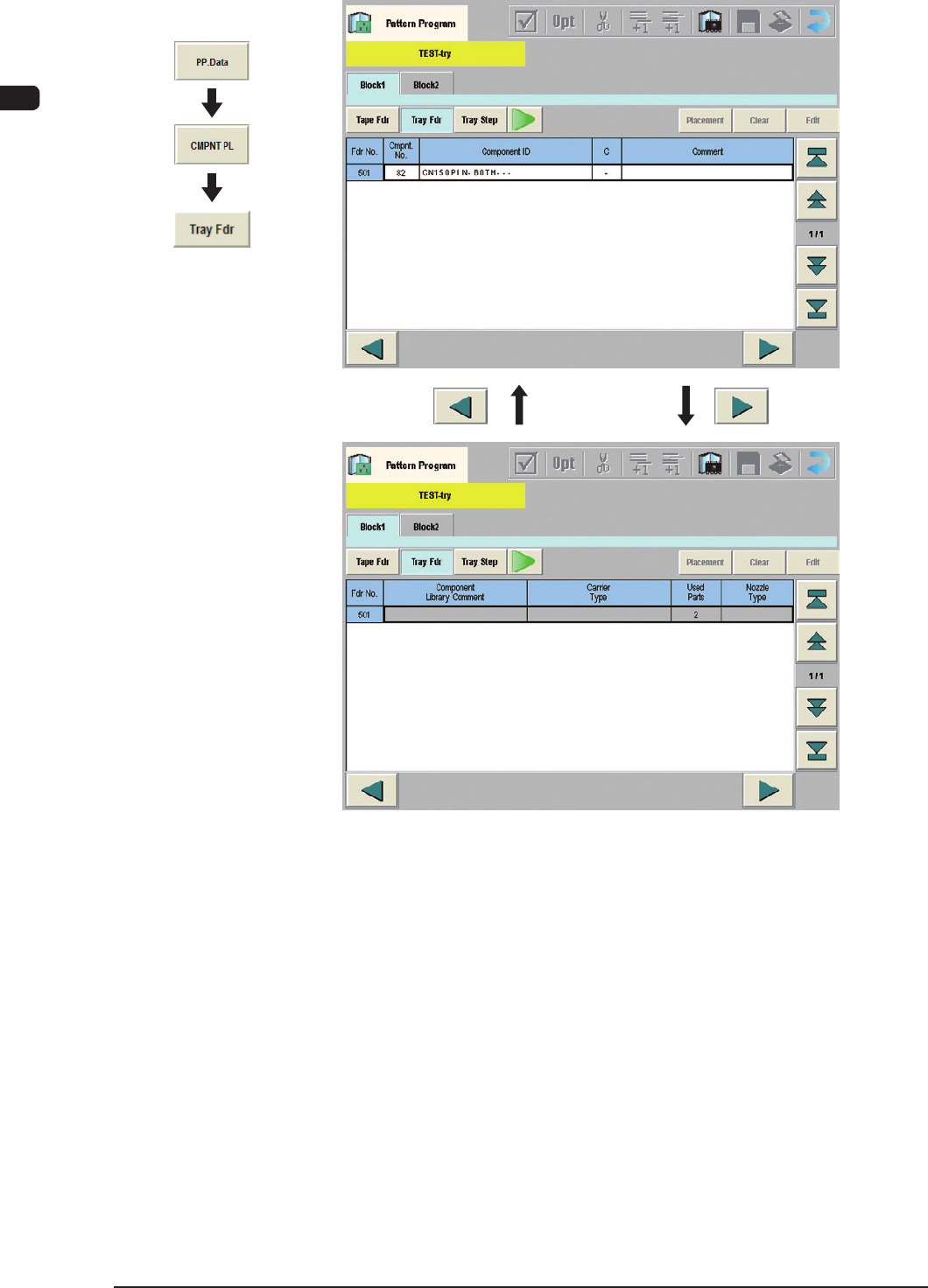
The "Tray Fdr" and "Tray Step" tabs in each "Block #" tab can be used to set
the placement feeder location data for the multi-layer tray feeder.
Note
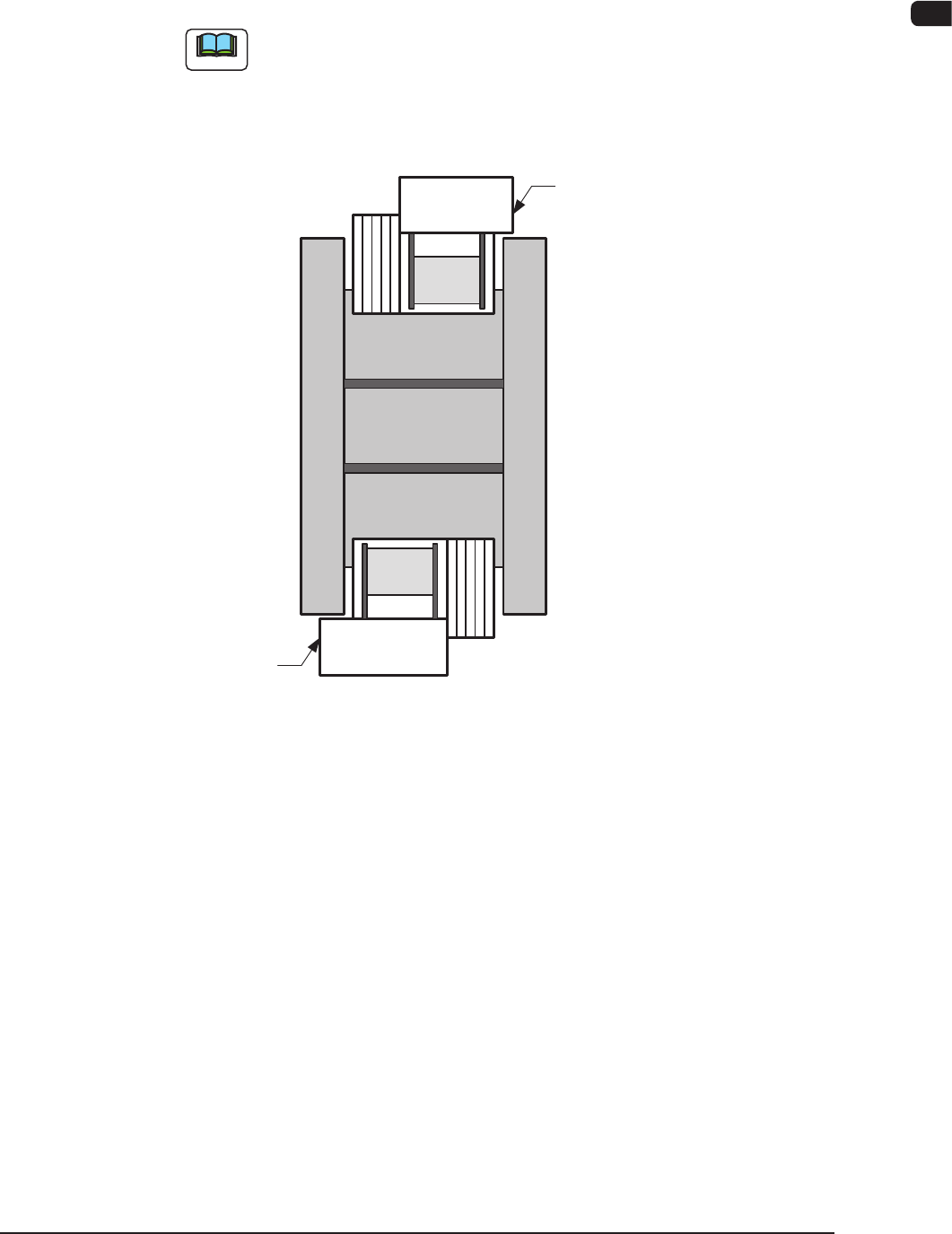
The following shows the positional relation between the block.
Multi-Layer Tray Feeder #1
Rear Side of Machine (Block #1)
Front Side of Machine (Block #2)
Multi-Layer Tray Feeder #2
F7B13
1109-003
7OM-1603
2-18
Chapter 2 : 2. Menus for Automatic Operation
(F02) Tray Feeder Data
"Tray" Edit window F7B14
Graphic
Development
1109-003
7OM-1603
Chapter 2 : 2. Menus for Automatic Operation
2-19
1109-001
(F02_01) Fdr No.
Shown are the feeder Nos. in the placement feeder location data.
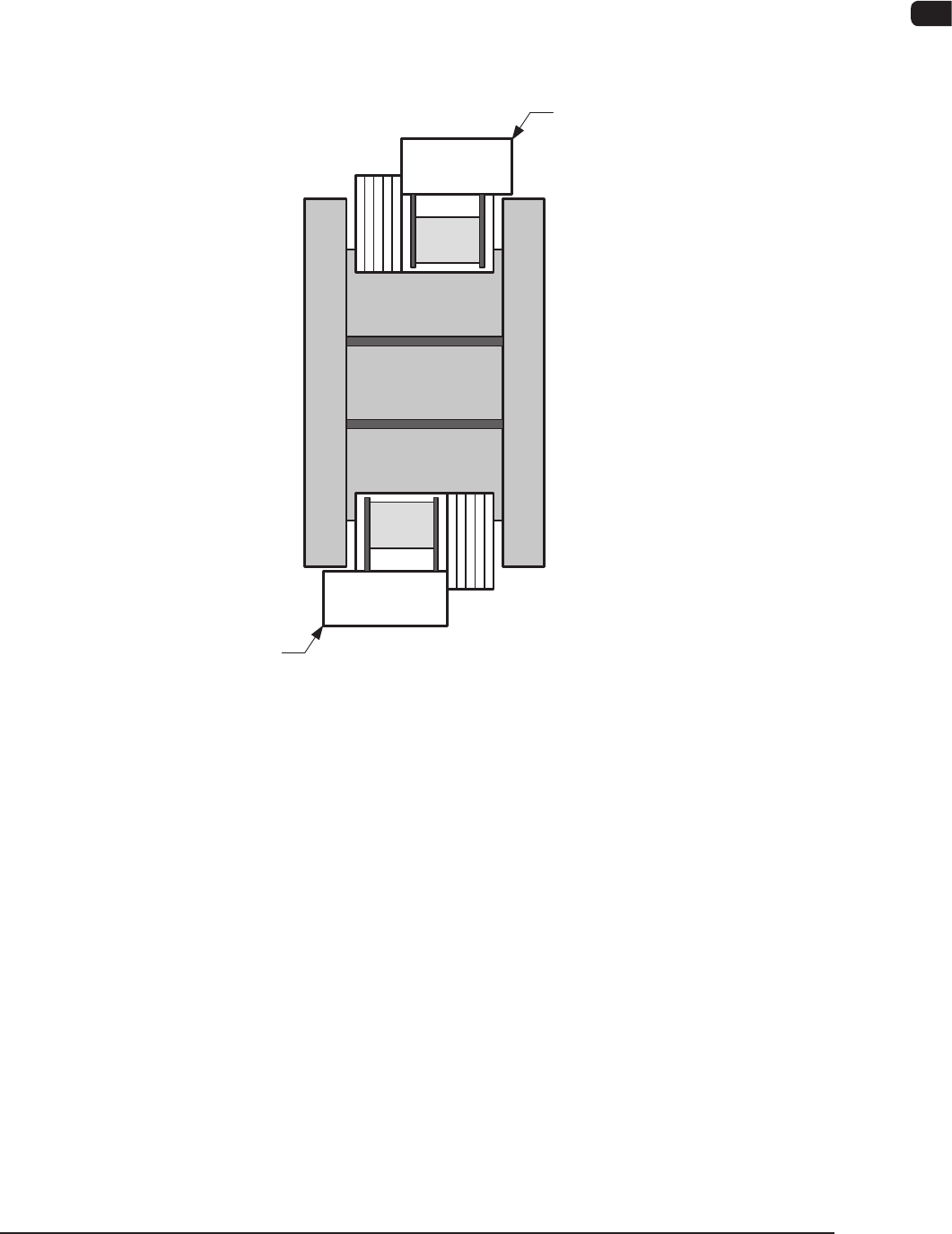
When the multi-layer tray feeder is connected, the feeder Nos. (Fdr Nos.)
become as follows.
Multi-Layer Tray Feeder #1
: 501 to 599
Multi-Layer Tray Feeder #2
: 601 to 699
501 to 599
601 to 699
Multi-Layer Tray Feeder #1
Rear Side of Machine
Front Side of Machine
Multi-Layer Tray Feeder #2
Multi-Layer Tray Feeder #1, #2 F7B15
(F02_02) Component No.
Shown are the component Nos., in this section.
(F02_03) Component ID
Set component IDs in the text boxes.