00193687-04.pdf - 第24页
3 In stal la tio n des S IPLAC E Expl ore r Inst all atio ns - und Konfi gu rat ions anle itun g SI PLA CE Exp lor er 3. 1 E rst inst allat ion v on S IPL ACE Exp lorer 2.0 SP 1 Au sga be 12 /2 005 DE 24 3.1. 1.1 St and-…

Installations- und Konfigurationsanleitung SIPLACE Explorer 3 Installation des SIPLACE Explorer
Ausgabe 12/2005 DE 3.1 Erstinstallation von SIPLACE Explorer 2.0 SP1
23
– MSDE 2000 (siehe Seite 49)
Installieren Sie diese Komponente, wenn Sie nicht mit MS SQL Server 2000 arbeiten
möchten. Installieren Sie MSDE 2000 auf dem Computer, auf welchem die System-
Datenbanken installiert werden sollen.
3
– Adobe Reader 6.0
Diese Komponente benötigen Sie, um die Dokumentation zu SIPLACE Explorer V.2.0 SP1
lesen zu können.
3
– Optionen zu SIPLACE Explorer V.2.0 SP1
Die beiden Optionen Backflush V1.0 und SIPLACE Traceability Option 1.0 müssen Sie
extra bestellen und installieren. Diese sind nicht im Leistungsumfang des SIPLACE
Explorer V2.0 SP1 enthalten.
3
3.1.1 Standardinstallations-Varianten
In SIPLACE Explorer V2.0 gibt es verschiedene Konfigurationsmöglichkeiten für die
unterschiedlichen Komponenten. In diesem Abschnitt werden vier Installations-Varianten
aufgezeigt:
3
– Stand-alone (siehe Seite 24)
– Server (siehe Seite 24)
– Line (siehe Seite 26)
– Insellösung (siehe Seite 28)
Diese vier Installations-Varianten gelten als Empfehlungen. Wählen Sie eine dieser Installations-
Varianten für Ihre Installation aus.
3

3 Installation des SIPLACE Explorer Installations- und Konfigurationsanleitung SIPLACE Explorer
3.1 Erstinstallation von SIPLACE Explorer 2.0 SP1 Ausgabe 12/2005 DE
24
3.1.1.1 Stand-alone
Bei dieser Installations-Variante werden alle Komponenten auf einem Computer installiert. 3
HINWEIS
Aus Performance-Gründen sollten Sie auf diesem Computer außer der für SIPLACE Explorer
V2.0 SP1 benötigten Software, keine weitere Software installieren. Grund: es können auf diesem
Computer bis zu 5 Applikationen mit bis zu 20 Maschinen laufen. 3
Software-Voraussetzungen:
– Systemumgebung, eine der nachfolgenden Versionen:
– Betriebssystem Windows 2000 Server mit SP4
– Windows 2003 Server mit SP1
– MS SQL-Server (nicht MSDE)
Hardware-Voraussetzungen:
– Rechner mit 2.4 GHZ CPU-Takt
– 2 GB Hauptspeicher
– 30 GB freie Festplattenkapazität
3.1.1.2 Server
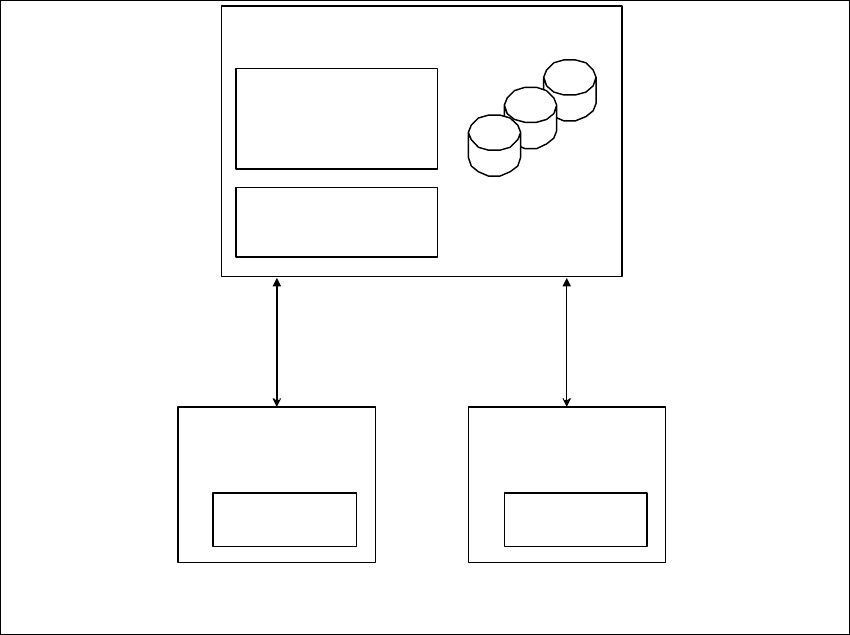
Bei dieser Installations-Variante gibt es N Computer für bis zu 20 Maschinen. Dabei sind diese
Computer die SIPLACE Explorer Hosts und zusätzlich muss ein separater Computer als zentraler
Datenbank-/Web-Server vorhanden sein.
3
Software-Voraussetzungen:
– Systemumgebung, eine der nachfolgenden Versionen:
– Windows 2000 Server mit SP4
– Windows 2003 Server mit SP1
– MS SQL-Server (nicht MSDE), auf dem Computer, der als zentraler Datenbank-Server
eingesetzt wird.
Installations- und Konfigurationsanleitung SIPLACE Explorer 3 Installation des SIPLACE Explorer
Ausgabe 12/2005 DE 3.1 Erstinstallation von SIPLACE Explorer 2.0 SP1
25
Hardware-Voraussetzungen:
– Rechner mit 2.4 GHZ CPU-Takt
– 2 GB Hauptspeicher
– 30 GB freie Festplattenkapazität
3
Abb. 3 - 1 Installations-Variante: Server
5 Applikationen m it bis
zu 20 Maschinen
SIPLACE
Explorer Host
- RTE
- Java 2 JRE
SIPLACE
Explorer Host
- RTE
- Java 2 JRE
Zentraler Datenbank-/Web-Server
- MS SQL
- Tomcat
- Werks-Konfiguration
- Java 2 JRE
Berichts-Generierung:
- MSXM
- Excel
alle Datenbanken, alle
Linien-Datenbanken