ACT - Accuracy Check Tool User Manual.pdf - 第119页
ACT - Accurac y Check Tool / Us er Man ual 06/2015 Edition 31 NOTICE Due to the problems of accessing the fiduci als described ab ove, please observe : If the ACT has to be mea sured on a machin e of the SX - , DX - , or…
ACT - Accuracy Check Tool / User Manual 06/2015 Edition
30
4.1.1.3 Specifying the Boards
► Select a suiting placement program for your head configuration from the pre-configured boards
(with the aid of Table 4-1 or Table 4-2).
NOTICE
Placement machines with dual conveyors
When using a dual conveyor, the ACT should be run with both conveyor lanes.
NOTICE
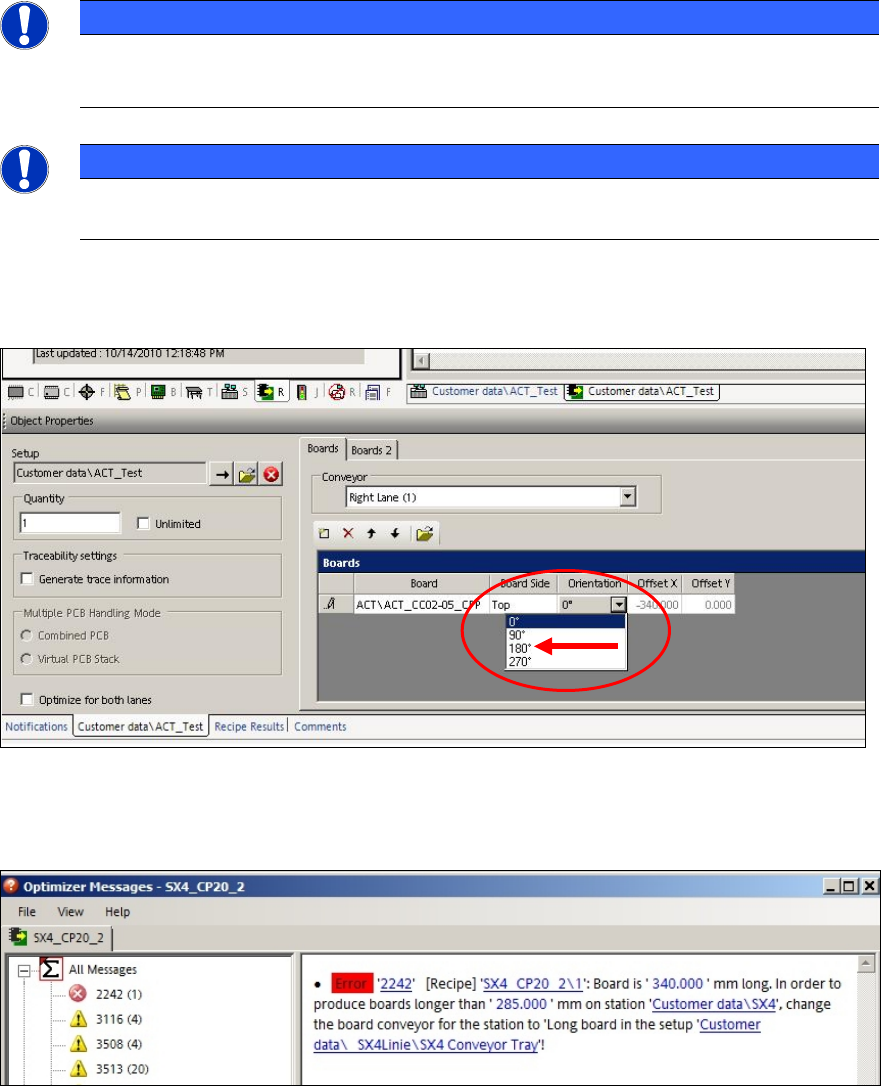
In order to access the fiducials, the ACT measuring plate has to be placed rotated by
180° in SIPLACE SX4 and DX4 machines.
Thus, if an ACT placement program is defined for a SIPLACE SX4 or DX4 machine, the orientation
(position) of the board has to be adapted to 180° in the created recipe.
Figure 4-1: Rotating board orientation by 180°on SX4, DX4
If this adaption of the board orientation is not performed, the following error message (example) is
already displayed on the SIPLACE Pro Line Control GUI during specification:
Figure 4-2: Example: Error message due to unavailable ink spots
ACT - Accuracy Check Tool / User Manual 06/2015 Edition
31
NOTICE
Due to the problems of accessing the fiducials described above, please observe:
If the ACT has to be measured on a machine of the SX-, DX-, or X-series, in front of
which one or more SIPLACE SX4- or DX4-stations are arranged in a line, the Pass-
through function has to be activated on all machines in front of the measuring machine
that require another board orientation (0°/180°). Otherwise errors will occur when trying
to access the fiducials.
► Specify a job (recipe) in SIPLACE Pro Line Control and send it to the line (download).
4.1.2 Creating a Setup (Assigning Tables)
► Copy an existing setup of your line.
► Replace the tables by using the prepared tables for ACT that you have already imported. (see
section 3.2.5).
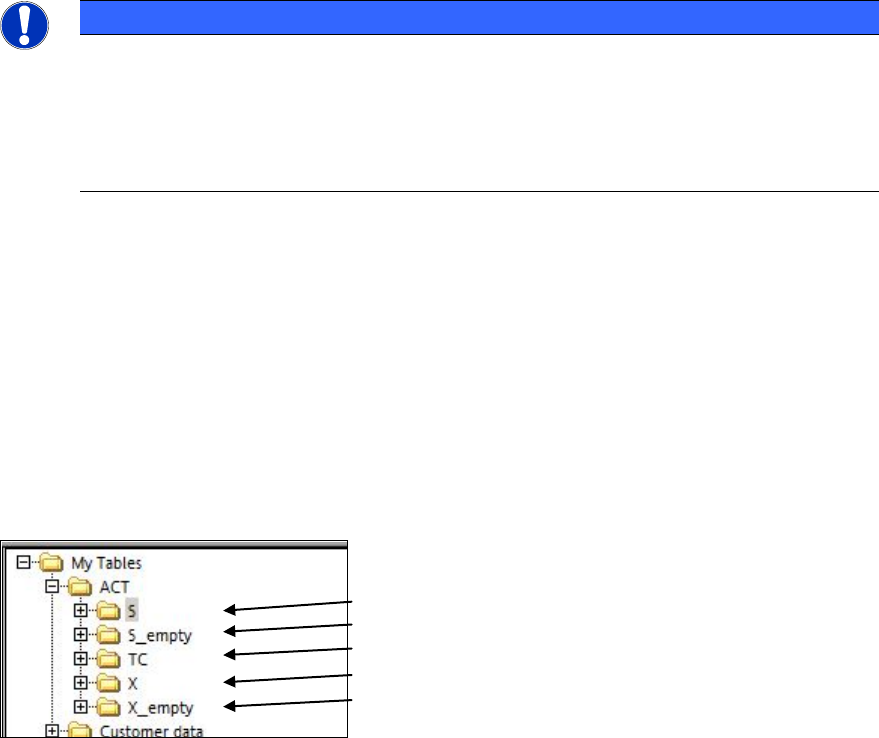
Tables are available for each possible machine.
(1)
(2)
(3)
(4)
(5)
Key:
(1) S-tables with setup (4) X-tables with setup
(2) Empty S-tables (5) Empty X-tables
(3) TC = Tray Changer (WPC/MTC)
ACT - Accuracy Check Tool / User Manual 06/2015 Edition
32
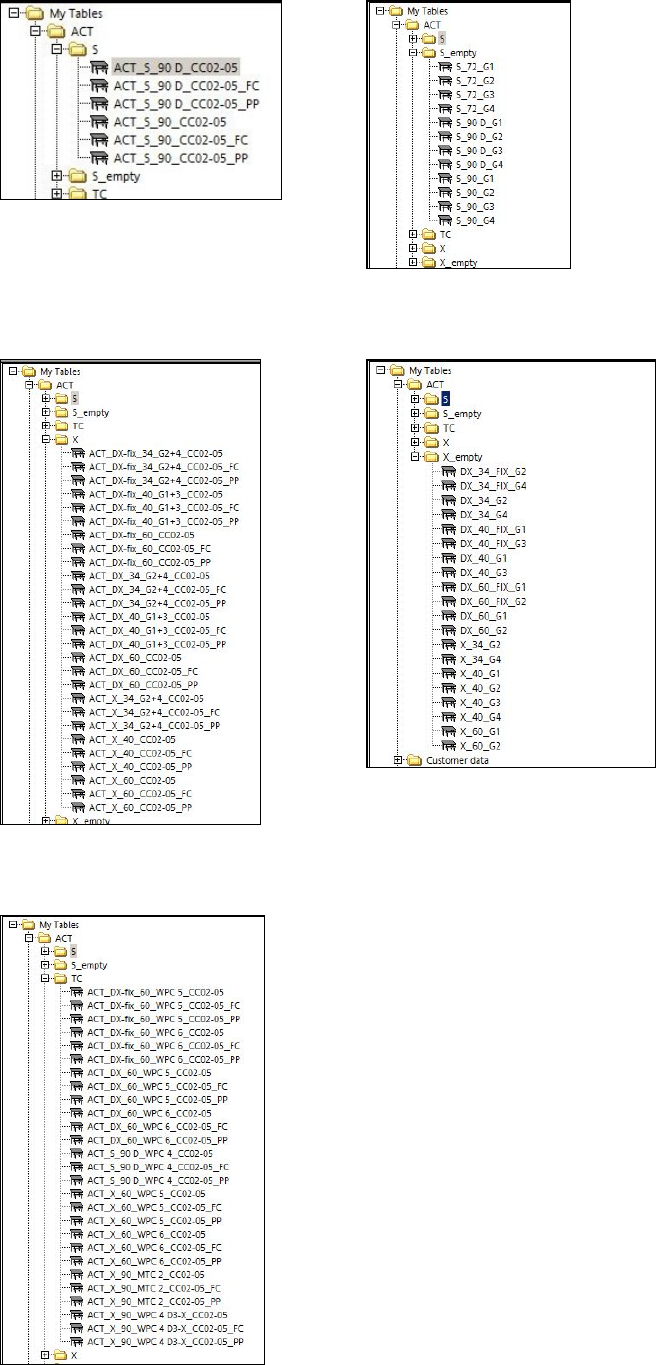
Available S-tables:
Available X-tables:
Available tables (setups) for WPC/MTC: