ACT - Accuracy Check Tool User Manual.pdf - 第120页
ACT - Accurac y Check Tool / Us er Man ual 06/2015 Edition 32 Available S - tables: Available X - tables: Availab le tables (se tups) for WP C/MTC:
ACT - Accuracy Check Tool / User Manual 06/2015 Edition
31
NOTICE
Due to the problems of accessing the fiducials described above, please observe:
If the ACT has to be measured on a machine of the SX-, DX-, or X-series, in front of
which one or more SIPLACE SX4- or DX4-stations are arranged in a line, the Pass-
through function has to be activated on all machines in front of the measuring machine
that require another board orientation (0°/180°). Otherwise errors will occur when trying
to access the fiducials.
► Specify a job (recipe) in SIPLACE Pro Line Control and send it to the line (download).
4.1.2 Creating a Setup (Assigning Tables)
► Copy an existing setup of your line.
► Replace the tables by using the prepared tables for ACT that you have already imported. (see
section 3.2.5).
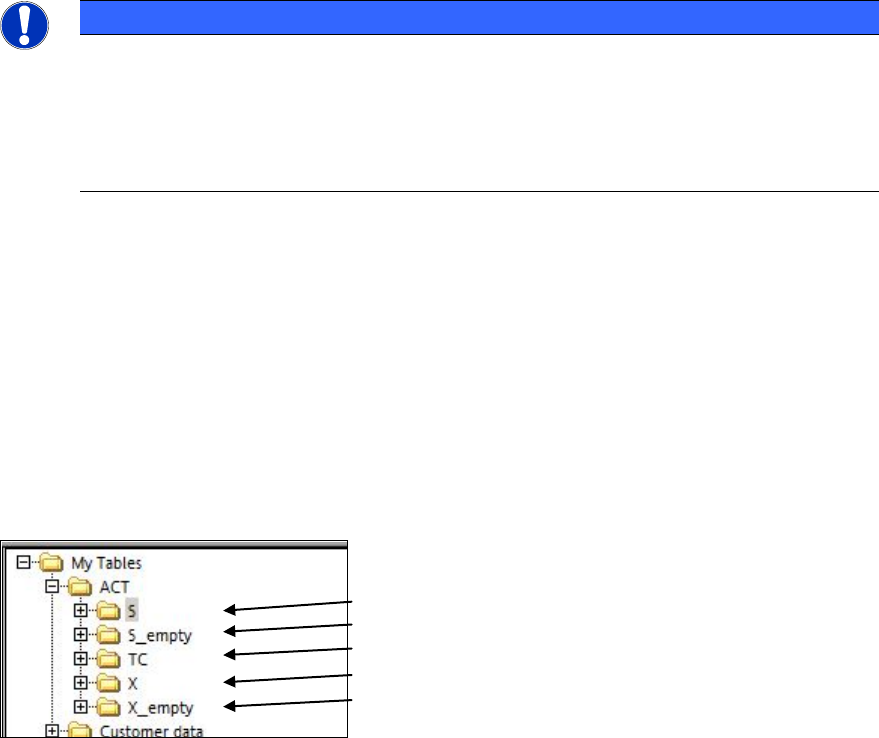
Tables are available for each possible machine.
(1)
(2)
(3)
(4)
(5)
Key:
(1) S-tables with setup (4) X-tables with setup
(2) Empty S-tables (5) Empty X-tables
(3) TC = Tray Changer (WPC/MTC)
ACT - Accuracy Check Tool / User Manual 06/2015 Edition
32
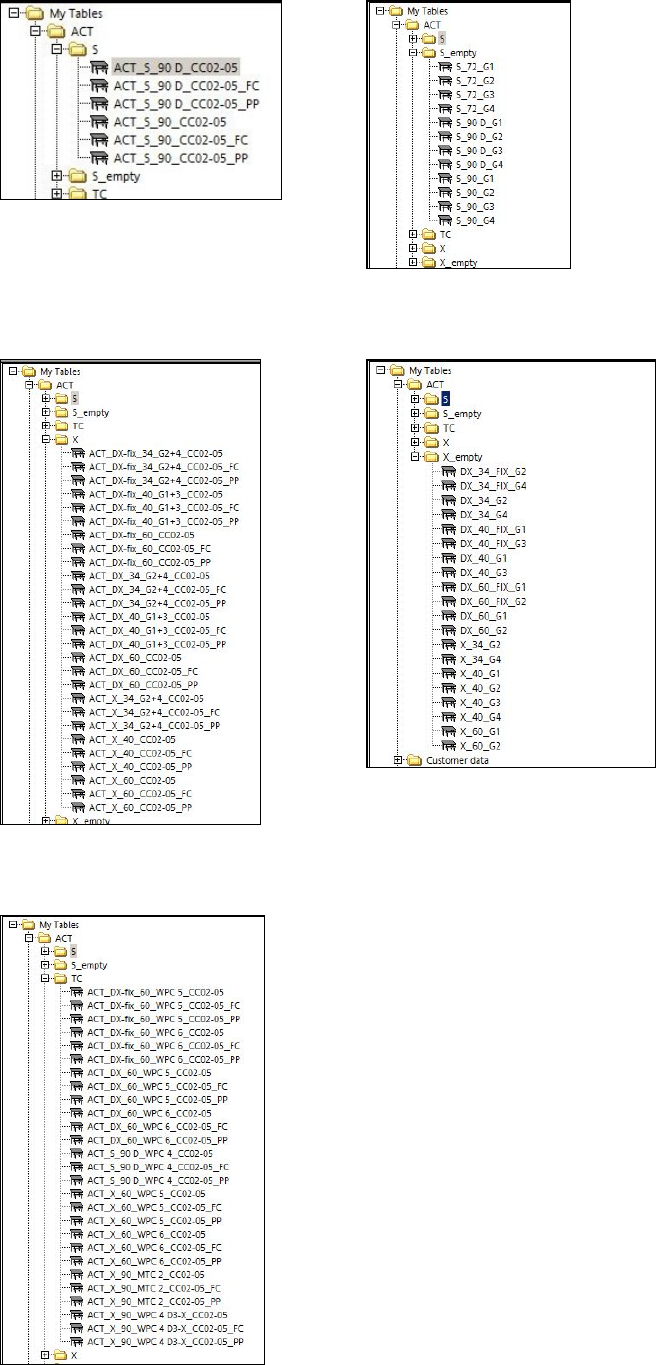
Available S-tables:
Available X-tables:
Available tables (setups) for WPC/MTC:
ACT - Accuracy Check Tool / User Manual 06/2015 Edition
33
► Drag the selected table to the required location.
► Use the empty tables to create a setup for ceramic pads, for instance.
NOTICE
If you create a setup with more than one table with ceramic pads, make sure that the
same component is not set-up at more than one location at the same time.
Predefined tables already exist for setting up the tray with the glass components.
NOTICE
● The X- and Y-offsets for the waffle pack trays on the tables have already been
entered! They may need to be corrected!
● The predefined Arbitrary Carrier tray holder should be left on track 21 and the ACT
X-table (Tray)holder should also be physically placed there. Otherwise, it is not
possible to pick-up with all segments (TH) on all machines.
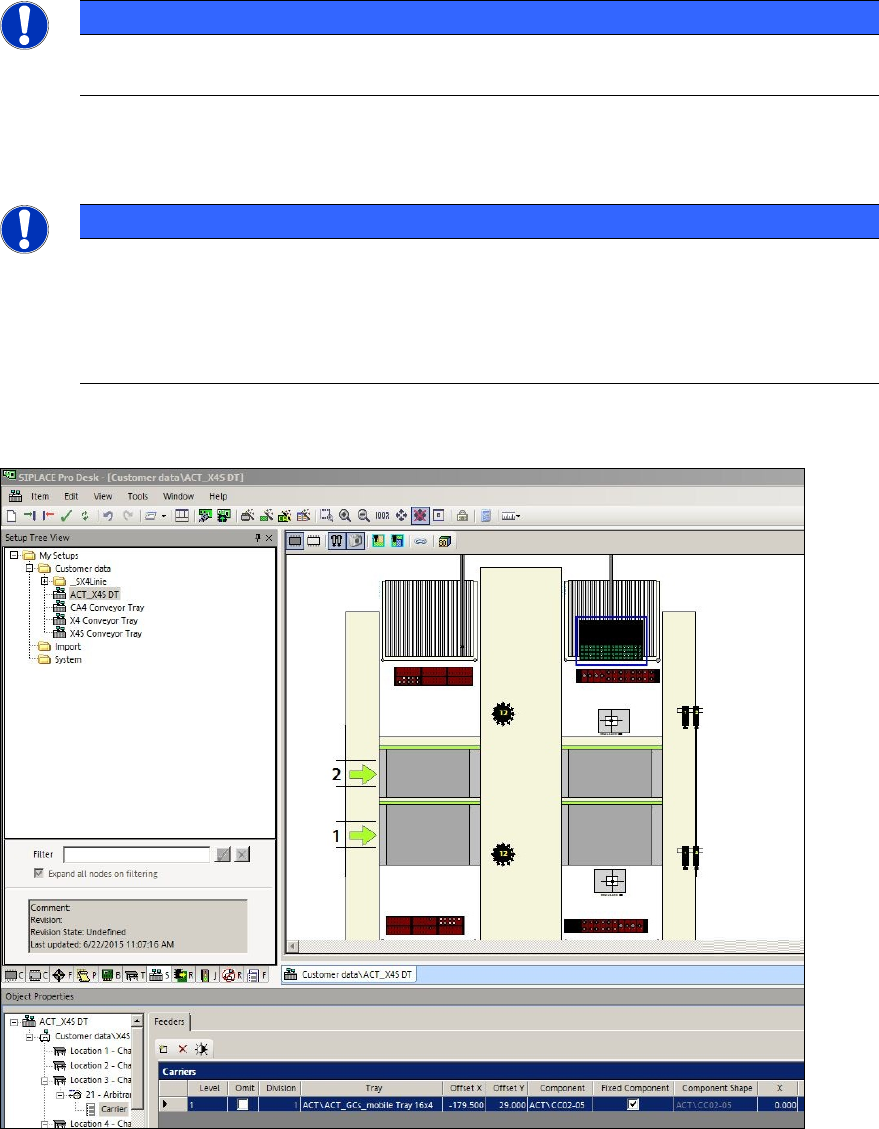
Figure 4-3 displays an example of a setup:
Figure 4-3: Setup on an X4 S with Twin Head at gantry 3. Waffle pack tray with 16x4 glass components (CC02-05) on an
X-table