ACT - Accuracy Check Tool User Manual.pdf - 第135页
ACT - Accurac y Check Tool / Us er Man ual 06/2015 Edition 47 4.2.4.2 SX - Series and DX - Series On the SIPLACE SX - and DX - series machines the r eachability t o insert the plate in t he input section is limit ed, par…
ACT - Accuracy Check Tool / User Manual 06/2015 Edition
46
4.2.4 Loading the Plate into the Measuring Machine
4.2.4.1 D- and X-Series
On the SIPLACE D- and X-series machines the glass plate can be inserted into the conveyor by
opening the covers of the input section (extension kit) or the machine cover.
► Insert the plate directly into the input section of the measuring machine so that the sensor is
activated.
► Press Start.
The board is automatically moved into the placement area and gets placed.
Thereafter, the measurement is automatically started, see section 4.2.5.
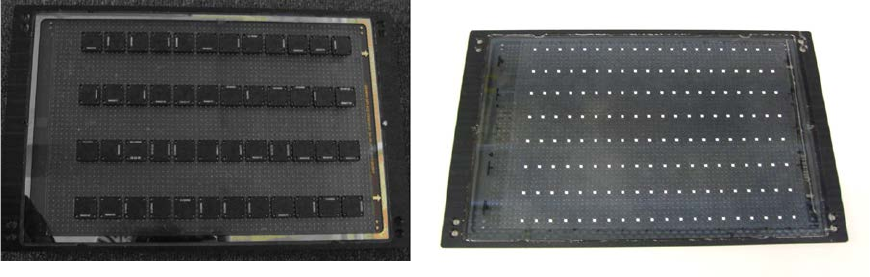
Abbildung 4-20 and Abbildung 4-21 show an assembled ACT plate, in one example with glass
components and in the other with ceramic components.
Figure 4-20: Measuring plate with placed glass comp. Figure 4-21: Measuring plate with placed ceramic comp.
ACT - Accuracy Check Tool / User Manual 06/2015 Edition
47
4.2.4.2 SX-Series and DX-Series
On the SIPLACE SX- and DX-series machines the reachability to insert the plate in the input
section is limited, particularly on machines that are placed in the middle or at the end of a line.
Therefore, the plate has to be inserted at the first machine of the line.
► Press Start.
► Insert the plate up to 50%+x into the input section of the first machine.
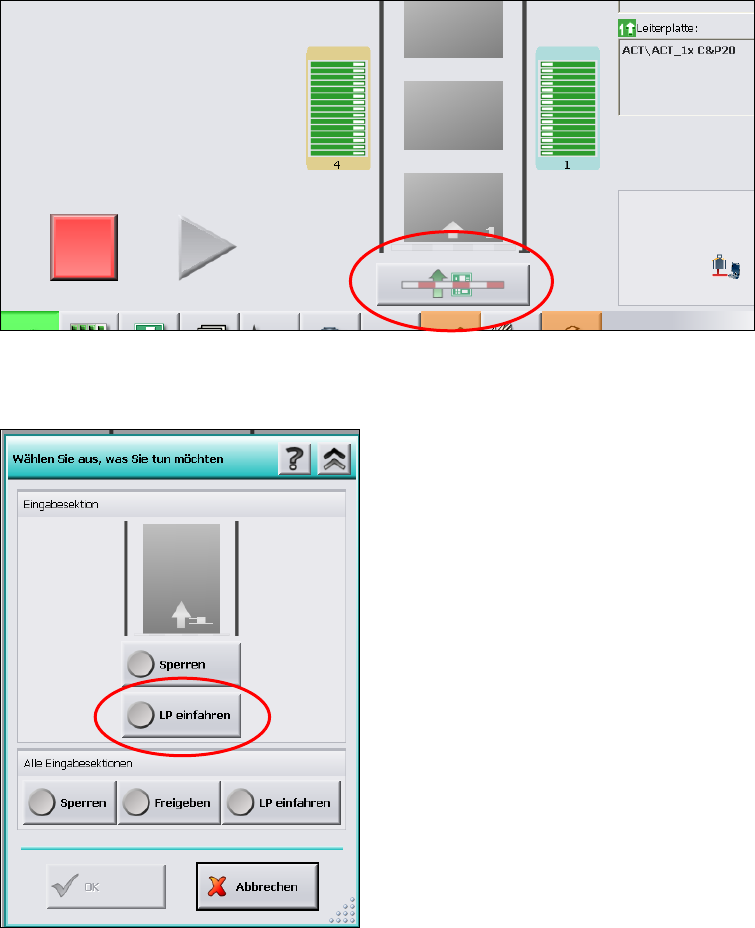
► Click on the Conveyor interface button directly under the conveyor in the station software
(see Figure 4-22).
Figure 4-22: Conveyor interface button
Figure 4-23: Conveyor interface window
► Select LP einfahren (Loading PCB).
► Click OK.
ACT - Accuracy Check Tool / User Manual 06/2015 Edition
48
If this is not the placement station on which the ACT is to be performed, the plate is automatically
passed through the machine, since there is no specification by SIPLACE Pro for components to be
placed.
If no components are to be placed on the next machine either, the plate is automatically passed
through this machine, too.
On the station being in ACT mode and for which a corresponding specification for components to
be placed is available, the plate is stopped and gets placed automatically in the placement area,
see section 4.2.6.
Then the measurement is started automatically.