ACT - Accuracy Check Tool User Manual.pdf - 第149页
ACT - Accurac y Check Tool / Us er Man ual 06/2015 Edition 61 4.2.6 Worki ng with the ACT under Station Softw are 703.xx and Higher NOTICE It is not necessary to instal l any addition al software on t he station computer…
ACT - Accuracy Check Tool / User Manual 06/2015 Edition
60
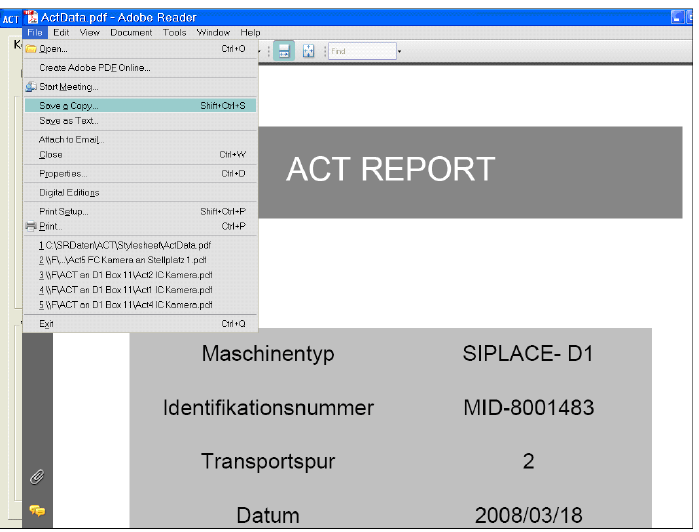
Figure 4-38: Measurement report (log) in PDF format
ACT - Accuracy Check Tool / User Manual 06/2015 Edition
61
4.2.6 Working with the ACT under Station Software 703.xx and Higher
NOTICE
It is not
necessary to install any additional software on the station computer on machines
running version 703.xx and higher of the station software.
Requirements:
● You have already sent a placement/measurement program to the station as described in
section 4.1.
● You have set up the station as described in section 4.2.1.
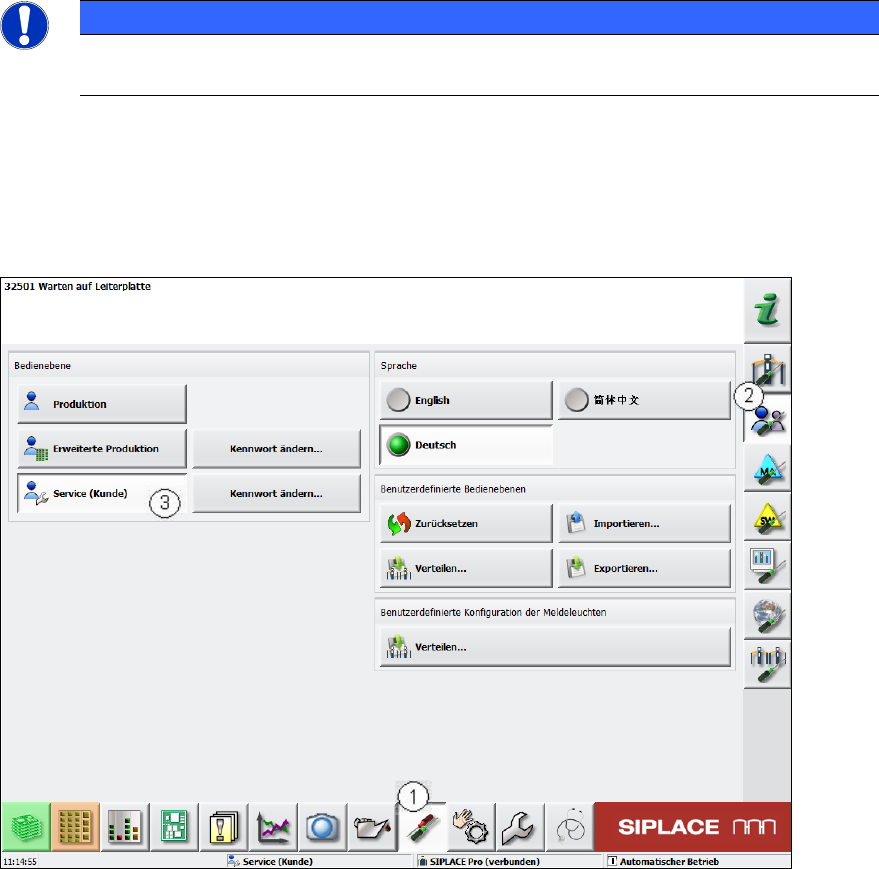
Figure 4-39: Switching the user level
► Switch to the Einstellungen (Settings) view (1).
► Switch to Benutzereinstellungen (User settings) (2).
► Switch to the Service (Kunde) (Machine service) user level (3).
► To do so, enter the Service Passwort (Service password).
ACT - Accuracy Check Tool / User Manual 06/2015 Edition
62
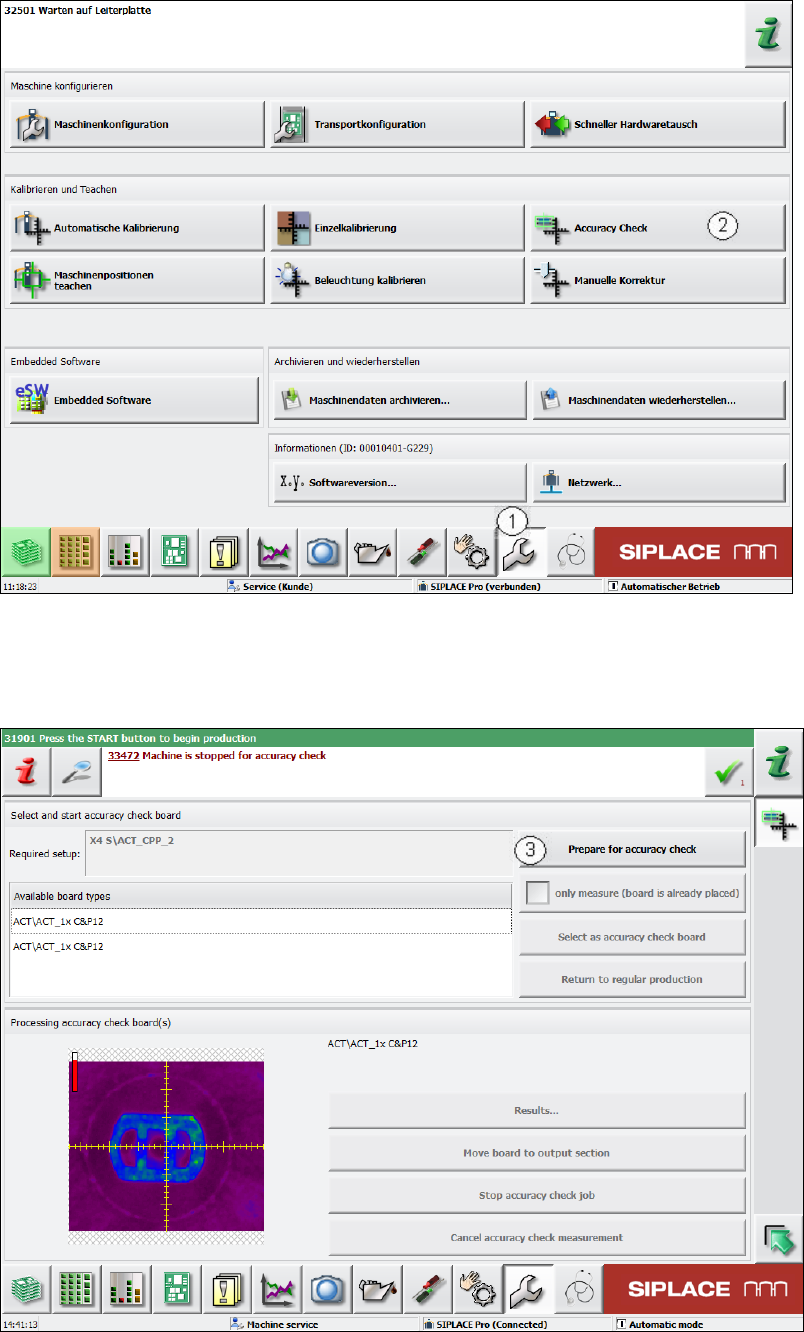
Figure 4-40: Service Tools view
► Change to the Service view. (1).
► Click the Accuracy Check button (2).
Figure 4-41: Preparing for the accuracy check
► Now click the Prepare for accuracy check button (3).