ACT - Accuracy Check Tool User Manual.pdf - 第158页
ACT - Accurac y Check Tool / Us er Man ual 06/2015 Edition 70 4.2.7 Finishing the ACT – Returning to Producti on 4.2.7.1 Finishing (e.g. under Station Soft w are 70x) ► Click the Schließen (Close) button in the measureme…
ACT - Accuracy Check Tool / User Manual 06/2015 Edition
69
4.2.6.3 Saving the Report under Station Software 703.xx and Higher
► Click the Save results button (
see Figure 4-44).
The report will be saved in PDF format.
The first time you save a report, you must specify a path in which the pdf file shall be stored.
(Example: C:\ACT\Reports)
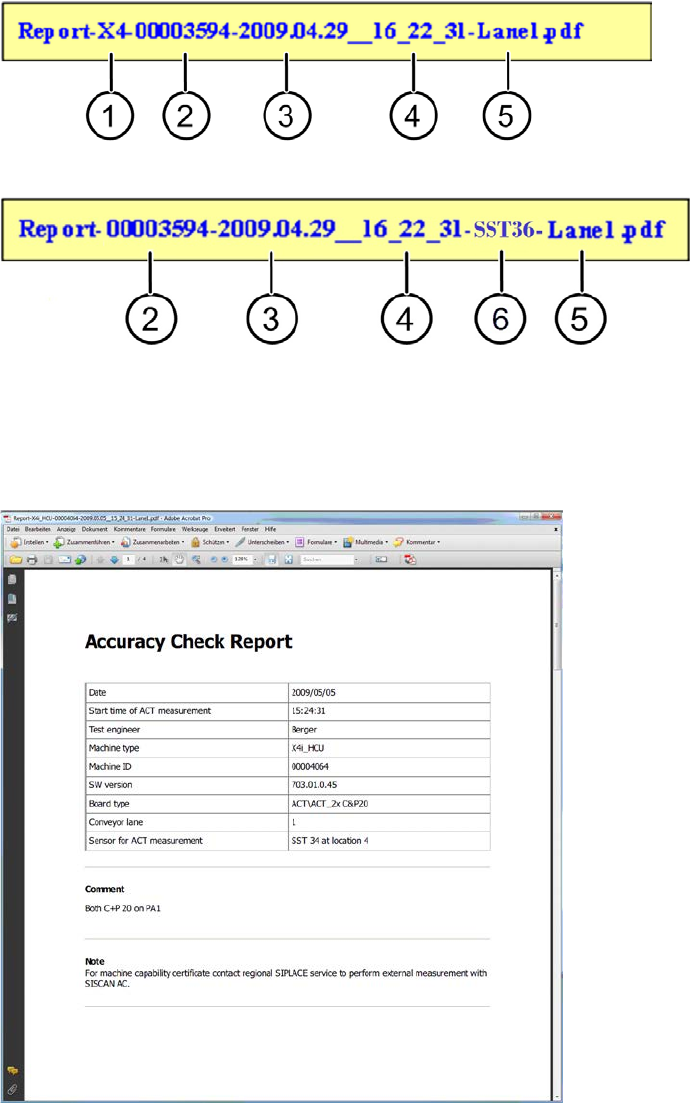
Up to SW 707.1, the file name for the report is made up as follows:
As of SW 707.1, the file name for the report is made up as follows:
Key:
(1) Machine type (4) Time
(2) MID (5) Measured lane
(3) Date (6) Kameratyp / Sensorsystemtyp
Figure 4-47: Accuracy Check Report
ACT - Accuracy Check Tool / User Manual 06/2015 Edition
70
4.2.7 Finishing the ACT – Returning to Production
4.2.7.1 Finishing (e.g. under Station Software 70x)
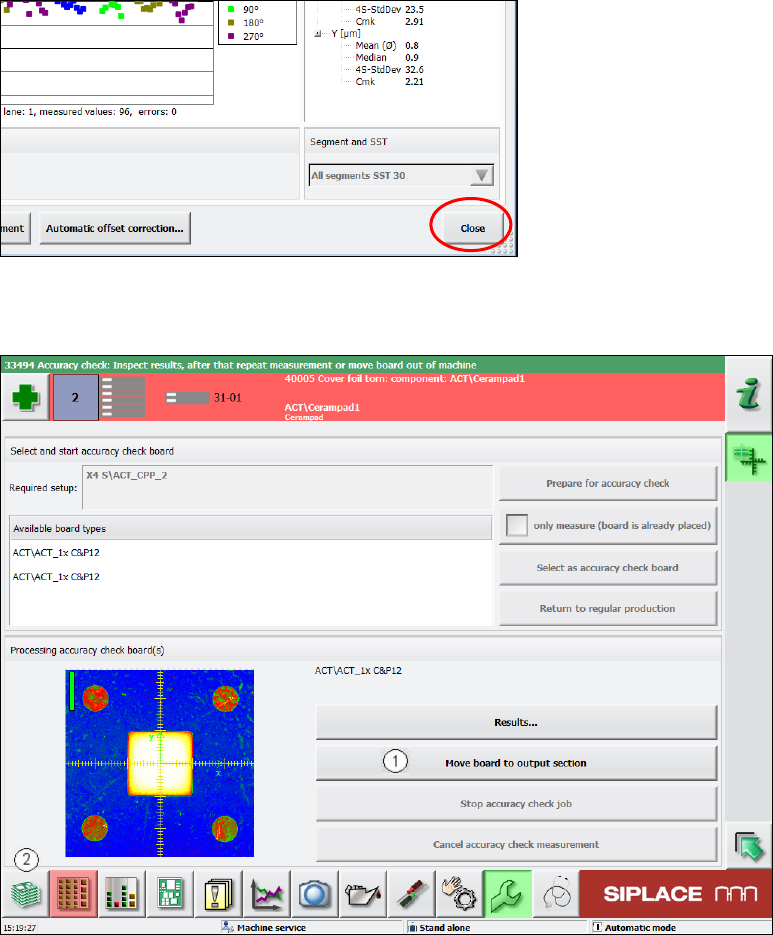
► Click the Schließen (Close) button in the measurement results view to close it.
Figure 4-48: Closing measurement results view
► Load the board into the output section (1).
Figure 4-49: Loading board into the output section
► Click on the button to the left at the bottom (2) to return to the main view of the GUI.
ACT - Accuracy Check Tool / User Manual 06/2015 Edition
71
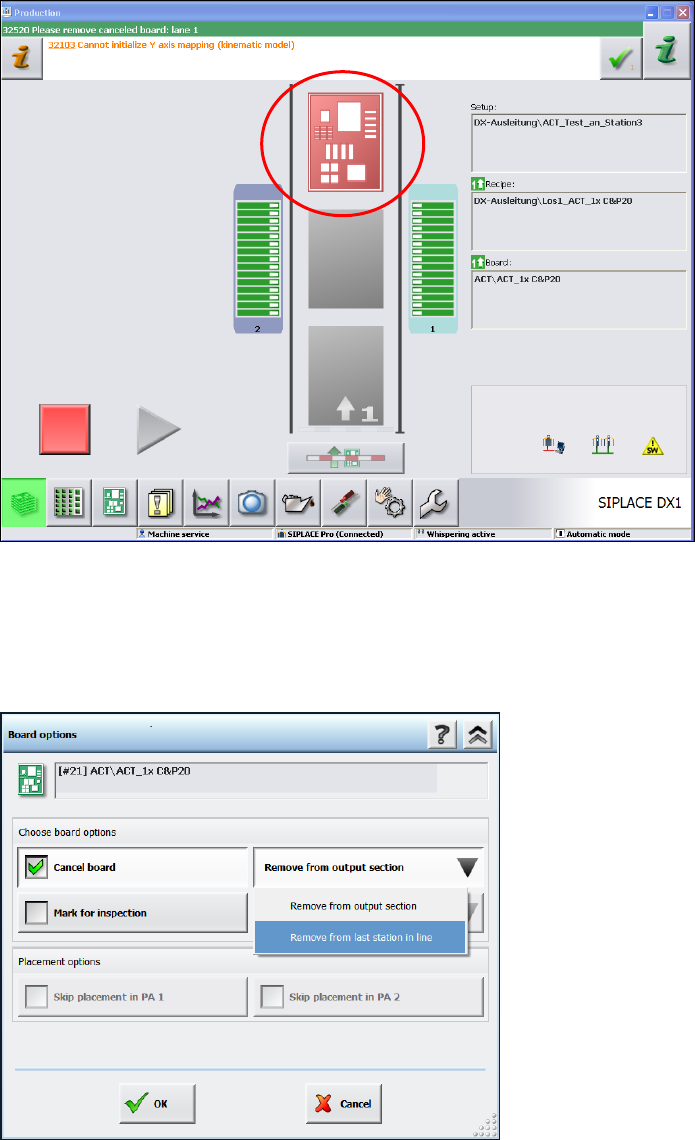
In the station main view you will now see the board highlighted in red in the output section, from
where you can remove it.
► Remove the board from the output section.
► If it is not possible to remove the board, because it is a machine of the SX- or DX-series that is
positioned in the middle of a line of several machines, then click on the red board.
Figure 4-50: State after ACT
► Select the Cancel board option in the next window.
► Select the sub-function Remove from last station of the line.
► Click OK to confirm.
Figure 4-51: Removing board from the last station of the line
► Press Start.
The board is unloaded from the station.