Portal_Manual_1.2.1_Rev_H-1.pdf - 第33页
Portal PVA Revisio n H ( 2018 ) 33 of 93 Fig ure 22 : Manual V ision, Light s 8. Select the “ Fid Tab ” to s et the toler ance f or the B fid ucial for the curr ent inspect ion. NOTE : An inspection c an be used for an A…
Portal
PVA
Revision H (2018)
32 of 93
6.8.2 Manual Mode Vision Window
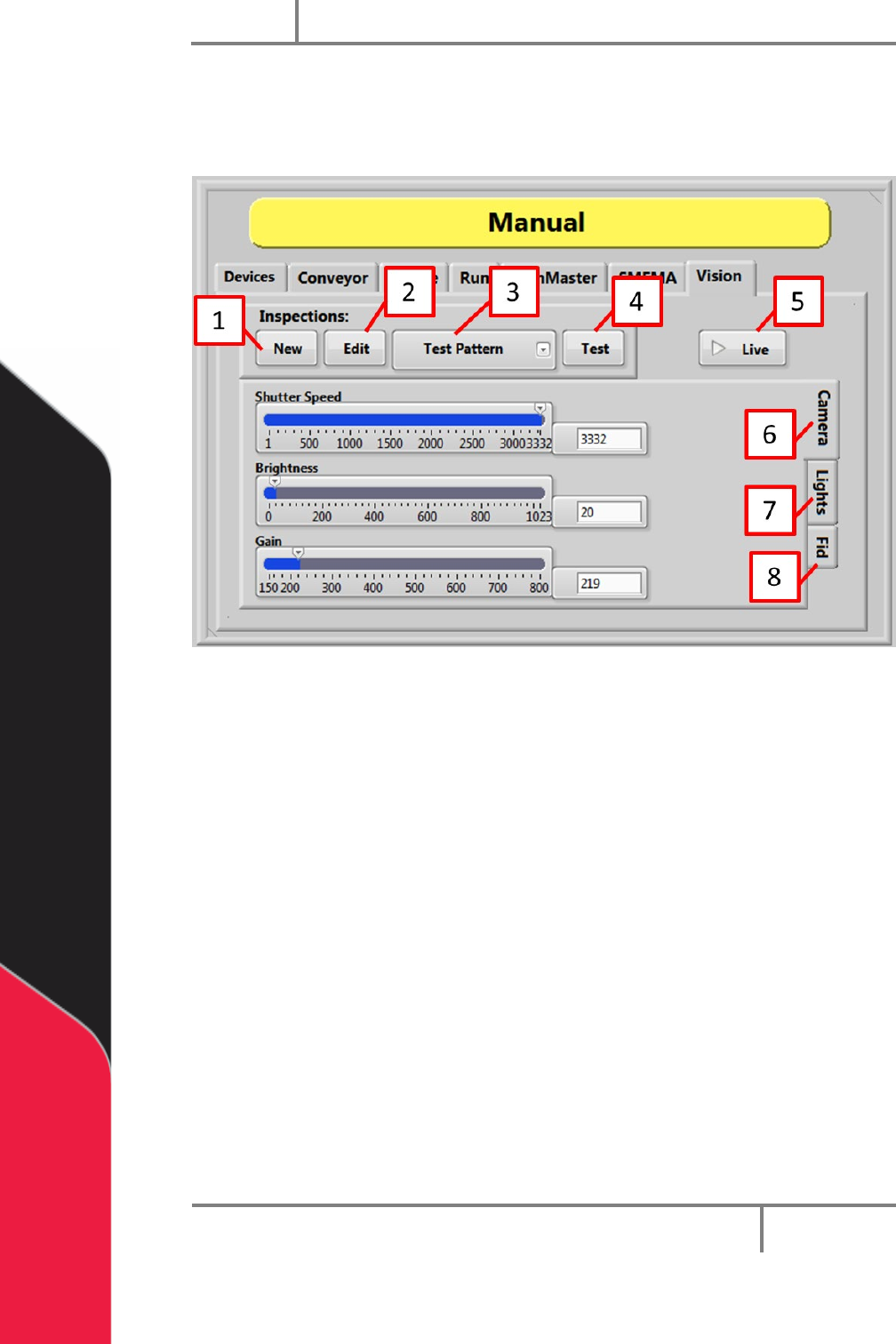
The vision window is used to set inspection attributes, create new fiducials (from
template), edit and test inspections.
Figure 21: Manual Vision, Camera
1. Select the “New” button to create a new inspection from a list of templates.
2. Select the “Edit” button to take the current image and open NI Vision Builder to
edit the steps of the current inspection.
3. Select the Select Inspection drop down menu to select the current inspection.
4. Select the “Test” button to take the current image and run the current
inspection.
5. Select the “Live” to toggle camera live mode on and off.
6. Select the “Camera Tab” to set the camera attributes related to the current
inspection. Also set the shutter speed, brightness, and gain.
Warning: The selected program is changed as soon as you change the image
adjustments for shutter speed, brightness, and gain.
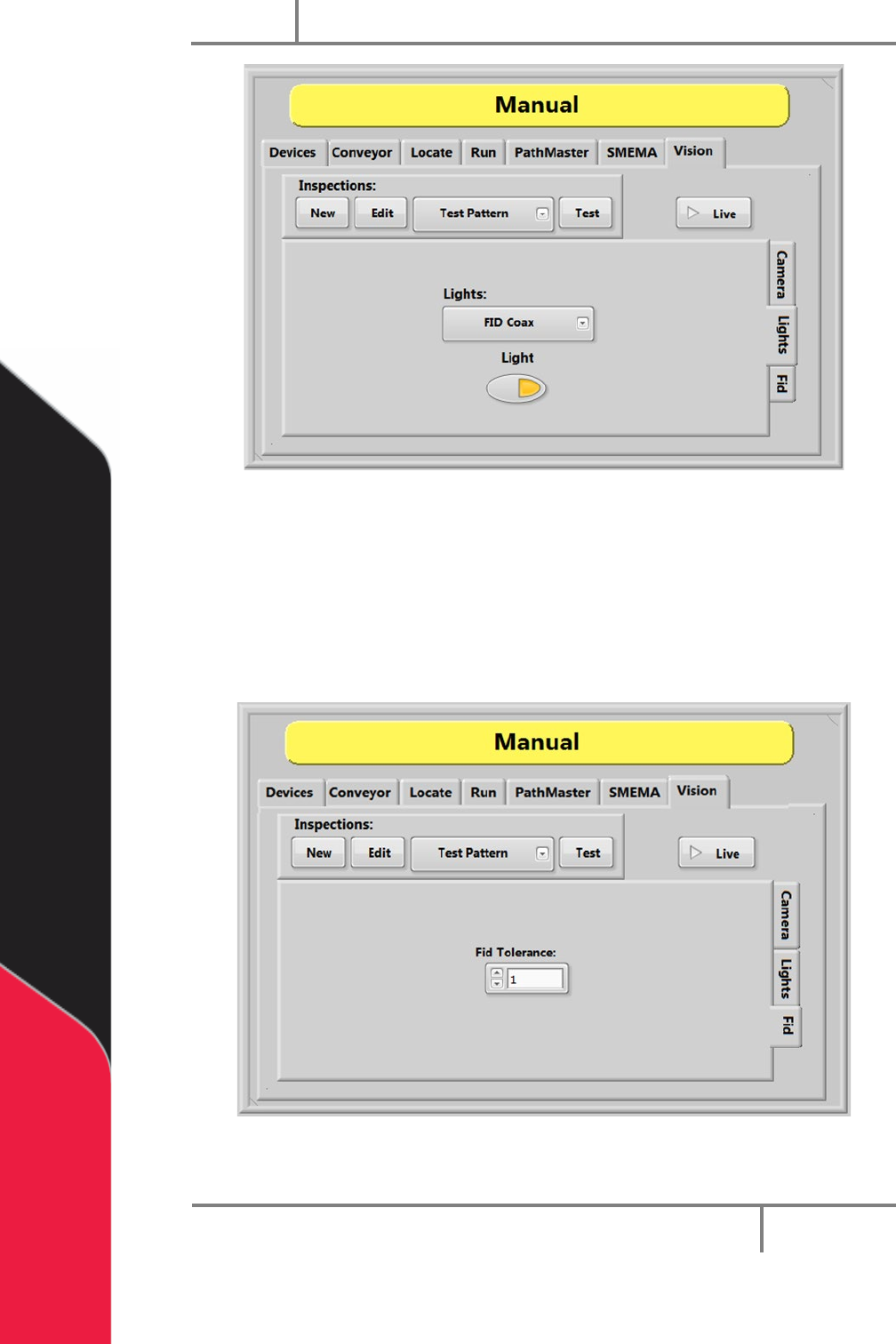
7. Select the “Light Tab” to toggle the selected light on and off. This is a manual
only function that does not change on the automated inspection.
Portal
PVA
Revision H (2018)
33 of 93
Figure 22: Manual Vision, Lights
8. Select the “Fid Tab” to set the tolerance for the B fiducial for the current
inspection.
NOTE: An inspection can be used for an A or B fiducial or general inspection
type. Fiducial tolerance is the radial tolerance from nominal for a fiducial B
type inspection. Refer to the PathMaster Vision manual for more information.
Figure 23: Manual Vision, Fid
Portal
PVA
Revision H (2018)
34 of 93
6.8.3 Setup Tree Vision Options
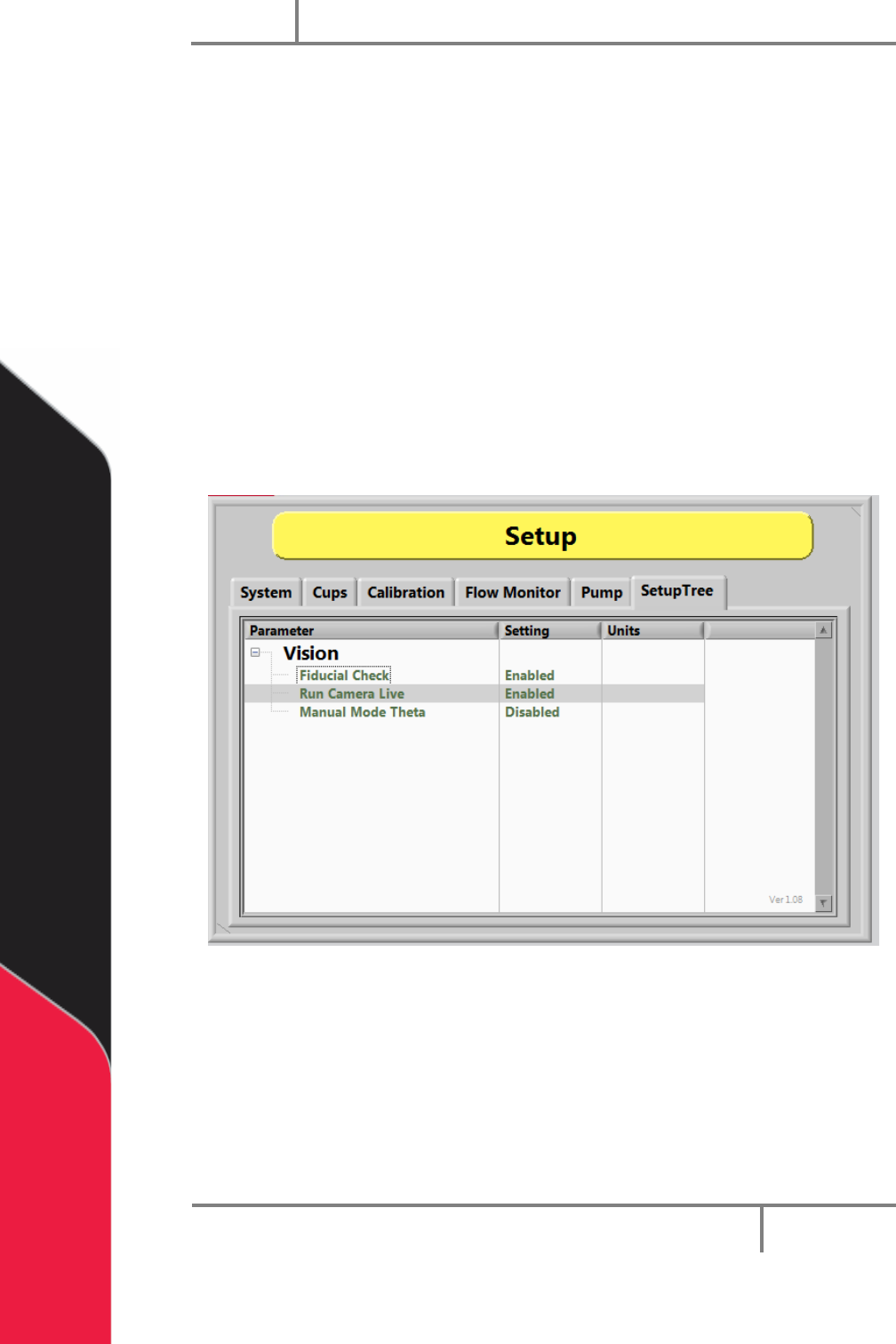
The vision functions shown below are set in the “Vision” option under “Setup Tree” in
Setup mode. Each option can be toggled to enable or disable it.
When the Fiducial Check function is enabled a fiducial check will run in Auto Cycle. The
camera will go to the fiducial coordinate but will not run the inspection when disabled.
The Run Camera Live function, when enabled, will make the camera live unless an
inspection is running or there is a failed inspection. If disabled, the camera will run live
only during the inspection and then turn off.
NOTE: Any lights related to the inspection will shut off when the camera is not
live.
The Manual Mode Theta function unlocks the theta position (W-axis) to prevent
teaching an incorrect theta position.
Figure 24: Vision Setup Tree