Portal_Manual_1.2.1_Rev_H-1.pdf - 第76页
Portal PVA Revisio n H ( 2018 ) 76 of 93 15.2 Edit I nspe ctio n 1. To edit a Quick Fid inspect ion, click “ Edi t ” inspectio n. Fig ure 90 : Edit Inspection 2. Select the rectangle tool, draw a r ectangle around the fi…
Portal
PVA
Revision H (2018)
75 of 93
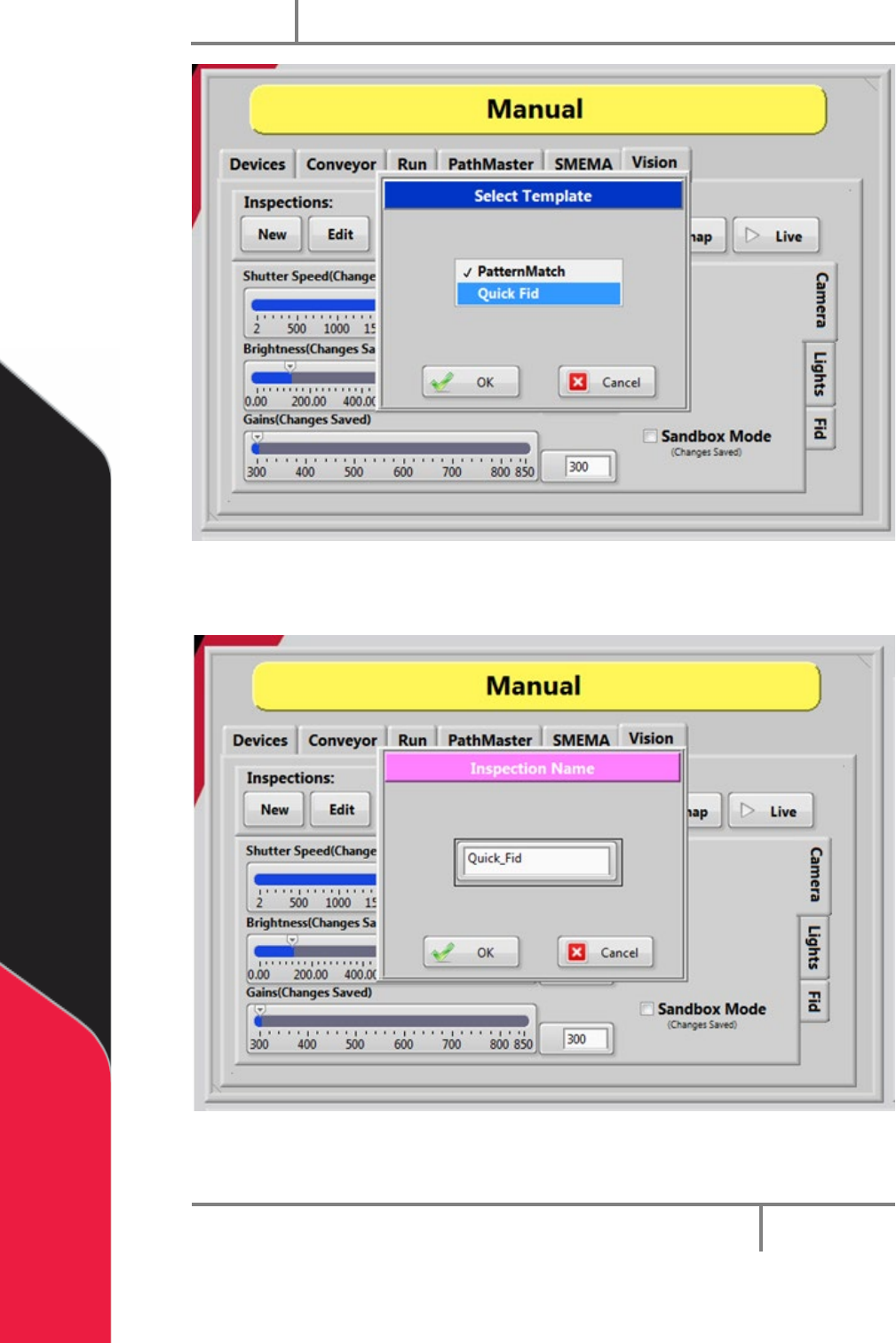
Figure 88: Quick Fid Template
5. Give the Quick Fid inspection a unique name and then click “OK”.
Figure 89: Inspection Name
The new Quick Fid inspection has been created.
Portal
PVA
Revision H (2018)
76 of 93
15.2 Edit Inspection
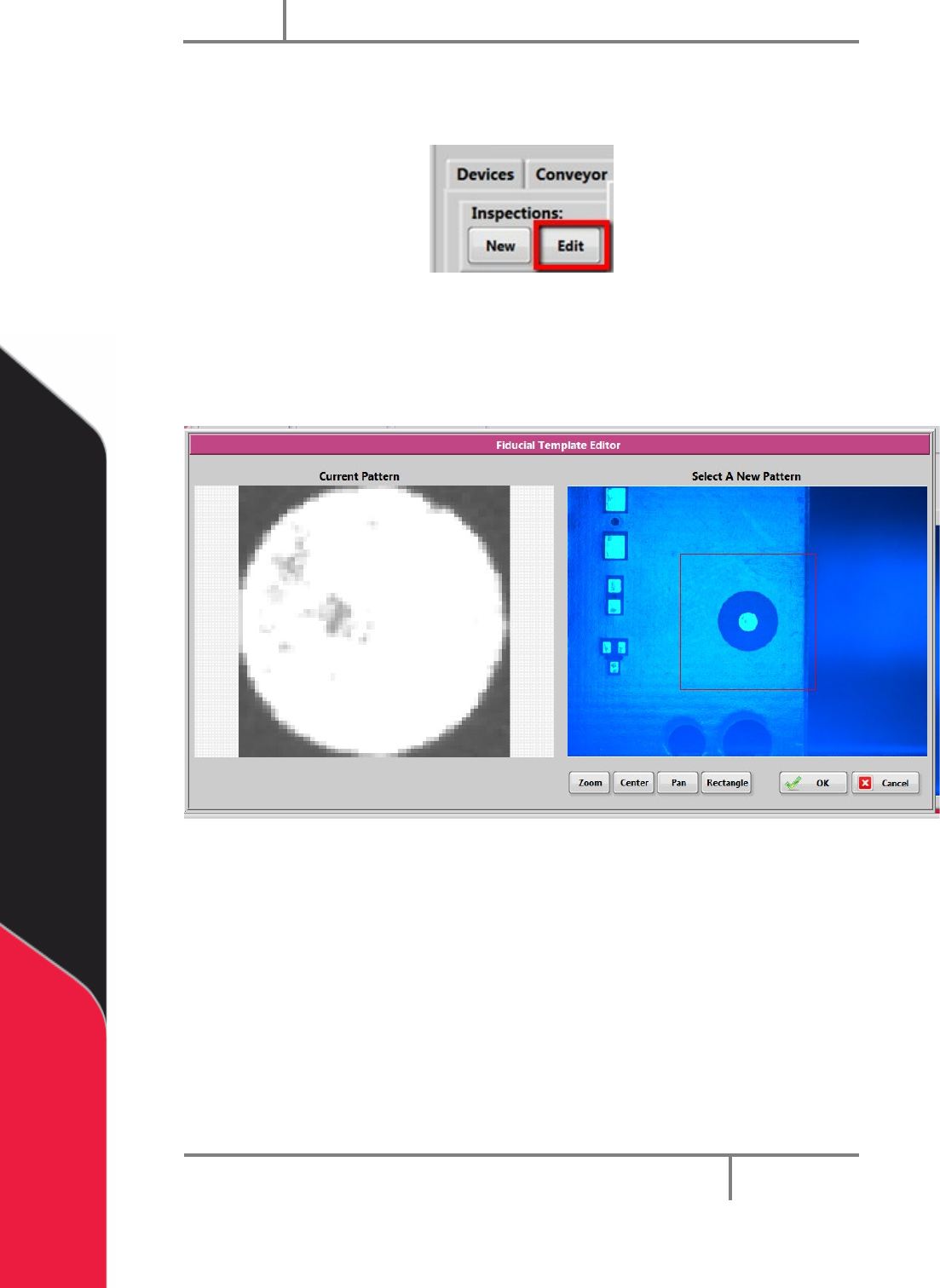
1. To edit a Quick Fid inspection, click “Edit” inspection.
Figure 90: Edit Inspection
2. Select the rectangle tool, draw a rectangle around the fiducial template.
3. Select “OK” to save the changes, or select “Cancel” to exit and not save any
changes.
Figure 91: Fiducial Template Editor
Portal
PVA
Revision H (2018)
77 of 93
15.3 Sandbox Mode
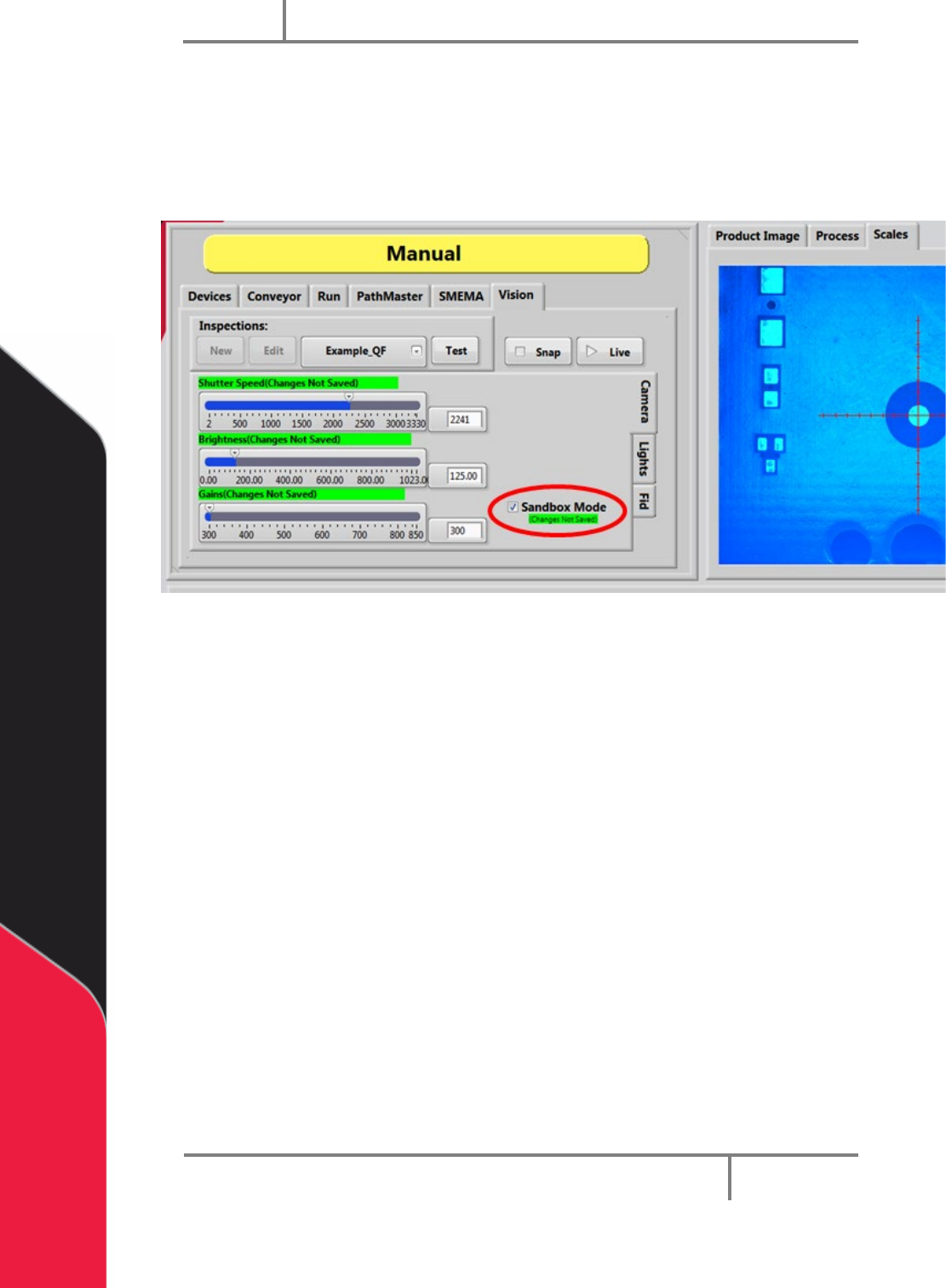
In sandbox mode you can adjust the settings and view the effects without saving any
changes.
1. Make sure the Sandbox mode box is selected (checked).
Figure 92: Sandbox Mode
2. Adjust the Shutter Speed, Brightness, and Gains to see how they affect the
image on the right.