Portal_Manual_1.2.1_Rev_H-1.pdf - 第35页
Portal PVA Revisio n H ( 2018 ) 35 of 93 7 Auto Mo de Fig ure 25 : Auto Cycle In this mo de , the workcell automatically processes parts as they are available . Som e possible wor kcell setups ar e : • Conveyo r equipped…
Portal
PVA
Revision H (2018)
34 of 93
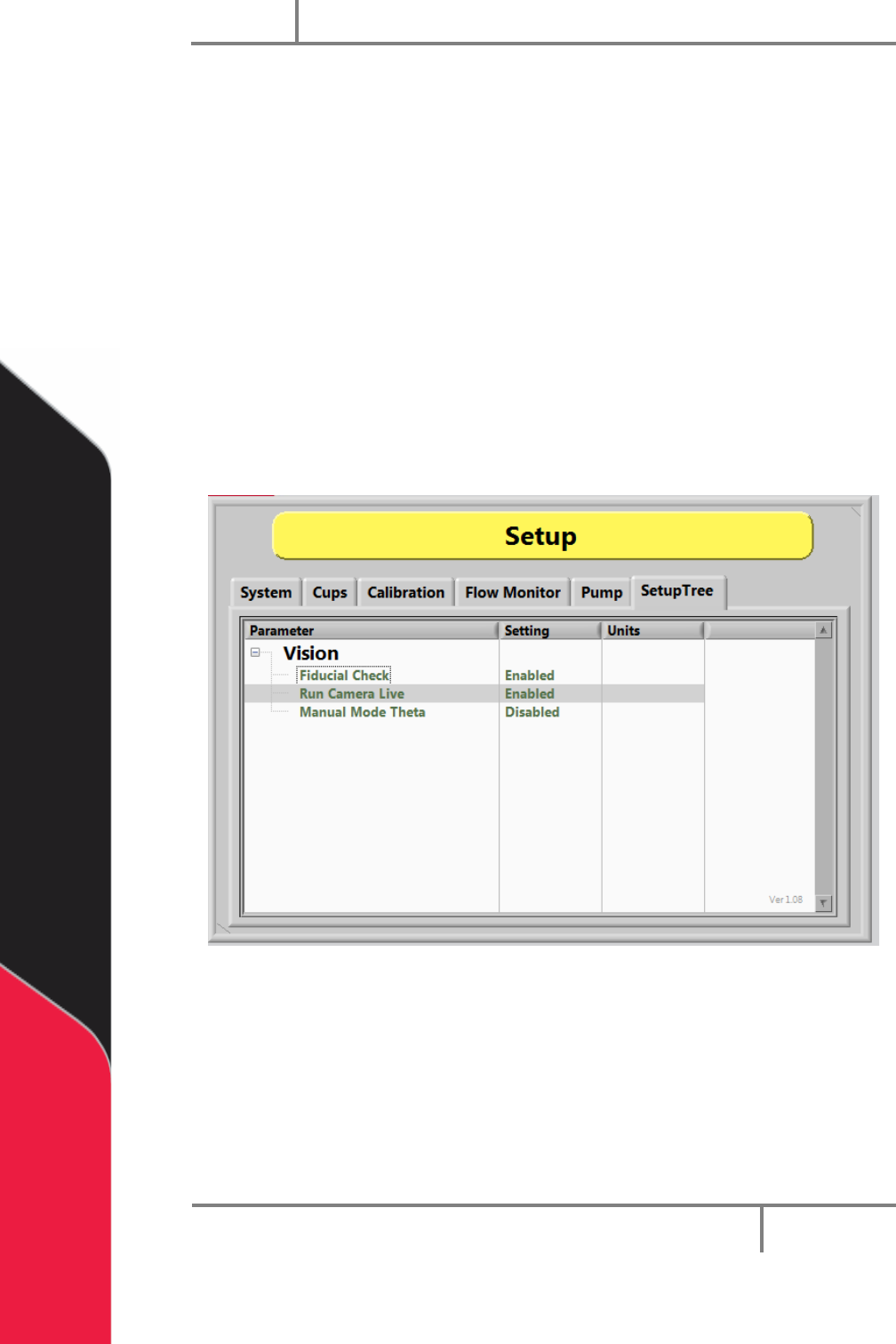
6.8.3 Setup Tree Vision Options
The vision functions shown below are set in the “Vision” option under “Setup Tree” in
Setup mode. Each option can be toggled to enable or disable it.
When the Fiducial Check function is enabled a fiducial check will run in Auto Cycle. The
camera will go to the fiducial coordinate but will not run the inspection when disabled.
The Run Camera Live function, when enabled, will make the camera live unless an
inspection is running or there is a failed inspection. If disabled, the camera will run live
only during the inspection and then turn off.
NOTE: Any lights related to the inspection will shut off when the camera is not
live.
The Manual Mode Theta function unlocks the theta position (W-axis) to prevent
teaching an incorrect theta position.
Figure 24: Vision Setup Tree
Portal
PVA
Revision H (2018)
35 of 93
7 Auto Mode
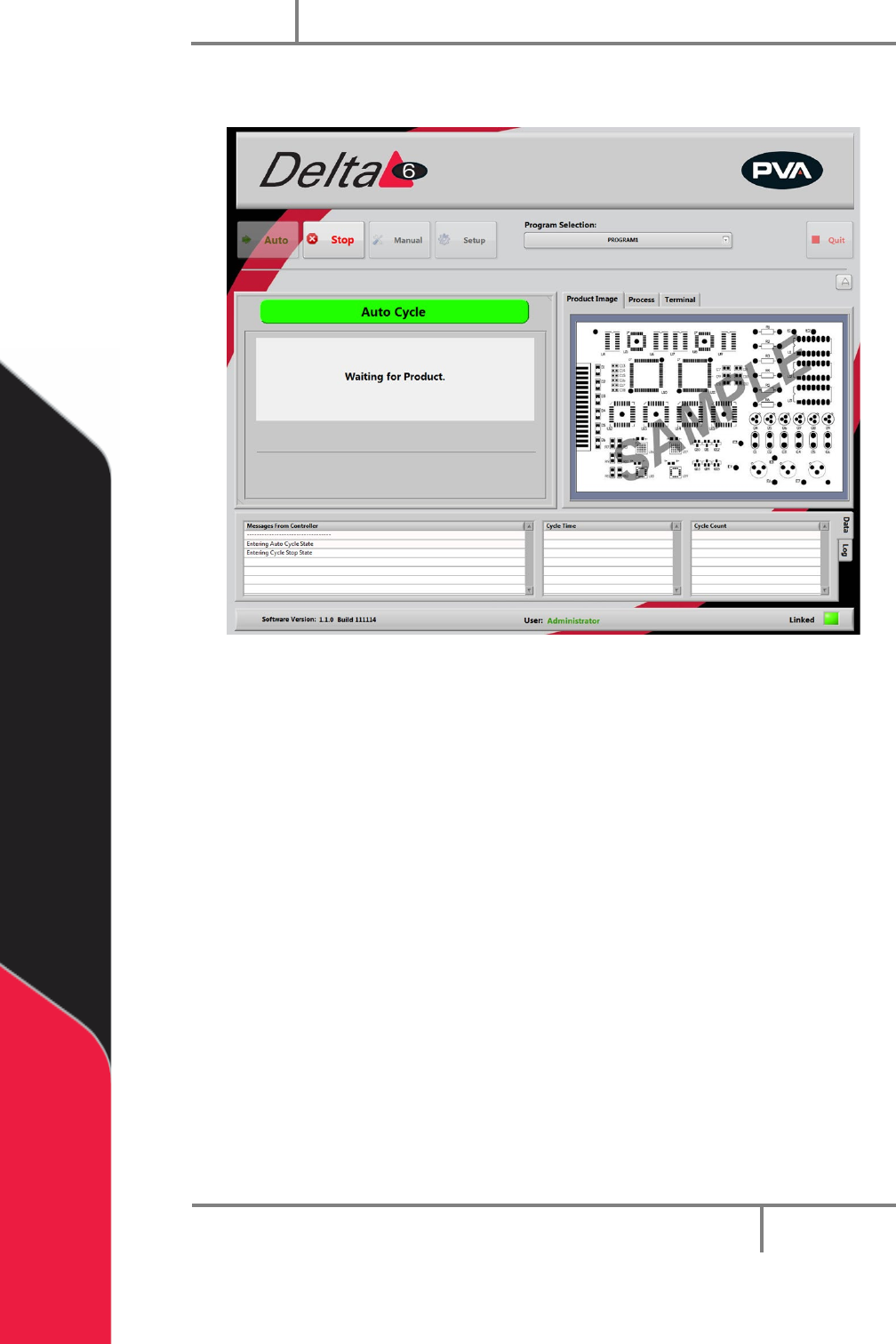
Figure 25: Auto Cycle
In this mode, the workcell automatically processes parts as they are available. Some
possible workcell setups are:
• Conveyor equipped
• Stand-alone with a door
• Stand-alone with a light curtain
For a workcell with a conveyor, the part is put on the conveyor by an operator or
through an upstream process. The part is sensed at the entrance of the workcell and is
sent to the stop. When the part is against the stop, it is sensed and the PathMaster
program will begin. When the PathMaster program is finished, the board is sent to the
end of the conveyor for the next step. When the part is released or removed, the
procedure starts again.
For workcells without a conveyor, all parts must be put in the workcell manually.
Optional part-in-place sensors sense when a part is present. If a part is not sensed, a
“Waiting for Product” message is shown. When the workcell is ready to operate, use the
hand switches to produce parts. Remove all finished parts before the next cycle starts.
If the workcell has a light curtain, the light curtain can be used to initiate cycles.
Portal
PVA
Revision H (2018)
36 of 93
8 Setup Mode
The options shown in Portal depend on the workcell configuration. Refer to your
machine specific manuals and appendices for more information.
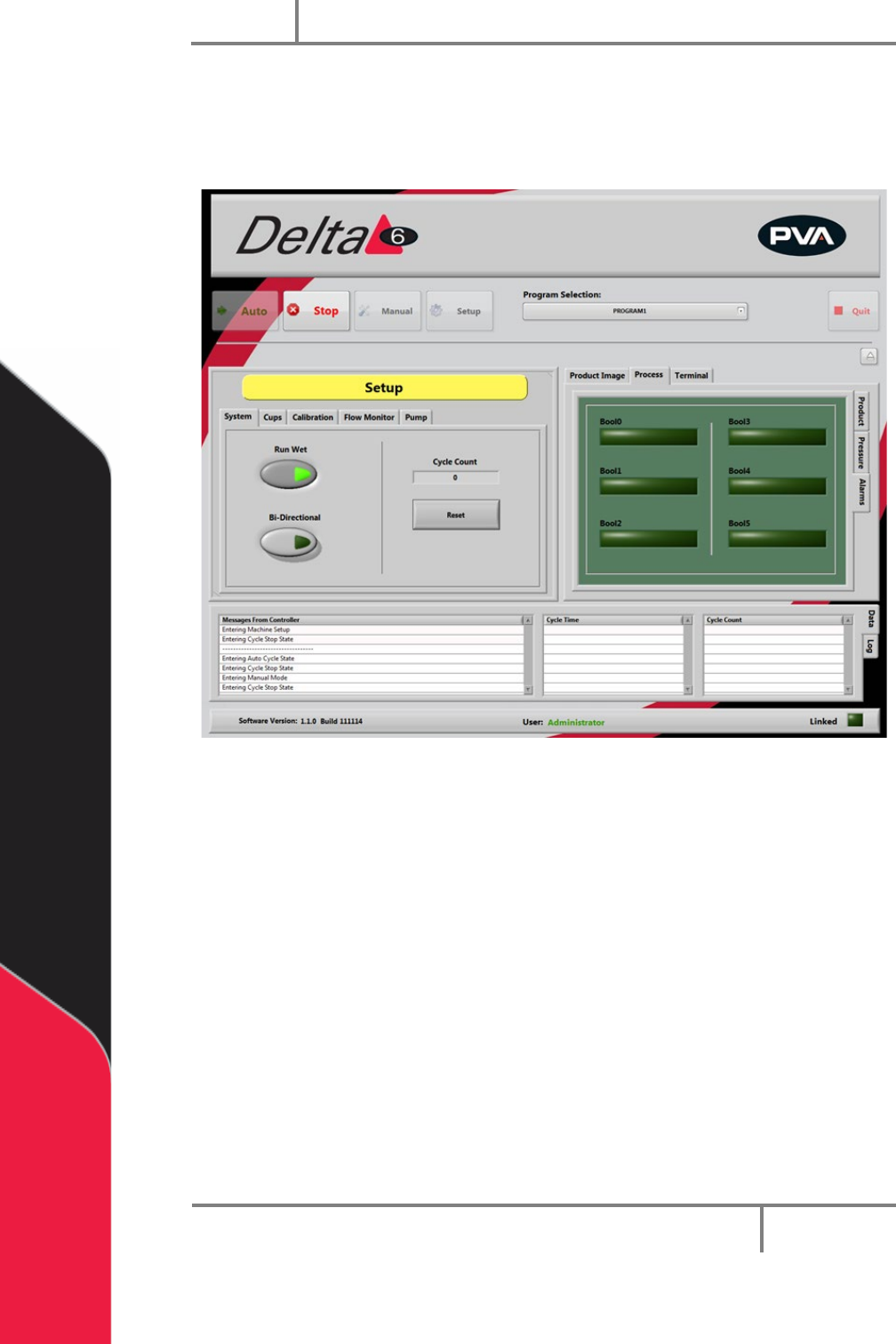
Figure 26: Setup Mode
In Setup mode you can control basic workcell functions. Auto Cycle parameters and
some workcell parameters are set in Setup Mode.
8.1 System
1. Select the “System” tab.
2. Select “Run Wet” to toggle it on or off. Valve operation is off for Auto Cycle
when the Run Wet is set to off. This does NOT affect the run option in the
Manual mode. There is a separate option in Manual mode to select “Wet” or
“Dry”.
3. Select “Bi-Directional” to toggle between single and bi-directional in auto cycle
(on machines that have that option).
4. Select “RESET” to reset the cycle count to zero.
5. Select “Stop” to leave Setup mode and go to Cycle Stop.