00195988-03_IM_SWS-Software-3.0_DE_EN.pdf - 第116页
Installation Manual SIPLACE SWS Software 3.0 Edition 12/2014 116 3 Fig. 52 Setup tool menu Confirm Networking wit h Enter . 3 Fig. 53 Networking menu Confirm the Network Interfaces with Enter .
Installation Manual SIPLACE SWS Software 3.0
Edition 12/2014
115
3
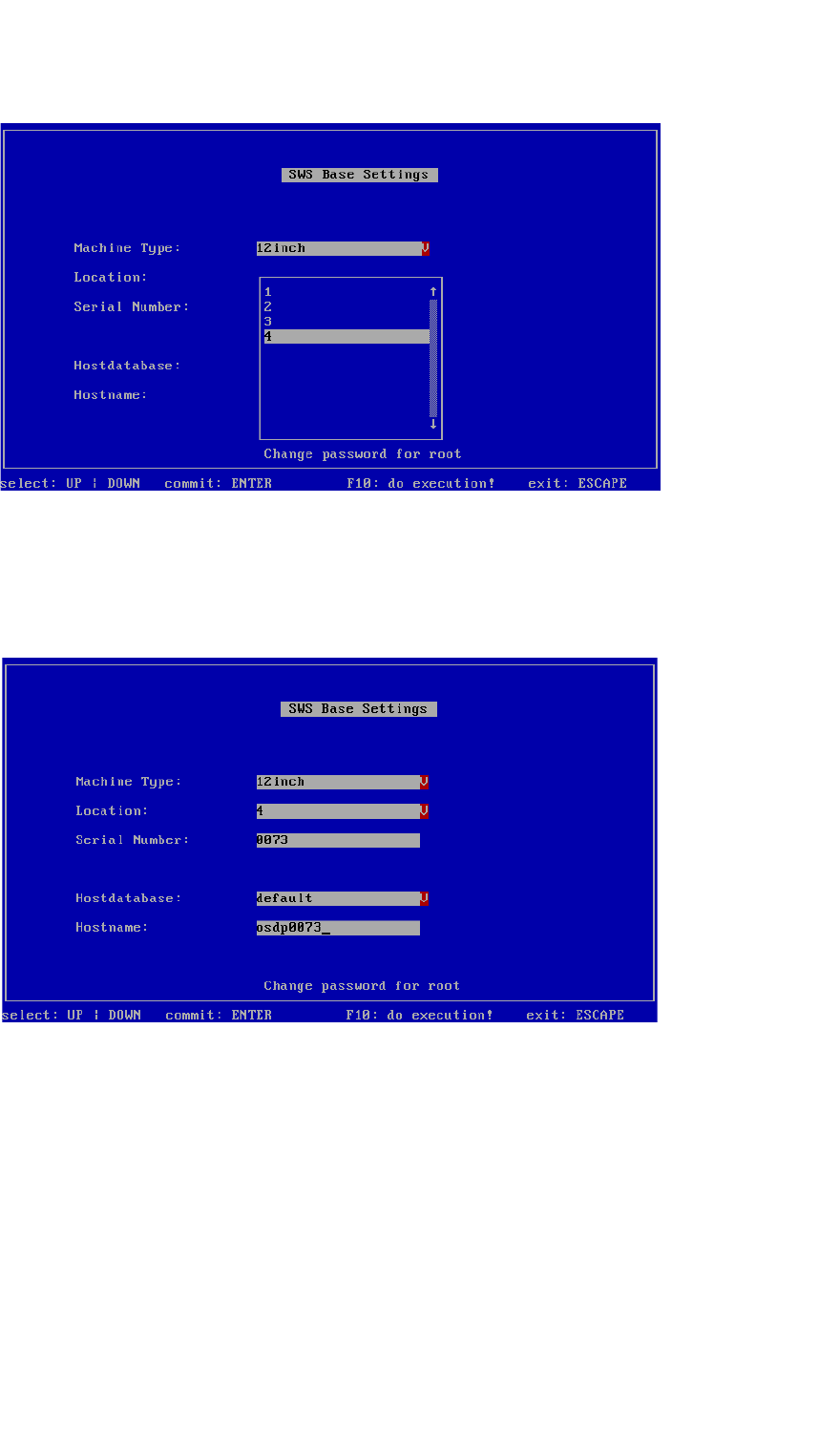
Fig. 50 Setting the location number
Go to Location and select the number of the relevant location (1-4).
– In this example, the SWS is on location 4.
Confirm with Enter.
3
Fig. 51 Location number set
– The location number is set.
Press ESC.
Installation Manual SIPLACE SWS Software 3.0
Edition 12/2014
116
3
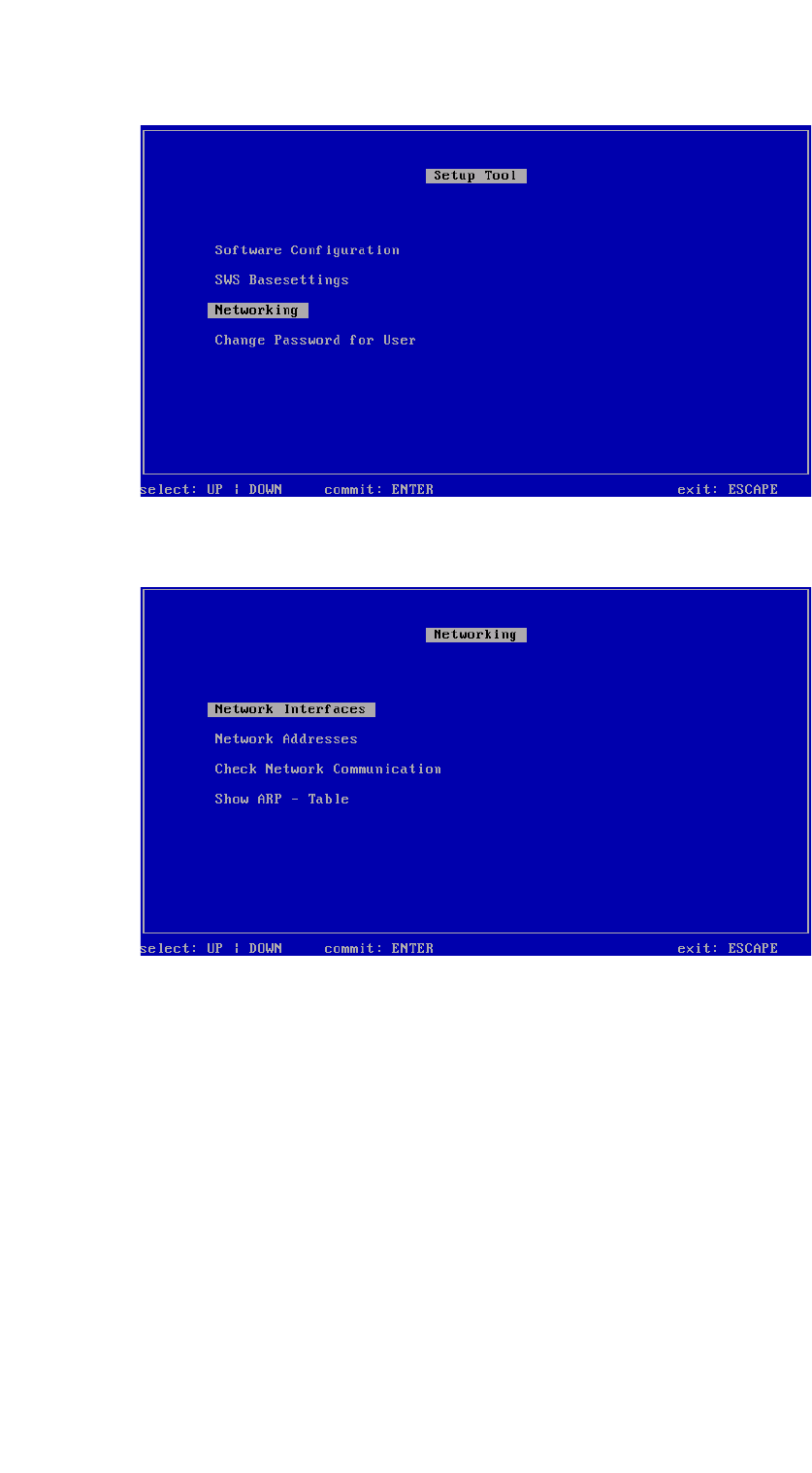
Fig. 52 Setup tool menu
Confirm Networking with Enter.
3
Fig. 53 Networking menu
Confirm the Network Interfaces with Enter.
Installation Manual SIPLACE SWS Software 3.0
Edition 12/2014
117
3
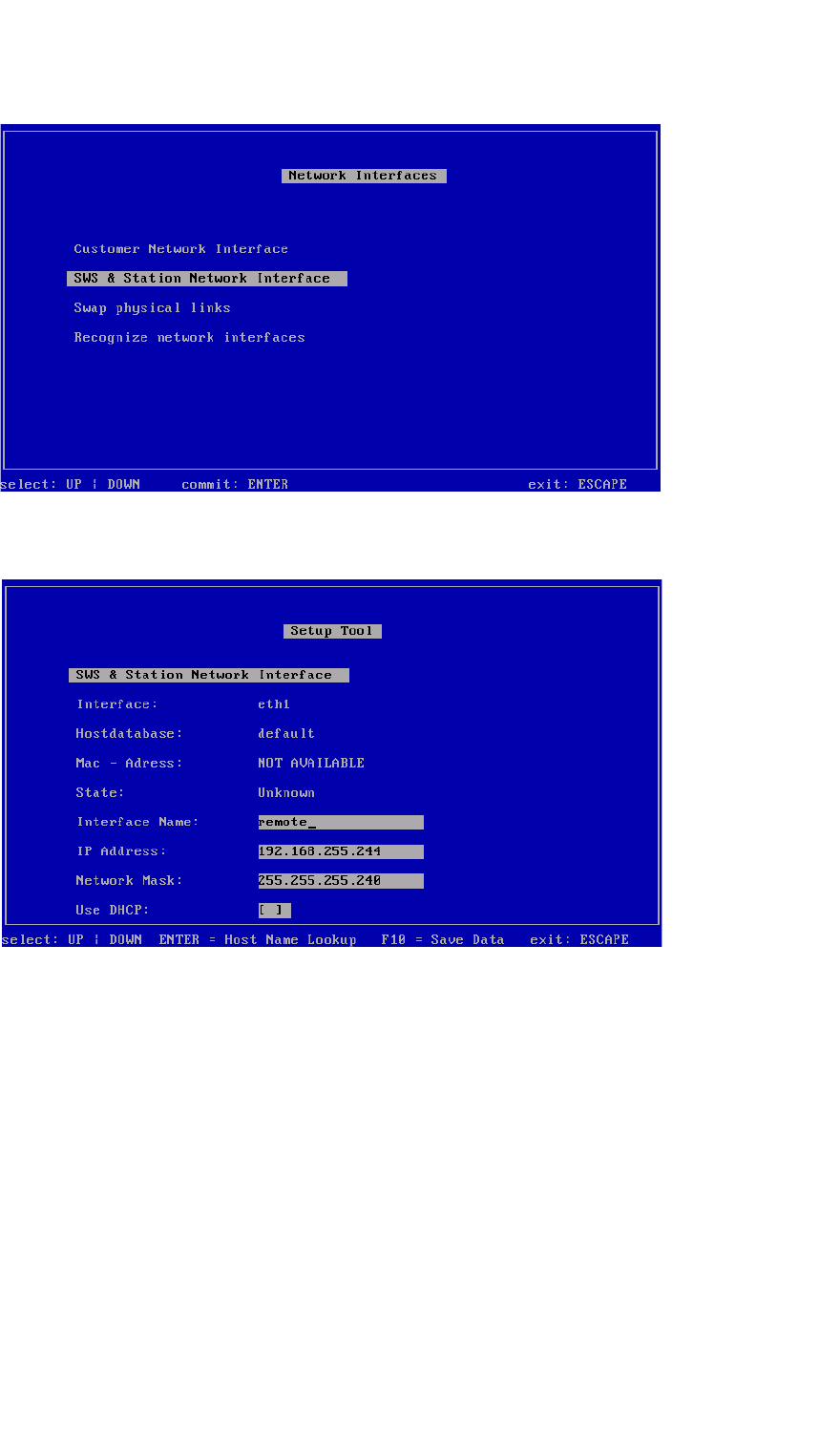
Fig. 54 Network interfaces menu
Confirm SWS & Station Network Interface with Enter.
3
Fig. 55 SWS & station network interface
Set the connections between the SWS and the station.
– SWS at location 1 – IP address 192.168.255.241
– SWS at location 2 – IP address 192.168.255.242
– SWS at location 3 – IP address 192.168.255.243
– SWS at location 4 – IP address 192.168.255.244
Save the entries with F10.