00195988-03_IM_SWS-Software-3.0_DE_EN.pdf - 第139页
Installation Manual SIPLACE SWS Software 3.0 Edition 12/2014 139 Confirm the Sof tware Configur ation with Enter . 4 Fig. 94 Software configuration menu Confirm the Inst all Application Sof tware Updat e with Enter .…
Installation Manual SIPLACE SWS Software 3.0
Edition 12/2014
138
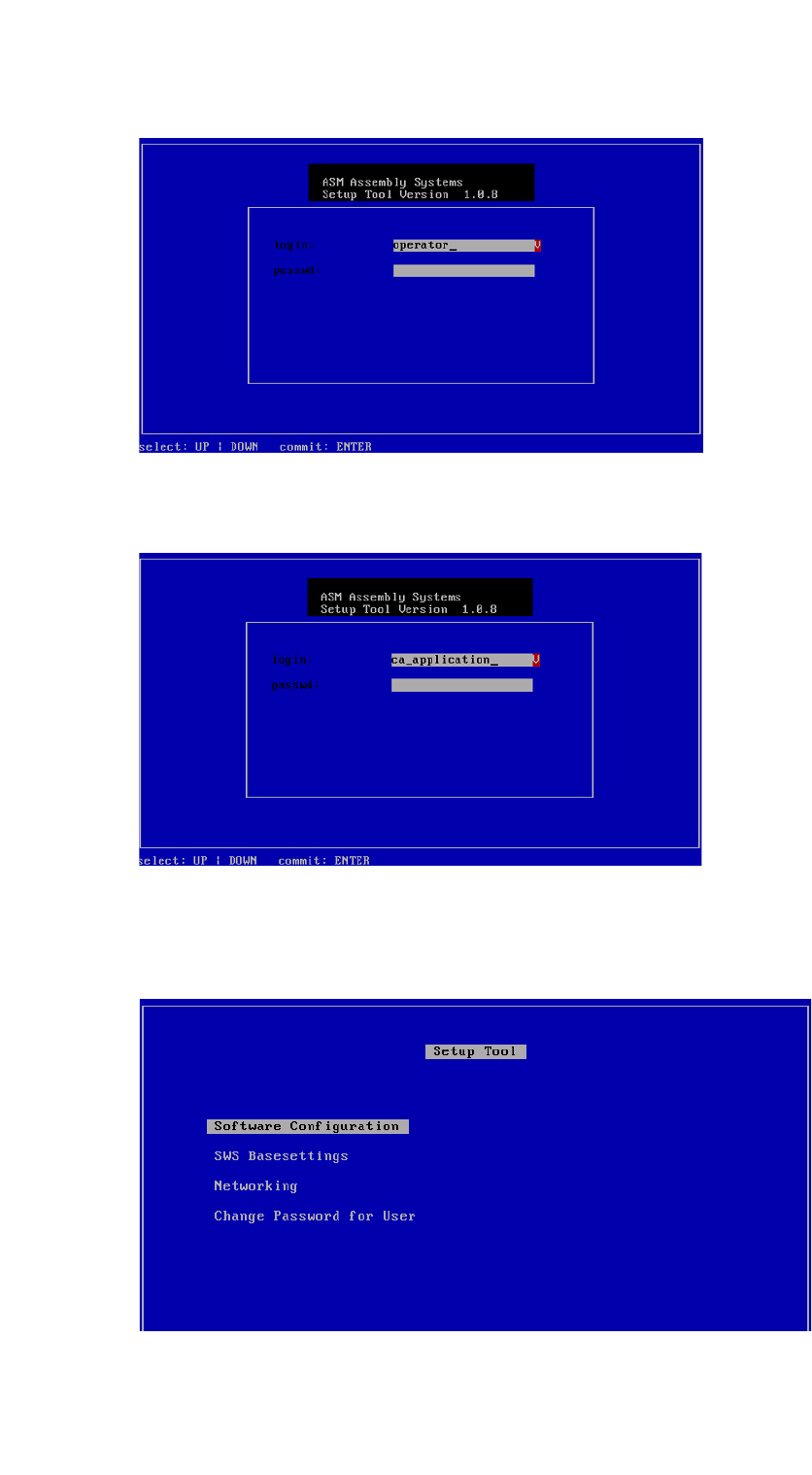
4
Fig. 91 Entry of capwd
Press and hold the CTRL + SHIFT keys and enter the following: capwd
4
Fig. 92 Entry of password
Enter your password.
Confirm with Enter.
4
Fig. 93 Setup tool menu
Installation Manual SIPLACE SWS Software 3.0
Edition 12/2014
139
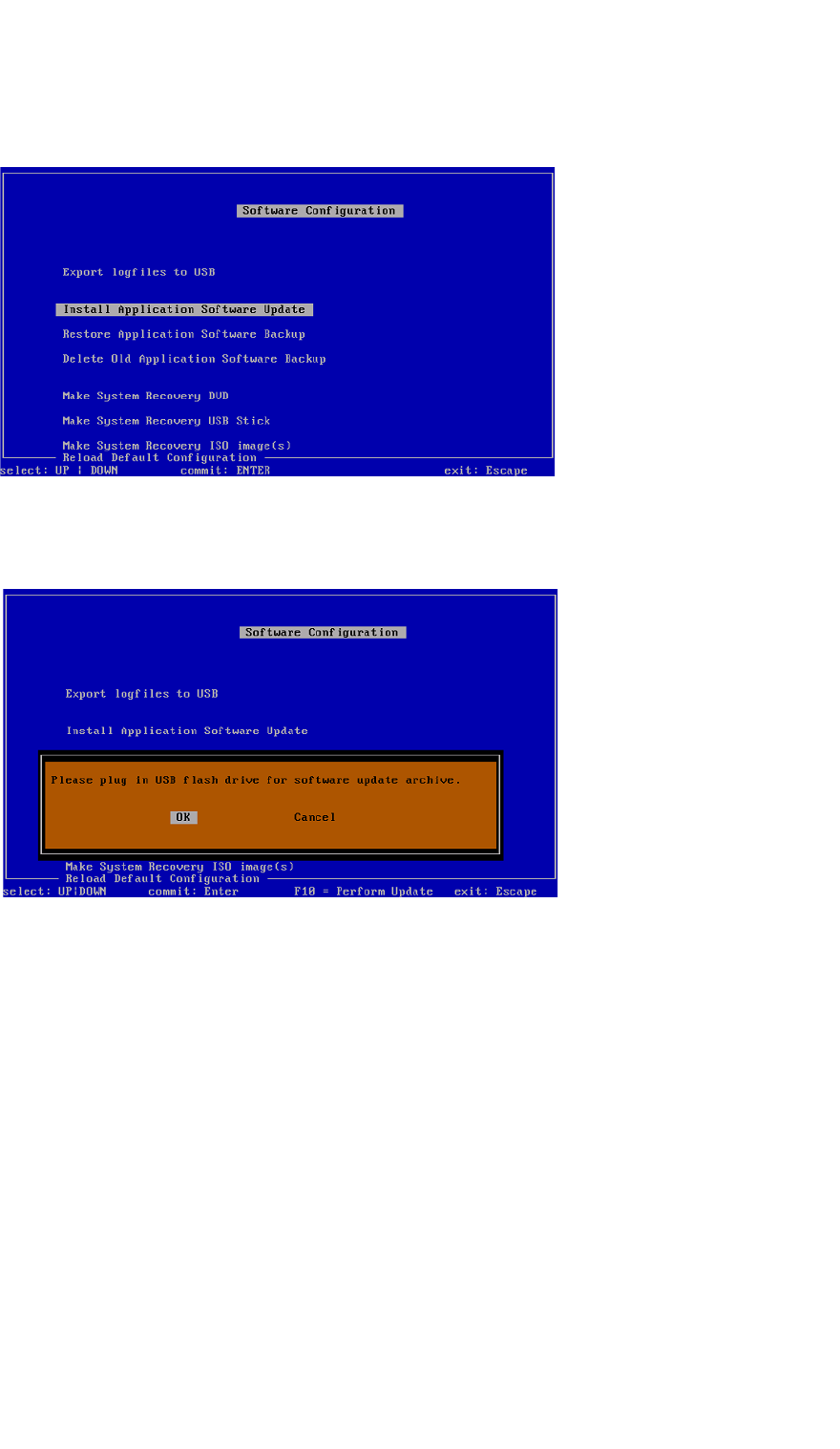
Confirm the Software Configuration with Enter.
4
Fig. 94 Software configuration menu
Confirm the Install Application Software Update with Enter.
4
Fig. 95 Notification: Connecting the USB stick
Confirm OK with Enter.
Connect a USB stick to the USB slot on the keyboard of your computer.
Installation Manual SIPLACE SWS Software 3.0
Edition 12/2014
140
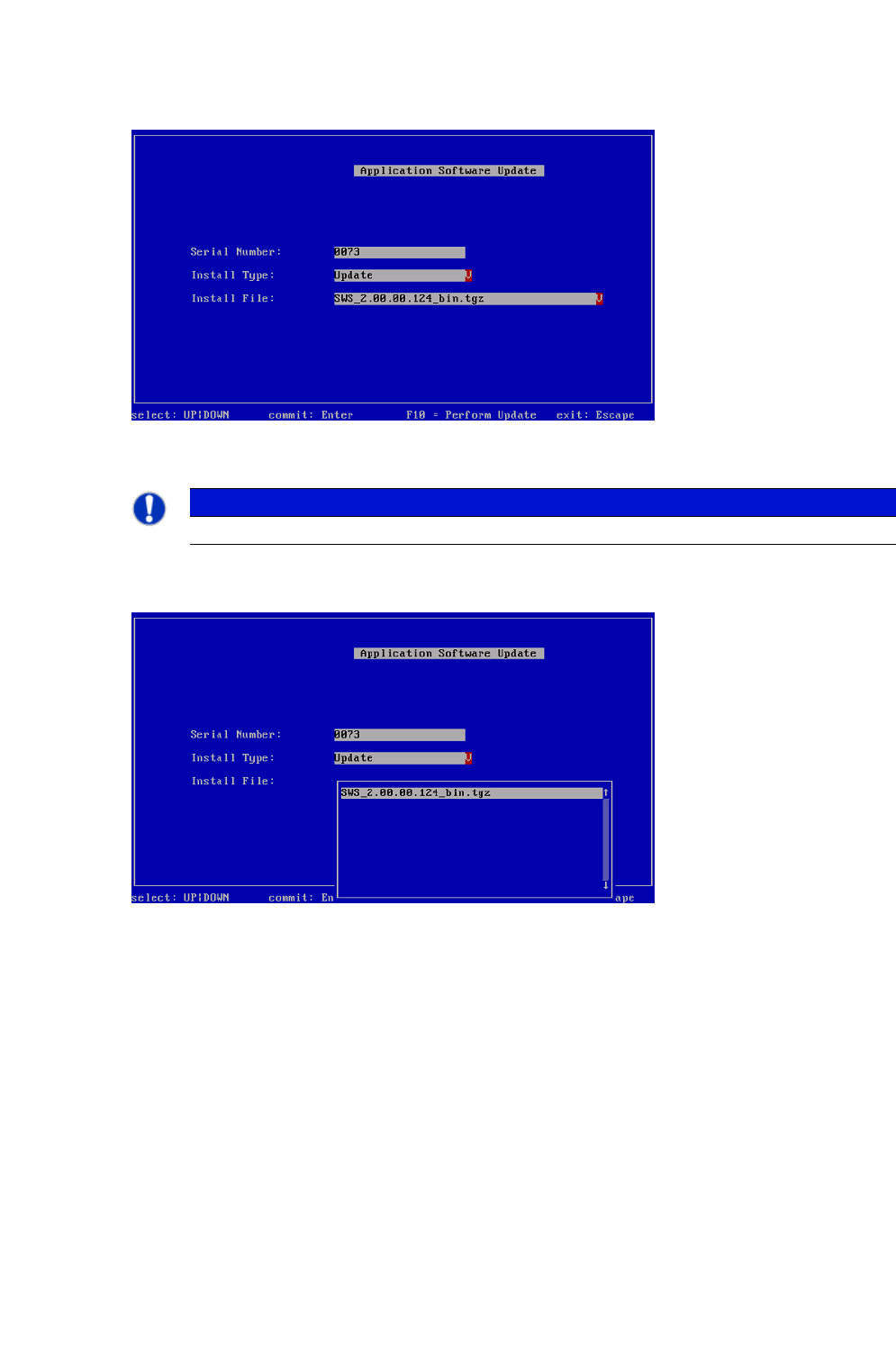
4
Fig. 96 Updating the software application
4
Use the arrow keys to navigate to Install File and confirm with Enter.
4
Fig. 97 Selecting the software package
Select the required software package and confirm with Enter.
PLEASE NOTE
Do not change the entry "12 inch" at Machine Type!