00195988-03_IM_SWS-Software-3.0_DE_EN.pdf - 第27页
Installationsanleitung / Installation Manual SIPLACE SWS Software 3.0 Ausgabe 12/2014 Edition 27 3 Abb. 30 Menü des Setup T ools Bestätigen Sie Sof tware Configuration mit Enter . 3 Abb. 31 Menü der Software Configurat…
Installationsanleitung / Installation Manual SIPLACE SWS Software 3.0
Ausgabe 12/2014 Edition
26
3
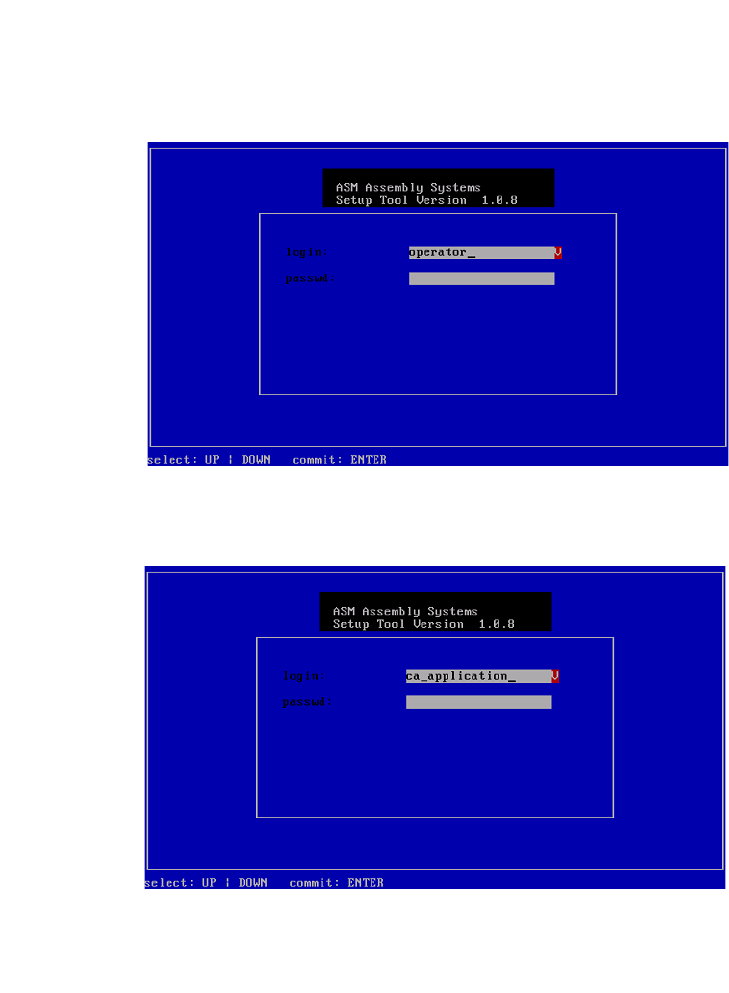
Abb. 28 Eingabe capwd
Halten Sie die Tasten CTRL + SHIFT gedrückt und geben Sie Folgendes ein: capwd
3
Abb. 29 Eingabe Passwort
Geben Sie Ihr Passwort ein.
Bestätigen Sie mit Enter.
Installationsanleitung / Installation Manual SIPLACE SWS Software 3.0
Ausgabe 12/2014 Edition
27
3
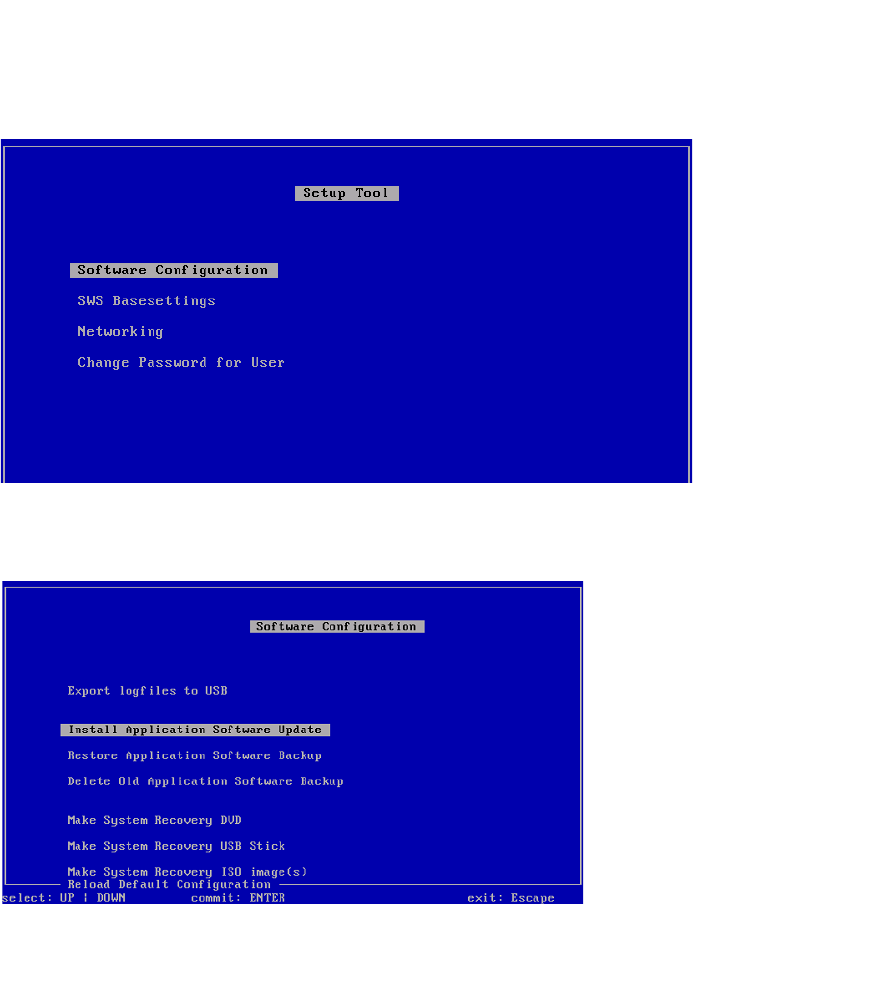
Abb. 30 Menü des Setup Tools
Bestätigen Sie Software Configuration mit Enter.
3
Abb. 31 Menü der Software Configuration
Bestätigen Sie Install Application Software Update mit Enter.
Installationsanleitung / Installation Manual SIPLACE SWS Software 3.0
Ausgabe 12/2014 Edition
28
3
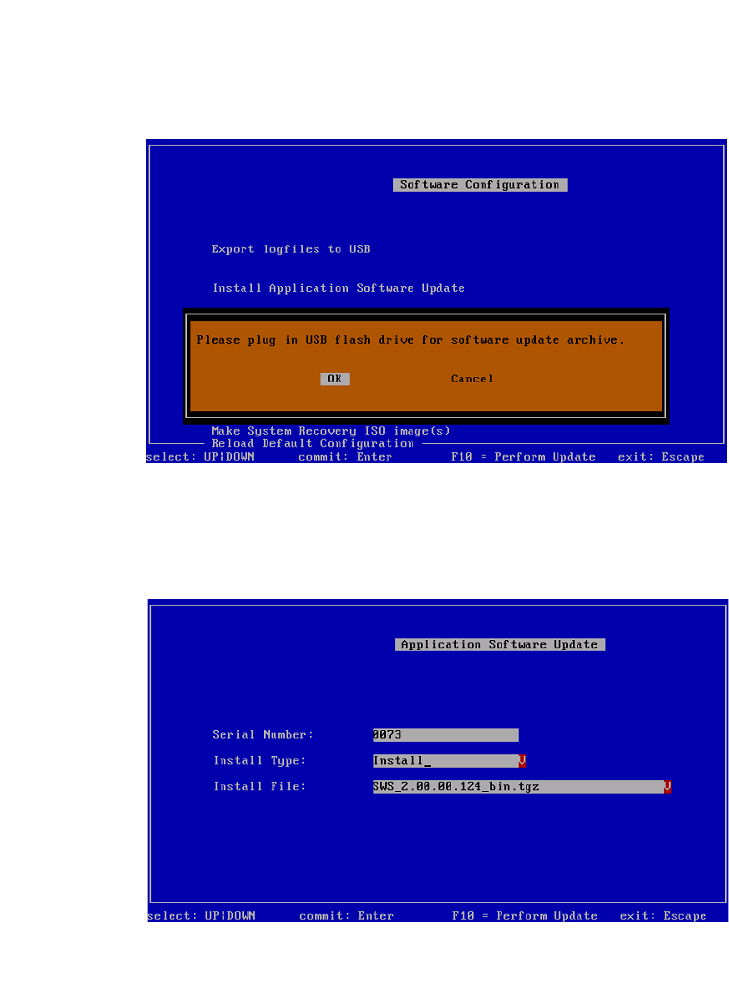
Abb. 32 Meldung: USB-Stick anschließen
Bestätigen Sie OK mit Enter.
Schließen Sie einen USB-Stick in den USB-Slot an der Tastatur des Rechners an.
3
Abb. 33 Update der Software-Anwendung
3
Navigieren Sie mit den Pfeiltasten zu Install Type und bestätigen Sie mit Enter.