00195988-03_IM_SWS-Software-3.0_DE_EN.pdf - 第74页
Installationsanleitung / Installation Manual SIPLACE SWS Software 3.0 Ausgabe 12/2014 Edition 74 4 Abb. 1 18 St artfenster Bestätigen Sie Rest art Application mit Enter . 4 Abb. 1 19 St artseite der SWS-Software – Die …
Installationsanleitung / Installation Manual SIPLACE SWS Software 3.0
Ausgabe 12/2014 Edition
73
4
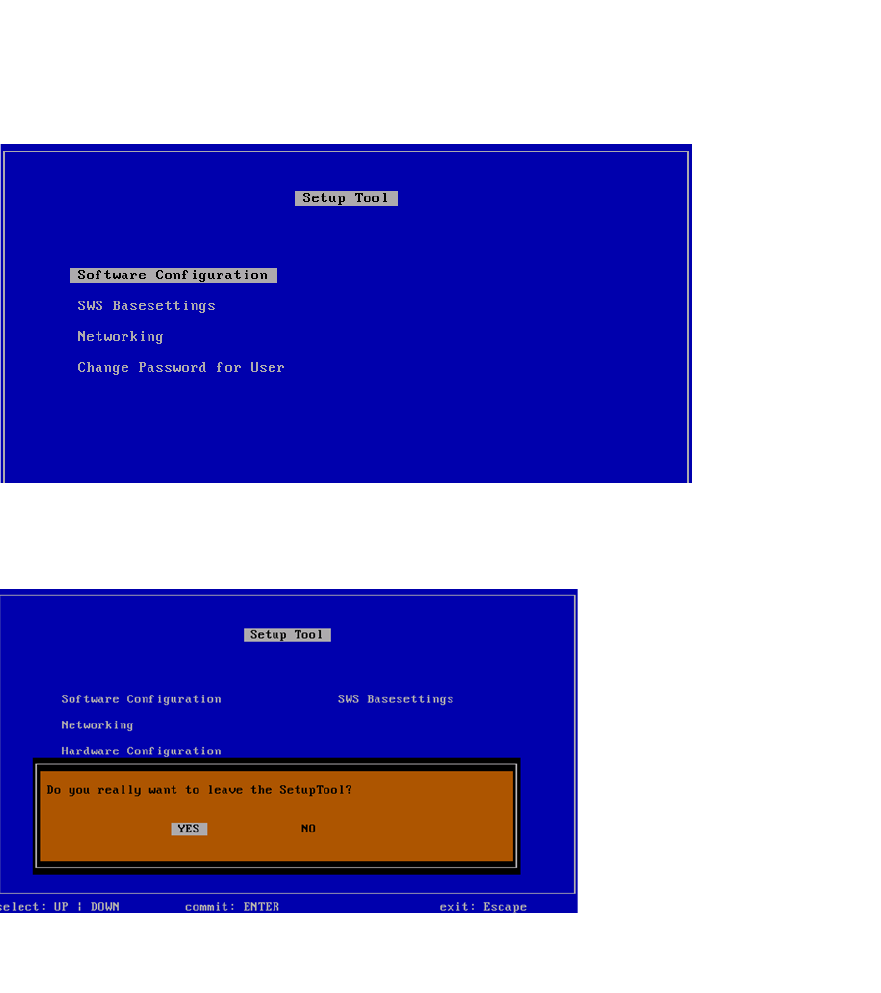
Abb. 116 Menü des Setup Tools
Drücken Sie Esc.
4
Abb. 117 Meldung: Verlassen des SetupTools
Bestätigen Sie YES mit Enter.
Installationsanleitung / Installation Manual SIPLACE SWS Software 3.0
Ausgabe 12/2014 Edition
74
4
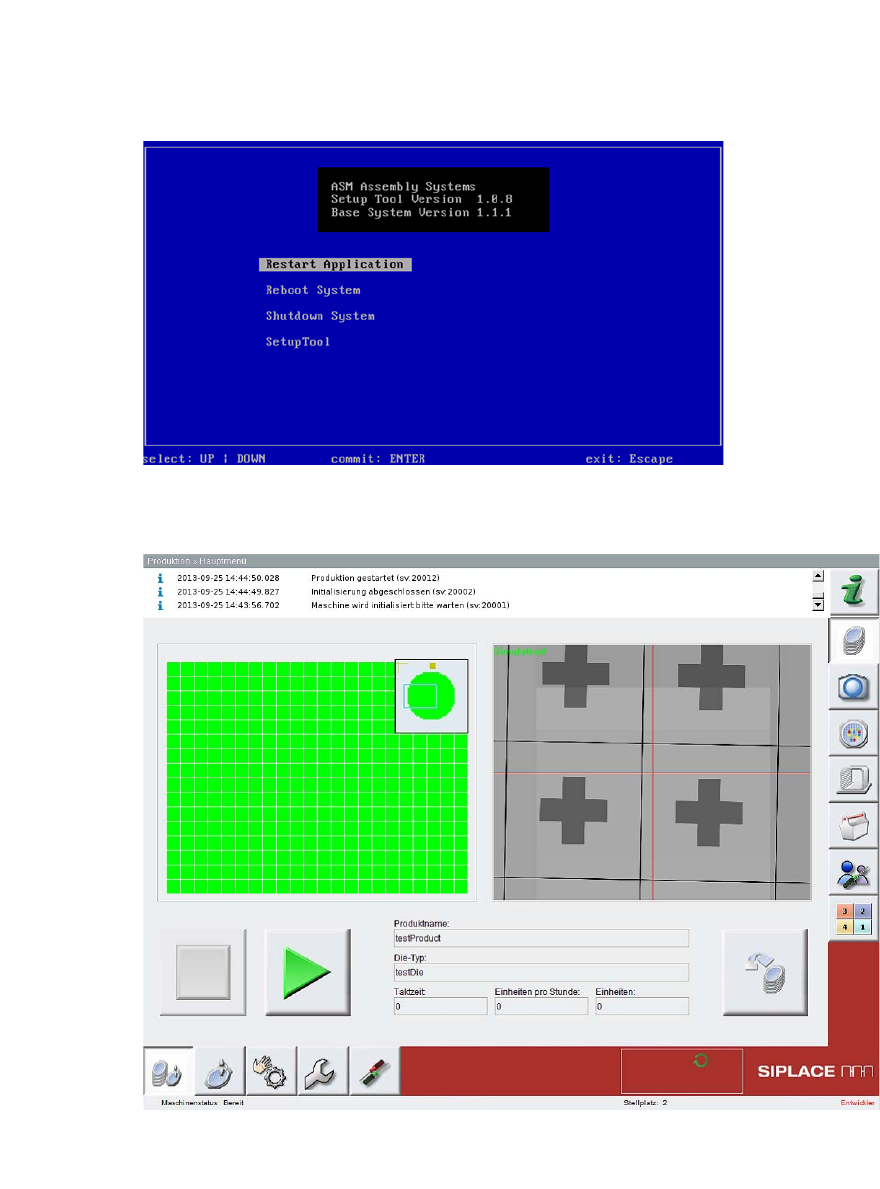
Abb. 118 Startfenster
Bestätigen Sie Restart Application mit Enter.
4
Abb. 119 Startseite der SWS-Software
– Die SWS-Software wird gestartet.
Installationsanleitung / Installation Manual SIPLACE SWS Software 3.0
Ausgabe 12/2014 Edition
75
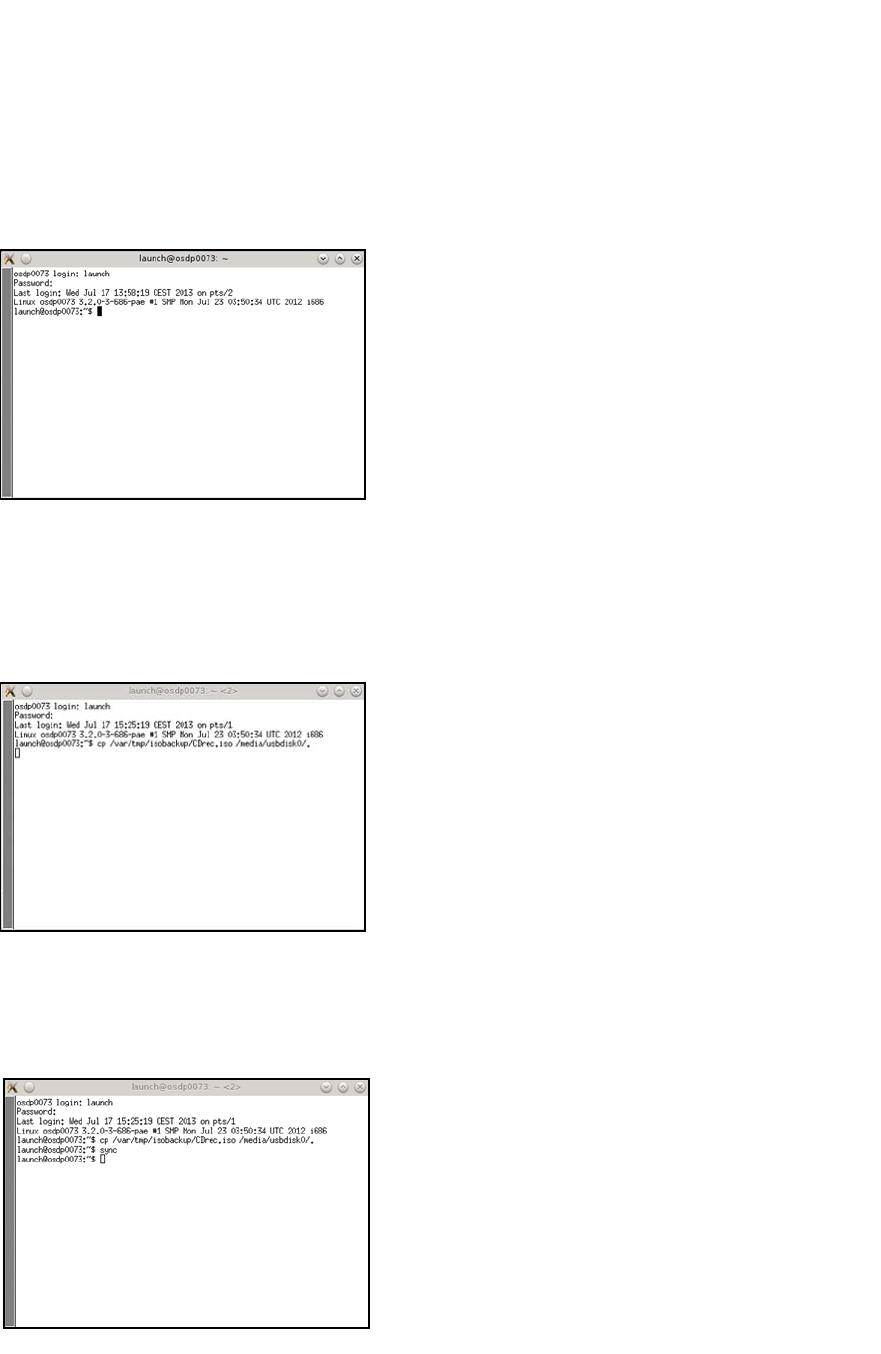
Öffnen Sie das Terminal mit CTRL + ALT + X.
Geben Sie Folgendes ein: super user
Geben Sie Ihr Passwort ein.
4
Abb. 120 Eingabe launch und Passwort
Schließen Sie das Speichermedium (USB-Stick bzw.USB-Festplatte) an den Rechner an.
Geben Sie den folgenden Movebefehl ein:
mv /var/tmp/isobackup/CDrec.iso /media/usbdisk0/. 4
4
Abb. 121 Eingabe mv /var/tmp/isobackup/CDrec.iso /media/usbdisk0/.
Warten Sie, bis das ISO image auf das Speichermedium kopiert ist.
Um das Speichermedium für den Auswurf vorzubereiten, geben Sie Folgendes ein: sync
4
Abb. 122 Eingabe sync