SOM-1619-001.pdf - 第14页
14 Tg0590-PM-SO 5. Placement Position T each Pn and On are taught as follows. 0301-002 Fig. 4 Items to be T aught in Placement Position T each 5. Placement Position T each Unit Pattern Angle: 270 ° Unit Pattern Angle: 0 …

13 Tg0590-PM-SO
Maintaining the Current Pattern Program Data (Save As)
When the [NO] button is pressed in the "Is data saved tem-
porarily ?" window, the "File Name Entry" window is indi-
cated.
Enter the new file name and press the [SET] button.
The temporarily saved PCB origin offset data is saved with a
newly entered file name.
Deleting the Teach Data (All Teach Data Delete)
Press the [NO] button in the "Is data saved temporarily ?"
window.
0301-001
4. PCB Origin Offset Teach
14 Tg0590-PM-SO
5. Placement Position Teach
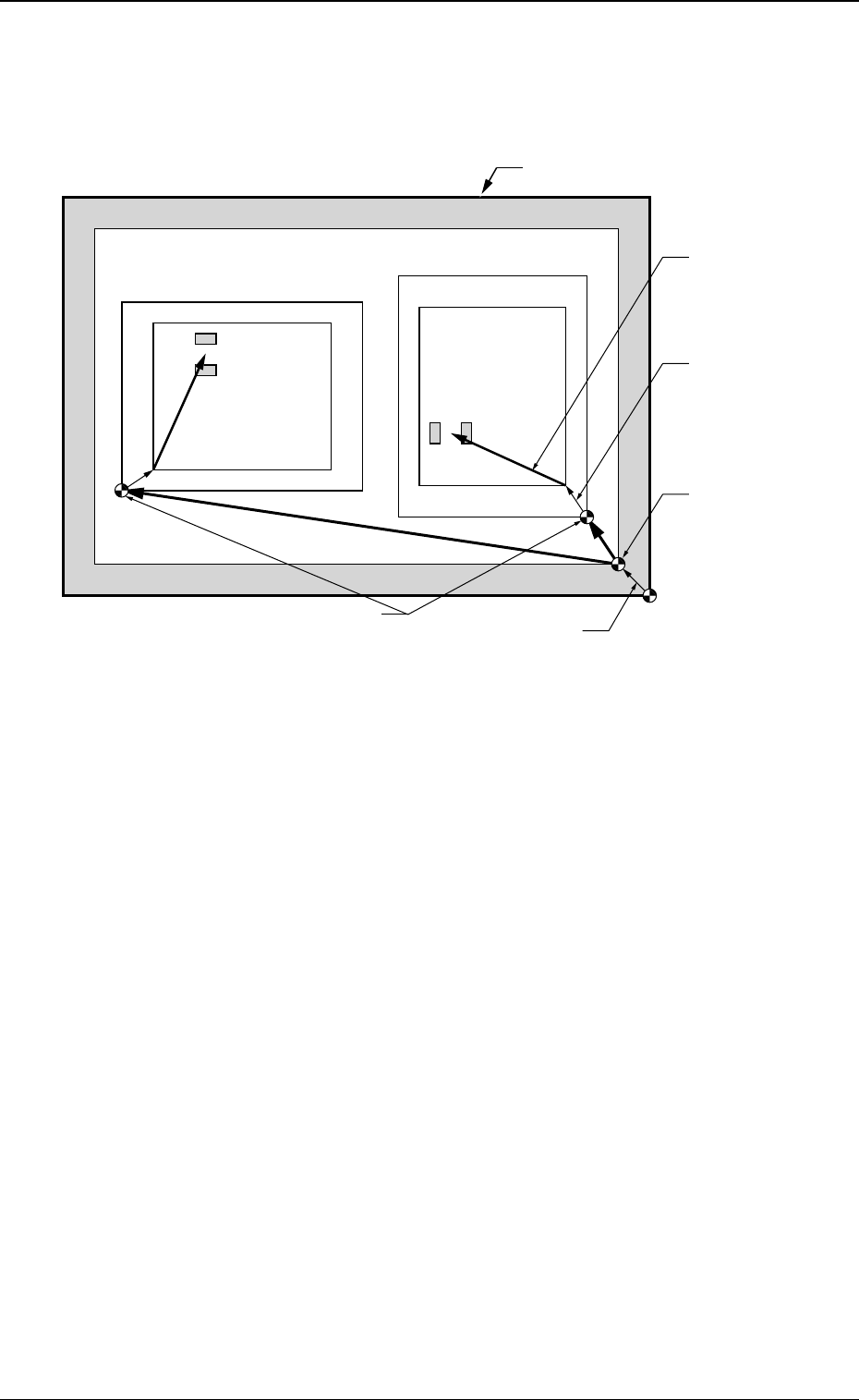
Pn and On are taught as follows.
0301-002
Fig. 4 Items to be Taught in Placement Position Teach
5. Placement Position Teach
Unit Pattern Angle: 270
°
Unit Pattern Angle: 0
°
Pn
Pn
PCB Outermost Shape
Placement
Position
O
2
O1
PCB Positioning
Reference
Pattern Origin
Unit Control
Offset
PCB Origin
PCB Origin Offset
15 Tg0590-PM-SO0301-002
5.1 "Placement Position Teach" Tab Sheet
••
••
• Sheet Layout
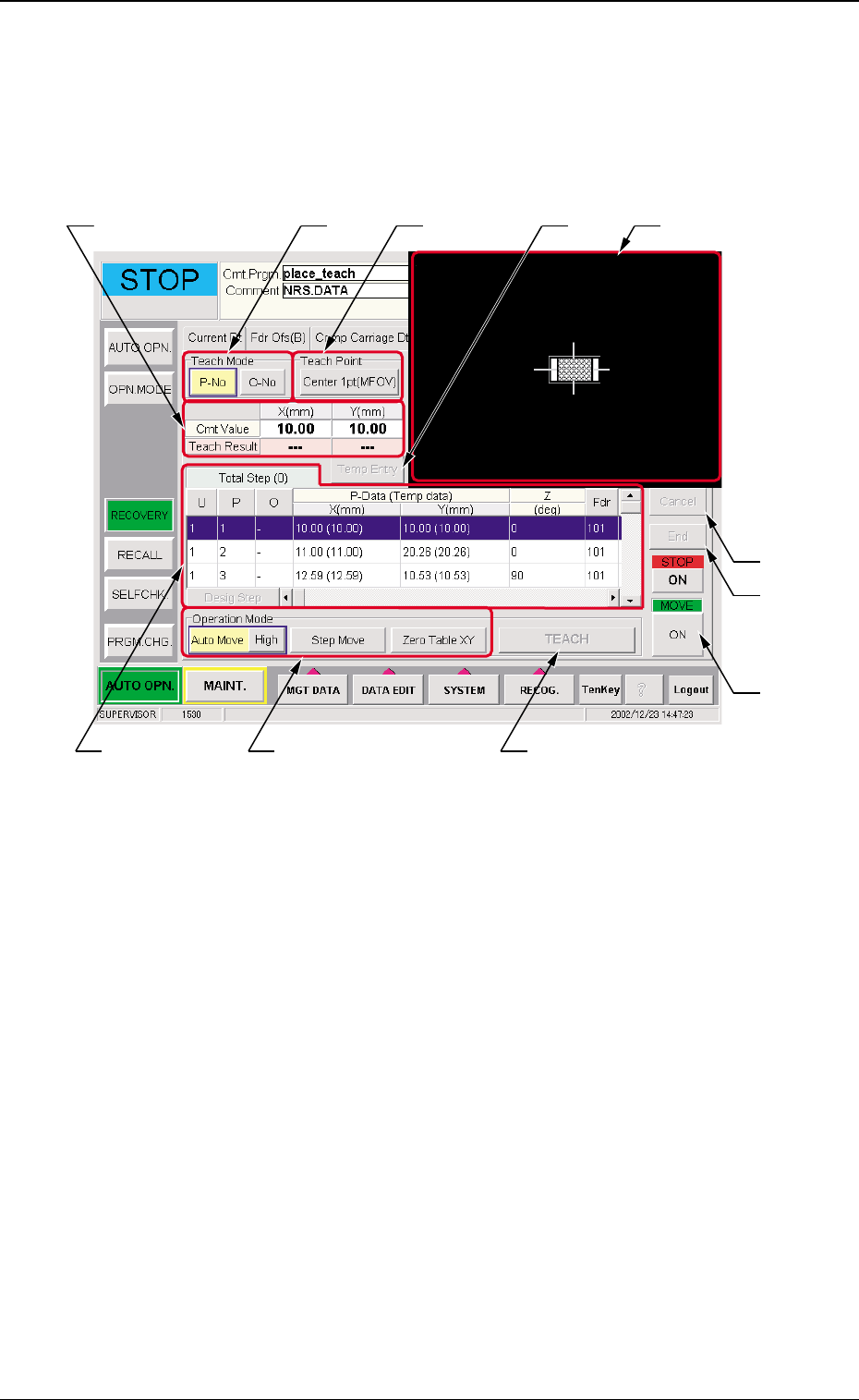
When the [Place Pos Teach] tab is pressed on the "RECOVERY"
window, the following window appears.
Fig. 5 "Place Pos Teach" Tab Sheet
5. Placement Position Teach
••
••
• Sheet Composition
*1 Teach Mode
[P-No] or [O-No] button is selected for the placement position
teach operation.
*2 Teach Point
The "Teach Point" window is opened to designate the teaching
method.
In the "Teach Point" window, designate "Center 1pt (MFOV)",
"Diagonal 2pt" or "Center 1pt (SFOV)".
*3 Placement Data
The pattern program position presently referred and the posi-
tion resultant from the teaching are indicated.
*3 *2*1
*9
*10
*11
*4 *5
*7
*6 *8