4X4CEIM.pdf - 第21页
4 Page 19 HANDLING FLOPPY DISK Data and program for this machine, basically managed by PT, are saved to and loaded from a floppy disk. This section describes the protection and handling of such floppy disks. NOTICE Only …
Page 18
SAFETY PRECAUTIONS
Be sure to observe
4X4C-E-IMA00-A03-01
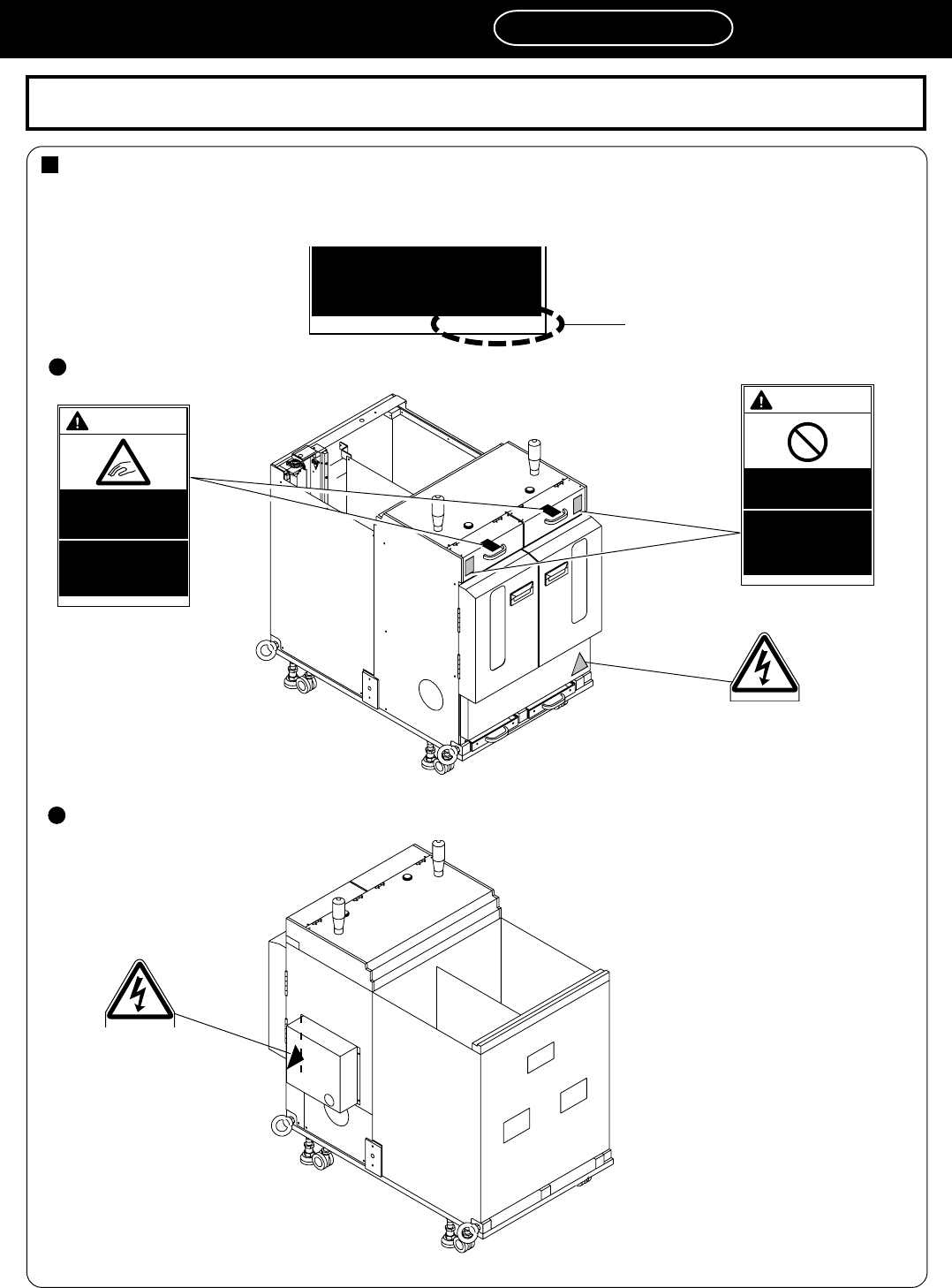
The positions of warning labels on the rear side
4M4C-AD00
0 1 J K A
Direct Twin Tray Feeder DT40T-40U (Warning Labels)
The following warning labels are pasted on this machine. Follow the instructions on each label. If a label has
come off, put a new one on a proper position. To order a label from the manufacturer, refer to PARTS LIST.
Label part No.
0 1 J Q B
feeder tables will have
serious injury.
The labels for safety pasted on the product
0 1 P 9 B
WARNING
DO NOT DISABLE
SAFETY SENSOR
You will have serious
injury by active part
if you disable safety
sensor.
0 1 N 8 A
WARNING
WATCH YOUR
HANDS OR
FINGERS
You will have serious
injury if you touch
active part.
4M4C-AA00
0 1 J K A
The positions of warning labels on the front side
4
Page 19
HANDLING FLOPPY DISK
Data and program for this machine, basically managed by PT, are saved to and
loaded from a floppy disk. This section describes the protection and handling
of such floppy disks.
NOTICE
Only 3.5-inch 2HD floppy disks (1.44 MB format) can be used for this machine.
2DD disks cannot be used.
1 Backing up the Data and Program
A floppy disk is a compact and light weighted data storage medium convenient for storage and
transport, but data may be erased or may not be loaded by improper handling.
Make sure to back-up the program and data on a disk to protect against the loss of data. To back-
up the program and data, make another copy disk of the same contents.
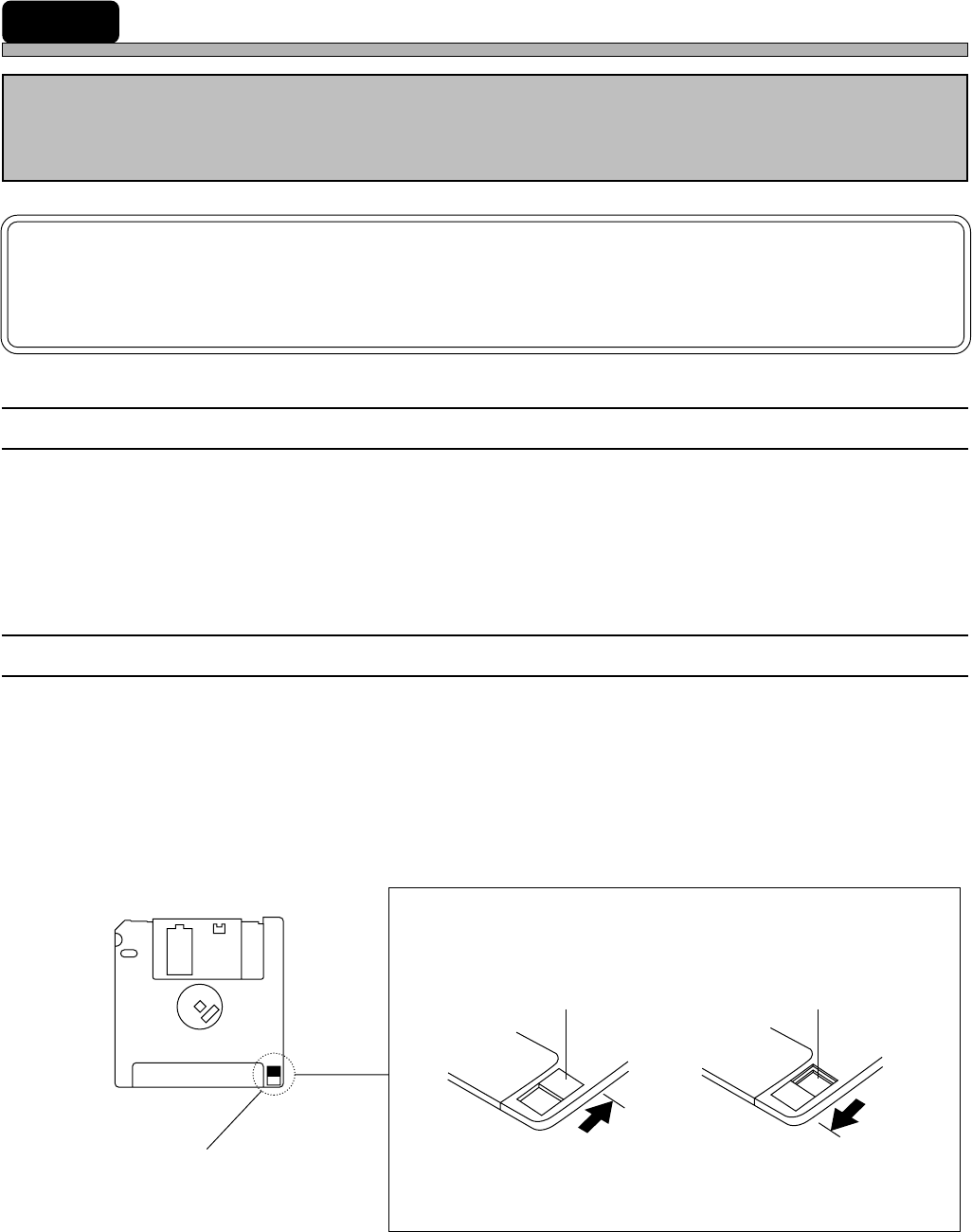
2 Write Protection
The stored data may be mechanically protected from accidental erasure or rewriting.
• Write protection may be set or disabled by sliding the write protect tab located at the lower part of
the floppy disk with a ball pen tip, etc.
Slide the tab with a ball point
pen tip or something similar.
The hole is open.
The hole is closed.
“Protected” position
Inhibits deleting or
saving
“Release” position
Permits deleting or
saving
Write protect tab
Reverse side
4X4C-E-IMA00-A03-02
Page 20
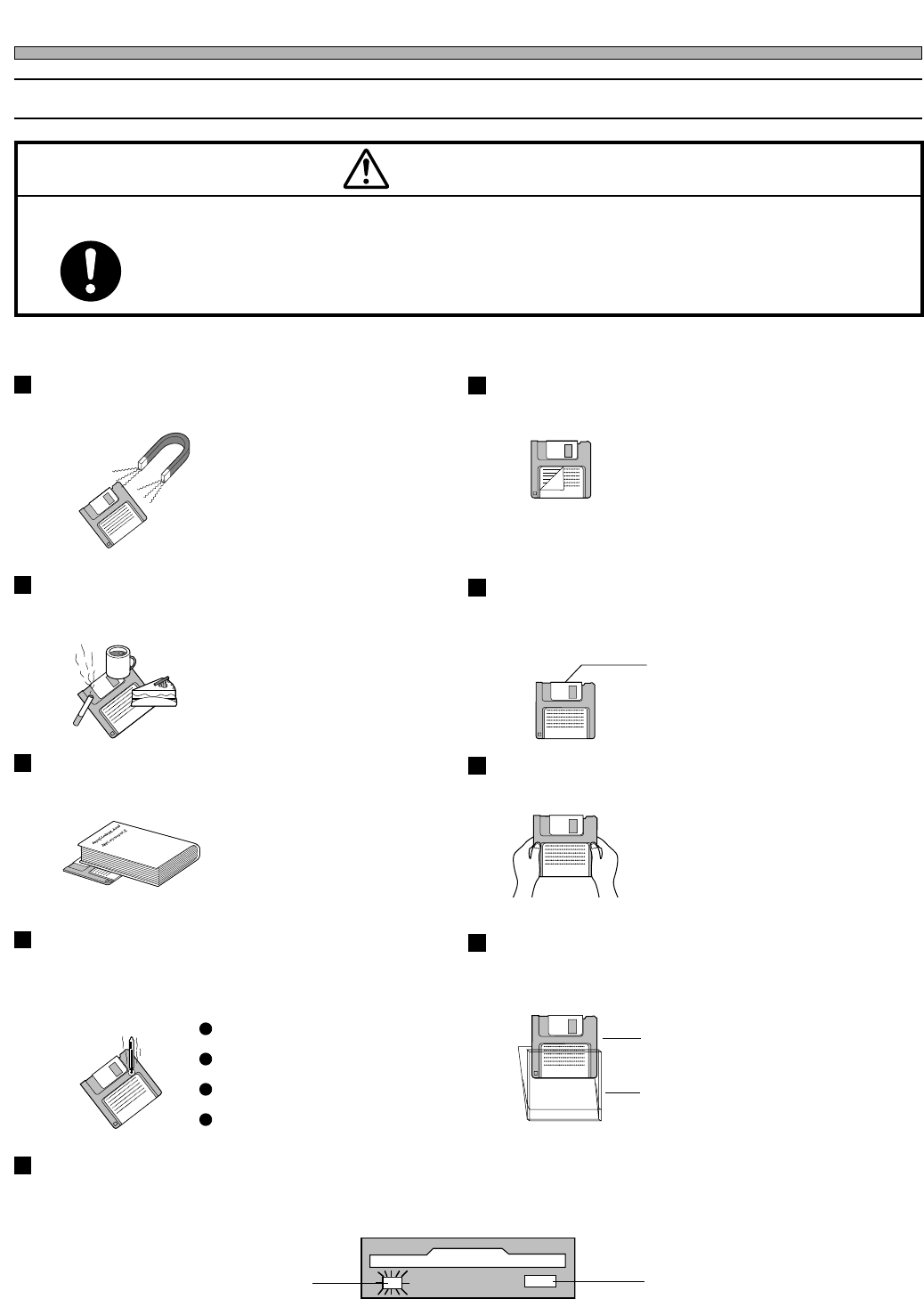
3 Precautions for Handling Disks
M37E
OBSERVE THE FOLLOWING ITEMS WHEN HANDLING FLOPPY DISKS.
Floppy disks and the data in them can be destroyed.
CAUTION
Eject button
Do not press this button
while the access indicator
lamp is lit.
Access indicator lamp
Do not eject the disk or turn off the power supply while the disk drive access indicator
lamp is lit.
Direct sunshine
Dust
Case
Disk
High or low temperature
Do not use the case that is not provided
for safekeeping and carrying.
A disk should not be stored or left in
areas exposed to the following
conditions:
Do not apply excessive force to the disk.Do not place heavy objects on the disk.
Automatic shutter
The automatic shutter should not be
opened. Do not touch the magnetic circu-
lar disk inside.
Refrain from smoking, drinking and
eating close to the disk.
Any loose labels should be re-
placed with new ones.
Do not place the disk in the
vicinity of a motor, CRT, or
anything that may generate a
magnetic field.
Do not attach a new label over an old one.Do not bring a magnet close to the
disk.
High humidity
HANDLING FLOPPY DISK
4X4C-E-IMA00-A03-01