00194477_Install_Win2003_manual.pdf - 第12页
Installation Manual for Windows 2003 Server (manual setup) Edition 04/2006 Fig. 2-8: Windows 2003 Server: Computer Name and Password → Enter the Computer nam e and the Administrator pass word . → Click the button Ne xt&g…
Installation Manual for Windows 2003 Server (manual setup) Edition 04/2006
Note:
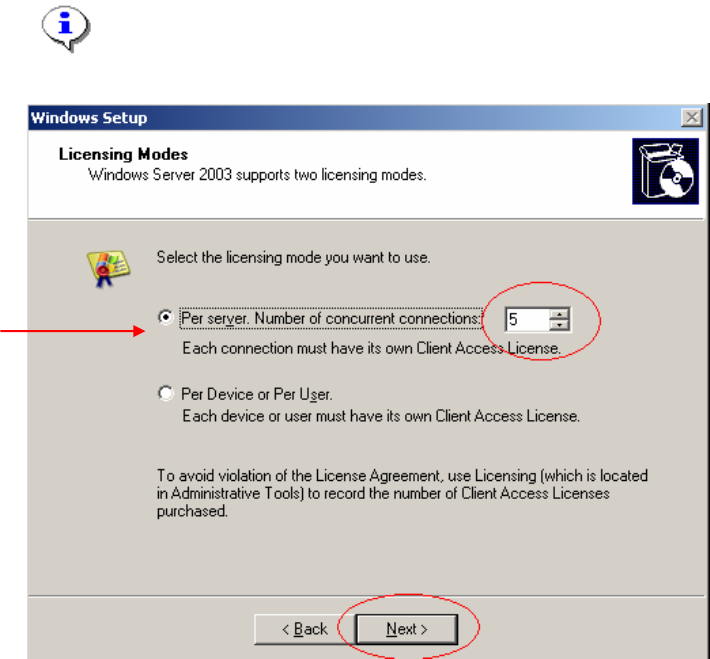
You can extend the number of licenses later.
Fig. 2-7: Windows 2003 Server Licensing mode and number.
→ Leave the Licensing mode as “Per Server”
→ Enter the number of your purchased number of CALs
→ Click the button Next>.
The following dialog appears:
11 / 34
Installation Manual for Windows 2003 Server (manual setup) Edition 04/2006
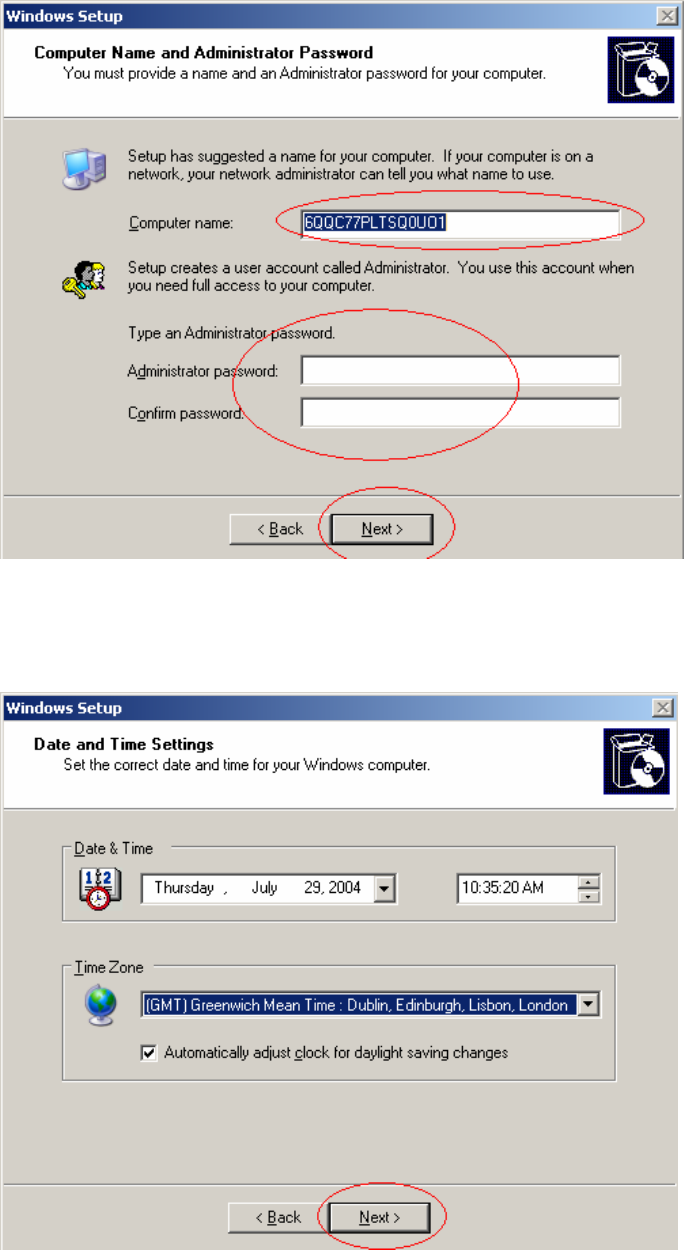
Fig. 2-8: Windows 2003 Server: Computer Name and Password
→ Enter the Computer name and the Administrator password.
→ Click the button Next>.
Fig. 2-9: Windows 2003 Server: Date, Time and Time Zone
→ Check the Date & Time and the Time Zone.
→ If necessary change the settings.
12 / 34
Installation Manual for Windows 2003 Server (manual setup) Edition 04/2006
→ Click the button Next>.
→ Wait until installation has copied necessary files and the following dialog appears.
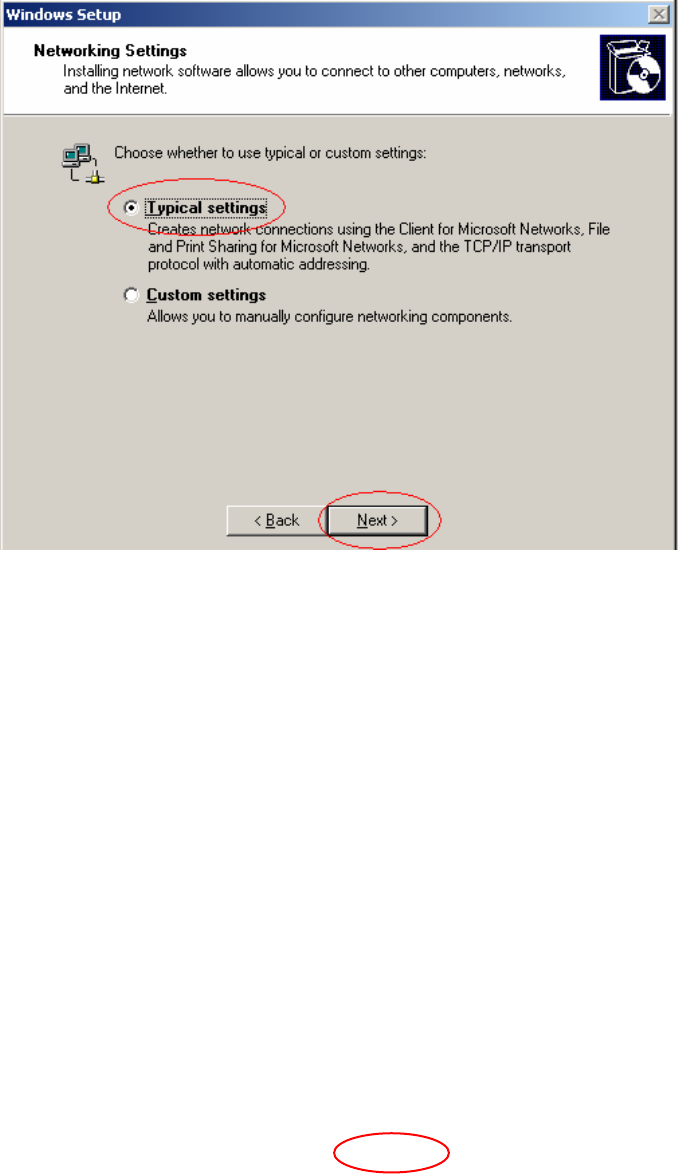
Fig. 2-10: Windows 2003 Server: Networking Settings
→ Choose "Typical Settings"
→ Click the button Next>.
The following dialog appears:
13 / 34