00194477_Install_Win2003_manual.pdf - 第9页
Installation Manual for Windows 2003 Server (manual setup) Edition 04/2006 → If you wish to change the regional settings, please click the button Customize... → Make the cha nges. → Click the button Ne xt> . The follo…
Installation Manual for Windows 2003 Server (manual setup) Edition 04/2006
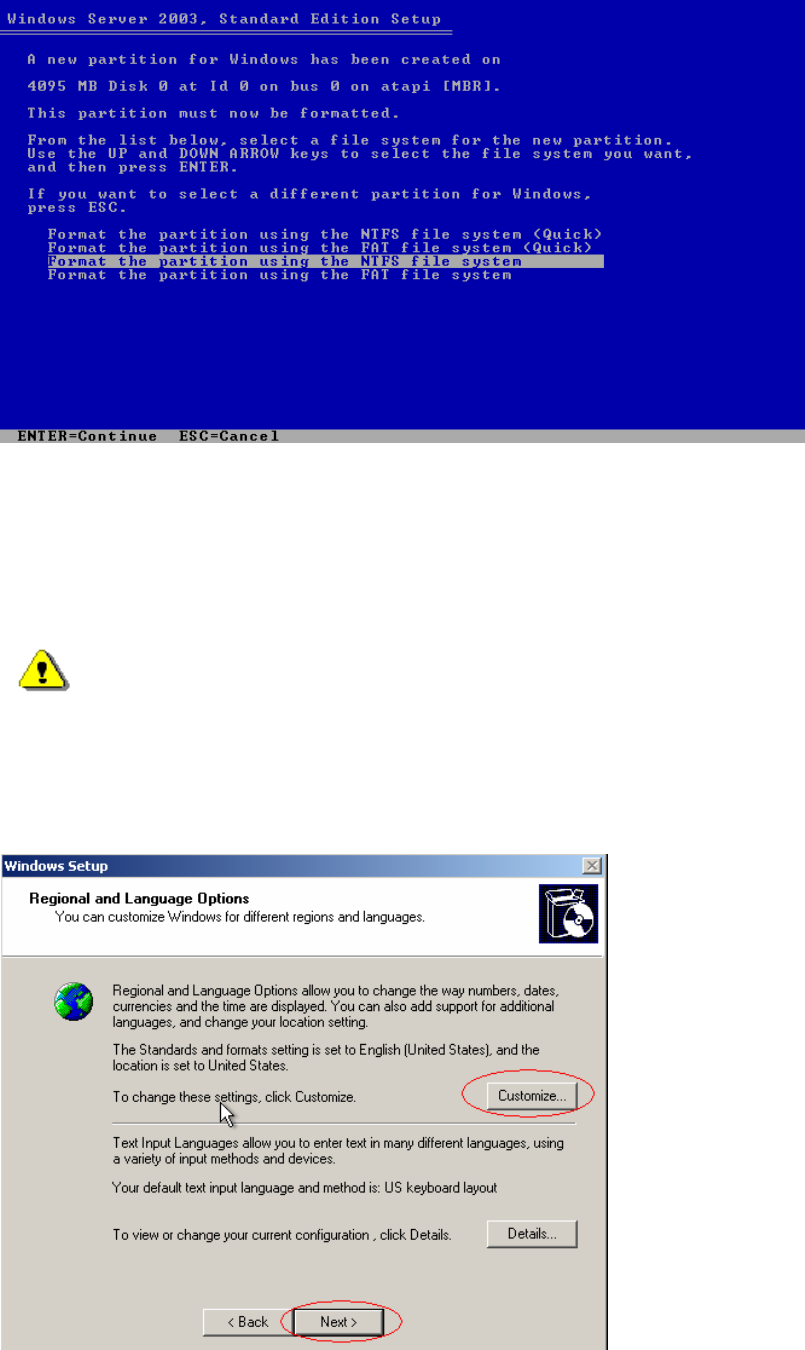
Fig. 2-4: Windows 2003 Server partitions
→ Select "Format the partition using the NTFS file system".
→ Press Enter to continue.
→ Please wait while the computer reboots.
Warning:
Do not press a key, when the message "Press any key to reboot from CD" appears during
the startup phase of the computer.
The installation of Windows 2003 Server will continue with the graphical part:
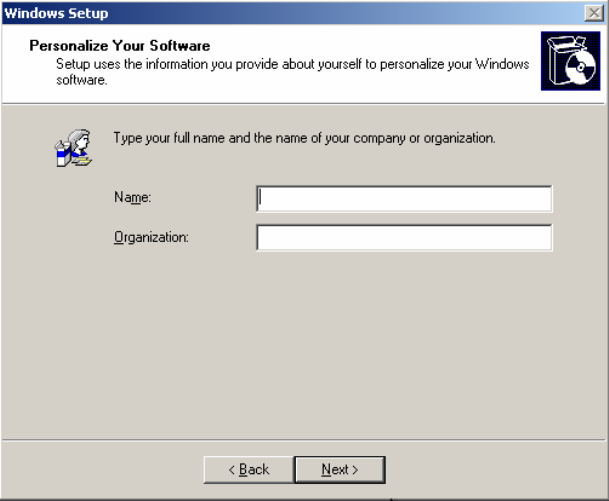
Fig. 2-5: Windows 2003 Server: Regional and Language Settings
8 / 34
Installation Manual for Windows 2003 Server (manual setup) Edition 04/2006
→ If you wish to change the regional settings, please click the button Customize...
→ Make the changes.
→ Click the button Next>.
The following dialog appears:
9 / 34
Installation Manual for Windows 2003 Server (manual setup) Edition 04/2006
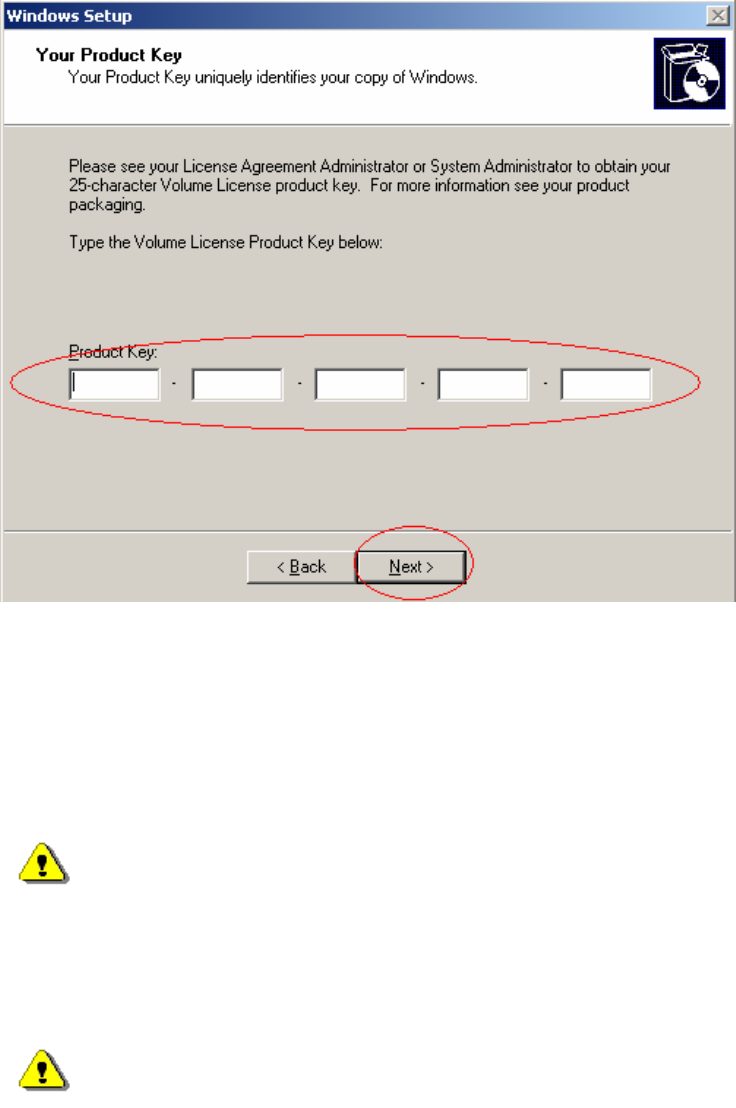
Fig. 2-5: Windows 2003 Server: Personalize Your Software
→ Please enter the Name and the Organization.
→ Click the button Next>.
The dialog "Your Product Key" appears.
Fig. 2-6: Windows 2003 Server: Product Key
→ Enter the software key.
→ Click the button Next>.
The following dialog for specifying the licensing mode and eventually the number of necessary client
acces licenses are necessary.
Warning:
If you do not allow enough Client Access Licenses (CAL) for your SIPLACE Pro
configuration you might have functional restrictions. If the server operates as
LineControlServer and you want to control more SIPLACE Machines than you specify
number of CALs, connections to machines can be refused.
Warning:
You can only switch once from Per Server mode to Per Seat mode, but not back. Siemens
L&A recommends not using this mode.
10 / 34